Vehicle Physics Pro
 Blender Procedural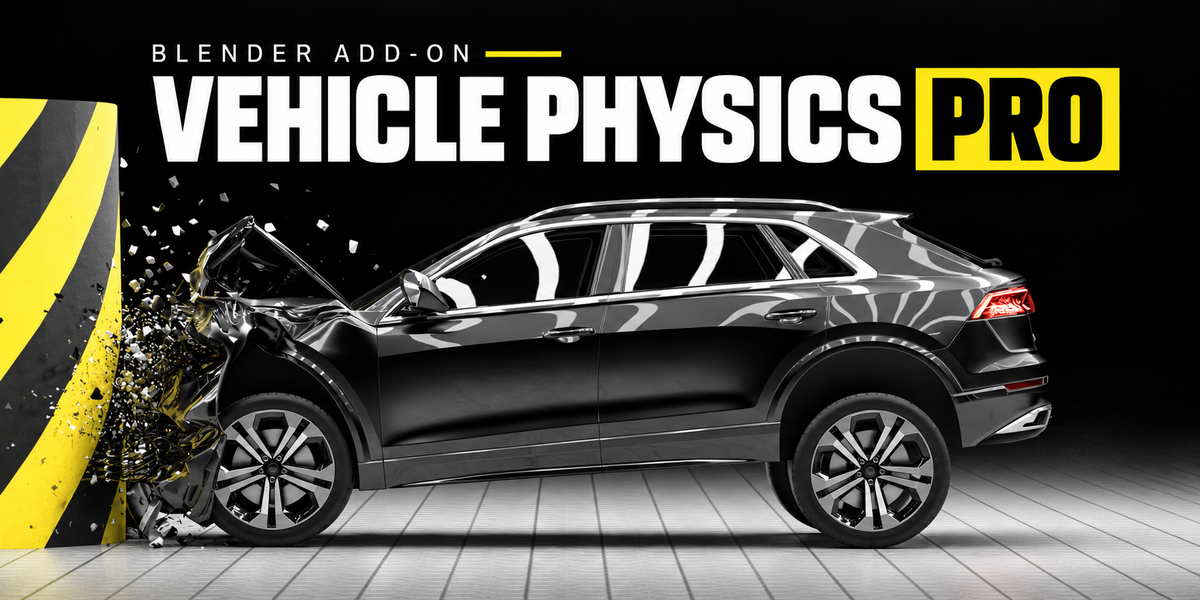
Documentation
Vehicle Physics Pro
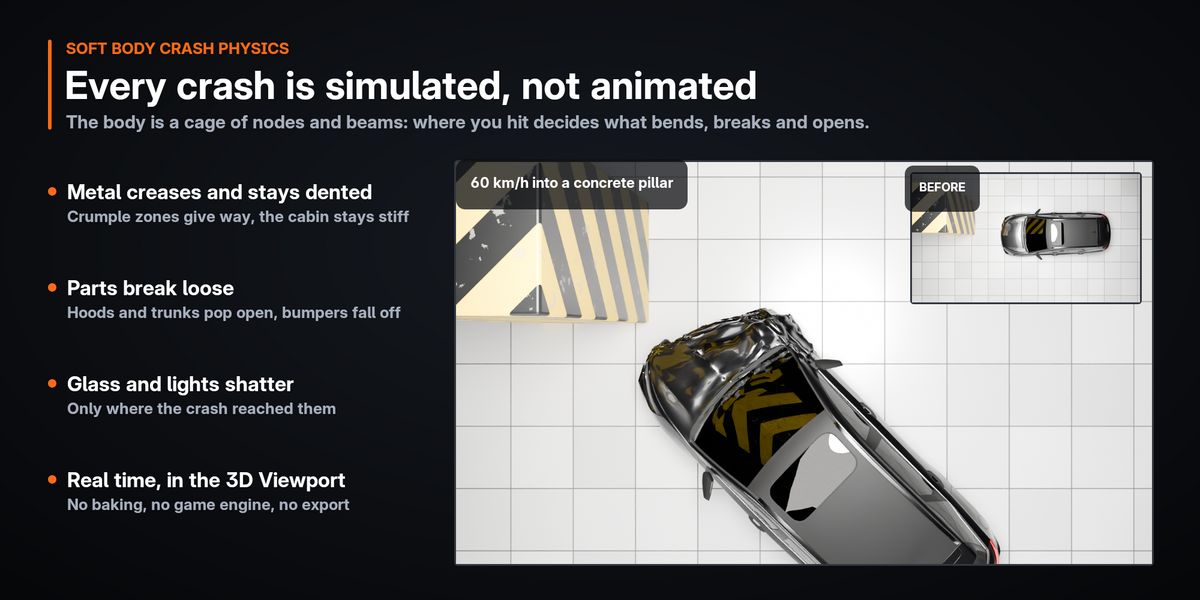
Vehicle Physics Pro turns a car model into a vehicle you drive with the keyboard right in Blender's 3D Viewport, and that dents, crumples and loses parts when it crashes. Everything runs inside Blender: no game engine, no export, no external program. Your original model is never changed: the simulation works on temporary copies, and Esc puts the scene back exactly as it was.
Version 0.4.3 · Blender 4.2 or newer · tested on 4.5 LTS and 5.2 LTS · pure Python, no compiled code · tested on Windows
InstallationDrive in 30 secondsVehicle LibraryControlsCameras and HUDRecording and renderingYour own carsCollidersPhysics settingsPerformanceStop and resetTroubleshootingLimitationsWhat's new
Installation
Vehicle Physics Pro is a Blender extension. It uses only what ships with Blender (Python, numpy, mathutils, bmesh, gpu, blf): no internet access, no extra packages.
- Download vehicle_physics_pro-0.4.3.zip. Do not unzip it.
- In Blender open Edit › Preferences › Get Extensions.
- Click the drop-down arrow (˅) in the top right corner, choose Install from Disk… and select the zip. Dragging the zip into the Blender window works too.
- Vehicle Physics Pro appears in the list and is enabled.
- In the 3D Viewport press N to open the sidebar and click the Vehicle Physics Pro tab.
Drive in 30 seconds
Three ways to start. Move the mouse over the 3D Viewport before you click Start Simulation, drive with W A S D, and press Esc to stop.
A ready-made vehicle
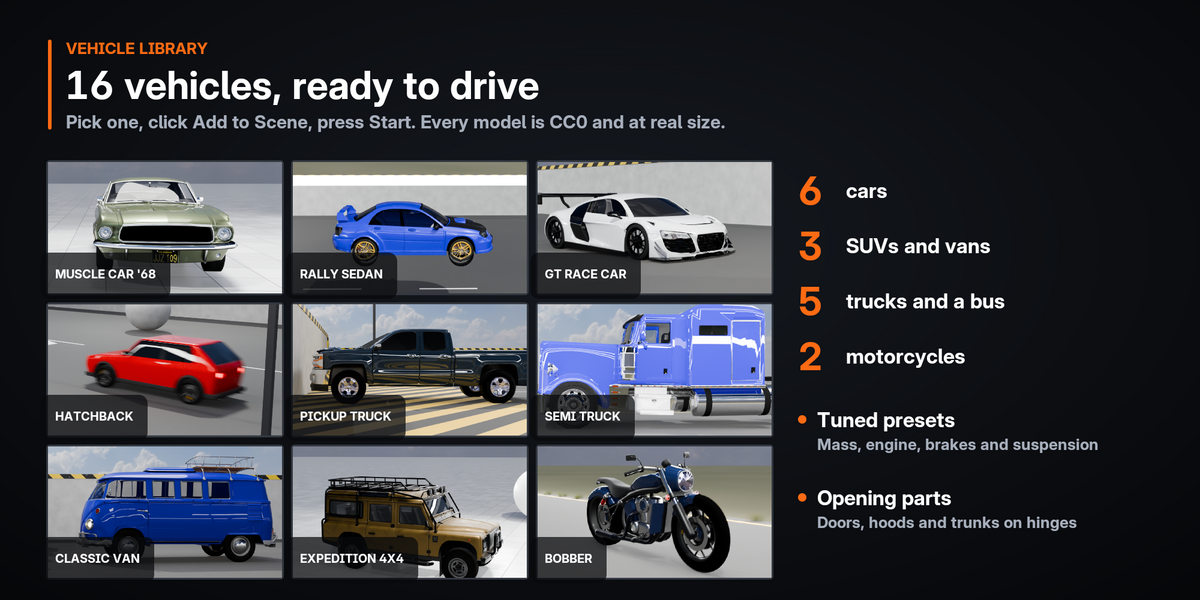
Open Vehicle Library, pick a thumbnail and click Add to Scene, or use Shift+A › Vehicle Physics Pro. Then click Start Simulation.
The test scene
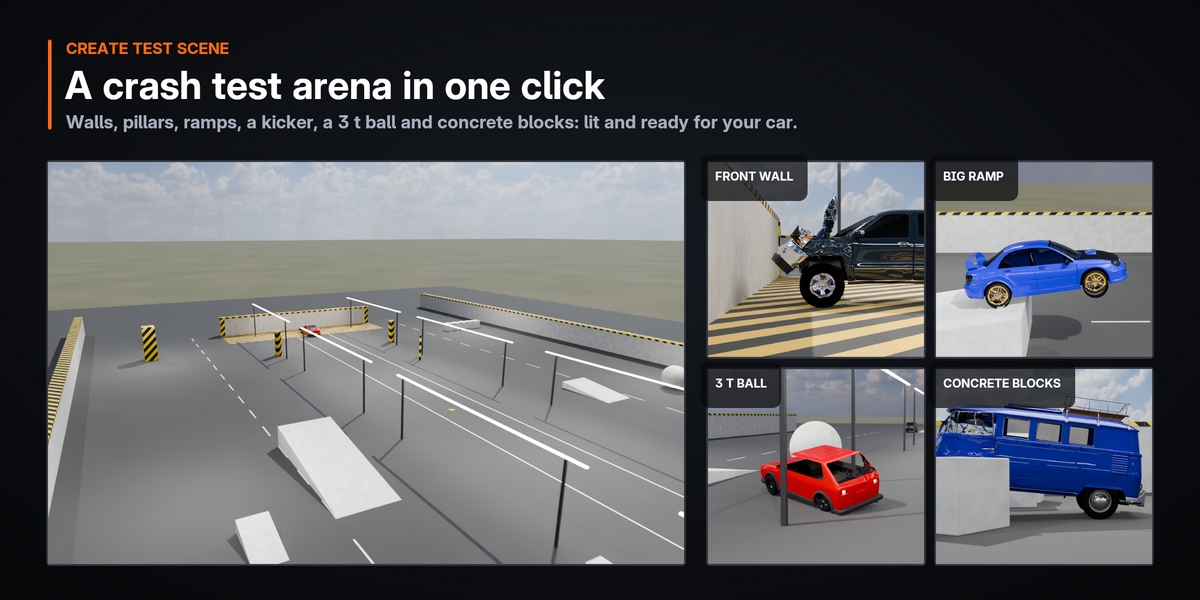
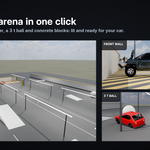
Click Create Test Scene for a crash arena with a set-up test sedan. Switch the viewport to Rendered to see it lit.
Your own car
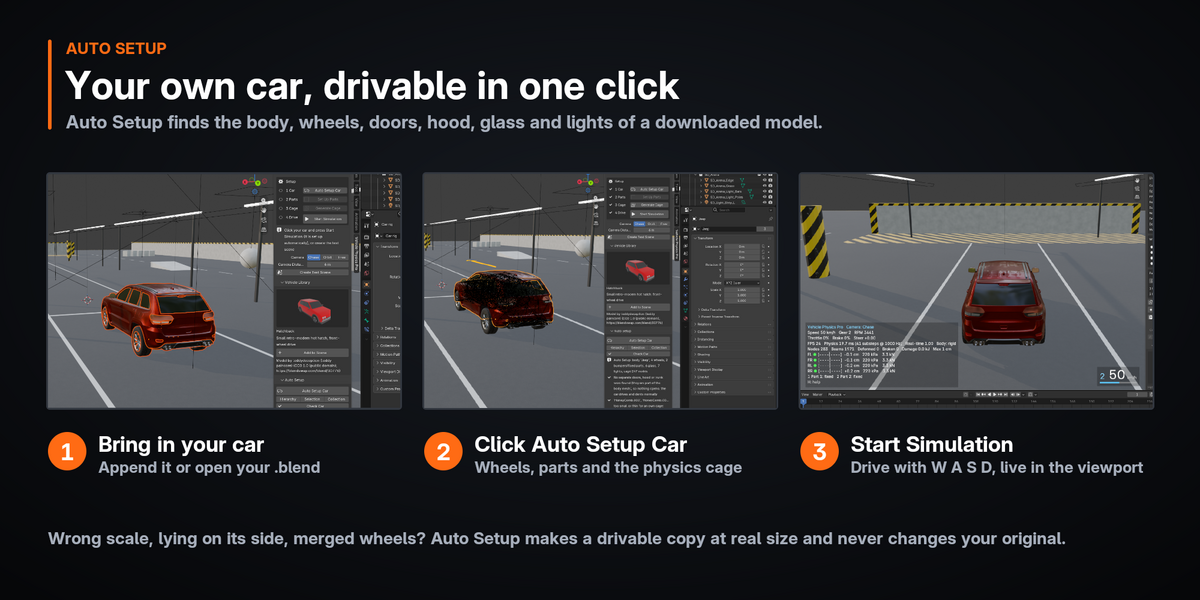
Select the car's body and click Auto Setup Car in the Auto Setup panel. See Your own cars below.
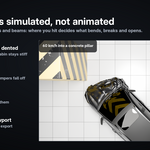
The crash arena is a floating asphalt slab with a marked test lane, a hatched crash zone before a concrete wall, hazard-striped pillars and a pole, ramps, a one-side kicker ramp for rollovers, a 3 t ball and a row of blocks to push, a bump field, light bars and soft studio lights.
Vehicle Library
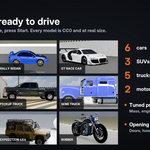
Sixteen vehicles are set up and ready to drive. All were made from CC0 (public domain) models and come at real-world size.
| Vehicle | Length | Notes |
|---|---|---|
| Cars | ||
| Hatchback | 4.0 m | Front-wheel drive |
| Muscle Car '68 | 4.7 m | V8, rear-wheel drive, opening hood and trunk, detailed interior |
| City Taxi (low poly) | 3.6 m | Light and fast to simulate |
| Supercar | 4.5 m | Mid-engine, rear-wheel drive, low ground clearance |
| Rally Sedan | 4.5 m | Turbo, all-wheel drive, opening hood and trunk |
| GT Race Car | 4.6 m | Mid-engine GT3 car, big rear wing |
| SUVs and vans | ||
| Off-road SUV | 4.7 m | All-wheel drive, long suspension travel |
| Expedition 4x4 | 4.7 m | Long-wheelbase wagon with a roof rack |
| Classic Van | 4.2 m | Four opening doors and a tailgate |
| Trucks and buses | ||
| Pickup Truck | 5.9 m | Crew cab, opening hood and tailgate |
| Semi Truck | 7.7 m | 6×4 tractor unit, both rear axles driven, twin rear tires |
| Utility Bucket Truck | 7.1 m | Aerial lift truck |
| Fire Truck | 8.8 m | 12 t fire engine |
| City Bus | 11.4 m | 11 t transit bus, twin rear tires |
| Motorcycles | ||
| Bobber Motorcycle | 2.2 m | V-twin cruiser, the rider balances it |
| Touring Motorcycle | 2.2 m | Faired touring bike with a windscreen |
The vehicle is added at the 3D cursor with its front toward −Y. Auto Setup runs on its own and the matching physics preset (mass, engine, brakes, suspension) is applied. It is a normal object in your scene: move it, recolor it, change its settings and save the file. Model authors and sources are listed under each vehicle in the panel and in presets/vehicles/CREDITS.txt.
Controls
- Keys work while the Blender window has focus and the mouse is over it. W brakes while reversing; steering centers when released.
- Shortcuts that would change your data while driving (Ctrl+Z, Ctrl+S, X, Delete, Tab…) are blocked. Left click only opens and closes parts; it does not select objects.
- Some keyboards cannot register three or four letter keys at once (for example W + A + Space). If that happens, use the arrow keys.
Driving assists
Steering assist
Full lock turns as hard as the tires can hold. The lock gets smaller with speed, and tall vehicles are kept from rolling over.
ABS with brake force distribution
The rear wheels brake a little less and together, so hard stops stay straight.
Traction and stability
Limit wheel spin and slides.
Assisted mode is the default. Set Driving Assists to Realistic in the Vehicle Setup panel to turn them all off.
Cameras and HUD
Press C to switch cameras. When you stop, the view returns to where it was before the drive.
Chase (default)
Follows smoothly and pulls back with speed. Long and tall vehicles get it farther back and higher. Middle-mouse drag looks around; 1.2 s after you let go it swings back.
Orbit
Follows the car's position; rotate and zoom with the mouse.
Free
The view stays where you put it.
HUD and Live Stats. The heads-up display at the bottom left shows speed, gear, RPM, throttle, brake and steering, camera mode, frame rate, physics time per frame, real-time factor (1.00 = real time; below that the simulation runs in slow motion), node and beam counts, deformed and broken beams, absorbed energy in kJ, the largest deformation, per-wheel contact, suspension travel, tire pressure and load, and the state of every part. Live Stats in the sidebar shows the same. Camera Distance and Camera Height are set for a 4.5 m car.
Recording and rendering
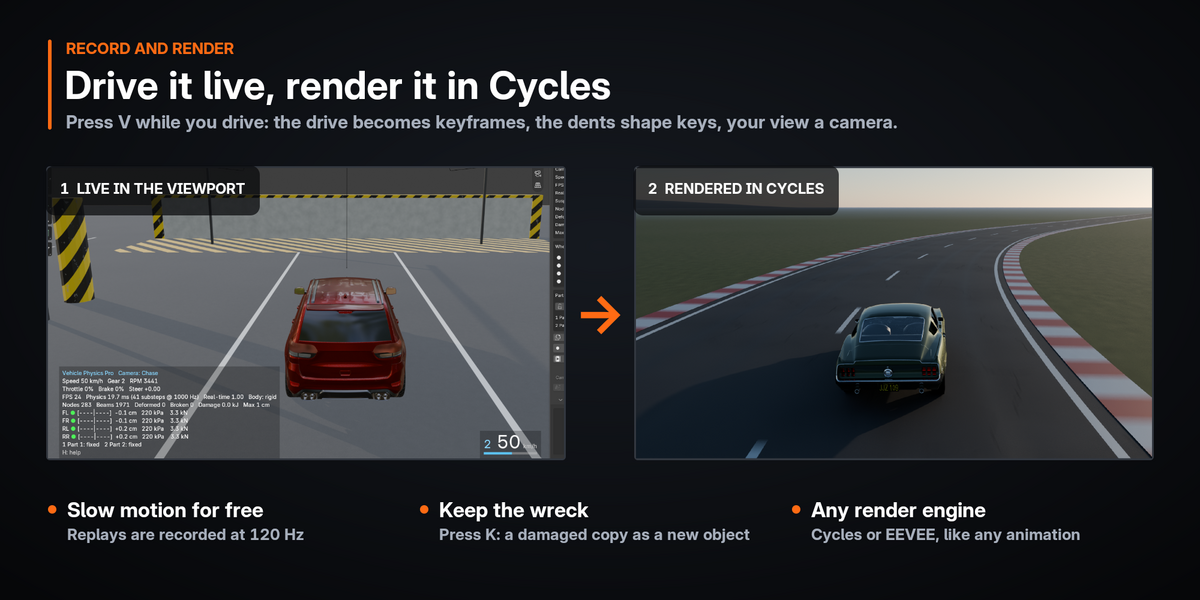
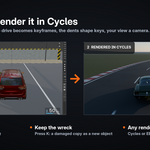
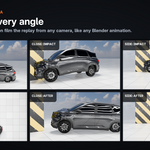
A recording is ordinary Blender animation, so it renders with EEVEE or Cycles like anything else.
- While driving, press V (or click Record in the sidebar). A red ● REC appears in the HUD.
- Drive. Press V again to stop and save, up to 90 s. Stopping the simulation while recording also saves.
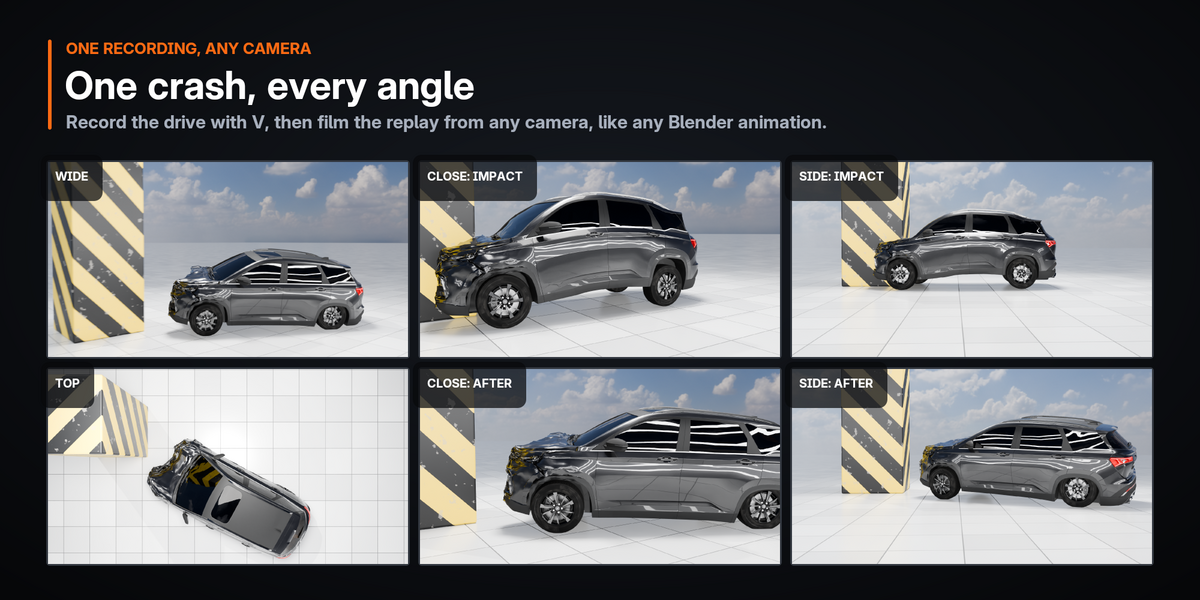
- The drive is saved in the Vehicle Physics Pro Replay collection: keyframes for every part, shape keys for the dents.
- The view you saw is saved as a real camera, Vehicle Physics Pro Replay Camera, with its focal length, and becomes the scene camera. Render › Render Animation renders the drive exactly as you saw it.
Your own cars
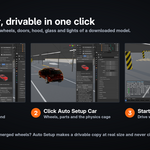
Select the car's body (or any part of the car) and click Auto Setup Car in the Auto Setup panel. Vehicle Physics Pro finds the body, wheels, tires, doors, hood, trunk, bumpers, glass, lights and mirrors, works out the front, the wheel centers and the suspension, builds the physics cage and applies a physics preset. The result is listed under Detected Parts with a confidence for each object. Then click Start Simulation.
Models as they come
Wrong scale (cm or mm imports), lying on its side, instanced or merged wheels: Auto Setup makes a drivable copy at real size and leaves your original untouched.
Fix what it found
Use Flip Forward if the car drives backwards. Change any role in the list and click Apply Roles. Check Car lists problems and what to do before you drive.
Wheels and rims
Separate wheel objects work best; merged wheels are split automatically. When both rims of an axle are one object, or the discs are part of the chassis mesh, Start splits their loose parts off by wheel: parts on the axle spin with the tire, and a caliper inside the rim steers.
Model requirements
Upright, with the wheels on the ground. Doors, hood and trunk open only if they are separate objects. Modifiers (Mirror, Subdivision…) are fine: the simulation uses the evaluated mesh. Your objects are never changed.
Motorcycles
Two wheels one behind the other are set up as a motorcycle: the front wheel steers, the rear one is driven, and the Motorcycle preset is applied (260 kg with the rider). A simulated rider keeps the bike upright, leans it into the turns you steer (up to about 40°), rolls off the throttle in a wheelie and eases the brake in a stoppie. After a crash the rider lets go and the bike falls like an unridden one; F puts the rider back on. Rider Balance in Vehicle Setup turns the rider off. Bikes ride on the Simple suspension.
Manual setup
Vehicle Setup panel
Body, wheel list (Steer, Drive, Brake, Handbrake, radius; 0 = automatic), Forward Axis, physics Preset (Compact, Sedan, Sports, SUV, Truck, Semi Truck), Drivetrain, Differential, Driving Assists. Create Wheel Pivots adds an Empty per wheel (location = wheel center, local Z = steering axis); Create Suspension Hardpoints adds Empties for the arms, strut top and tie rod.
Parts panel
Doors, hood, trunk and breakable parts. Each part has a type (Door, Hood, Trunk, Other, Glass, Light, Accessory), a hinge edge, opening angle, latch strength and mass. Create Hinge Pivots shows the hinge axes as Empties. The number in the list is the key that opens the part.
Physics Cage panel
The cage is the simulated structure (vertices = nodes with mass, edges = spring-damper beams); the visible model follows it. Cage Resolution sets dent detail, Part Resolution the detail of part plates. Edit Cage sets beam types, node mass, zones and break groups.
Changes take effect at the next Start.
Colliders
Ground Plane is an endless flat ground at Ground Height (on by default). With Scene Collides (on by default) every visible mesh that is not part of the car is a collider, so you do not need to mark anything. Objects the car starts inside, parts of the car that are not in the setup, and the original of a drivable copy are left out automatically.
To choose a type yourself, select objects and click Mark Selected:
| Auto | Convex for convex meshes, otherwise Mesh |
| Box | The oriented bounding box. Fastest; good for walls |
| Convex | The convex hull: ramps, blocks, posts, curbs. Tires and body meet its edges exactly, so curbs and steps are driven over properly |
| Mesh | The exact triangles: terrain, hollow shapes. Slower |
| Dynamic | A box that moves when the car hits it (Object Mass) |
| None | Does not collide (Unmark Selected) |
Friction is set per object (1 = dry asphalt).
Physics settings
Every vehicle starts from a preset. These are the settings worth knowing.
Body Physics
Mass, Physics Rate (steps per second, 1000), Rigidity, Strength (kN the body carries before it bends; lower = deeper dents), Crumple Detail (sheet-metal creases, 1 = about 2 cm deep, 0 = smooth dents), Crumple Zone and Passenger Cell Strength, Mount Strength, Break Strain (0 = beams never break), Hinge Strength, Body Friction.
Suspension and Tires
Suspension Model (Physical: knuckles, arms, tie rods and struts that can bend; Simple: a cheaper ray suspension), Frequency, Damping, Travel Up / Down, Anti-Roll, Tire Grip, Tire Pressure.
Engine and Steering
Engine Torque, Redline, Final Drive, Brake Torque, Brake Bias, Handbrake Torque, Max Steer Angle, Steer Speed, Drag Area, Engine Location.
Preferences
Edit › Preferences › Add-ons › Vehicle Physics Pro: CPU Budget, Update Rate, Mesh Update Rate, HUD on/off and scale, Damage Shading, Glass Shards (pieces per window; 0 = glass just disappears), Fast Driving.
Optional damage (off by default)
| Wheels Can Break Off | On: a hard crash tears the suspension and the wheel comes off. Off: wheels stay within their designed travel, never end up inside the fender, and bent links straighten within 1–2 s so the car keeps driving straight. The body keeps its dents. |
| Tire Damage | Rim strikes can puncture a tire; a flat tire pulls the car to one side. |
| Engine Damage | A crushed engine bay loses power, the engine can stall and drive shafts can break. Off: the car keeps driving after every crash. |
Performance
Fast Driving (on by default): while nothing touches the car, the body moves as one rigid piece and only the suspension and tires are solved. Where something touches it (that door, hood or bumper and 60 cm around it) the body switches to the soft-body solve and dents; a hard crash above 6 g softens the whole car. About 1–2 s later it is rigid again. The HUD's Body line shows rigid, partly soft or soft.
Stop, reset and your original model
Start
Makes temporary copies of the body, wheels and parts (modifiers applied) in the Vehicle Physics Pro Simulation collection and hides the originals.
Esc / Stop
Deletes the copies and shows the originals again. Their mesh data, transforms and settings stay bit-for-bit identical; the test suite checks this.
Keep Damaged Copy (K)
Saves the current dented state as new objects in Vehicle Physics Pro Damaged, in one undo step. R / Reset repairs the car instead.
Opening or saving a file, undo, or disabling the add-on while driving stops the simulation safely. If a Blender crash leaves temporary objects in the file, a Clean Up Leftovers button appears.
Troubleshooting
| Message or symptom | What to do |
|---|---|
| "The car is below the Ground Height" | Move the car up, or lower Ground Height in the Colliders panel. |
| "The car starts inside the collider …" | Move the car out of it or set that object's Collider to None. |
| The cage cannot be built | Raise Cage Resolution. A very thin or open shell may need closing, or edit the cage. |
| The car drives backwards | Click Flip Forward (Auto Setup) or fix the Forward Axis. |
| A wheel center or steering axis is off | Create Wheel Pivots and move or rotate the Empties. |
| A door opens on the wrong edge | Change the part's Hinge, or Create Hinge Pivots and fix the axis; generate the cage again. |
| Dents too soft or too hard | Lower or raise Body Physics › Strength. |
| Dents look smooth, like rubber | Raise Body Physics › Crumple Detail (1.5–2 for heavy crashes). |
| The simulation runs in slow motion | See Performance above. |
| "unstable, reset" | A numerical blow-up was caught and the car was reset. Try lower Rigidity or a higher Physics Rate. |
Limitations
- A node-and-beam soft-body model in the spirit of BeamNG, written in Python for Blender; it is not BeamNG. Tires use a pressure model, not deformable node-beam tires.
- One car is driven at a time; recorded replays of several cars can be played together.
- Parts collide with the body, but the body does not collide with itself. Dents follow the cage cells (no fine creases).
- Nodes, beams (points at most 18 cm apart along them) and tire cylinders touch the world, so posts and poles cannot slip into the car; rods thinner than about 15 cm still can, and Dynamic objects meet the nodes only.
- Glass and lights shatter into pieces that do not hit the car.
- Trucks with more than three axle positions are not supported yet.
What's new
0.4.3Rims that did not turn now turn, and driving got faster.
- Rims, sidewalls, discs and hubs inside other meshes (both rims of an axle in one object, discs merged into the chassis) spin with their wheel; calipers steer with it. Separate bolt objects around the axle spin instead of standing still.
- The Rally Sedan's wheels turn properly, it sits on the ground at Start, and it now runs at 60 FPS in real time (the cage no longer wraps rims and tires merged into body meshes).
- Many-object models are drawn as a few joined objects: the bus went from 24 to 58 FPS in Material Preview and from 42 to 100 FPS in Solid.
- Suspension substeps are about 15 % cheaper. Auto Setup measures the tires by their vertices, not by a possibly stale bound box.
 Included
Includes 12 months of
- Support from Blender Procedural
- Product updates
Extend this product’s Support Period +12 months: 50% of product price
Have questions before purchasing?
Login to message
| Blender Extension Compatible | Yes |
| Dev Fund Contributor | |
| Published | about 18 hours ago |
| Blender Version | 4.2 - 5.2 |
| Extension Type | Add-on |
| Render Engine Used | Cycles, Eevee |
| License | GPL |
Discover more products like this
wheel rotation rigid body car rigging car-animation suspension vehicle physics blender addon car physics vehicle simulation vehicle rig driving animation Physics Simulation