 Maso
Maso


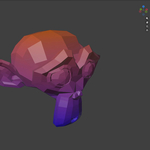
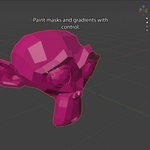
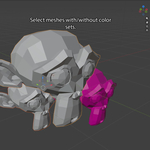
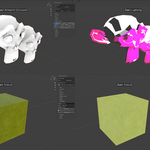
Professional Vertex Color Tools for Blender
Paint, bake, randomize, debug, and manage vertex color workflows directly inside Blender.
Octopus Vertex Color is a production-ready toolkit for game artists, environment artists, technical artists, and stylized asset creators who rely on vertex colors for masks, shaders, blending, variation, packed PBR data, baked lighting, and procedural effects.
Whether you're building assets for Unreal Engine, Unity, Godot, or a custom engine, Octopus Vertex Color helps you create and manage complex vertex color data faster, cleaner, and with fewer clicks.
Why Octopus Vertex Color?
Blender's Color Attributes system is powerful, but production workflows often involve repetitive setup, channel management, baking, debugging, and organization.
Octopus Vertex Color brings everything together into a single artist-friendly workflow.
Create, Paint, Bake, and Manage Vertex Colors
Manage multiple color attributes
Paint and edit RGBA channels independently
Create reusable mask presets
Sample and inspect vertex color values
Bake textures into vertex colors
Bake ambient occlusion
Generate Substance Painter ID maps
Add procedural variation
Create directional gradients
Bake simple lighting directly into vertex colors
All from a single, clean sidebar panel.
Key Features
Color Attribute Management
Quickly create and organize color attributes without digging through Blender menus.
Includes
Create color attributes
Duplicate color attributes
Rename color attributes
Delete color attributes
Organize multiple color layers
Automatically keep the active color set visible and render-active
Perfect for complex shader workflows that rely on multiple vertex color channels.
Fast Vertex Painting
Paint directly onto:
Selected vertices
Selected faces
Entire meshes
Multiple selected objects
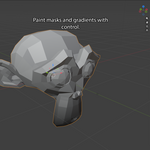
Choose exactly which RGBA channels are affected so you can update mask data without overwriting existing information.
Gradient Generator
Generate directional gradients instantly.
Axis Presets
+X
-X
+Y
-Y
+Z
-Z
Perfect for:
Height masks
Material blending
Terrain effects
Stylized shading
Procedural shader inputs
Advanced RGBA Channel Editing
Work directly with individual color channels.
Tools
Fill White
Fill Black
Fill Grey
Fill Alpha 0
Fill Alpha 1
Fill custom channel values
Swap channels
Invert channels
Selective channel operations
Object Mode fill tools affect the entire selected mesh, preventing stale component selections from limiting the result.
Ideal for packed-mask workflows used in modern game engines.
Fill Presets
Save commonly used RGBA values as reusable presets.
Store Values For
Metallic masks
Roughness masks
Wear masks
Dirt masks
Shader controls
Custom material parameters
Production Features
Named presets
Partial-channel application
Non-destructive updates
JSON export
JSON import
Team sharing support
Unchecked channels remain untouched, allowing presets to update only the data you want.
Perfect for studio-approved mask values and standardized shader parameters.
Debug Tools
Inspect vertex color data with precision.
Includes
Sample Vertex Color Value
High-precision RGBA display
Active object display
Active color set display
Sampled element count
Use it to:
Verify packed mask values
Validate exported data
Confirm preset results
Inspect exact stored float values
Color Favorites
Save favorite colors and reuse them across Blender sessions.
Build personal color libraries and quickly access commonly used palette values.
Randomization Tools
Add instant variation to assets and environments.
Randomize By
Object
Mesh element
Connected component
UV island
Perfect for:
Modular environments
Foliage
Props
Stylized assets
Procedural workflows
Baking Tools
Texture Bake
Bake texture information directly into vertex colors using the active UV map.
Supported Sources
Base Color texture
Active Image Texture node
First Image Texture found in the material
Sampling Modes
Bilinear
Nearest
Optional
Texture Alpha → Vertex Color Alpha
Perfect for:
Low-poly assets
Mobile games
Stylized workflows
Texture-free assets
Lightweight shaders
Ambient Occlusion Bake
Bake ray-traced ambient occlusion directly into vertex colors.
Output Options
RGB
Single channel
Multiple selected channels
Ideal for lightweight rendering and texture-free workflows.
ID Map Bake
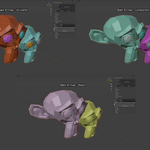
Generate clean, unique, non-repeating ID colors for:
Objects
Connected mesh components
UV islands
Perfect for:
Substance Painter
Material assignment workflows
Asset texturing pipelines
Lighting Bake
Bake simple scene lighting directly into vertex colors.
Modes
Ambient + Direct
Direct Only
Ambient Only
Perfect for:
Stylized games
Mobile assets
Vertex-lit environments
Lightweight rendering
Fast look development
Workflow Helpers
View Presets
Quickly switch viewport modes.
Presets
Vertex Color Preview
Material Preview
Flat Lighting
Studio Lighting
Color Set Presets
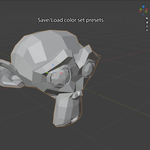
Save and load color attribute configurations for consistent project setups and faster iteration.
Example Workflows
Bake textures into vertex color data
Pack multiple shader masks into RGBA channels
Reuse approved metallic and roughness values
Share presets across a team using JSON
Inspect exact RGBA values for debugging
Generate Substance Painter ID maps
Add variation to modular environment assets
Bake ambient occlusion without textures
Create directional blend masks
Build lightweight stylized lighting
Manage multiple color attributes across large projects
Who Is This For?
Octopus Vertex Color is built for:
Game Artists
Environment Artists
Technical Artists
Prop Artists
Stylized Asset Creators
Unreal Engine Artists
Unity Artists
Godot Artists
Custom Engine Pipelines
Compatibility
Blender 5.0+
Tested with Blender 5.1
Uses Blender Color Attributes
No external dependencies
Installation
Download the ZIP file.
Open Edit → Preferences → Add-ons.
Click Install from Disk.
Select the downloaded ZIP file.
Enable Octopus Vertex Color.
After installation, open the Octopus Vtx tab in the 3D Viewport sidebar.
Included
Octopus Vertex Color Add-on
Color Attribute Management Tools
Vertex Painting Tools
Gradient Generator
RGBA Channel Editing
Fill Preset System
JSON Import / Export
Debug Sampling Tools
Color Favorites
Randomization Tools
Texture Baking
Ambient Occlusion Baking
ID Map Baking
Lighting Baking
View Presets
Color Set Presets
Built-in Octopus Icon Set
Changelog
Version 1.4.0
Added non-destructive shader-based Channel Preview for viewing R, G, B, or A vertex color channels as grayscale
Version 1.3.1
Fixed selected face painting on Corner color attributes so face fills stay sharp and do not bleed into adjacent faces
Version 1.3.0
Added Debug panel with Sample Vertex Color Value
Added high-precision RGBA display
Added object, color set, and sampled element reporting
Fixed Fill Preset JSON export precision
Fixed Object Mode Fill operations to affect entire meshes
Version 1.2.1
Fixed render color attribute synchronization
Improved viewport and render consistency with multiple color attributes
Version 1.2.0
Added Fill Presets
Added reusable RGBA preset rows
Added partial-channel preset application
Added JSON import/export
Improved Object Mode fill behavior
Version 1.1.0
Added Texture Bake
Added Base Color texture sampling
Added Active Image texture sampling
Added First Image texture sampling
Added Bilinear and Nearest sampling modes
Added optional alpha baking
