 Maso
Maso


Octopus Vertex Color
Octopus Vertex Color is a production-focused Blender add-on for creating, editing, managing, randomizing, and baking vertex color data directly inside Blender.
Designed for artists and technical artists, it streamlines workflows for shader masks, material blending, color IDs, ambient occlusion, stylized gradients, asset variation, baked lighting, and texture-free rendering.
Features
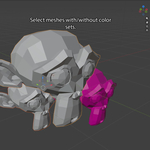
Color Attribute Management
Manage Blender Color Attributes from a single panel.
Create, duplicate, rename, and delete color attributes
Quickly switch the active color set
Keep the selected attribute visible and render-active
Ideal for packed masks, shader inputs, and game-ready assets
Vertex Painting & Fill Tools
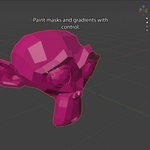
Paint or fill vertex colors across one or multiple meshes.
Paint selected vertices or faces
Fill entire objects
Multi-object support
Independent RGBA channel editing
Preserve untouched channels during editing
Perfect for packed mask workflows without overwriting existing data.
Gradient Tools
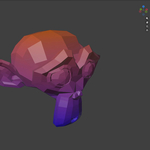
Generate directional vertex color gradients with ease.
Adjustable gradient angle
Axis presets
Two-color gradients
Multi-object support
Great for:
Height masks
Material blending
Stylized shading
Dirt and wear masks
Environmental effects
Channel Editing
Edit packed RGBA data directly.
Fill individual channels
White, black, or grey fills
Swap channels
Invert channels
Direct RGBA editing
Ideal for workflows where individual channels drive roughness, metallic, wear, dirt, blend masks, or custom shader inputs.
Fill Presets
Create reusable RGBA presets for common workflows.
Each preset can store any combination of R, G, B, and A values. Channels left empty remain untouched, allowing partial updates without overwriting existing data.
Perfect for:
Material IDs
Roughness masks
Metallic masks
Team standards
PBR helper values
Presets can be exported and imported as JSON for easy sharing across projects or teams.
Color Favorites
Save frequently used colors for quick reuse.
Useful for:
Project palettes
Material IDs
Stylized workflows
Consistent color libraries
Favorites persist across Blender sessions.
Randomization Tools
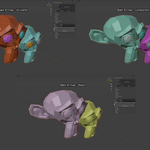
Generate automatic color variation by:
Object
Mesh element
Connected component
UV island
Perfect for modular environments, foliage, props, stylized assets, and reducing visible repetition.
Baking Tools
Generate useful vertex color data directly inside Blender.
Ambient Occlusion
Bake ray-traced ambient occlusion into vertex colors.
Ideal for:
Mobile assets
Lightweight rendering
Texture-free workflows
Stylized assets
ID Maps
Generate clean random ID colors for:
Objects
Connected mesh components
UV islands
Designed for Substance Painter and other texturing pipelines requiring unique selection masks.
Lighting
Bake simple lighting information directly into vertex colors.
Useful for stylized environments, quick previews, vertex-lit assets, and lightweight rendering.
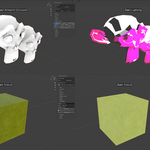
Texture to Vertex Color
Bake material texture colors into vertex colors.
Great for:
Converting textured assets into vertex-colored assets
Creating low-memory variants
Optimizing game assets
Works best with clean UVs and existing material textures.
Debug Tools
Inspect precise RGBA values using the built-in Vertex Color Sampler.
Useful when verifying packed masks, exported assets, or exact channel values.
View Presets
Quickly switch viewport settings for inspecting vertex colors and material response while authoring assets.
Typical Workflows
Octopus Vertex Color is ideal for:
Packing shader masks into RGBA channels
Creating Substance Painter ID maps
Baking ambient occlusion into vertex colors
Baking textures into vertex colors
Creating stylized gradients
Adding variation to modular assets
Managing multiple color attributes
Preparing assets for Unity, Unreal Engine, Godot, and custom engines
Compatibility
Blender 5.0+
Tested with Blender 5.1
Uses Blender Color Attributes
No external dependencies
Installation
Download the add-on ZIP.
Open Edit → Preferences → Add-ons.
Click Install from Disk.
Select the ZIP file.
Enable Octopus Vertex Color.
Open the 3D Viewport Sidebar (N) and select the Octopus Vtx tab to begin.
Notes
A mesh object must be selected for most tools.
A color attribute must exist before painting, filling, baking, or sampling.
Many tools support multi-object workflows.
Texture baking requires valid UVs and material textures.
Fill Presets only modify channels that contain values.
Object Mode fill operations affect the entire selected mesh.
Support
When reporting an issue, please include:
Blender version
Octopus Vertex Color version
Description of the problem
Steps to reproduce
Screenshots or a sample file if available
Octopus Vertex Color is built to make professional vertex color workflows faster, cleaner, and more efficient—whether you're creating stylized art, optimizing game assets, or building complex shader masks directly inside Blender.
Have questions about this product?
Login to message
| Blender Extension Compatible | Yes |
| Published | 4 months ago |
| Blender Version | 5.0 - 5.1 |
| Extension Type | Add-on |
| Render Engine Used | Cycles |
| License | GPL |
