Viewport_Plane
 Arq. Gustavo Garcia ARCHS


Viewport Plane Addon - Complete Documentation
Author: Arq. Gustavo Garcia
Compatibility: Blender 3.0.0 or higher
--------------------------------------------------------------------------------------------------------------------------------------
Key Features
📸 S m a r t C a m e r a P o s i t i o n M a n a g e m e n t ✅
- Save viewport positions as 3D bookmarks
- Quick navigation between saved views
- Automatic unique naming system
- Orthographic and perspective modes
📐 A d v a n c e d W o r k i n g P l a n e ( W P l a n e ) ✅
- Create perfectly aligned geometry on any plane
- Interactive 3-axis rotation
- Precise local offset system
- Integration with 3D cursor and transform orientations
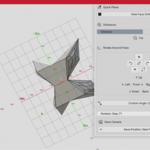
🔄 I n t e l l i g e n t R e a l - T i m e S y m m e t r y ✅
- Mirror across 3 axes (X, Y, Z) relative to working plane
- Adjustable merge tolerance control
- Permanent mirror geometry application
- Real-time active axis visualization
👁️ V i e w & R o t a t i o n T o o l s ✅
- Orthographic view aligned to selected faces
- Controlled rotation around face normals
- "Influence" system for view distance control
- Custom angle rotations
📏 V R e a l - T i m e G r i d D i m e n s i o n s ✅
- World-unit distance annotation system
- Automatic scene unit system synchronization
- Customizable colors following WPlane guides
- Selective axis display (X, Y, Z)
🧊 V A s s i s t e d G e o m e t r y C r e a t i o n ✅
-12 basic mesh types aligned to WPlane
- 5 Bezier and NURBS curve types
- Creation in object or edit mode
- Automatic integration with existing geometry
--------------------------------------------------------------------------------------------------------------------------------------
Installation ⚙️1. Download the .zip addon file
2. In Blender, go to Edit → Preferences → Add-ons
3. Click Install...) and select the zip file
4. Check the box next to "Viewport Plane"
5. The panel will appear in the 3D sidebar under the "View P" tab
--------------------------------------------------------------------------------------------------------------------------------------
🔝 Interface & Location 🔝
Main Panel 📋
- Location: View3D → Sidebar → View P
3D Editor Header TOP 📋
- Quick rotation controls
- Active symmetry indicators
- WPlane status
. Intervention and auto-update controls
Context Menus 📋
- Camera positions menu in N
- WPlane master menu with all tools
- Geometry and curves submenus
--------------------------------------------------------------------------------------------------------------------------------------
🙏 Acknowledgments 🙏
Thanks to the Blender community for constant feedback and suggestions that made this addon possible. Special mention to all 3D artists and architects who tested beta versions and contributed to its development.
-
$15.99
This version includes hotkeys
-
$1
This version does not include hotkeys.
 Included
Includes 12 months of
- Support from Arq. Gustavo Garcia ARCHS
- Product updates
Extend this product’s Support Period +12 months: 75% of product price
Have questions before purchasing?
Login to message
