VisionFlow Pro | Faster Image Importing
 Pixel Vampire


VisionFlow Pro is your dynamic visual asset library for Blender.
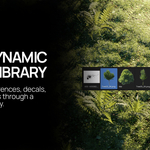
VisionFlow Pro makes it easier to bring visual assets into Blender. Browse your image collections, quickly find the right asset, and import it directly into your scene as a reference image or a fully prepared image plane.
Designed for artists, designers, and environment creators, VisionFlow Pro helps streamline the process of working with references, decals, cutouts, and visual assets without constantly switching between Blender and external file browsers.
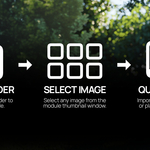
Choose Image Folder
Select any folder containing your visual assets. VisionFlow Pro automatically scans the folder and creates a thumbnail library for quick browsing.
Thumbnail Browser
Browse your image collection using large visual previews. Quickly find references, decals, and assets without opening external folders.
Import Reference
Instantly add the selected image into Blender as a reference image, ready for modelling, composition, and scene development.
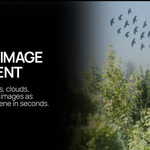
Import Image Plane
Convert any image into a correctly proportioned Blender plane with automatic UV mapping and material setup.
Choosing an Image Folder
Importantly, when choosing a target folder, please make sure the file name (shown above) is blank.
If this isn’t done, Blender assumes you are targeting a single image specifically and will give an error.
Leaving this blank within the folder you want to access will correctly link VisionFlowPro.
VisionFlow Pro makes it easier to bring visual assets into Blender. Browse your image collections, quickly find the right asset, and import it directly into your scene as a reference image or a fully prepared image plane.
Designed for artists, designers, and environment creators, VisionFlow Pro helps streamline the process of working with references, decals, cutouts, and visual assets without constantly switching between Blender and external file browsers.
Choose Image Folder
Select any folder containing your visual assets. VisionFlow Pro automatically scans the folder and creates a thumbnail library for quick browsing.
Thumbnail Browser
Browse your image collection using large visual previews. Quickly find references, decals, and assets without opening external folders.
Import Reference
Instantly add the selected image into Blender as a reference image, ready for modelling, composition, and scene development.
Import Image Plane
Convert any image into a correctly proportioned Blender plane with automatic UV mapping and material setup.
Choosing an Image Folder
Importantly, when choosing a target folder, please make sure the file name (shown above) is blank.
If this isn’t done, Blender assumes you are targeting a single image specifically and will give an error.
Leaving this blank within the folder you want to access will correctly link VisionFlowPro.
Have questions about this product?
Login to message
| Dev Fund Contributor | |
| Published | 3 months ago |
| Blender Version | 4.0 - 5.2 |
| Extension Type | N/A |
| Render Engine Used | Arnold, Blender-Internal, Cycles, Eevee, Freestyle, Luxrender, Mental-Ray, Octane, Vray, Yafaray |
| License | GPL |