 Dynos
Dynos


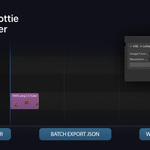
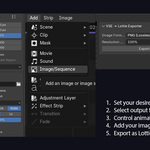
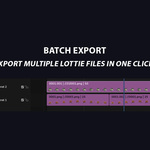
🎬 VSE Timeline › ⚙️ Configure › 🖼️ Frame Render › ✨ Lottie JSON
Features
Everything you need,
nothing you don't
Purpose-built for motion artists and developers bridging Blender with the web.
Image Formats
Pick the right format
for your use case
PNG
Lossless
Best for sharp graphics, icons, and illustrations where quality is non-negotiable.
Largest file · Best quality
JPEG
Compressed
Balanced for photographic content or when file size matters more than pixel-perfection.
Medium file · Good quality
WEBP
Smallest
Modern format for maximum compression. Ideal for web delivery where performance is priority.
Smallest file · Great for web
Resolution Scaling
Control output size
Scale down at export time without touching your scene settings.
100%
Full Resolution
Max fidelity
75%
Three-Quarter
Balanced output
50%
Half Resolution
Lightest file
Compatibility
Blender version support
⚠ Per-channel export in Blender 5.x is limited due to VSE API changes — a Blender-side constraint. May be resolved in a future update.
Getting Started
From install to export
in minutes
01
Install the add-on
Go to Edit → Preferences → Add-ons → Install and select the __init__.py file.
02
Switch to Video Editing workspace
Set up your strips in the VSE timeline as you normally would.
03
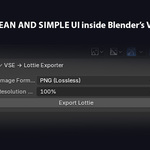
Open the VSE → Lottie panel
Find it in the Sidebar (N) under the VSE → Lottie tab.
04
Configure your options
Choose image format, resolution scale, per-channel mode, and whether to skip muted strips.
05
Click Export Lottie
The add-on renders each frame, builds the Lottie JSON, optimizes it, and opens a browser preview automatically.
Browser Preview
Validate before you ship
The built-in preview opens instantly in your browser with a full technical readout.
Validation Panel
File Size384.21 KB
Resolution1920×1080
FPS24
Duration3.50s
Status● OK
One add-on. Zero friction.
Ready to bridge Blender
and the web?
Your entire VSE timeline as a Lottie animation — optimized, validated, and ready to ship.
Get VSE → Lottie Exporter →