 Dynos
Dynos


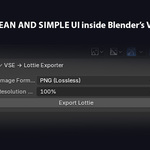
VSE → Lottie Exporter
Overview
VSE → Lottie Exporter is a powerful Blender addon that allows you to export animations from the Video Sequence Editor (VSE) directly to Lottie JSON.
With instant browser preview, validation, and support for PNG, JPEG, and WEBP formats, this addon is perfect for:
-
Web designers creating interactive animations
-
App developers exporting motion graphics for mobile and web
-
Blender users looking for a simple VSE-to-Lottie workflow
Key Features
Export Options
-
Image Formats: PNG, JPEG, WEBP
-
Resolution Scale: 100%, 75%, 50%
-
Automatic frame extraction from VSE timeline
Preview & Validation
-
Instant browser preview of exported Lottie
-
Preview Info Panel includes:
-
File size (KB)
-
Resolution (Width × Height)
-
FPS
-
Duration (seconds)
-
-
Validation Checks for:
-
Resolution
-
FPS
-
Frame existence
-
Assets & layers
-
-
Validation status: OK / WARNING
Browser Preview
-
Renders animation in canvas mode
-
Displays animation metadata & validation results
-
Works on any modern browser
User-Friendly
-
Fully integrated Blender UI panel in VSE sidebar
-
Export and preview buttons accessible without leaving Blender
Cross-Platform
-
Compatible with Windows, macOS, and Linux
-
Exports Lottie JSON compatible with Lottie Web, iOS, and Android
Installation
-
Open Blender → Edit → Preferences → Add-ons → Install
-
Select the addon
.zipor.pyfile -
Enable the addon
-
Open the Video Sequence Editor (VSE) workspace
Usage
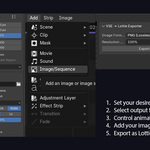
1. Exporting Lottie
-
Open your VSE project
-
In the VSE → Lottie Exporter sidebar panel:
-
Select Image Format: PNG / JPEG / WEBP
-
Set Resolution Scale: 100%, 75%, 50%
-
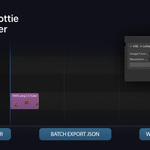
Toggle Open Preview After Export to preview immediately
-
-
Click Export Lottie
-
Wait until all frames are rendered and Lottie JSON is generated
2. Previewing Lottie JSON
-
Click Preview Lottie JSON in the sidebar panel
-
A browser window opens displaying:
-
Animation in canvas mode
-
Preview Info Panel example:
-
Supported Formats
| Format | Description |
|---|---|
| PNG | Lossless export with alpha support |
| JPEG | Compressed format for smaller size |
| WEBP | Smaller size, good for web and mobile |
System Requirements
-
Blender 4.4 or higher
-
Operating System: Windows / macOS / Linux
-
Modern web browser for preview (Chrome, Firefox, Edge, Safari)
Troubleshooting
| Issue | Solution |
|---|---|
| No frames generated | Ensure VSE timeline has frames |
| Preview not loading | Allow browser to access local files (file:///) |
| WEBP export fails | Ensure Blender supports WEBP format, update Blender if necessary |
Limitations
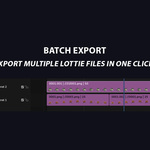
This add-on exports frame-based image animations, not vector shapes.
-
File size depends on:
Frame count
Resolution
Image format
Audio is not included in Lottie exports.
-
The Export Per Channel feature is currently not functional in Blender 5.x due to internal changes in the Video Sequence Editor (VSE) API.
✅ Fully supported in Blender 4.x
❌ Not supported in Blender 5.x
License
This add-on is released under the GNU General Public License v3 (GPL-3.0-or-later)
It fully complies with Blender’s licensing requirements.
Support
For updates, bug reports, or improvements, please contact the author via the platform where the add-on was purchased.
-
$17.99 $19.99
Commercial Use – Single Seat License All features included Free updates
-
$80.99 $89.99
Commercial Use – Multi-Seat License (Up to 10 Users) All features included Free updates
Have questions about this product?
Login to message