 LarkLab
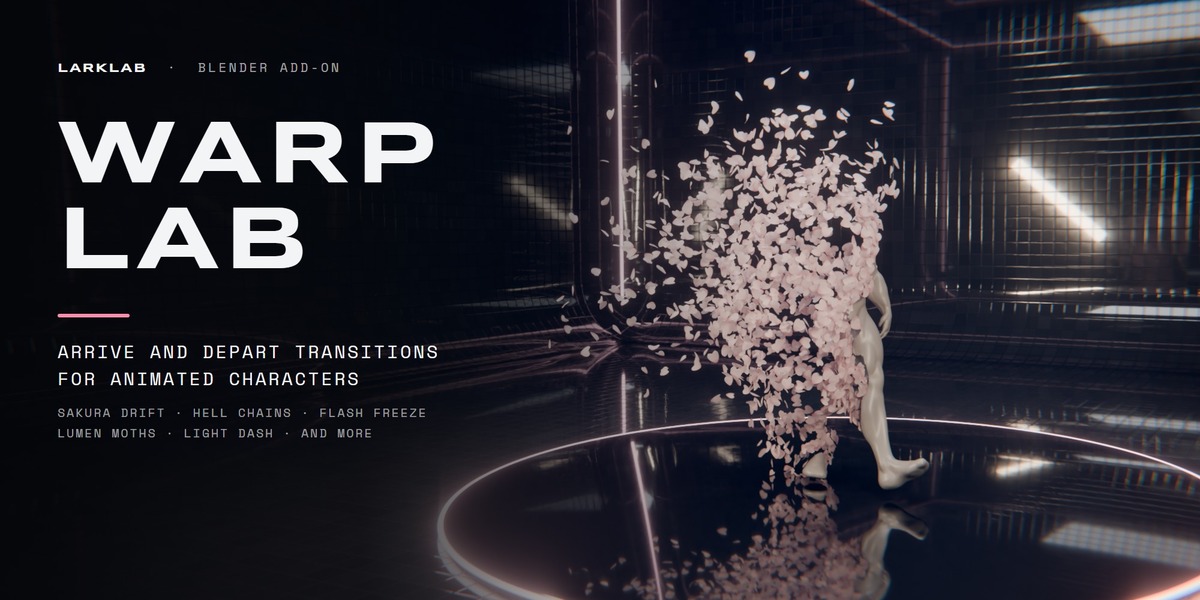

Documentation / v1.0.0
WARP LAB DOCS
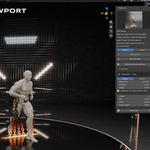
How to install Warp Lab, add a transition to a character, time it and render it. The add-on lives in the Warp Lab tab of the 3D Viewport sidebar (N). Blender 5.0+.
|
Guide INSTALL, UPDATE, REMOVE |
- Download warp_lab-1.0.0.zip from your Superhive downloads. Don't unzip it.
- In Blender open Edit › Preferences › Get Extensions, open the arrow menu at the top right, choose Install from Disk… and pick the zip.
- In the 3D Viewport press N and open the Warp Lab tab.
Update: install the new zip the same way. Warps already in your files keep working.
Remove a warp: select the character and press Remove Warp. It deletes the warp's modifier and its helpers; the character is left as it was.
|
Guide ADD A WARP |
|
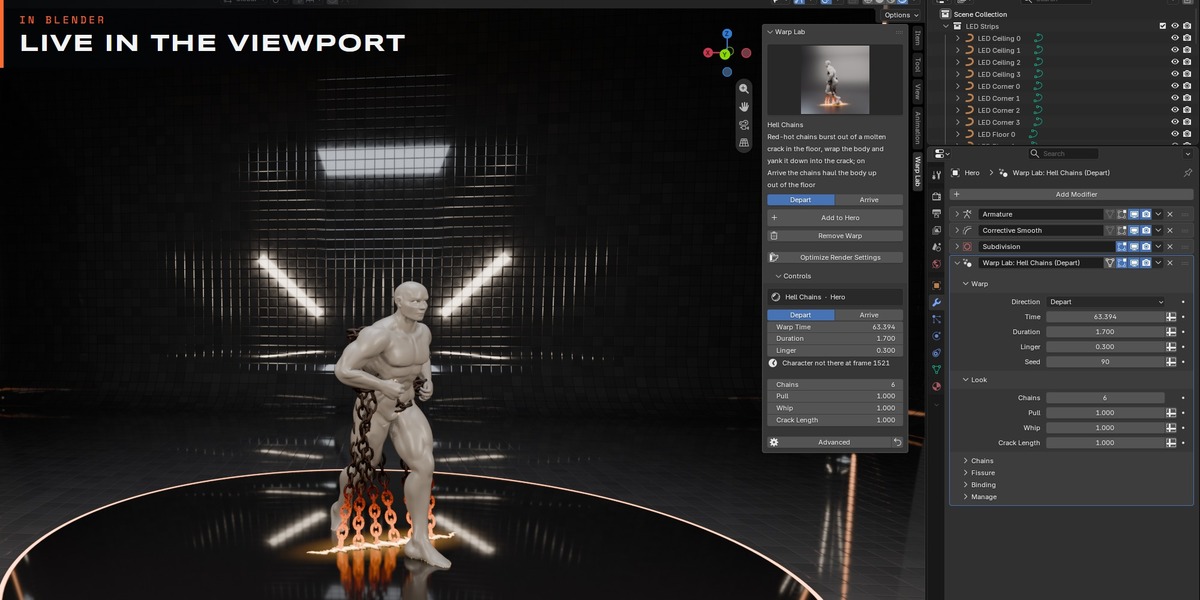
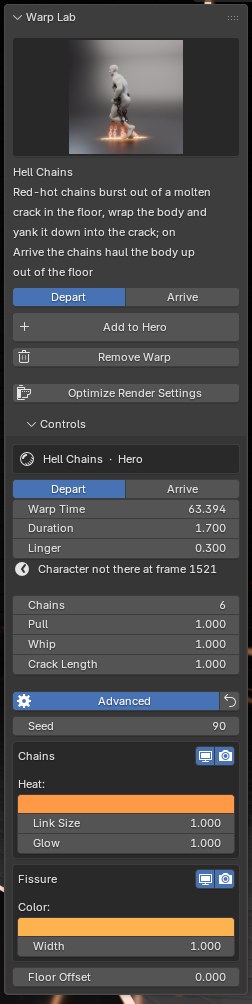
1. Select the character's body mesh. It does not need UVs. 2. Click the large preview and choose a look. Its name and what it does show under the preview. 3. Choose Depart (the character leaves) or Arrive (the character comes in). 4. Go to the frame where the transition should start and click Add to <mesh>. A modifier named Warp Lab: <Look> (<Direction>) is added at the end of the character's modifier stack. 5. Press Optimize Render Settings once per scene. The panel line "Character not there at frame N" tells you where the Warp Time falls. |
|
Guide TIMING |
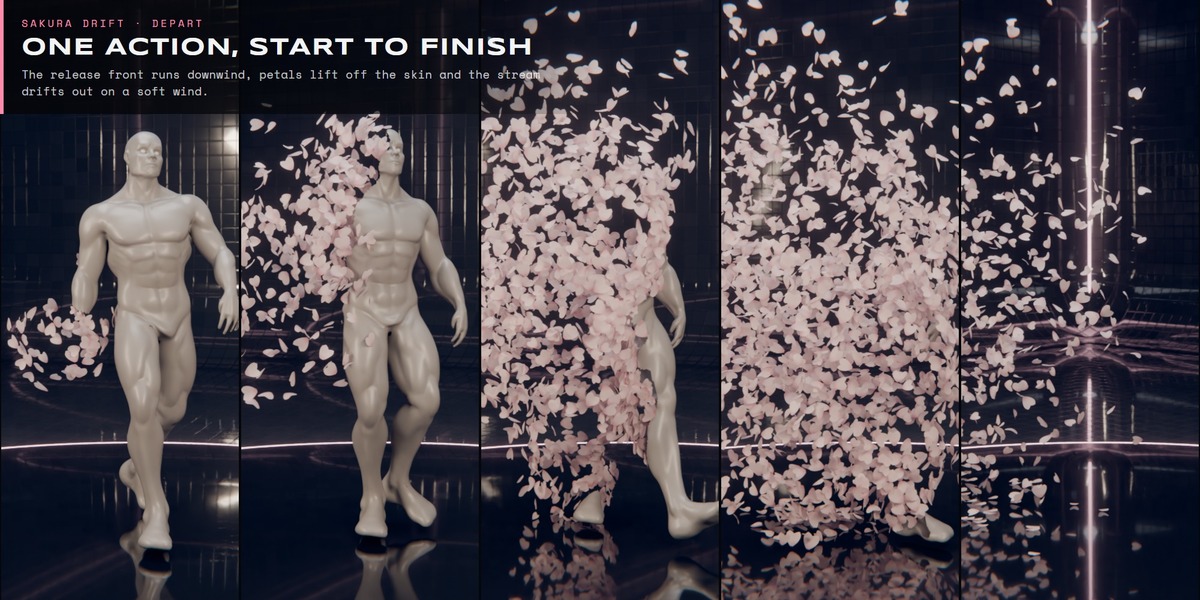
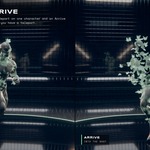
Warp Time is the moment the character is not there, in seconds. A Depart plays over the Duration before it and an Arrive over the Duration after it. Linger is how long the residue stays: after a Depart the petals, water, steam or ice keep moving and fade; before an Arrive they come in first.
| Depart |
|
||||
| Arrive |
|
||||
|
Outside its window a warp passes the character through untouched, so an idle warp costs nothing. Warp Time, Duration and Linger can be keyframed like any other value.
|
Guide TELEPORTS AND SEVERAL WARPS |
One warp at a time per character. Each warp needs its own window, and the windows must not overlap: a Depart early in the shot and an Arrive later on the same character work fine.
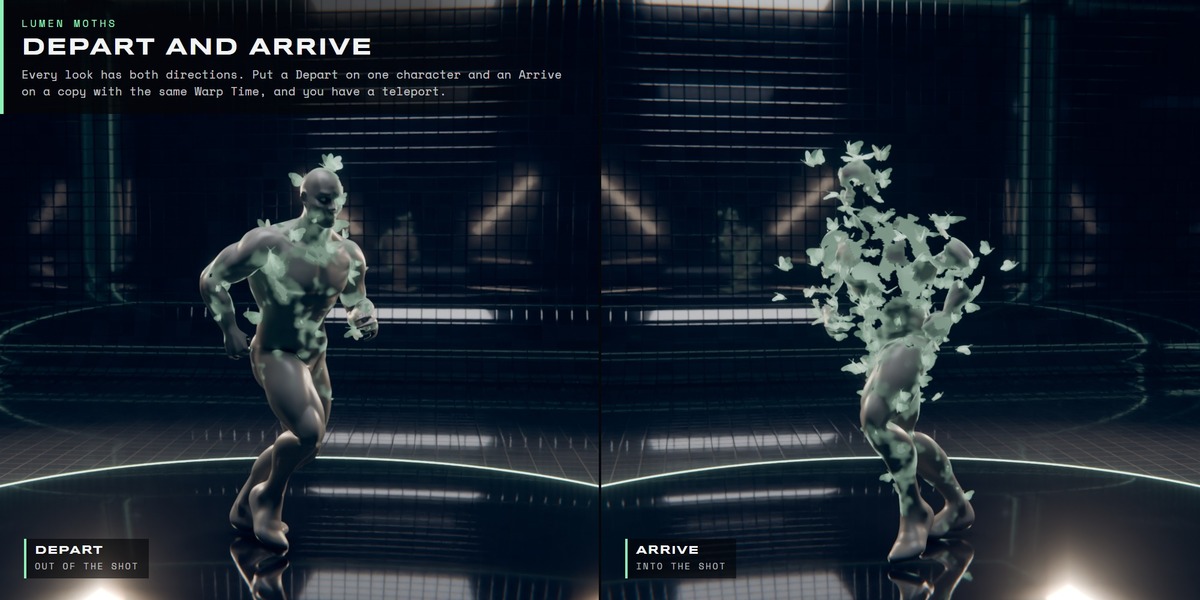
Teleport: duplicate the character (Shift+D), move the copy to where it should appear, add a Depart to the original and an Arrive to the copy, and give both the same Warp Time.
Memory: warps whose windows all overlap on one character use a lot of memory (in testing, sixteen at once exhausted it and Blender closed). Stagger the windows instead.
|
Guide CONTROLS |
| Direction | Depart (the character leaves the shot) or Arrive (it comes in). |
| Warp Time | Seconds into the scene when the character is gone. |
| Duration | Length of the transition in seconds. |
| Linger | Seconds the residue stays after a Depart, or arrives before an Arrive. |
| Look | The look's own controls, such as Chains, Pull, Whip and Crack Length for Hell Chains. |
| Advanced | Seed, then every layer: viewport and render toggles, colours, glow and shape, and Floor Offset. |
| Reset | The arrow next to Advanced sets every control back to the default; timing is kept. |
|
Guide LAYERS |
|
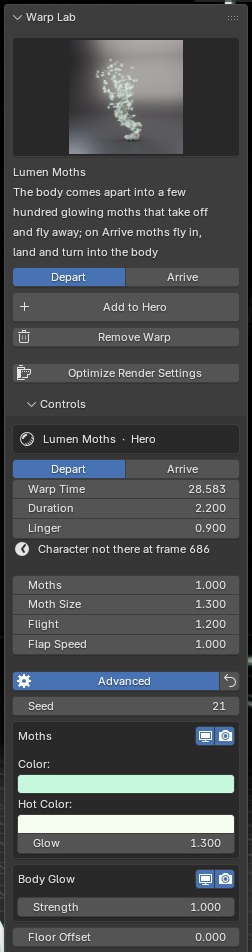
Each look is built from a few layers: the main one (petals, chains, ice, moths, water) plus support layers such as dust, mist, a wet floor or a body glow. The two icons on each layer toggle it in the viewport and the render. Hiding a heavy layer in the viewport keeps playback fast and it still renders. Every value is a modifier input: hover and press I to keyframe it, or right-click to add a driver. |
|
Guide RENDERING |
| Optimize Render Settings | Sets AgX colour, EEVEE volume and refraction quality, and enough light bounces in Cycles. Run it once per scene. |
| Cycles | Best for water, ice and steam: Liquid Drain, Shadow Sink and Flash Freeze use real refraction. A GPU with OptiX or HIP is recommended. |
| EEVEE | Fast previews and final renders. Water and ice use a tinted see-through film instead of refraction, so they read a little greyer than in Cycles. |
| Motion blur and depth of field | Warps are regular geometry, so motion blur, depth of field and view layers work as usual. |
|
Guide CHARACTERS |
A warp reads the character's evaluated mesh every frame, after armatures, shape keys and modifiers. Each warp also keeps a hidden copy of the character, posed at the Warp Time, in the Warp Lab collection: residue that has left the body settles on it, so a puddle or a petal cloud stays put while the character keeps running. Remove Warp deletes it.
| Works with | Mixamo, Rigify and custom rigs, shape keys, deforming modifiers |
| Scale | Made for human-sized characters; effects scale with the character's size. |
| Clothes and hair | Only the selected mesh is warped. Join clothes into the body mesh so the whole figure leaves as one. |
| Floor | Residue lands on the character's lowest rest point. Raise or lower it with Floor Offset. |
|
Guide THE LOOKS |
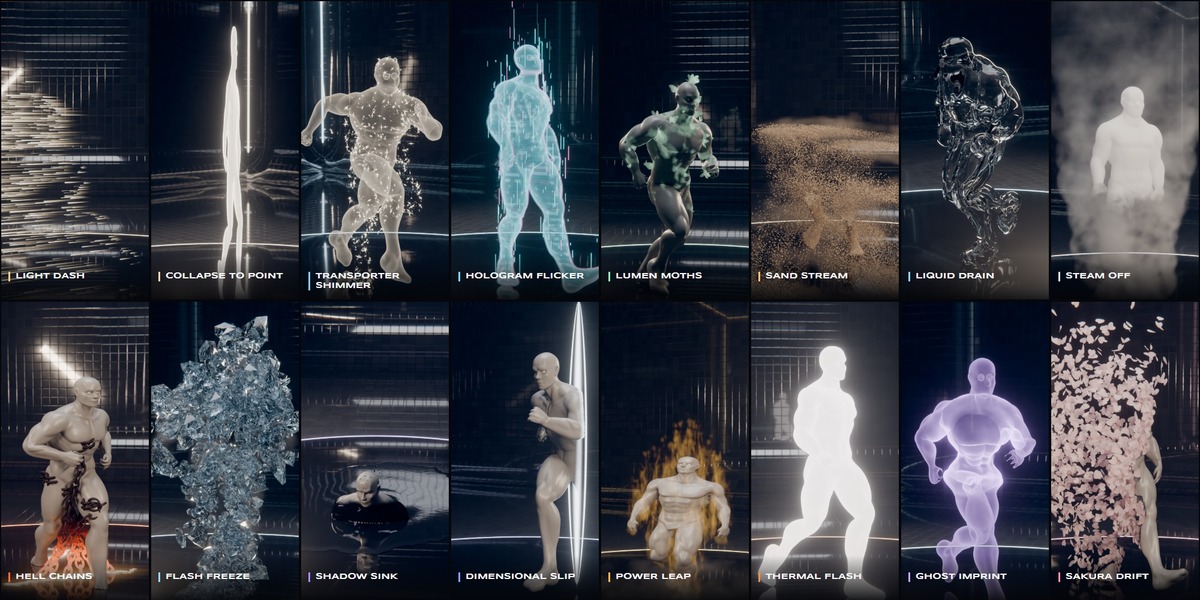
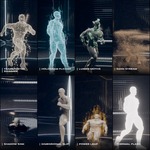
| Light Dash | The body streaks forward as lines of light and is gone; on Arrive the streaks come in from behind and form the body. |
| Collapse to Point | The body is squeezed to a white-hot point that blinks out with one lens glint; on Arrive a point of light opens and the body unfolds out of it. |
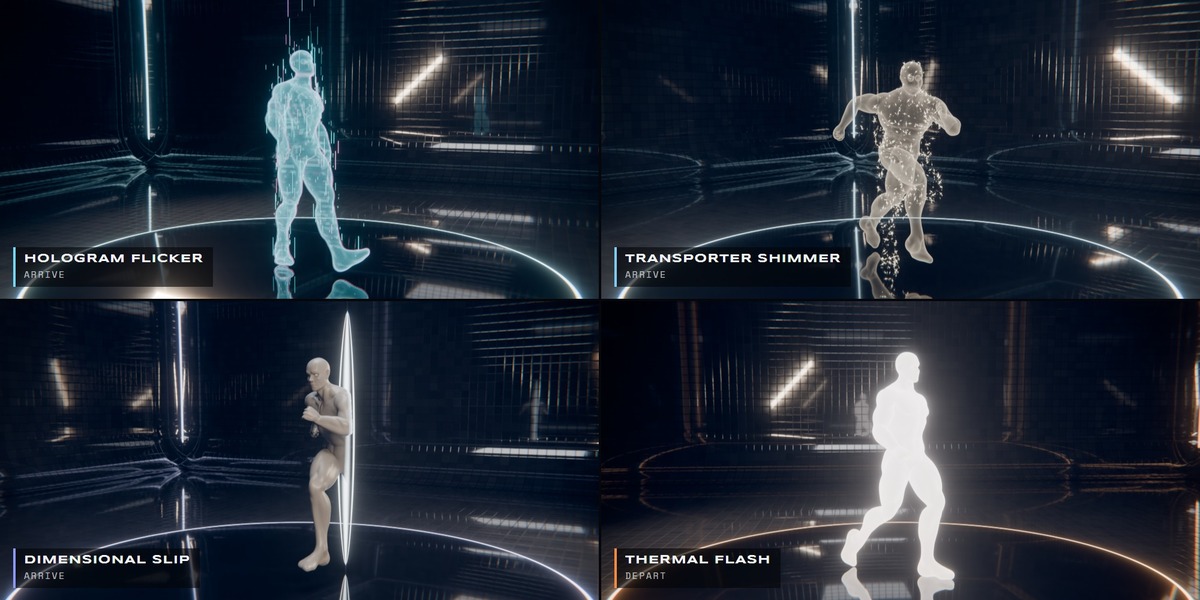
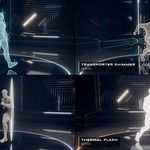
| Transporter Shimmer | The body fades out in place under a field of twinkling glints; on Arrive the glints gather and the body fades in under them. |
| Hologram Flicker | The body turns into a flickering hologram that drops out frame by frame; on Arrive the signal comes in and the projection turns solid. |
| Lumen Moths | The body comes apart into a few hundred glowing moths that take off and fly away; on Arrive moths fly in, land and turn into the body. |
| Sand Stream | The body turns to sand and pours away in streams that flow out in every direction; on Arrive streams of sand flow in from every side and build the body. |
| Liquid Drain | The body turns to water that runs off across the floor in streams in every direction; on Arrive streams of water flow in from every side, climb up and form the body. |
| Steam Off | The skin turns wet and steams, thick white vapour closes over the body and lifts away with nobody inside; on Arrive the steam gathers and condenses into the body. |
| Hell Chains | Red-hot chains burst out of a molten crack in the floor, wrap the body and yank it down into the crack; on Arrive the chains haul the body up out of the floor. |
| Flash Freeze | Frost climbs the body and seals it in ice, then the ice shatters into chunks that scatter and melt; on Arrive the chunks fly up and fuse into the body. |
| Shadow Sink | A pool of dark water opens under the feet and the body sinks into it; on Arrive the body rises out of the pool. |
| Dimensional Slip | A thin vertical slit opens in the air and the character steps into it; on Arrive the character steps out and the slit closes behind them. |
| Power Leap | A golden flame aura flares and the character launches straight up out of the shot with a dust shock on the floor; on Arrive it lands from the sky in a streak of light. |
| Thermal Flash | The body heats from dull red to white-hot like forged metal and flashes away; on Arrive it appears in a flash and cools back to skin. |
| Ghost Imprint | Time stops for the character, which turns into a frozen spectral ghost of its pose that pulses and slowly fades upward; on Arrive the ghost forms, fills with colour and time starts again. |
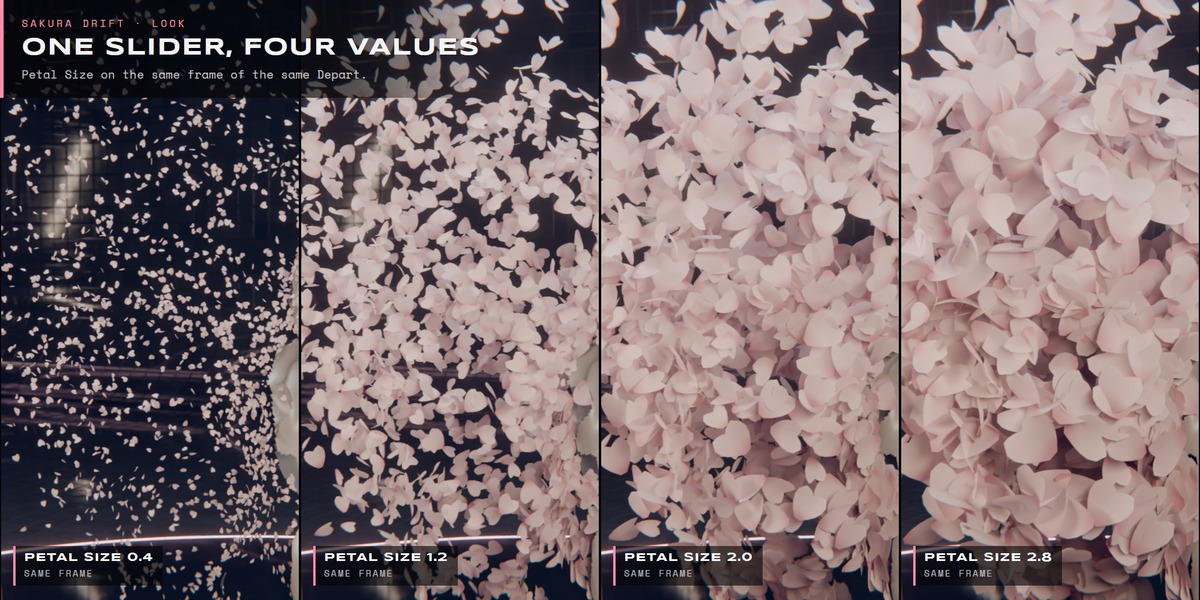
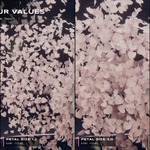
| Sakura Drift | The body breaks into cherry-blossom petals that tumble away on a soft wind; on Arrive they swirl in and settle into the body. |
|
Guide TROUBLESHOOTING |
| Nothing happens | Check the current frame is inside the warp's window: the panel shows the frame where the character is gone. |
| Add button is greyed out | Select a mesh object. The button names the problem when the selection can't be warped. |
| Two warps fight | Their windows overlap. Move one Warp Time so the windows are apart, or use a copy of the character. |
| Slow viewport | Hide heavy layers (steam, dust, mist) in the viewport with their screen icon; they still render. |
| Black areas in Cycles | Run Optimize Render Settings: water, ice and steam need the extra transparent and transmission bounces. |
|
More from the studio LATEST FROM LARKLAB |
Have questions about this product?
Login to message
| Blender Extension Compatible | Yes |
| Published | about 1 hour ago |
| Blender Version | 5.0 - 5.2 |
| Extension Type | Add-on |
| Render Engine Used | Cycles, Eevee |
| License | GPL |
Discover more products like this
Cycles transition character effects VFX animation teleport materialize geometry nodes Dissolve eevee blender addon disappear