Weight Painter Pro
 Paulo Antunes


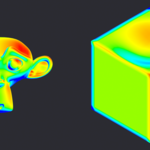
Weight Painter Pro
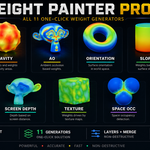
Generate and manipulate vertex weights in Blender with one-click buttons — no manual brushing required. Weight Painter Pro turns geometry, orientation, occlusion, textures and more into clean vertex groups you can drive masks, modifiers, shaders and rigs with.
Requires Blender 4.2.0 or newer (tested on Blender 5.2.0 LTS). Relies on numpy, which ships with Blender by default — nothing extra to install.
Installation
- Blender → Edit → Preferences → Add-ons → Install from Disk…
- Select the downloaded
.zipfile. - Enable Weight Painter Pro in the list.
- Open the N-panel in the 3D Viewport → Weight Painter Pro tab.
How it works
Select a mesh, pick a generator, hit Paint. Each generator writes its result into its own vertex group, so you can combine, edit and export them freely. A live preview lets you tweak parameters and see the weights update in real time before committing.
Weight generators
- Ambient Occlusion — bakes AO into a vertex group (crevices dark, exposed areas light)
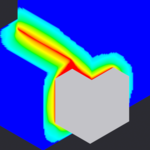
- Space Occlusion — weights by proximity to other objects in the scene; like AO, but only counts rays that hit neighboring geometry
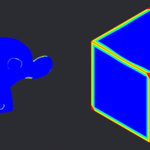
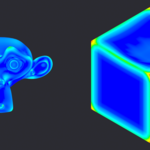
- Edges — paints the outermost contour and convex edges
- Orientation — weights by how the surface normal aligns with the axes you choose, with adjustable axis rotation
- Texture — drives weight from an image or a procedural texture, sampled by UV or by position
- Slope — weights by the angle between the normal and the chosen Up axis
- Camera Facing — high where faces point toward the camera/viewport
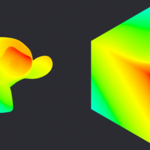
- Screen Depth — weights by distance to the camera/viewport, normalized
- Cavity — weights by curvature: concave crevices (or convex ridges)
- Outline — paints the rim/silhouette where the normal is tangent to the view
- UV Seam — curvature-based, tuned as a starting point for marking UV seams
Every generator exposes Strength, Invert, Threshold and a Global Threshold, plus Smooth passes to clean up noise.
Layers
Stack multiple generators as layers and merge them into one result group:
- Add / Remove / Move / Clear layers
- Per-layer blend mode (Merge / Add / Subtract)
- Real-Time mode reapplies the last painted section automatically as you adjust parameters
- Global Threshold cuts low weights to zero across all layers
- Merge Layers bakes the active layers into the chosen result vertex group
Utility toolbox
- Merge by Weight — join overlapping meshes and weld them into one continuous surface, guided by Space Occlusion weight. Non-destructive preview: Apply to confirm, Cancel to undo
- Remesh by Weight — voxel-remesh where density follows a painted weight group
- Surface Damage — erode or bump the surface along its normal, masked by any weight
- Export Weight — bake the active weight to a Geometry Nodes mask modifier, a Color Attribute, or a baked UV texture
- Weight Shader — preview any weight as a Diffuse material in the viewport, no baking required
- Vertex Paint — convert the current weight into real vertex colors
- Transfer — eyedropper tool: click another object to copy the same paint instantly
- UV Seam → Apply Seam — go from painted curvature straight to marked UV seams in one step
- Edit Mode — jump into Edit Mode with the painted area (weight > 0) selected
- Clean All / Reset — one-click cleanup when you want to start over

Discover more products like this
cavity weight paint vertex groups weight generator ambient occlusion remesh procedural weight vertex weights rigging vertex color UV seams edge mask