Worldforge: Advanced Terrain Generator
 Prospero Utilities



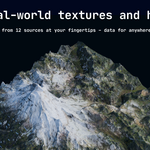
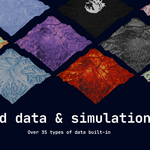
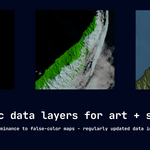
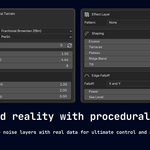
Is WorldForge really better than other terrain generators?
We think that WorldForge, with its emphasis on physically accurate simulation and real-world data plus procedural generator, is the best choice for artists and creators looking to make terrain that reflects the real world, as well as the one that most closely integrates with Blender. Compared to competing software, we also think the price is highly competitive. We're always open to new feature suggestions with the Contact Creator button here in Superhive!
How is the performance?
In a word, blazing. All of our simulation functions are done using highly-optimized code rather than heavy libraries, which means that you can work with areas of millions of square kilometers without any noticeable slowdown on most hardware.
I have questions or troubleshooting questions - what should I do?
Reach out to us through the Superhive platform. We'll do our best to respond as quickly as possible. However, we note that WorldForge has been extensively tested for robustness and the product has built-in error messaging that should help you fix most issues.
How do I use this in Geometry Nodes?
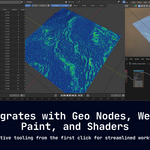
You can use our simulation data right in Geometry Nodes. Firstly, press the Bake to Vertex Group button, which will apply simulation data on a per-vertex basis. In Geometry Nodes, use the Named Attributes feature to bring simulation values into the node layout.
Can I use this with Eevee and Cycles?
Yes! WorldForge is compatible with Eevee and Cycles out-of-the-box.
Are there any API keys or costs?
Nope! All of the data that you'll find in WorldForge is 100% free to the user forever. There are no hidden fees or API keys/costs.
Does WorldForge work on my OS?
WorldForge works wherever Blender does - Mac, Linux, and Blender.
$34.99
Have questions about this product?
Login to message
| Blender Extension Compatible | Yes |
| Dev Fund Contributor | |
| Published | about 2 months ago |
| Blender Version | 5.0 - 5.2 |
| Extension Type | Add-on |
| Render Engine Used | Cycles, Eevee |
| License | GPL |
Discover more products like this
terrain generator world procedural mountains landscape environment simulation erosion satellite imagery terrain terrain-builder GIS