 Farax Creative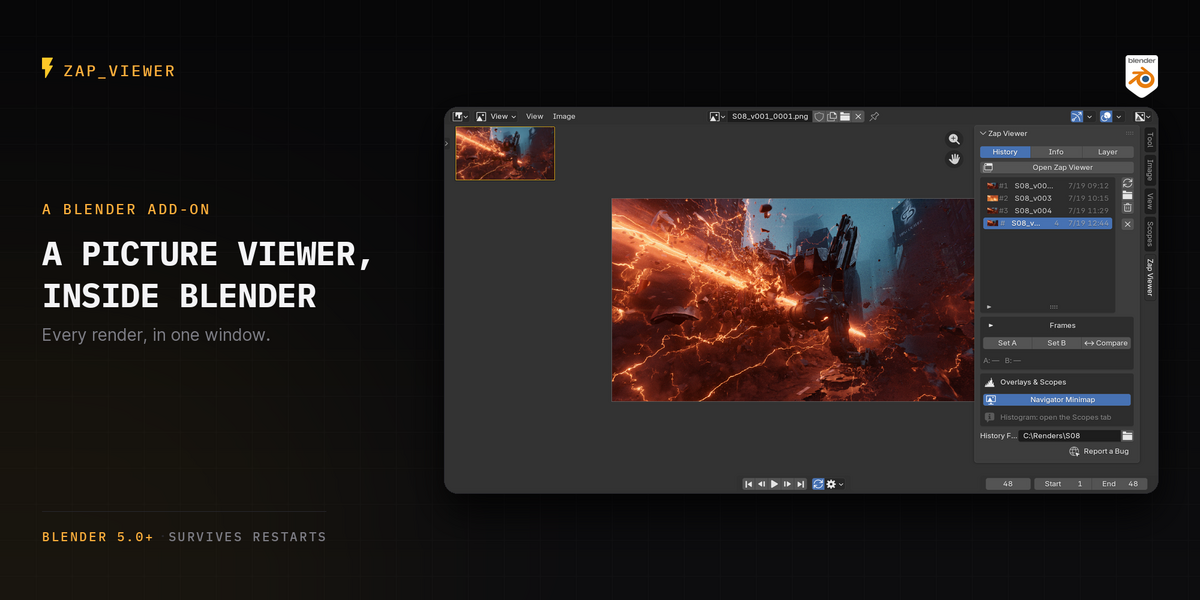
Your render just finished. Now what?
In Blender, looking at what you rendered is the awkward part. You flip between eight render slots that overwrite each other, or you leave the app and go digging through folders.
Zap Viewer is where you look at your renders. It opens its own window when you render — a real Picture Viewer, the way Cinema 4D has had one for years.
Updated 4 August 2026 — v2.9.0: choose where renders are kept, stop animations taking twice the disk, and let old test renders expire.
What you actually do with it
Compare instantly. Every render lands in one thumbnailed, labelled list. Click between them and the big view follows. Rename them as you go — "v1 key light", "v2 warmer" — so v1 and v4 are told apart at a glance instead of by timestamp.


A/B compare with a movable wipe. Pick A and B, and Zap Viewer composites them into a single image split by a wipe you can drag. Both halves share pan, zoom and colour management by construction, because they are literally one image. It refuses to compare two different sizes rather than stretching one to fit — that would falsify the comparison you are making.



Play a sequence back, right where it landed. An animation render becomes one Sequence entry, not one entry per frame. Play it, scrub it, set a play range, catch a flicker or a bad frame before you hand the shot over. Playback runs on its own timer and never moves scene.frame_current, so it cannot animate your 3D viewport or scrub your scene.
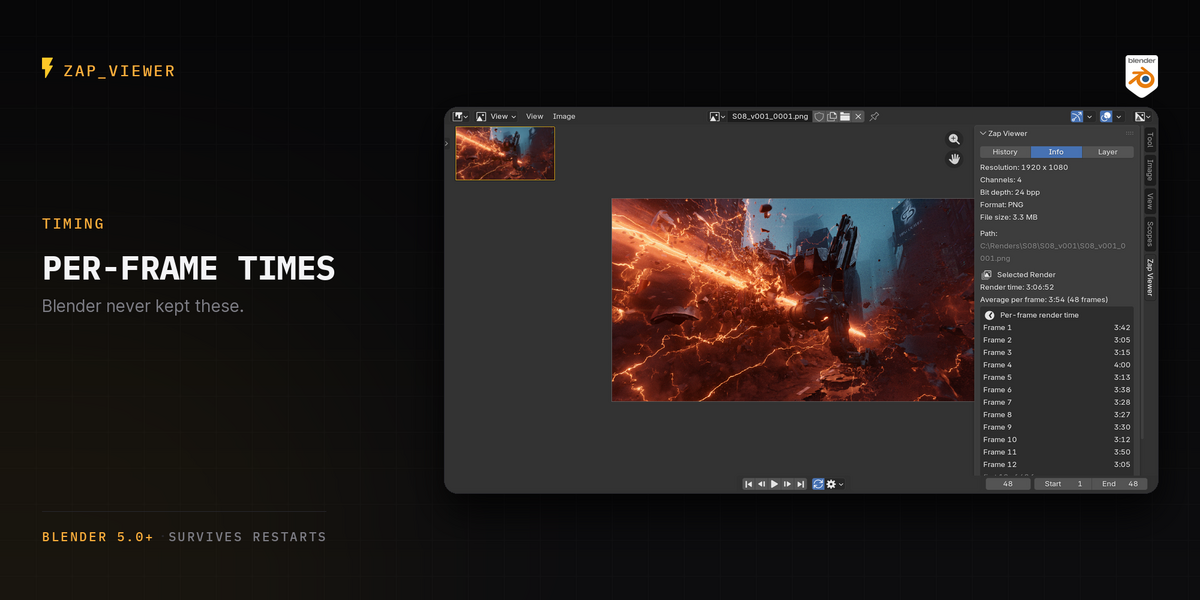
Per-frame render times. For a sequence, Zap Viewer keeps how long every frame took and shows it in the Info tab, with the average. Blender does not keep this. It is how you find the one frame that cost you eight minutes.


It survives quitting Blender. Every entry is a real image file in a real folder, so reopening the .blend rebuilds the list — thumbnails included.
It doesn't have to double your disk. An animation already exists on disk — Blender just wrote it. So Zap Viewer can point at those frames instead of copying them, which is one setting away. Keep the copy when you want a render nothing can overwrite; skip it when a 4K EXR sequence twice over is not a trade you want. Either way an F12 still is always saved, because Blender writes no file for one.
Housekeeping you set once. Renders expire after however many days you choose, or never — it ships off. Lock the ones worth keeping and they are never touched, whatever the setting says. It only ever deletes files Zap Viewer wrote into its own folder: your own renders are dropped from the list, never from disk. And it tells you the exact count and size before it deletes anything, because it cannot be undone.
Keep it out of your project folder. Choose where the history lives: beside the .blend, one folder away from your projects, anywhere you like — or packed inside the .blend itself, so the project travels as one file with nothing beside it.

Renders it didn't make. Point Import at any folder — a farm's output, an older project, a folder a colleague sent. Nothing is copied or moved; entries point at the files where they already are, and a run of numbered frames comes in as one Sequence.
What it doesn't do
It never changes your render settings, never touches Blender's own render slots, and never touches your sequence editor. In headless and farm renders (blender -b) it does not even open a window. Uninstall it and your renders stay exactly where they are — they were never anywhere else.
Not in this release
Multilayer EXR stills are flattened in the history copy. Blender writes no file at all for an interactive F12 still, so the add-on has to produce one from the Render Result, and every route available for that flattens it. If you need the history copy to carry passes, render to single-layer EXR for now. The Layer tab says this in the UI rather than letting you find out later.
Requirements
Blender 5.0 or newer. Verified on 5.0.1, 5.1.2 and 5.2 — the full suite of 299 automated tests passes on each.
GPL-3.0-or-later.