 Orange Turbine


SKETCH-BASED RETOPOLOGY FOR BLENDER
Your sculpt or scan is done. Now let's make it usable.
Sound familiar?
Your sculpt is millions of polygons and Blender is slowing down.Your character's deformations look terrible when rigging and animating. Your scanned or downloaded model is a mess of triangles that's hard to UV.Your game engine or real time renderer says your model is too big to import.They all have the same fix. Retopology: building a clean, low-poly mesh on top of the original.
Retopoflow helps turn heavy sculpts and computer generated meshes into clean, lightweight topology you can rig, animate, texture, and take into a game engine, and it works by sketching directly on the surface right inside Blender's Edit Mode.

★★★★★
I love sculpting, but retopology was always a daunting task. Sometimes I even preferred to create low poly models right away and just add some details in Substance Painter to save some time. Retopoflow changed that. [...] I actually started to like it a lot - it's a lot more like sculpting now.
Maciej Szcześnik, co-founder of Vinci Games and lead gameplay designer on The Witcher 2
★★★★★
I've tried to retopologize characters a few times with Blender's built-in tools and honestly gave up every time. Retopoflow 4 just clicked for me. I sat down with my character's head and a few hours later I had clean loops around the eyes and mouth and a mesh I was actually proud of. It felt like drawing instead of fighting the software.
Rod
★★★★★
This has become my essential tool for retopo. Super easy to use and I love how it's been designed to feel like a native Blender tool.
Henrik Cederblad
★★★★★
Been using Retopoflow for about 10 years now, and I cannot recommend it enough. Best retopo tool out there!
Mattias Lind, character artist at Milford Animation Studio
Retopoflow makes retopology feel less like monotonous pointing and clicking more like fun, quick sketching.
Draw instead of click
Quality retopology is essential for efficient rigging, animation, texturing, and even rendering, but we also know from years of experience that it can often be a tedious chore. That’s why, since 2013, we've set out to do something that few thought was even possible - make retopology actually fun! :D
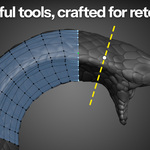
The tools in Retopoflow are designed to be used by artists (especially with a tablet!) and make good topology practices, like evenly spaced quads, the default rather than the exception.
★★★★★
Retopoflow is my favorite tool for manual retopology among all the different software that I have tried. The developers are passionate and are always finding new ways to make the addon better. Thank you!
Daniel Bystedt, senior character artist and creative lead at Goodbye Kansas Studios
Work right in Edit Mode
Version 4 is a complete rewrite of Retopoflow that places the tools in Edit Mode right alongside Blender's tools and your other add-ons. And they're blazing fast.
Entering a Retopoflow tool sets up snapping, auto-merge, selection, the retopology overlay, and more for you, and switching to any other tool puts all your settings back. It's an instant retopology mode you can jump in and out of at any time, while still having access to all your favorite Blender tools and hotkeys. Retopoflow even backs up your work while you're in Edit Mode, since Blender's auto-save only works in Object Mode.
★★★★★
Been using Retopoflow version 3 for a while, but Retopoflow version 4 takes it to a whole new level. The ability to use it while switching out to "vanilla" modelling tools and back makes it a game changer.
Jeff Douglas
★★★★★
The previous version was fine, but this version is a total revolution!!! [...] It integrates perfectly with Blender's existing UX and allows for fast, lag-free work.
Psm
Already tried an auto-remesher?
Auto-remeshers are great for a quick base. Where they struggle is anything that needs to bend, such as faces, shoulders, elbows, and hands. Plenty of artists use both. Auto for a first pass, then Retopoflow to retopologize over that mesh, rebuilding clean topology for the parts that have to deform.
Retopoflow's helper operators work on any mesh in Edit Mode too outside of retopology, so you can relax, auto-fill, even out, and twist the loops of an existing base without starting over.
Here's what you’ll find in Retopoflow
 CONTOURS
Wrap loops around arms, legs, and fingers
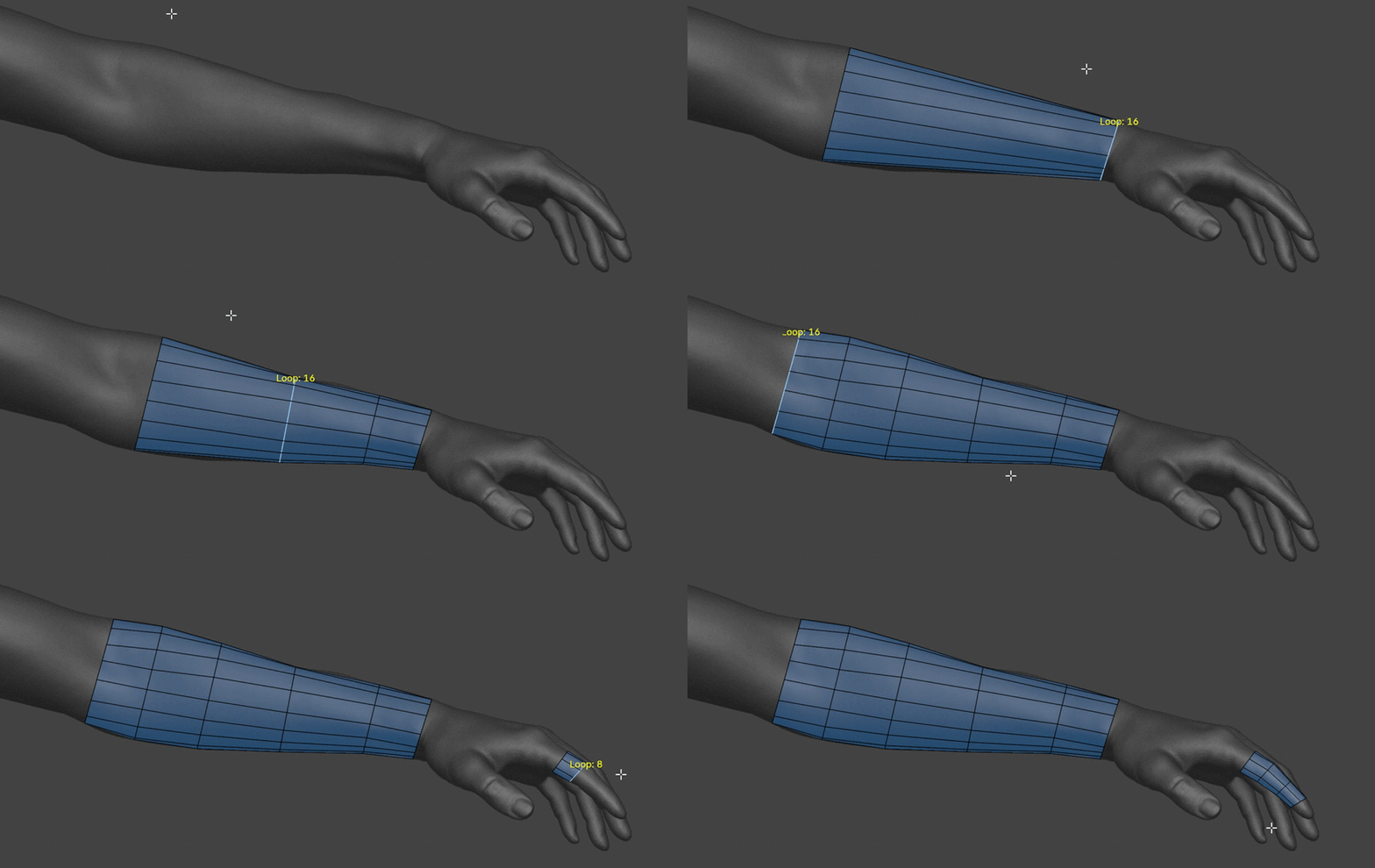
With Contours, you can quickly place and adjust loops around any cylindrical form. Just hold Ctrl and left click drag, and a loop will wrap around the high poly surface. You can adjust the number of vertices in the new loop by scrolling.
In the example above, the loop wraps perfectly around the finger even though there are several fingers overlapping in the view. Contours gets it right where other tools routinely fail because our advanced algorithm walks the loops around the mesh instead of using a simple shrink wrap or screen space approach. Our new SDF method can even handle flipped normals, split edges, and overhangs.
★★★★★
[...] The Contours tool for example feels almost like magic after having to try to create the same kinds of loops manually.
Vard
 POLYSTRIPS
Lay down the loops that matter most
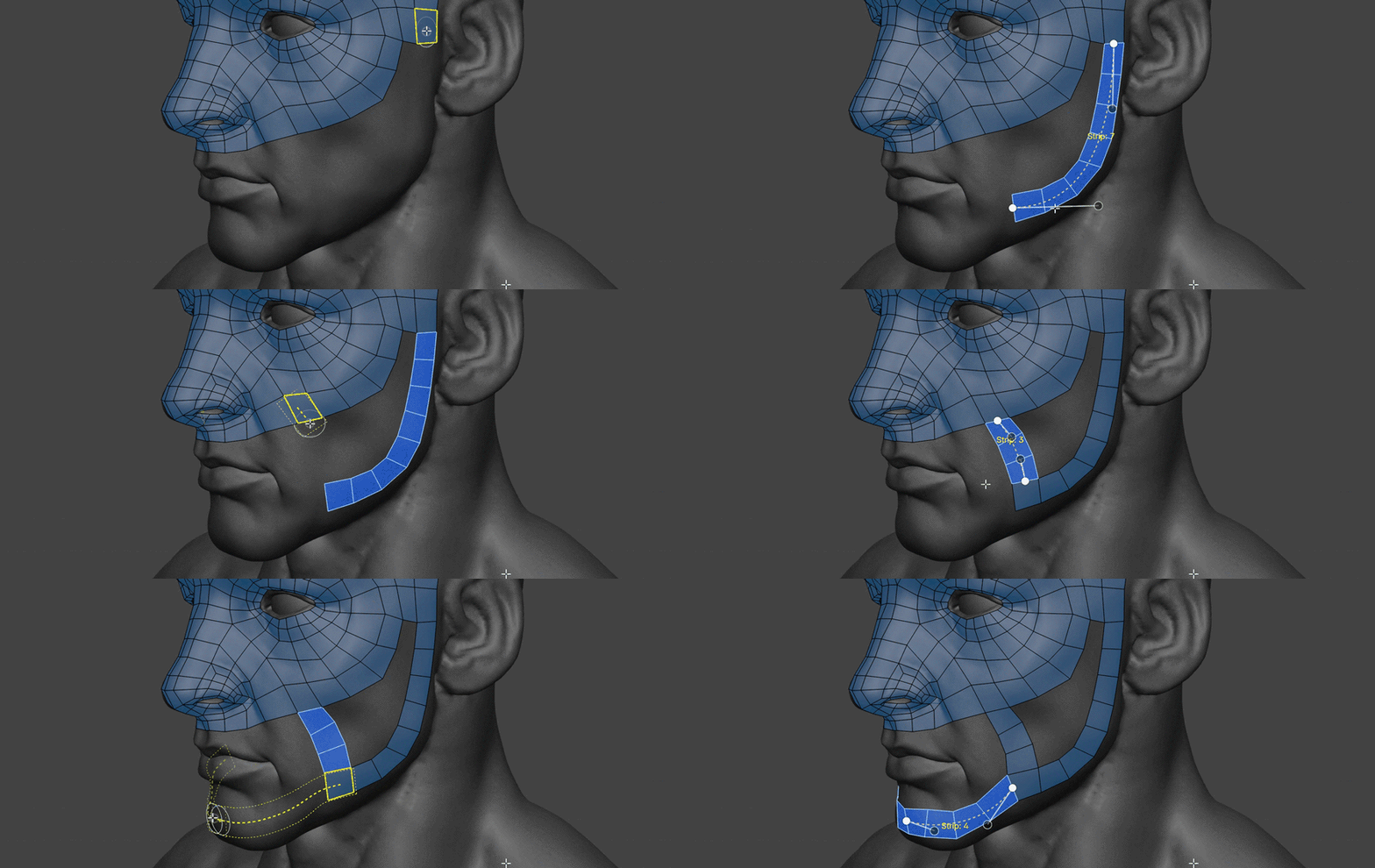
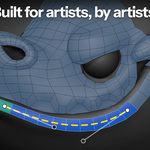
Quickly sketch to define your most important loops with PolyStrips. Just hold Ctrl and left click drag to draw out a strip. Drawing on or near existing geometry will snap the new faces right to it. You can quickly add or remove segments with Ctrl Scroll and change the width with Shift Scroll at any time.
The best part? You can also use PolyStrips to manipulate any selection of quads like a Bezier curve. It even works with proportional editing! Everything is automatically snapped to the surface so you can focus on what’s important: the perfect placement of your key loops.
 STROKES
Fill large areas with even grids
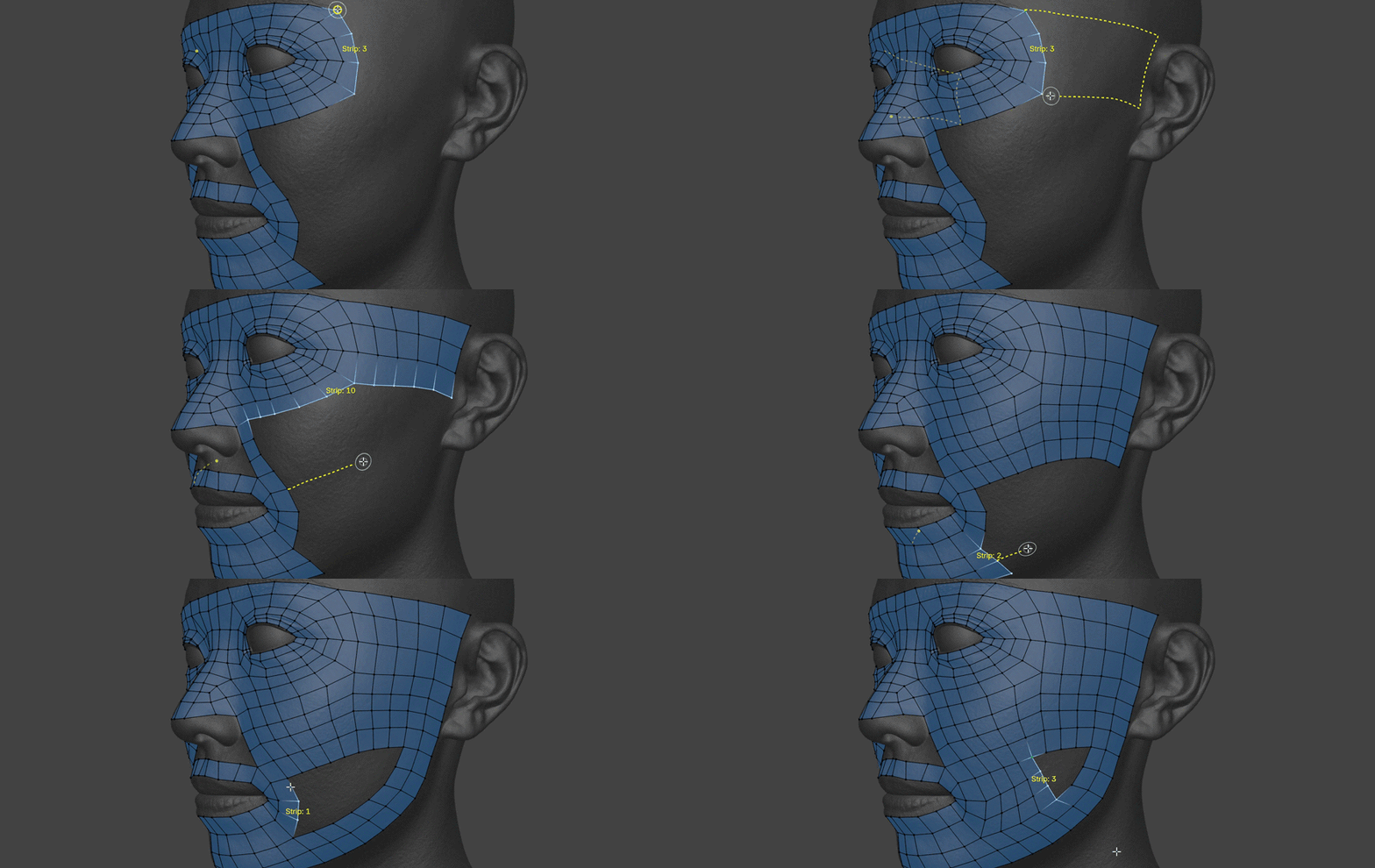
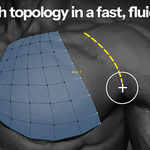
To quickly extend your main loops or define grids in larger areas, switch to the Strokes tool. Drawing out a single line will place a row of selected edges, and drawing another stroke roughly parallel to a selection will connect the two with an even grid of quads.
Or, you can draw out from a vertex to extrude your selection in the other direction, draw closed loops to create perfect circles, draw between geometry to fill in gaps, and more! It's a gesture based brush that feels like it knows exactly what you're trying to do.
★★★★★
buy this, you won't regret. It makes me work literally 2 times faster if not more!
Mejam
 POLYPEN
Full control over fine details
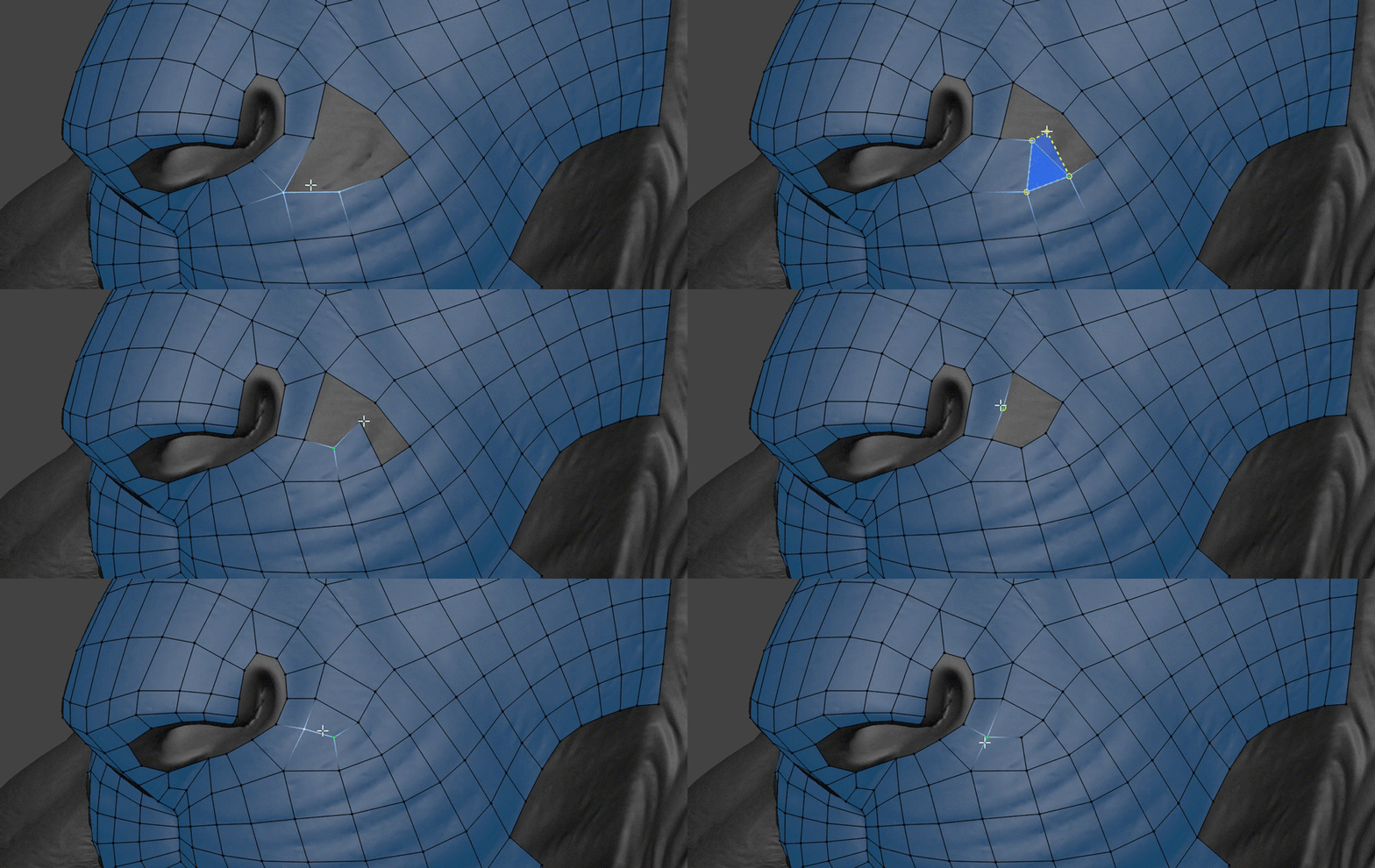
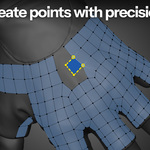
Sometimes you need to be extremely precise and deliberate, and PolyPen is built to give you that maximum control over fine details. Select an edge, hold Ctrl, and click to extend the selection using triangles, quads, or an automatic combination of both. PolyPen will automatically snap to other vertices and edges and can even be used as a knife that can insert partial edge loops or even create quad junctions for you.
 PATCHES
Fill any gap with quads
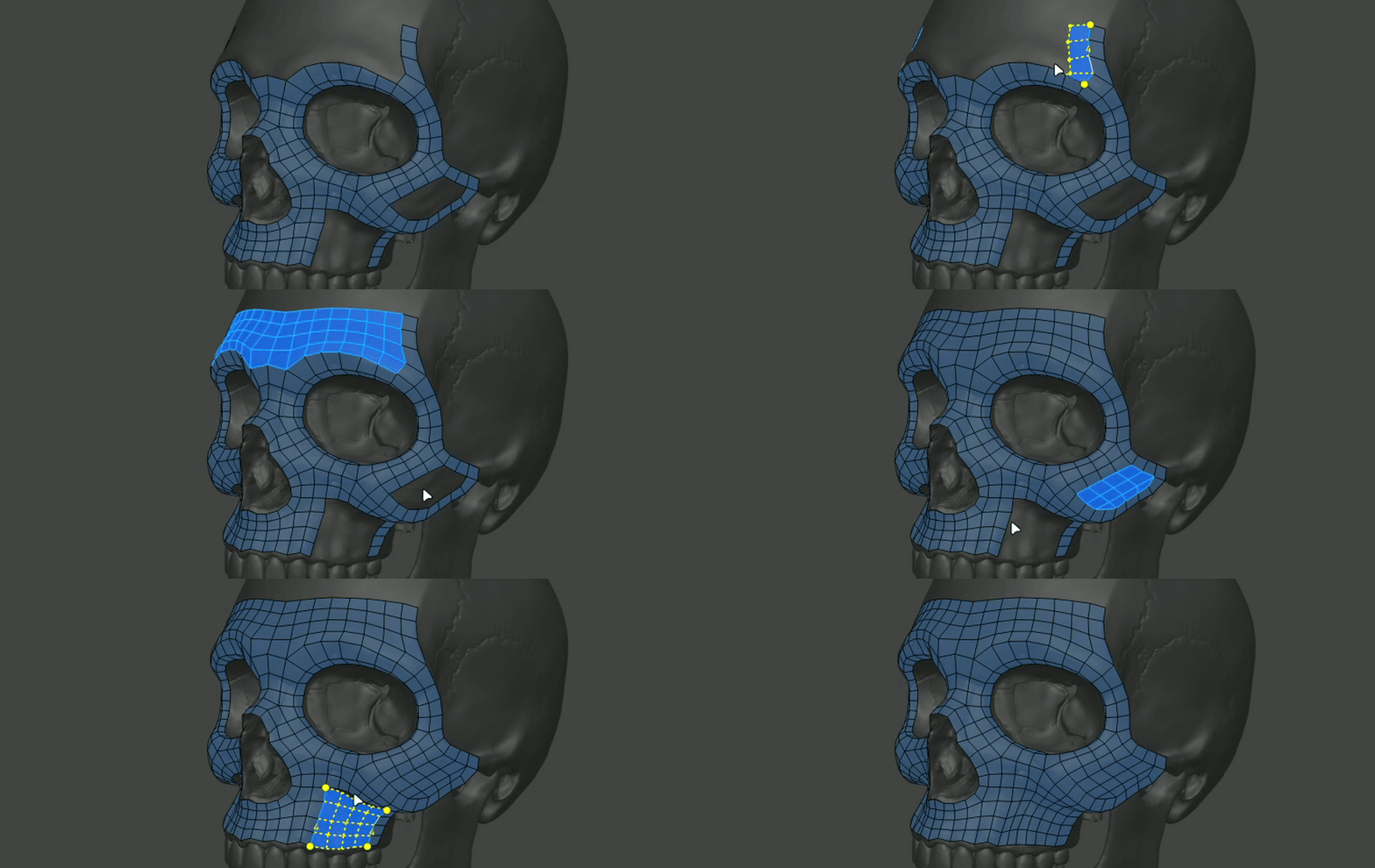
Select the edges around an empty area and Patches will offer to fill it. It recognizes corners, L shapes, bridges, C shapes, holes, and lofts between loops. It can face step whole rows outward from a boundary and is like F2 on steriods whatever is crazier than steroids. When the edge counts don't line up to make a perfect grid, you can Ctrl Scroll through different solutions and Shift Scroll to rotate them.
Quad grids and quad junctions are used whenever possible, but you can always choose to use triangles and n-gons if you'd like. You can use Patches from any of the other tools simply by tapping or holding F.
★★★★★
This is by far the best retopology tool I've used to date.
Huy Khoi
 RELAX
RELAXSmooth everything towards even spacing
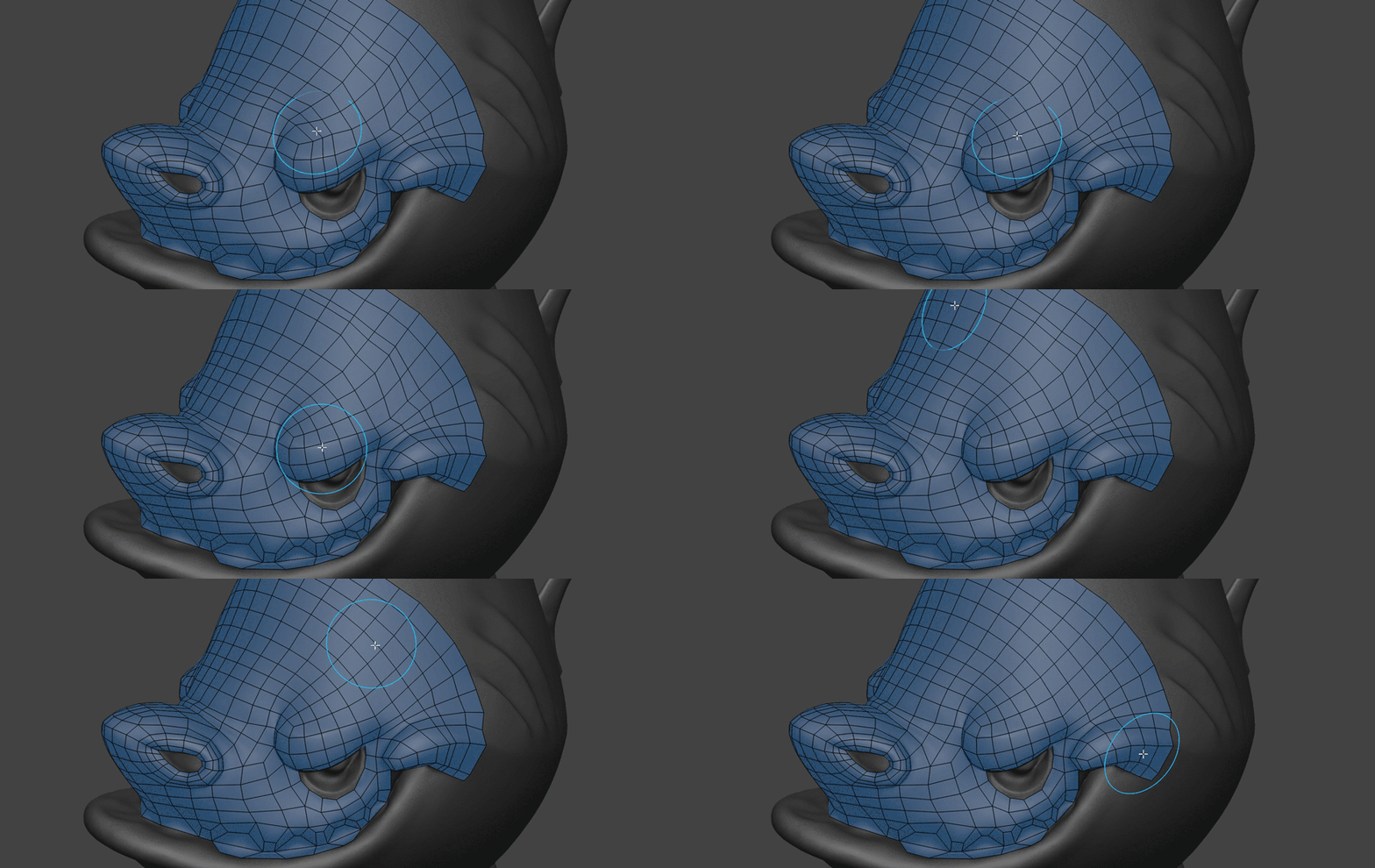
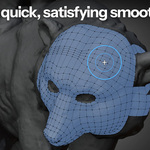
Gently massage your geometry into evenly-spaced perfection with the Relax brush. It behaves just like a sculpting brush, except that it keeps all vertices snapped to the high poly geometry and shifts them towards a clean layout. Controls for what mesh features it tries to correct are adjustable and you can use it in a wide variety of situations.
Unlike the usual smoothing algorithms other apps have that tend to collapse the mesh, Relax is actually an advanced real-time simulation that can push each face towards its ideal shape and size. It can ignore or slide along boundary, sharp, or any other type of edges when you need it to. Plus, the Relax algorithm can even be used on any mesh outside of the Relax tool while regular modeling.
 TWEAK
TWEAKPush and pull big sections into place
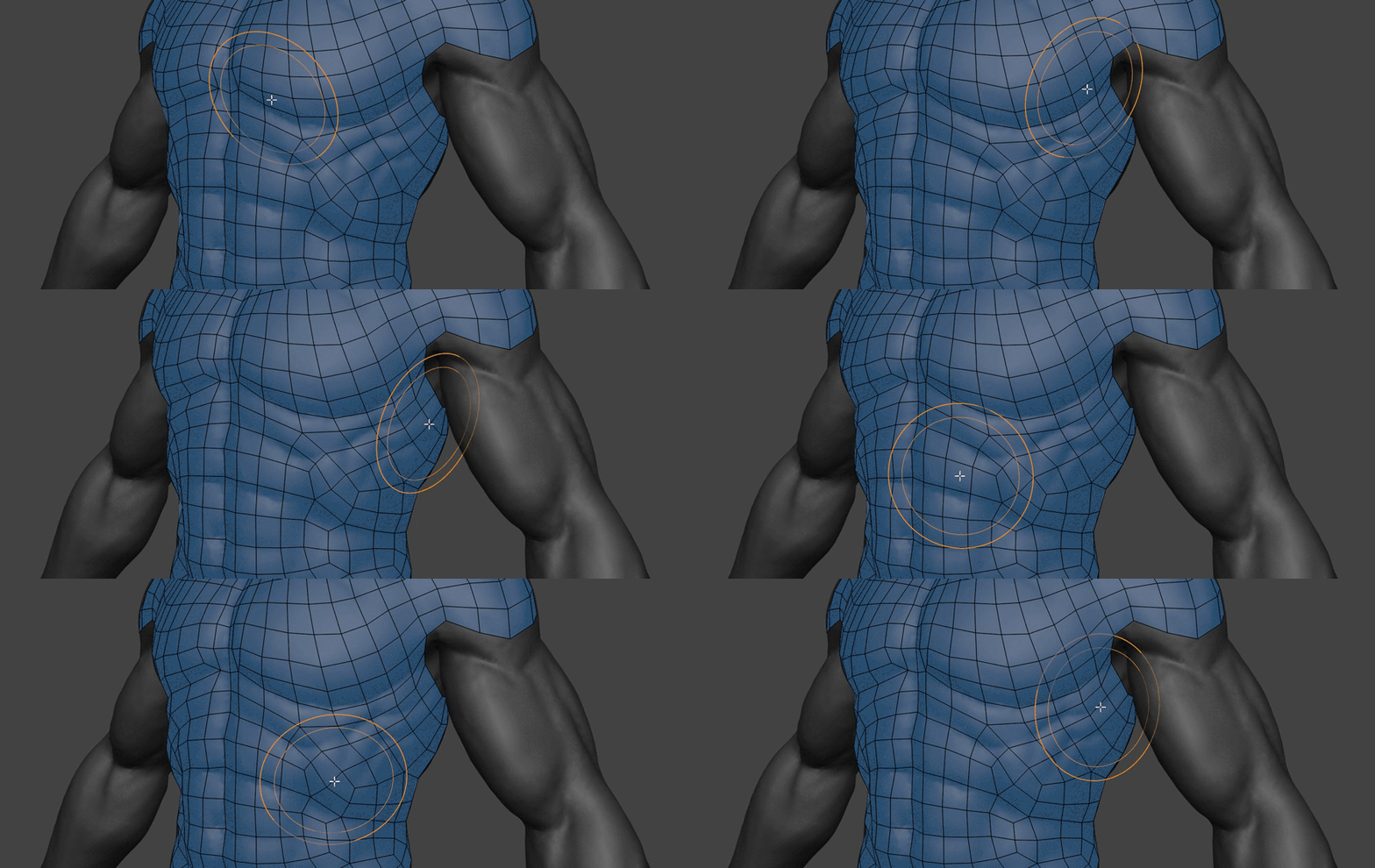
It’s not particularly fun to select and move lots of vertices around one by one. If you need to do some bigger adjusting, reach for the Tweak brush. It pushes and pulls the geometry like a sculpt brush in a way that’s fast, fluid, and intuitive.
The Nudge, Nudge Loops, and Pinch / Magnify modes let you slide whole loops along the surface or spread out crowded areas.
★★★★★
Contours, Polypen, and Strokes are my go-to tools and I might not be exaggerating much to say that the Relax and Tweak tools might be worth the price just on their own.
coyohti
Fix any mesh with a keystroke
Retopoflow also adds a set of helper operators to Edit Mode. They work on any mesh, inside or outside the Retopoflow tools.
FAuto Fill the selection with the Patches algorithmShiftRRelax the selection, with options to retain the shapeShiftAltREvenly space loops, edges, and facesAltTTwist loops around their axesAltCEdit any loop, strip, or patch with Bezier curve handlesCtrlAltBInsert a diamond junction along connected edgesAltRRotate the topology of the selected facesHotkeys can be changed in the add-on preferences.
...and that's just the beginning!
SymmetryDraw right across the center line and quickly access the mirror modifierHard surface snappingSnap to sharp edges, creases, and seams on CAD models, even when smoothing (experimental)Pen pressureTweak and Relax make full use of your tabletPinningPin verts individually, or by seams, sharp edges, or any other attributeNot just meshesSnap to curves, NURBS, and other non-mesh objects, and filter sources to specific objects and collectionsClean UpFix doubles, flipped normals, holes, and loose geometry in one clickEdit Mode auto-saveRecover your work even though Blender's auto-save doesn't work in Edit ModeOverlay themesPick the colors and component sizes that are easiest on your eyesRetopoflow is developed and maintained by Jonathan Williamson, Dr. Jon Denning, Jonathan Lampel, and JF Matheu as part of Autotroph's Orange Turbine, the same folks behind CG Cookie. Our goal is to make Blender the #1 app for modeling and retopology.
New to retopology? CG Cookie's Introduction to Retopology covers the basics, and Retopology with Retopoflow 4 will walk you through how to use each of the Retopoflow tools.
Upgrading from version 3?
Existing Superhive Retopoflow customers can use the coupon code retopoflow-og at checkout for 25% off. If you'd like to stick with version 3, no worries! We will continue to keep it updated for new versions of Blender until fall of 2027.
By artists, for artists
★★★★★
This is a very important tool in my workflow, it turns the retopology process into a very pleasant and relaxing process. A big thanks to you guys, for making this awesome tool available!
Lucas Falcao, freelance character artist
★★★★★
Every time I went "I hope I can do this" it did, saving me hours of work or even looking up how to do certain things. You can tell a huge amount of thought has gone into this tool.
Brian Tatosky
★★★★★
Now with RF4 being a seamless part of Blender's edit mode, I have to say this is definitely one of the best addons ever made for Blender.
funksy
★★★★★
I hate retopology, but goddamn what a joy is using this plugin [...] don't regret paying for it.
Sandra
★★★★★
One of the must have addons for Blender. It makes retopology way faster and more intuitive. [...] Definitely worth it if you do any kind of character or game art work.
Christian Ruesseler
★★★★★
They turned painstaking and tedious retopology into a pleasure and an exciting journey through the mesh.
Andrey
More from Orange Turbine
 Render RawColor grading and camera effects, right inside Blender.
 UV FlowFast, fun UV unwrapping and packing in one interactive tool.
 Extra Lights60 photometric light presets based on real world data.
 ScattershotSeamless, non-repeating scattering for any image texture.