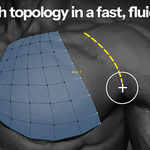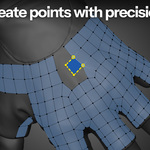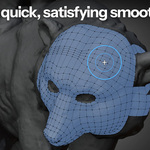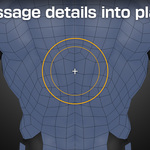
Retopoflow 4

Orange Turbine in Modeling


Item Rating

This item has an average rating of 4 from 59 ratings by the community.

67%
16%
4%
11%
6%

Purchase this item to leave a review!

  • James
    1 day ago

    After looking at so many other repto tools, I'm _SO_ glad I settled on RetopFlow 4.

  • Rod
    2 days ago

    I've tried to retopologize characters a few times with Blender's built-in tools and honestly gave up every time. RetopoFlow 4 just clicked for me. I sat down with my character's head and a few hours later I had clean loops around the eyes and mouth and a mesh I was actually proud of. It felt like drawing instead of fighting the software. Really grateful this exists, thank you.

  • Brian Tatosky
    27 days ago

    Must have add-on for retopologizing dense geo into something editable.

    Simple to figure out and get working with, and just works in a way that completely fits my modelling style. Every time I went "I hope I can do this" it did, saving me hours of work or even looking up how to do certain things. You can tell a huge amount of thought has gone into this tool. Thanks!

  • Michael
    about 2 months ago

    Retopoflow4 saved me so much time.

  • Andrej
    2 months ago

    Simply amazing

  • Matthew Davis
    3 months ago

    Excellent tool, very well supported and extremely good customer support.

  • Mike
    4 months ago

    Nice add-on. Fast and intuitive workflow

  • Vard
    4 months ago

    I dislike retopology a whole lot. This addon doesn't fix the headache inducing parts of the retopology-process itself, but does help a whole lot with much of the manual steps. The Contours tool for example feels almost like magic after having to try to create the same kinds of loops manually. As long as you remember to disable snapping or go to regular mesh editing mode, you can copy parts of a mesh, fingers for example, and then go back to the topology tools to snap the vertices into place and it all more or less does just work(tm) so long as you are careful and deliberate with the mesh placement before snapping (and remember to turn off auto-merge!) Wholeheartedly recommended if you are serious about retopologizing models.

    Blender or this add-on (or some other add-on) does crash occasionally (once a day perhaps) and the in-edit mode auto-save from retopoflow saved me every time. I can't comment on any lagginess since my models are not in the 100k+ range.

    One thing I do dislike is the Patches feature that has been "coming soon" from the beginning. The quote: "Patches is a great tool in Retopoflow 3 that can be used to automatically fill large areas with a grid of quads. In Retopoflow 4, it will be much more than that, but it's not quite ready yet. Hold tight!" is the same as it was from when I purchased the add-on. I still expect that it will be added since it is so prominent in the advertising.

  • Christian Ruesseler
    4 months ago

    One of the must have addons for Blender. It makes retopology way faster and more intuitive. The workflow feels smooth and well thought out and it keeps improving with regular updates. Definitely worth it if you do any kind of character or game art work.

  • Agnes Lim
    5 months ago

    A massive time-saver! This tool has made my retopology workflow incredibly easier. Highly recommended!

    One quick question though. How do I exit RetopoFlow once I'm done with my retopology work? I'd like to switch back to Blender's default tools for final tweaks.

    • Orange Turbine

      4 months ago

      Hi, thanks for the kind review! You can exit Retopoflow by switching to any non-Retopoflow tool. You can read how it works in-depth in our documentation: https://docs.retopoflow.com/v4/general.html

  • $59.99
$59.99

Support Period Included

Includes 12 months of

Extend this product’s Support Period +12 months: 50% of product price

Have questions before purchasing?
Login to message

Details
Blender Extension Compatible Yes
Sales 11200+
Rating
59 ratings
Published over 1 year ago
Blender Version 4.2 - 5.2
Extension Type Add-on
License GPL