1-Click Mesh Cleaner
 Synrg Studios


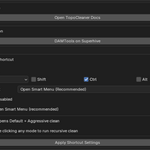
Why doesn’t the Smart Menu/shortcut run?
The addon only works with selected mesh objects.
If no mesh is selected, the Smart Menu won’t show actions and the shortcut will cancel with a warning.
How do I use recursive cleaning?
Hold Alt while clicking either clean mode (Default or Aggressive).
The addon will repeat cleanup passes until no more changes are detected (or iteration limit is reached).
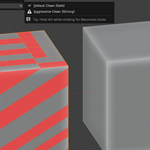
What is the difference between Default Clean and Aggressive Clean?
Default Clean (Safe) is the recommended mode for everyday cleanup and conservative topology fixes.
Aggressive Clean (Strong) applies heavier cleanup rules and can change topology more significantly, ideal for problematic imported meshes.
-
$7
Single indie user license
-
$19
Unlimited seats for studio license
Have questions about this product?
Login to message
