Abo Connect: Access 8,000+ Free, High-Quality 3D Models
 Andrew Luzhetskyi



Version 1.1.2 - Blender 5.2 Support
This update brings ABO Connect to Blender 5.2 LTS.
✅ Blender 5.2 Ready
Every feature has been tested on Blender 5.2 LTS: browsing and searching the full 7,900+ model library, downloading and importing models, thumbnails, favorites, Surface Snap, and the configurable cache. Nothing has changed in how you work.
Blender 4.2 and newer are still fully supported, and the add-on was re-tested on 4.2, 5.0 and 5.1 as well, so you can upgrade Blender on your own schedule.
🔧 Also Fixed
A couple of small housekeeping items: ABO Connect no longer adds its own data to GLB, FBX or USD exports, and it tidies up leftover data from much older versions when you open a file. Your own custom properties are unaffected.
Version 1.1.1 - Minor Update
This is a small maintenance update designed to smooth out the initial setup process.
🚀 What's Fixed
No More Freezing: The setup process now runs in the background, keeping Blender responsive while downloading data.
Better Connections: Connection reliability is improved to prevent timeout errors on slower internet.
Smoother Feedback: The download progress bar now updates in real-time and displays clear status steps so you know exactly what is happening during first-time setup.
Version 1.1 - Workflow and Storage Update
This update introduces powerful new placement tools and robust data management to keep your assets safe and accessible.
🚀 What's New in Version 1.1.0
✨ Workflow Enhancements
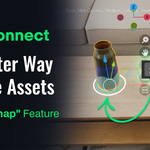
Interactive Surface Snap: A new placement mode that actively detects surfaces under your cursor. Instead of manually aligning objects, simply drag them into the scene to snap to walls, floors, or tables automatically.
Smart Controls: Hold
Shift + Scrollto rotate while placing, or pressAto cycle through alignment axes (X/Y/Z) for perfect orientation.
💾 Data Management & Persistence
Complete Cache Relocation: You can now define a Custom Cache Path on any drive (e.g., a secondary SSD). The addon handles the migration of your entire library—models, thumbnails, and database—freeing up system disk space.
Portable Favorites: Your favorites collection is now safer and more flexible. Easily export/import your list to a JSON file for backup.
🛠️ General Improvements
Import Progress Indicators: Added a native Blender progress bar during model import, providing clear visual feedback on download and import status so you aren't left guessing.
Network & Stability: Improved network resilience with automatic retry logic for unstable connections, plus smarter caching for search filters to improve UI responsiveness.
Version 1.0.4 - Stability and Performance Update
This update focuses on core stability and performance, ensuring ABO Connect integrates reliably with your Blender workflow.
What's New in Version 1.0.4
⚙️ Core Stability & Performance
INSTANT Undo/Redo: Undo (
Ctrl+Z) and Redo operations now execute instantly with negligible performance overhead. This major fix involved a complete architecture refactor to isolate the addon's data from Blender's undo system.🔒 Persistent State: All addon settings - including filters, search results, and UI preferences - now maintain their state, persisting reliably through undo/redo actions and Blender sessions.
🔎 Workflow Enhancements
Enhanced Search: The search function has been upgraded for greater precision. Assets can now be located using their title, model ID, or specific cached thumbnail filenames.
✅ Blender 5.0 Compatibility: Verified compatibility and support for the latest Blender version.
Initial Release

Discover more products like this
ArchViz furniture ABO asset library 3dmodels-interior design 3d models asset-browser free assets