 Strates Digitales Labs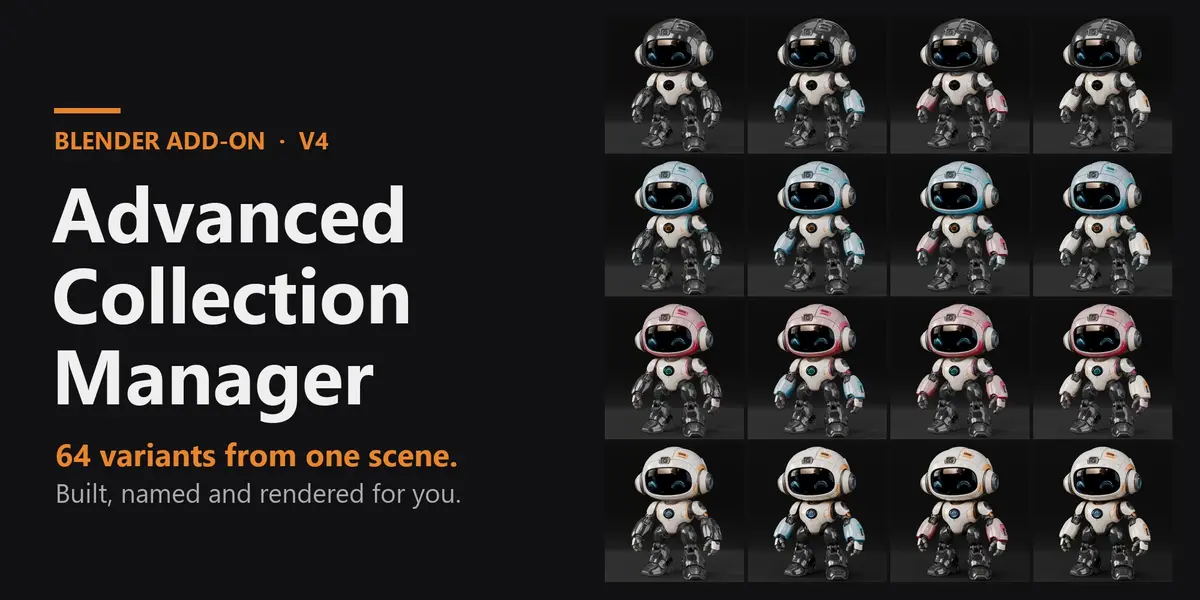

One scene. Every product variant. Built, named and rendered for you.
Advanced Collection Manager turns a variation scene into a clean, automated pipeline: organize your assets, create the colour or material variants, build every combination as a View Layer, then render them all in the background while you keep working in Blender.

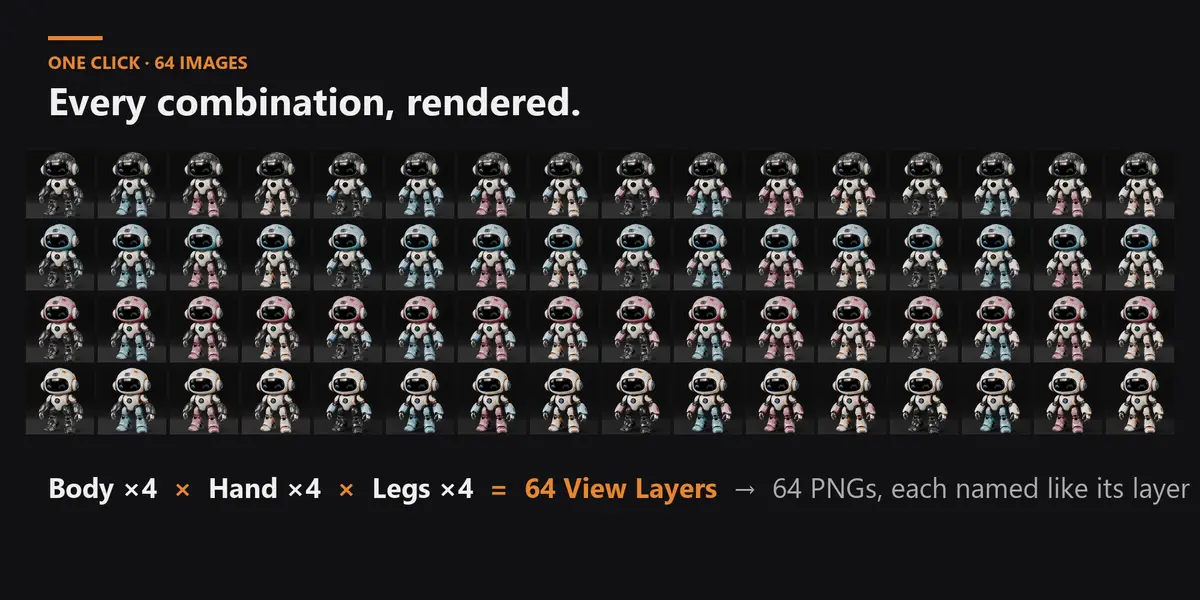
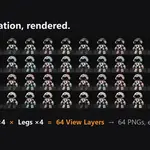
64 robot variants (Body × Hand × Legs, 4 colours each) from a single scene — every image named after its combination.
THE PROBLEM
Configurator and variation work — a product in several colours per part, a watch with different straps and dials, furniture finishes, packaging options — means toggling collections by hand, setting up a View Layer for every combination, naming everything consistently, and then rendering them one by one while Blender is frozen. At 3 parts × 4 colours you already have 64 renders to build, check and export.
THE SOLUTION — six functions, one panel
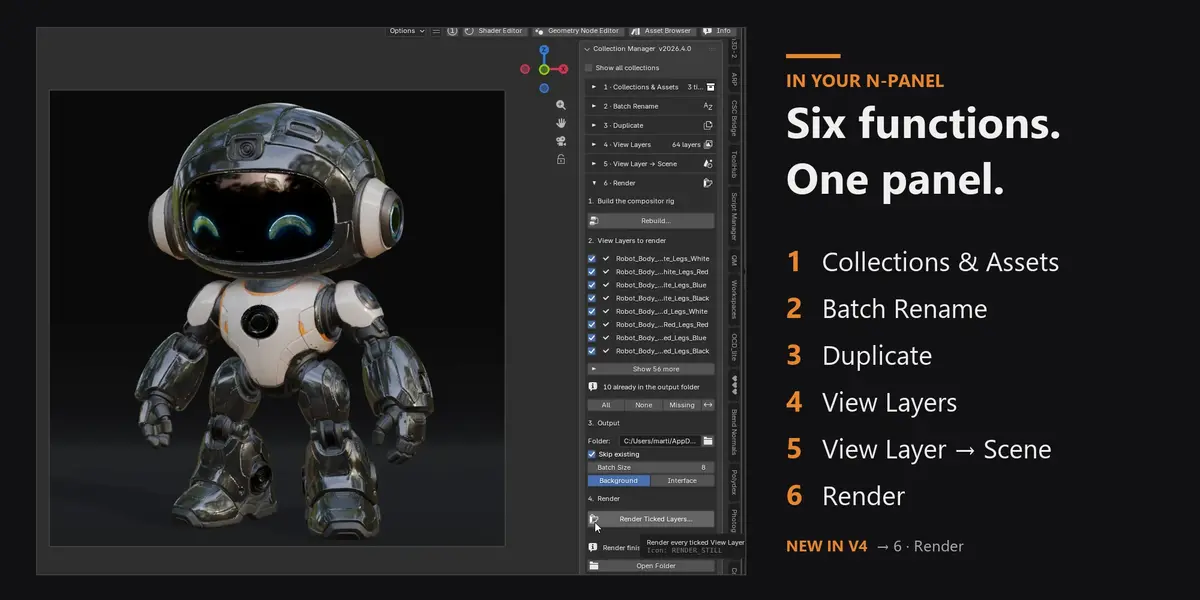
Everything lives in one panel (3D Viewport sidebar › ACM, and/or Properties › Scene). The functions follow the natural order of a variation job, and every action that creates, renames or deletes something shows a preview first.
1 · Collections & Assets — sort a messy scene
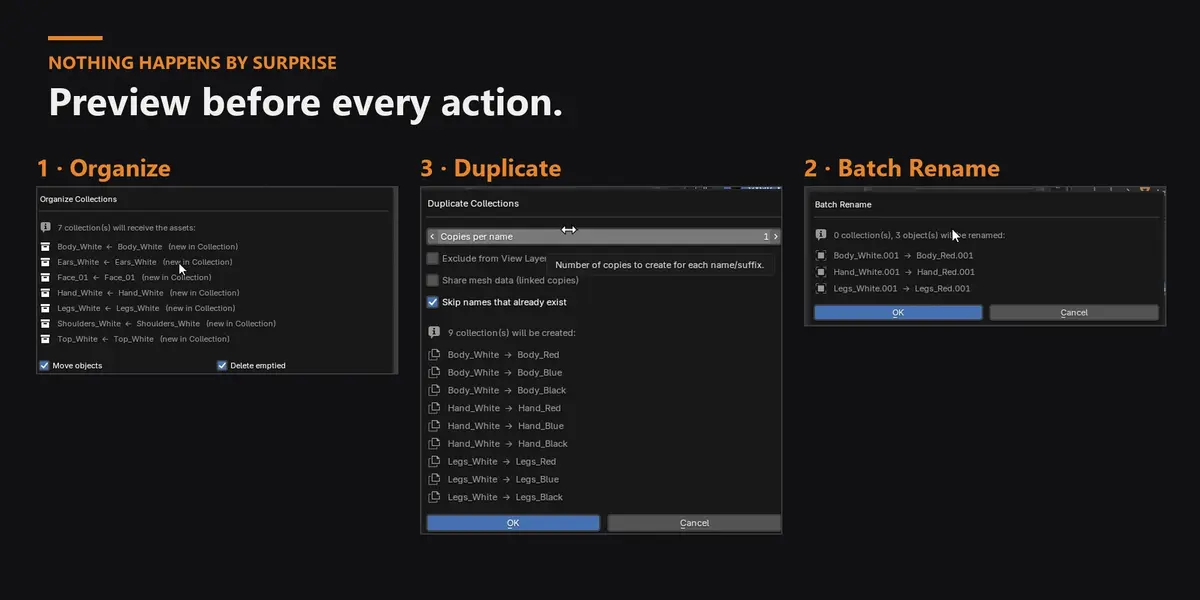
Tick the collections to work on, detect their assets (root objects, children follow) and organize them into one collection each — or grouped by a name part (Top_red + Top_blue → Top). Move or link, delete the emptied sources, and clear every empty collection in one click.
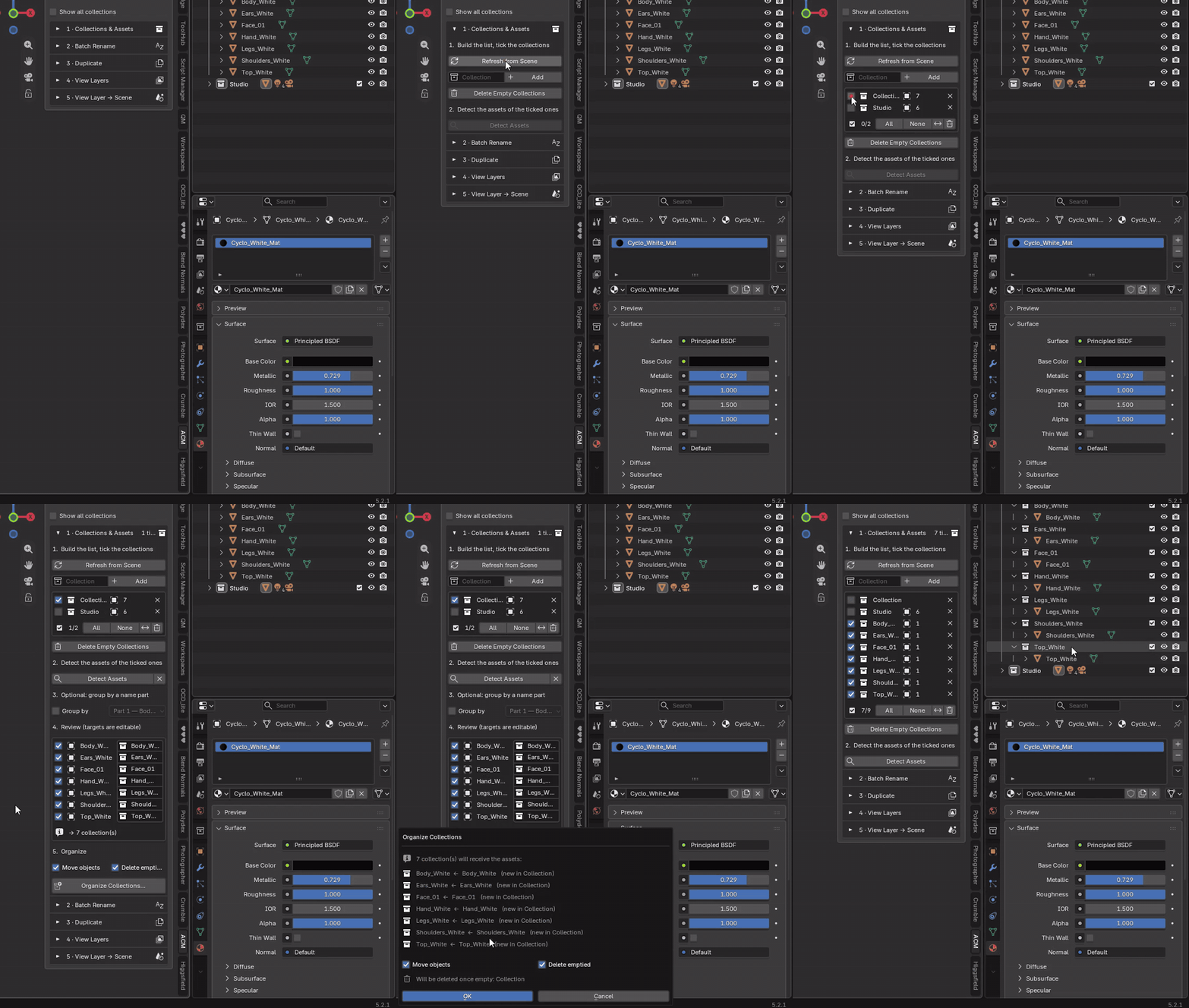
Detect the 7 parts of the robot, review the targets, organize — each part gets its own collection.
2 · Batch Rename — fix names by parts
Names are split on _: replace one part of the collection and/or object names (White → Red), anywhere, as prefix or as suffix, picking the part from the ones found. Every rename is previewed; an option removes Blender's .001 counter when the clean name is free.
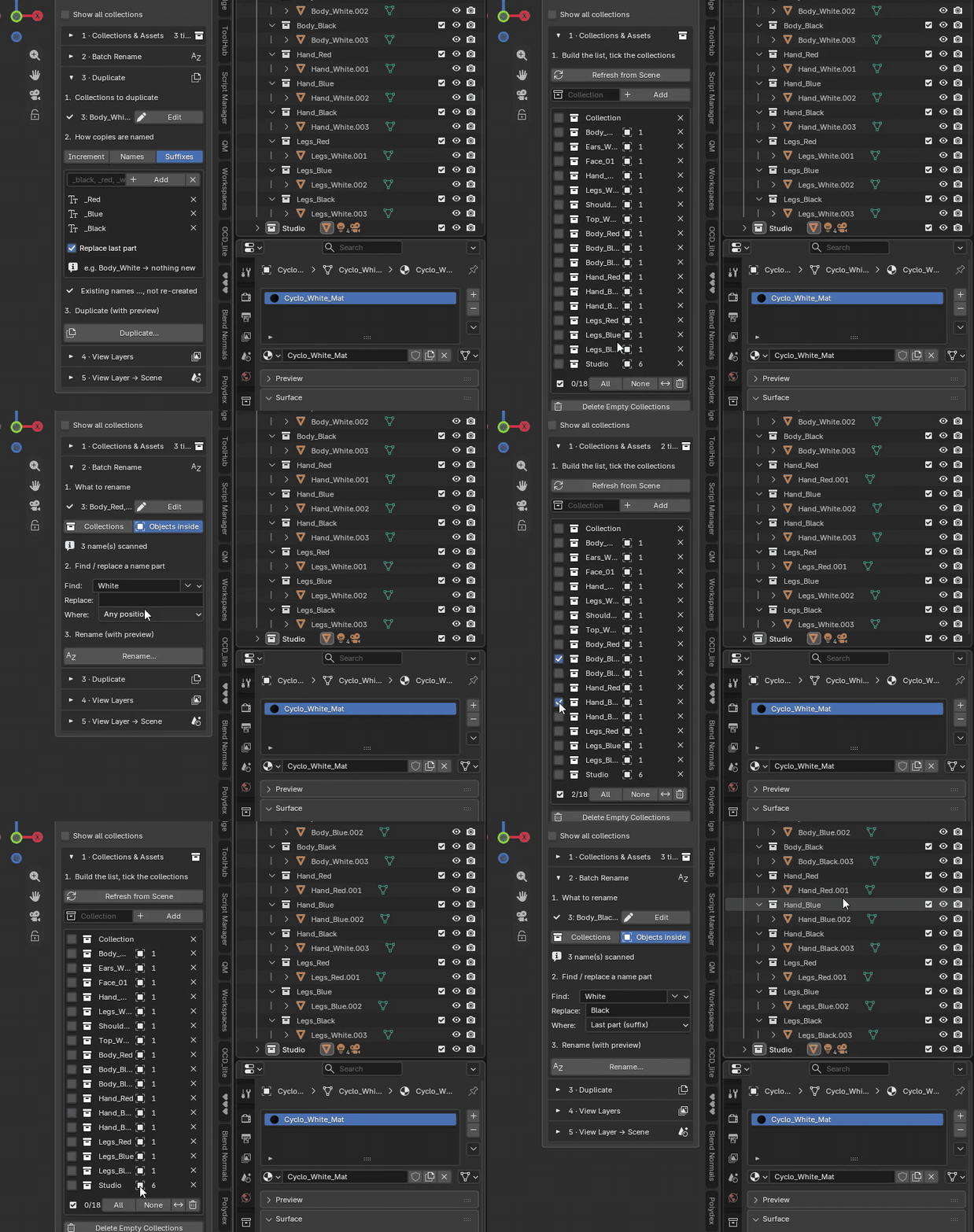
Pick “White”, replace it with “Blue” on the last part only — the objects inside the copies are renamed after a preview.
3 · Duplicate — create the variants
Copies named with your suffixes (Body_White + _Red, _Blue, _Black → Body_Red, Body_Blue, Body_Black), custom names or increments. Deep copies — nested collections, objects and data — with parents, constraints and modifier targets remapped; objects can be renamed like their collection, and names that already exist are skipped instead of becoming .001.
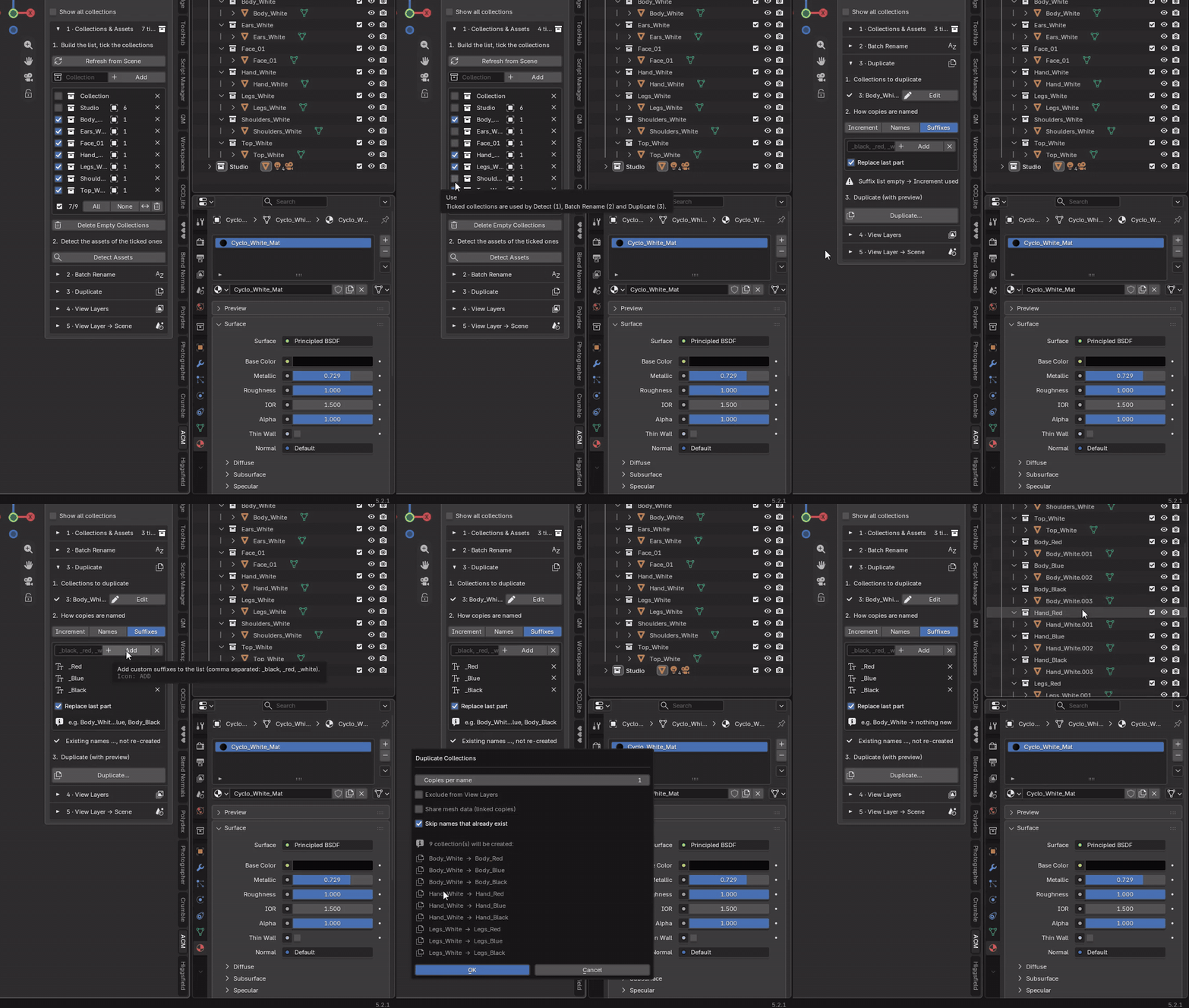
Tick Body, Hand and Legs, add _Red, _Blue, _Black: the preview lists the 9 collections before anything is created.
4 · View Layers — every combination, automatically
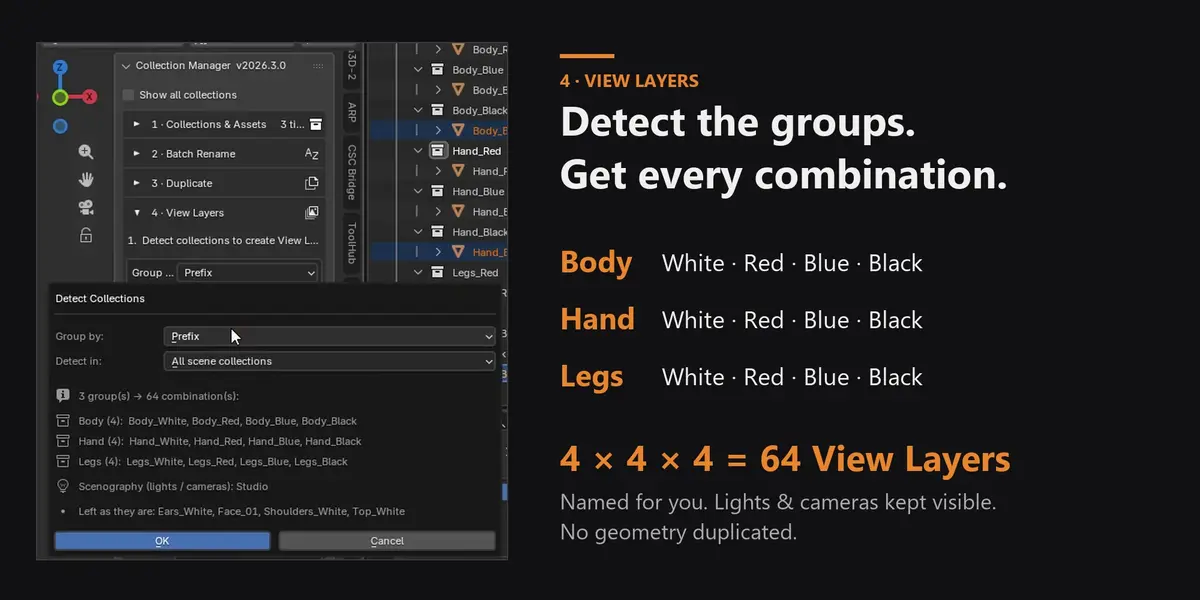
Detect Collections groups your variants by prefix or suffix and builds every combination as a correctly named View Layer (4 × 4 × 4 = 64). Lights and cameras are detected as scenography and stay visible everywhere; other collections keep their visibility. No geometry is duplicated, and Clear removes only the layers the add-on built.
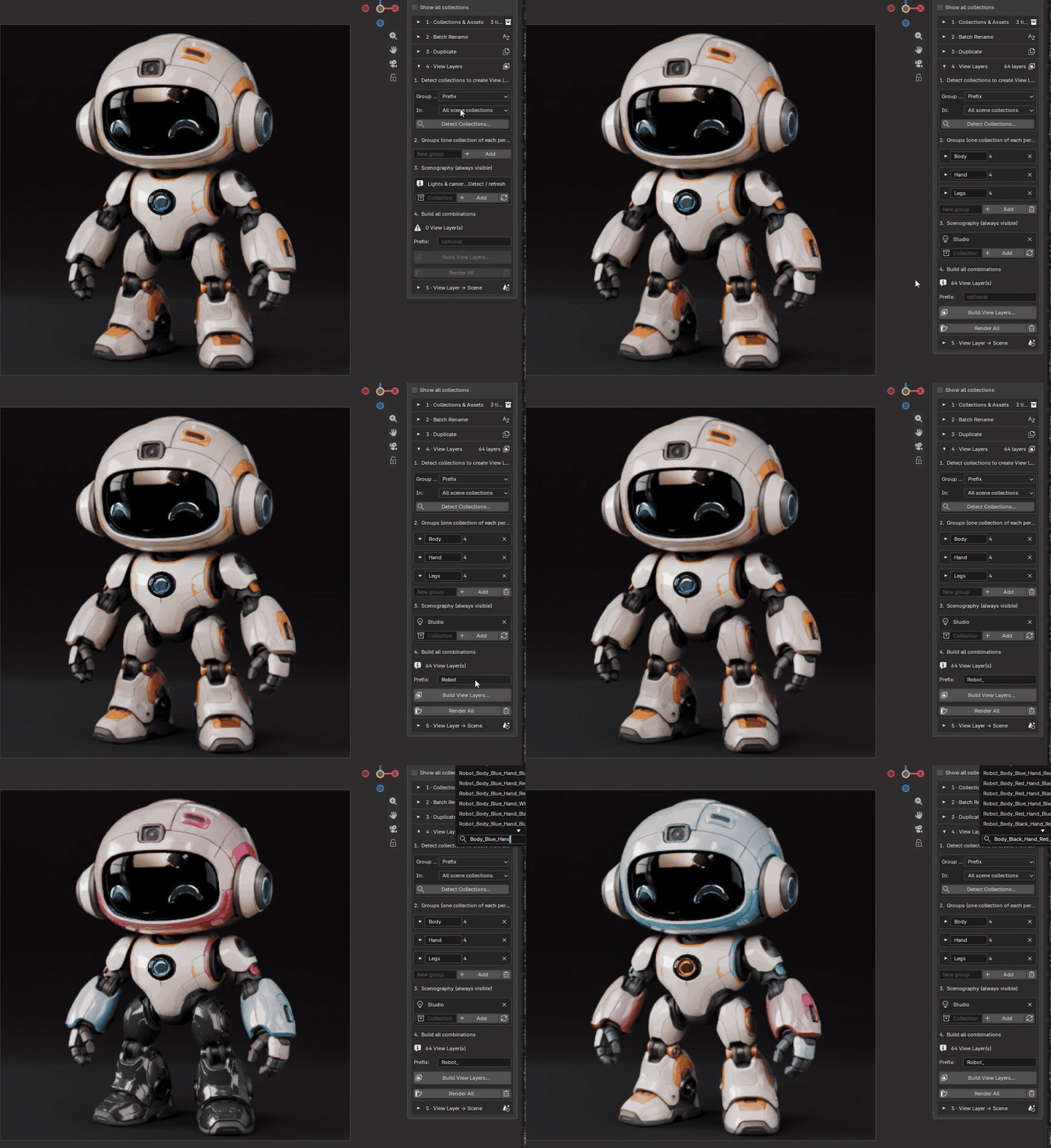
Detect the groups, preview the 64 combinations, build them — then switch between variants from the top bar.
5 · View Layer → Scene — one variant, its own scene
Turn any variant (or all of them) into an independent scene: Linked Copy, Full Copy or Copy Settings. Only what is visible in that layer is copied, and the new scene has a single View Layer — handy for a client file or a dedicated shot.
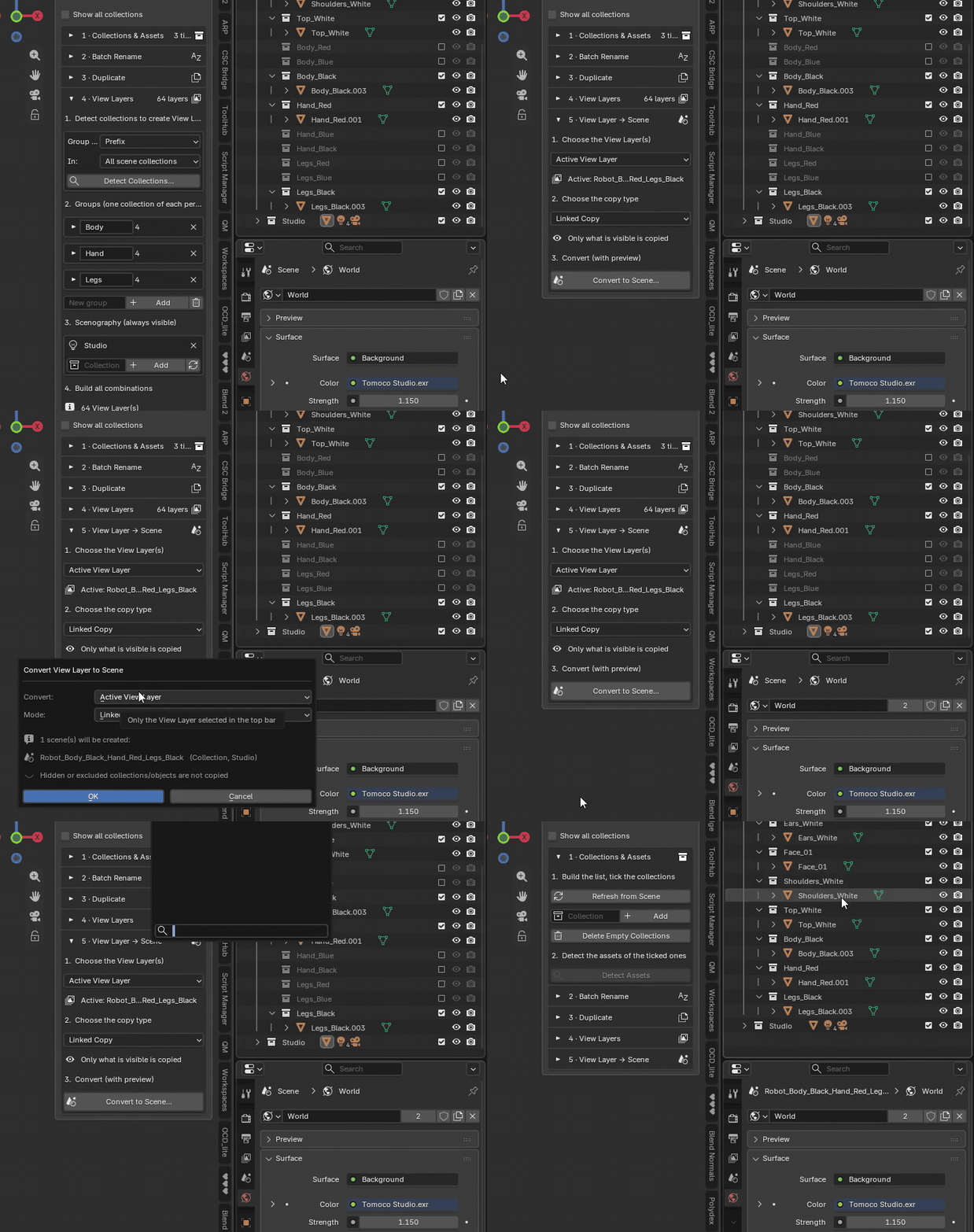
The active View Layer becomes its own scene, with only its visible collections.
6 · Render — new in V4
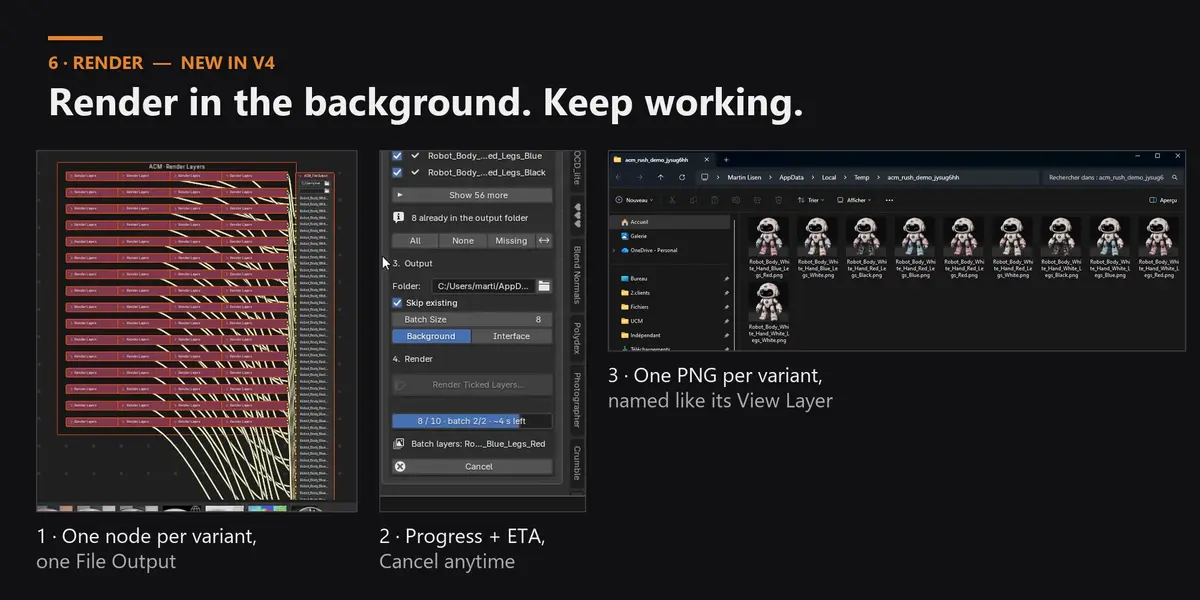
One click wires a Render Layers node per variant into a single File Output: one PNG per variant, named exactly like its View Layer. Tick the layers to render (Blender's own “Use for Rendering”, with All / None / Missing / Invert), then render in the background — a separate Blender process, so this one stays fully usable — with a progress bar, ETA and Cancel. Or render in the interface with Blender's own render window. Skip existing resumes after a crash or a cancel.
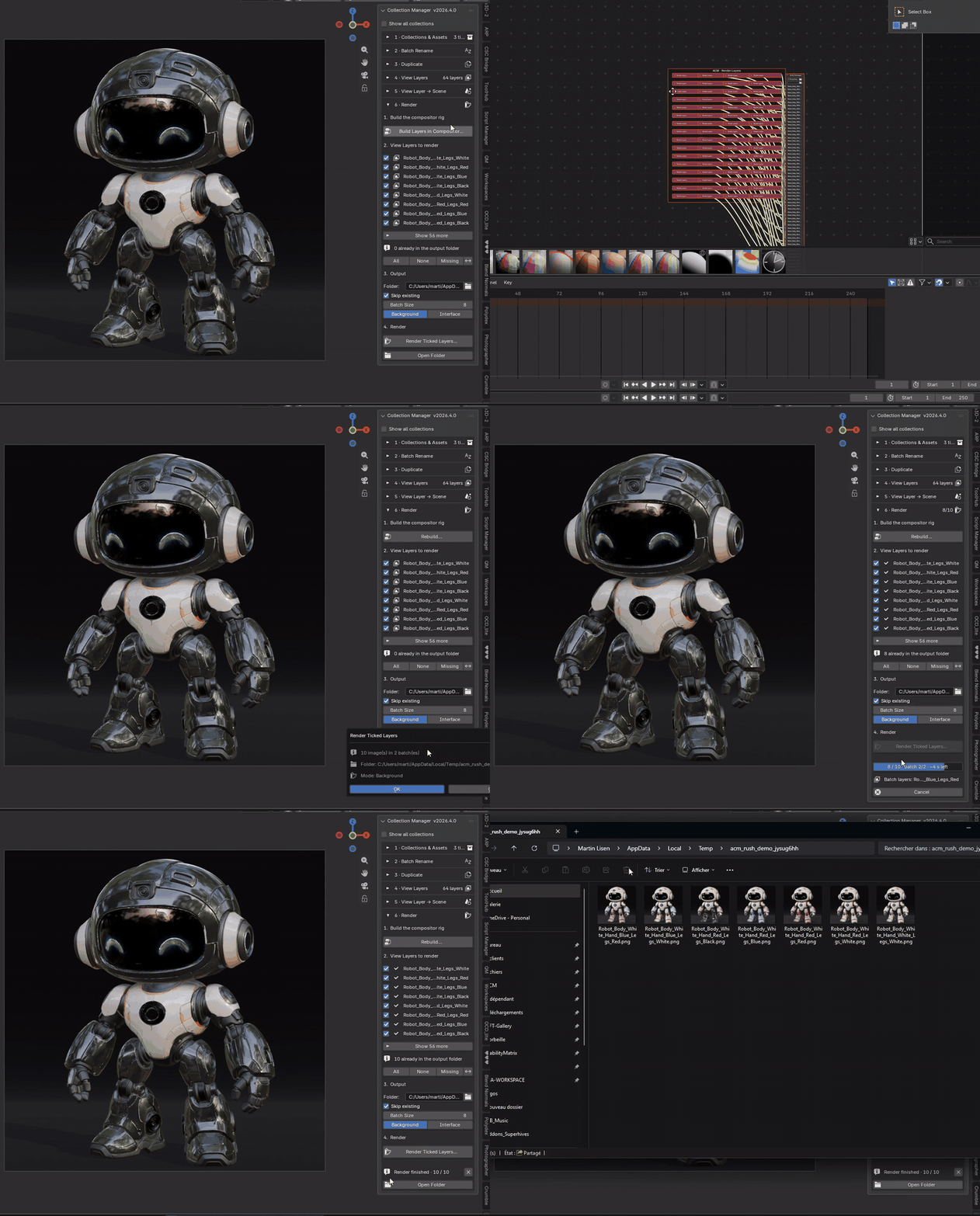
Compositor rig in one click, then a background render with live progress — the PNGs land in your folder, named for you.
WHY ADVANCED COLLECTION MANAGER
- Built for configurator and variation renders: e-commerce, product visualisation, archviz material options, character colourways.
- Preview before every action — nothing is created, renamed or deleted by surprise.
- Naming discipline built in: predictable collection names, View Layer names and file names.
- No render freeze: batch renders run in the background, in batches, and can be resumed.
- Non-destructive: View Layers only switch collection visibility, your geometry is never duplicated. The add-on only ever touches its own compositor nodes.
- No scripting. Works with Cycles and EEVEE.
REQUIREMENTS
Blender 5.0+ (tested up to 5.2) · Cycles & EEVEE · Blender Extension · GPL. Existing owners get V4 for free — re-download it from your Superhive library.