Anim Favorites
 G42 Studios



1. What does Anim Favorites actually do?
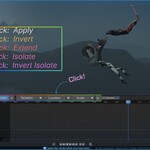
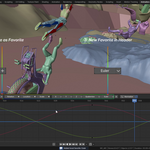
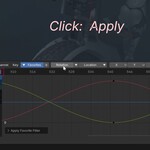
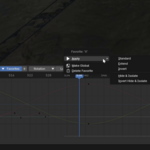
Anim Favorites lets you save search filter text from the Graph Editor or Dope Sheet header and reuse it instantly. It speeds up isolating animation channels without retyping filter keywords.
2. Does this modify my animation data?
No.
The add-on only controls filter text, visibility, and selection. It does not create, delete, or edit keyframes, drivers, or F-Curves.
3. What’s the difference between Local and Global favorites?
Local Favorites
Saved inside the current .blend file. Only available in that project.
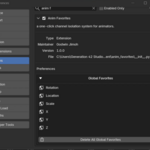
Global Favorites
Saved in Add-on Preferences and available in all Blender projects.
If a name conflict exists, the global favorite takes priority.
4. Where are Global favorites stored?
They are saved in a global_favorites.json file inside the add-on folder.
They load automatically when Blender starts.
5. Can I edit a favorite?
Favorites cannot be directly renamed.
To change one:
Delete it.
Save a new one with the updated filter text.
6. What does Shift / Ctrl / Alt click do?
Shift + Click → Extend filter
Ctrl + Click → Invert filter
Alt + Click → Hide & Isolate (Graph Editor only)
Ctrl + Alt + Click → Invert Hide & Isolate (Graph Editor only)
These allow fast filtering without opening menus.
Have questions about this product?
Login to message
| Blender Extension Compatible | Yes |
| Sales | 10 |
| Published | 8 months ago |
| Blender Version | 4.2 - 5.0 |
| Extension Type | Add-on |
| Render Engine Used | Arnold, Blender-Internal, Blender-Game-Engine, Cycles, Eevee, Freestyle, Luxrender, Mental-Ray, Octane, Vray, Yafaray |
| License | GPL |

Discover more products like this
dopesheet filtering Animation Workflow animation tools graph editor animation blender ui tools Header Blender UI Animation animator favorites channel filtering