Anynode Preview – Geometry Nodes & Shader Preview
 Unik Studio


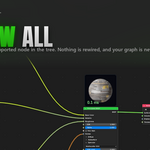
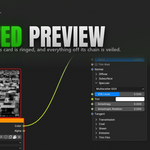
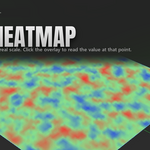
Show In Viewport draws the active node's output onto the object its modifier belongs to, at real scale, correctly occluded by the rest of the scene. Fields draw as a heatmap on the geometry itself, with a caption naming the node and the range the heatmap is normalised against.
How do I read an actual number off a field? Click the field overlay in the viewport. The heatmap says where a value is high; the reading says how high, here. It is the same number the range badge is built from, formatted the same way, and it stays pinned to the point it was taken at as you orbit. Clicking off the overlay, or any change that re-evaluates it, clears the reading. It is a plain left click that is always passed through, so your selection and tools are unaffected.
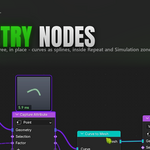
Yes, including nested zones, zone input nodes, and branches that do not feed the zone output yet. Blender forbids a link leaving a zone, so the preview leaves through the zone's own output: the card shows the value carried out of the last iteration, or the current frame for a Simulation.
Preview Selection is the one exception — it does not support nodes inside a Simulation or Repeat zone yet, and says so rather than showing something wrong.
No. Previews are evaluated against a temporary copy of the tree or object, never your real graph. Temporary trees are torn down after the render. The only things that write to your graph are the ones you explicitly ask for —
Add Color Adjust, applying a Visual Explorer tile,
Align Nodes — and every one of them is a normal undo step.
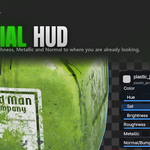
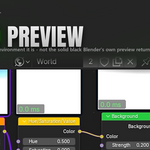
A Blender 4.5+ add-on that shows what every node in a Geometry Nodes, Shader or World tree actually produces. Cached preview cards sit on the nodes themselves, the same result can be drawn onto the real object in the 3D viewport, and a floating HUD art-directs the material where you are already looking.
It is for artists who are tired of dragging a Viewer node around a graph to find out what one step did.
-
$1.50 $2
Core preview workflow for testing
-
$17.25 $23
Complete add-on · Standard support
 Included
Includes 12 months of
- Support from Unik Studio
- Product updates
Extend this product’s Support Period +12 months: 25% of product price
Have questions before purchasing?
Login to message
Discover more products like this
world-shader preview cards material preview geometry nodes debugging look development geometry nodes node preview viewport overlay shader editor node thumbnails Node Editor