Arcane SDF
 Pixonix Studio



Arcane SDF User Guide
"Master non-destructive signed distance field modeling in Blender"
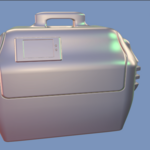
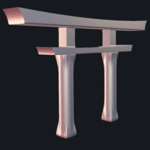
Arcane SDF allows you to build complex 3D shapes by assembling a procedural tree of mathematical primitives and groups, assigning real-time boolean operations, previewing the raymarched surface live, and exporting clean watertight meshes or OpenVDB volumes when ready.
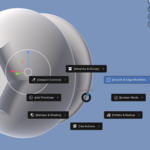
Shift + Q in 3D Viewport- SDF Tree & Hierarchy: Add, reparent, duplicate, reorder, and configure individual shapes and groups.
- Quick Actions: Instant 1-click primitives and tree modification tools.
- Viewport & Shading: Raymarcher toggle, viewport quality, native matcap browser, and surface response.
-
Project Backup & Prefabs: Export portable
.asdfscene trees and save reusable modular prefabs. -
Conversion & Export: High-resolution OpenVDB/Native polygon meshing and
.vdbvolume export.
Check Show in Viewport in the sidebar (or press Shift + Q > Viewport) to start the real-time GPU raymarcher.
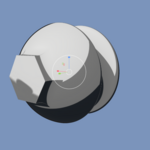
Choose from Sphere, Box, Cylinder, Torus, Capsule, Capped Cone, Ellipsoid, or Hex Prism to form your initial base silhouette.
Set each item to Union, Subtract, Intersect, or Panel Cutter. Adjust Smooth Radius for organic filleting or bevels.
Nest related shapes inside Groups. Child shapes inherit transformations from their parent group's controller Empty.
Select a shape in the tree. Use standard Blender transform tools (G Move, R Rotate, S Scale) on its controller Empty in the 3D viewport.
Select from Blender's built-in studio matcaps and dial in diffuse, specular, and metallic surface responses for clear surface evaluation.
Click SDF to Mesh to generate a clean manifold polygon model, or export a .vdb file for simulation and external rendering.
- Top-to-Bottom Execution: Item order in the tree list dictates boolean evaluation sequence. Use the Move Up and Move Down buttons to adjust boolean order.
- World-Position Preserving Reparenting: Reparenting shapes or groups into different subtrees automatically calculates parent-relative transforms to preserve exact 3D world placement.
- Full Subtree Duplication: Duplicating a Group duplicates all child items, generates unique item UUIDs, and links new controller Empties seamlessly.
- Reliable Undo/Redo: All tree mutations (add, delete, reorder, group, duplicate) are fully integrated into Blender's native undo history (Ctrl + Z).
Mesh SDF allows you to incorporate standard Blender polygonal geometry directly into your distance field tree:
- Snapshot Sampling: Arcane samples the evaluated geometry from the assigned Blender mesh object.
- Transform Rule: Always transform the source Blender mesh object itself rather than the Arcane Mesh SDF controller Empty.
- Manifold Geometry: Closed, watertight meshes yield the fastest and most accurate inside/outside field classification. Open or non-manifold meshes are handled deterministically with automatic fallback logic.
Provides blazing fast, watertight polygon extraction with uniform surface topology when a compatible OpenVDB binding is present.
Built-in high-stability mesher that operates 100% out of the box on all systems without any third-party library requirements.
Directly export sparse distance field volume grids for native rendering in Cycles, simulation in Houdini, or import into Unreal Engine.
- Native .blend Saving: Saving your Blender scene automatically serializes the entire SDF hierarchy, shape parameters, controller transforms, and viewport settings without extra export steps.
- Full Tree Backup (.asdf): Use Export Tree to write an external JSON backup file containing your complete scene tree.
-
Reusable Kitbash Prefabs: Select a group or subtree and click Save Selected to build modular
.asdfkitbash components. When inserted into new files, Arcane automatically generates fresh UUIDs so instances stay completely independent.
-
Scroll-Wheel Modifier Tuning: In the Radial Menu (
Shift + Q), select Smooth & Edge Modifiers to adjust blend radii live with the mouse wheel. Hold Shift for micro-stepping or press Tab to cycle modifiers! - Depth Blending Notice: The real-time GPU raymarcher currently renders as a high-speed viewport overlay. True per-pixel Blender scene Z-depth compositing is scheduled for Phase 1 of the roadmap.
- Meshing Resolution: Start with standard resolution (e.g. 64–128) during blockout for instantaneous previews, and increase to 256+ for final production export.
Have questions about this product?
Login to message
| Blender Extension Compatible | Yes |
| Dev Fund Contributor | |
| Published | about 2 months ago |
| Blender Version | 4.2 - 5.2 |
| Extension Type | Add-on |
| License | GPL |
Discover more products like this
voxel remeshing volume ConjureSDF boolean SDF CSG 3d-modelling