Arcane SDF
 Pixonix Studio



FAQ
❓ Frequently Asked Questions
Everything you need to know about Arcane SDF features, compatibility, and workflows.
Q: Does Arcane SDF require external software, CUDA, or Python package installs?
No. Arcane SDF is 100% self-contained with zero external dependencies. It works immediately out of the box using its built-in Native mesher and GPU GLSL raymarcher. If your Blender build includes OpenVDB bindings, Arcane automatically utilizes them for accelerated mesh extraction.
Q: Which Blender versions and operating systems are supported?
Arcane SDF is built as a standard Blender Extension supporting Blender 4.2 LTS, 4.5 LTS, 5.0, and 5.1+ on Windows, macOS (Apple Silicon & Intel), and Linux.
Q: How does SDF modeling differ from standard Blender Booleans?
Standard polygonal booleans cut geometry directly, frequently creating messy ngons, non-manifold edges, and shading pinching. Arcane calculates continuous distance fields mathematically in real time, giving you instant smooth blending, filleting, and seam cuts without polygon density constraints.
Q: Can I combine standard Blender polygon meshes with SDF shapes?
Yes! Using the Mesh SDF feature, you can sample any evaluated Blender mesh object into a real-time distance field. This lets you carve into polygonal assets with procedural primitives or blend custom sculpted geometry seamlessly.
Q: Are converted models ready for 3D Printing (STL / OBJ)?
Absolutely. Because distance fields represent continuous solid volumes, the polygon meshes extracted by Arcane are 100% watertight and manifold, making them ready for resin (SLA) and filament (FDM) 3D printing without non-manifold repairs.
Q: How do I save and reuse modular kitbash parts?
Your scene automatically saves inside your standard
.blend file. To build reusable modular components, select any group or subtree and click Save Selected to export a portable .asdf prefab file. When imported into new projects, Arcane automatically regenerates fresh UUIDs so instances stay completely independent.
Q: Can I export distance fields to Houdini, Unreal Engine, or Cycles?
Yes. You can convert and export standard polygon meshes (OBJ/FBX/glTF) or directly export .vdb sparse volume grids for simulation in Houdini or volumetric rendering in Cycles and Unreal Engine 5.
Q: How do I use the mouse scroll-wheel modifier adjustment?
Press
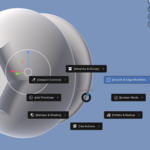
Shift + Q anywhere in the 3D Viewport, navigate to Smooth & Edge Modifiers, and choose a modifier (such as Smooth Radius or Bevel Radius). Scroll your mouse wheel to tweak the value live on your model. Hold Shift for fine stepping, press Tab to cycle properties, and left-click to apply.
Have questions about this product?
Login to message
| Blender Extension Compatible | Yes |
| Dev Fund Contributor | |
| Published | about 2 months ago |
| Blender Version | 4.2 - 5.2 |
| Extension Type | Add-on |
| License | GPL |
Discover more products like this
3d-modelling SDF CSG ConjureSDF boolean volume voxel remeshing