 Skava
Skava







**1.0.1 — materials, rooms, lighting and openings actually work**
This release repairs the errors reported after the first version. Everything below was checked in Blender 5.1 and 5.2 with an automated run of 83 tests, including a hundred objects in one scene.
**Fixed**
- Applying a material stopped with a Python error on the very first click. The material module could not load at all: 118 lines inside it had been split in a way Python cannot read. All of them are repaired.
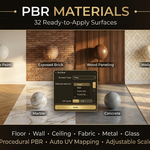
- Materials came out as flat colour instead of wood, tile, marble or brick. Inside the shader trees 113 connections were landing on inactive sockets, so the procedural textures never reached the surface. Base colour, roughness and normal now come from the textures, and 87 socket names that Blender renamed back in 4.0 have been brought up to date.
- Applying a material to one object silently emptied the material slot of every object it had been applied to before, so only the last one kept it. Materials are now rebuilt in place and shared: five objects using the same material all keep it.
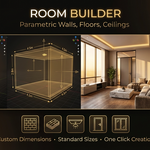
- Create Room reported "Room created" and created nothing. It now builds a floor, four walls and an optional ceiling, and reports the size it built. Room Width and Room Length are new settings — the room is parametric, as the panel always promised.
- Quick Setup deleted everything in the scene without asking. It now removes only the untouched Blender startup objects; clearing a scene you have worked in is an explicit option and it is off by default.
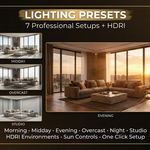
- Setup Lighting did nothing at all. All seven presets now set the angle, strength and colour of the sun and the sky behind it, and they manage only their own light — your other lamps are left alone.
- Add Door and Add Window placed a box in the middle of the room and left the wall solid. They now cut a real opening in the wall you selected, and the cutter stays parented to the wall so the opening can be moved afterwards.
- Rendering with no camera in the scene ended in a raw Blender error. It now says what to do instead. The EEVEE option no longer fails on Blender 4.2 and later, where the engine identifier changed.
- Empty folders shipped inside the add-on, which looked like a missing asset library, are gone. Furniture has always been generated procedurally and needs no external library.
- Applying a material with a different UV Scale no longer changes the texture scale on everything it was applied to before: a different scale now gets its own material.
- A material of your own that happens to share a name with one from the library is no longer overwritten. The add-on takes a free name instead.
- Quick Setup pressed twice no longer adds a second camera and a second pair of lights.
- The lighting presets now also drive the lights Quick Setup itself creates. Before, on a scene built by the add-on, the night preset came out only 1.6 times darker than midday instead of seven.
- A second door or window no longer lands on top of the first one: each new opening steps along the wall, and each one really cuts.
- Replacing the material in the first slot of an object is now said out loud in the report.
**Compatibility**
Blender 4.2 and later. Tested live on 5.1 and 5.2.
Have questions about this product?
Login to message
| Sales | 20+ |
| Published | 9 months ago |
| Blender Version | 4.0 - 5.0 |
| Extension Type | N/A |
| Render Engine Used | Cycles, Eevee |
| License | Mit |
Discover more products like this
Interior real estate exterior Visualization 3d architecture materials presets parametric Render furniture architecture Interior Design