AssetSentinel: Stop Hand-Checking Every Export — Batch-QAs & Fixes Your FBX/glTF Assets for Unity, Unreal & Godot
 Anvil Interactive Solutions



Documentation
Overview
AssetSentinel is a Blender add-on that batch-validates FBX, GLTF, and GLB assets against engine-specific profiles and generates structured HTML + CSV compliance reports.
It is designed for technical artists, art leads, and marketplace sellers who need to review large batches of assets quickly and consistently.
AssetSentinel does not modify your source files. It imports assets into a temporary scene, performs analysis, then cleans up.
Installation
-
Download the AssetSentinel
.zipfile. -
In Blender, go to Edit → Preferences → Add-ons.
-
Click Install… and select the zip file.
-
Enable AssetSentinel.
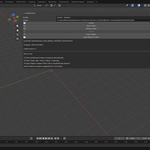
Access it in:
View3D → Sidebar (N) → AIS Tools → AssetSentinel
Basic Workflow
-
Select a Profile (Unity Mobile, Unity Desktop, Unreal Desktop, or Generic Marketplace).
-
Choose a folder containing
.fbx,.gltf, or.glbfiles. -
Click Scan Folder.
-
After scanning, click Export Report.
Reports are saved to:
/AssetSentinel_Reports/
What Gets Validated
Geometry
-
Triangle count
-
Vertex count
-
Ngon detection
-
Material slot limits
-
Negative scale detection
-
Unapplied transforms
-
LOD naming detection (_LOD0, _LOD1, etc.)
Scale
-
World-space bounding box dimensions
-
Suspicious scale detection (too small / too large)
-
Scene unit system and scale recorded in report
Textures
-
Texture presence
-
Missing external texture files
-
Maximum texture resolution (when available)
Naming
-
Spaces in object/material names (profile-based)
-
Illegal characters (profile-based)
Report Output
AssetSentinel generates:
-
Professional HTML report (color-coded)
-
CSV summary for spreadsheets
-
Top violations summary
-
Worst offenders ranking
-
Import failure explanations with suggested fixes
The HTML report is designed to be forwarded directly to vendors or team members.
Import Failures
If an asset fails to import:
-
The scan continues.
-
The asset is marked RED.
-
The report includes:
-
Failure type
-
Suggested fix
-
Technical detail (expandable)
-
This prevents one corrupted file from blocking the entire batch.
Profiles
Profiles define validation limits such as:
-
Maximum triangles
-
Maximum texture resolution
-
Maximum material slots
-
LOD requirements
-
Naming strictness
Profiles are JSON-based and can be customized by advanced users.
Performance Notes
-
Handles large batches (100+ assets).
-
Uses temporary scenes for safe isolation.
-
Cleans up data between scans.
-
No telemetry.
-
No network calls.
-
No external dependencies.
 Included
Includes 12 months of
- Support from Anvil Interactive Solutions
- Product updates
Extend this product’s Support Period +12 months: 25% of product price
Have questions before purchasing?
Login to message
| Blender Extension Compatible | Yes |
| Dev Fund Contributor | |
| Published | 8 months ago |
| Blender Version | 3.6 - 5.0 |
| Extension Type | Add-on |
| Render Engine Used | Cycles, Eevee |
| License | Mit |