AtmosRay — Cinematic Fog, God Rays & Atmosphere Director
 ConnectivAI Tools


ATMOSRAY USER GUIDE
AtmosRay creates cinematic fog, mist, haze and god rays designed for your
shot -- and leaves the rest of your scene alone.
INSTALL
1. Blender 4.2+ -> Edit > Preferences > Get Extensions > Install from Disk...
-> pick the AtmosRay zip.
2. The panel appears in 3D Viewport > Sidebar (N) > AtmosRay.
30 SECONDS TO CINEMATIC
1. Open a scene that has a camera (or let AtmosRay create one).
2. Pick a Mood from the thumbnail gallery (start with Dusty Warehouse).
3. Set Amount (how much atmosphere) and Ray Drama (how theatrical the
shafts are).
4. Click "Make It Cinematic".
That's it. Click the same button again any time -- it updates the existing
rig, it never duplicates anything.
IF YOU CAN'T SEE RAYS
Click "Ray Doctor". It checks the real causes -- missing medium, flat
scattering, front-lit sun, hidden blockers, weak sun, engine settings, or
the system being switched off -- and gives you one-click fixes. The
classic answer: rays read strongest when you look TOWARD the light
(backlight) through haze shaped by blockers.
THE CORE PILLARS (WHAT MAKES ATMOSRAY DIFFERENT)
- Shot-Lock: the fog volume is fitted to your lens and follows an animated
camera, while the fog pattern stays anchored to the world -- no "fog
swimming with the camera".
- Scene-Safe Lighting (Cycles): the ray sun is light-linked to the fog
volume, fog cards, and dust motes only. Your existing lighting does not
change. Drop AtmosRay into a finished scene fearlessly.
- Real-world density: set Visibility (m) like a cinematographer orders
haze -- "80 m visibility" -- instead of guessing at a shader number.
- Depth Stack: near haze, a clarity window around your subject (Focus On
Selected), and background atmospheric perspective -- layered like real
cinematography.
- Ray Doctor: the add-on debugs your rays for you.
- 15 mood presets plus unlimited custom presets, each with a thumbnail
preview.
TURNING IT OFF VS. REMOVING IT
- On/Off toggle (top of the panel): mutes the entire system -- fog, ray
sun, blockers, fog planes, motes, gobo all disappear from viewport and
renders -- but every setting is kept. Flip it back on and the exact same
look returns. Great for before/after comparisons.
- Remove: deletes every AtmosRay object, material, node group and
collection, and restores your render settings. Zero leftovers -- this is
enforced by automated tests.
- Every sub-system (Wind & Motion, Physical Volume, Fog Planes, Dust
Motes, Gobo Projector) also has its own header checkbox, so you can mute
just one piece without touching the rest.
PRO MODE
Toggle Pro Mode for the full stack, in panel order:
ATMOSPHERE
Visibility (m), Density Override, Fog Color, Mist Height, Height Falloff,
Ground Level, Fog Start (AutoFog -- keeps a distance in front of the
camera clear), Noise Scale/Detail/Strength, Edge Fade.
DEPTH STACK
Near Haze, Far Perspective, Clarity Radius/Strength, "Focus On Selected"
to snap the clarity window onto your subject.
WIND & MOTION
Wind Speed, Wind Direction, Churn (fog boils in place). Fully
driver-based -- press play and it animates, no keyframes needed. Has its
own on/off toggle.
PHYSICAL VOLUME
"Add Interactor From Selected" parents a sphere empty to any object; the
fog parts around it as it moves (scale the empty to set the clearing
radius). Up to 4 interactors, plus an Interaction Strength slider and its
own on/off toggle.
GOBO PROJECTOR (CYCLES)
A spot light that carries its pattern in the light itself: Window Grid,
Blinds, Foliage (can sway), Cells, Soft Noise. Controls: Pattern,
Strength, Cone Angle, Softness, Pattern Scale/Rotation, Motion, Follow Sun
Aim. Needs Cycles light nodes -- EEVEE falls back to a plain spot and Ray
Doctor will tell you.
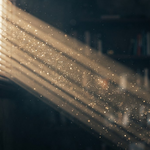
DUST MOTES
GN-powered drifting dust: Count, Size, Fall Speed, Turbulence. In
Scene-Safe mode motes sparkle only inside the light beams -- exactly like
real dust -- because they're light-linked the same way the fog is. Rides
your Wind & Motion setting automatically.
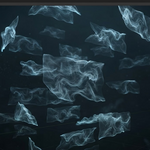
FOG PLANES
Flowmap fog cards -- 64 styles across 4 forms (Wisp, Billow, Streak,
Veil) x 4 weights x 4 flow speeds, browsable in a thumbnail gallery. "Add
Fog Plane" drops one card facing the camera; "Layer 3 Planes" adds a
staggered set for parallax. Each card can be Sprite mode (fast, alpha
card) or Volumetric mode (a thin real-volume slab that scatters light and
lets god rays pass through it) -- toggle per-card with the selected-plane
button. Per-plane controls: Flow Angle, Flow Speed, Density, Scale, Tint
(Object Color).
RAY BLOCKERS
Presets: Window Beams, Venetian Blinds, Forest Shafts, Cathedral Slits.
Blockers are invisible to camera and reflections -- they only shape
light. Same seed = identical geometry, forever (production-safe).
"Regenerate" rolls a new seed.
CAMERA FIT
Use Active Camera, Create Camera If Missing, Follow Camera (Shot-Lock
on/off), Atmosphere Distance/Depth, Frame Coverage, "Refit To Camera" for
Static mode.
SHOT PROFILES
Save a complete atmosphere look to the active camera with "Save To
Camera". Bind cameras to timeline markers the standard Blender way
(Timeline > Marker > Bind Camera to Markers) and AtmosRay automatically
applies each shot's saved profile the moment its camera becomes active --
during scrubbing and during final renders. "Apply From Camera" and
"Clear" for manual control; a panel toggle disables auto-switching
entirely.
RENDER
Quality Mode: Preview -> Balanced -> Final -> Ultra. AtmosRay snapshots
your render settings the first time it touches them and restores them
when you click Remove Atmosphere. Ultra is slow by design -- hero shots
only.
CUSTOM PRESETS
Save the entire current look (mood values, wind, blockers, everything)
with the save icon next to the Mood dropdown. Custom presets persist
across projects and appear in the Mood list alongside the built-ins;
delete with the trash icon.
NOTES & LIMITS
- Scene-Safe needs Cycles (Blender 4.0+ light linking). In EEVEE the ray
sun, gobo, and volumetric fog cards behave like ordinary lights/objects
instead of being isolated to the atmosphere; Ray Doctor will tell you.
- Volumetric fog cards render best in Cycles -- EEVEE's coarse froxel
volumetrics aren't well suited to thin slabs; use Sprite mode there.
- Blockers can shadow your own lights if they physically sit in their
path; they're placed toward the ray sun and off-frame by default.
- Presets are tuned for the AgX view transform (Blender's default).
 Included
Includes 12 months of
- Support from ConnectivAI Tools
- Product updates
Extend this product’s Support Period +12 months: 25% of product price
Have questions before purchasing?
Login to message

Discover more products like this
geometry nodes god rays atmosphere mist volumetrics cinematic Lighting VFX camera-tools dust particles fog