 Inner Space Design Studio


WHAT IT DO?
AUDIO REACTIVE PLUG - turns any track into a fully animated Blender scene in minutes!
Upload any audio file and use the 16-band EQ and beat-detection engine to animate object motion to the beat automatically, no manual key-framing required. One-click camera, lighting, bloom, and backdrop generators finish the scene, and built-in export presets deliver a publish-ready video, cutting a day of work down to twenty minutes!
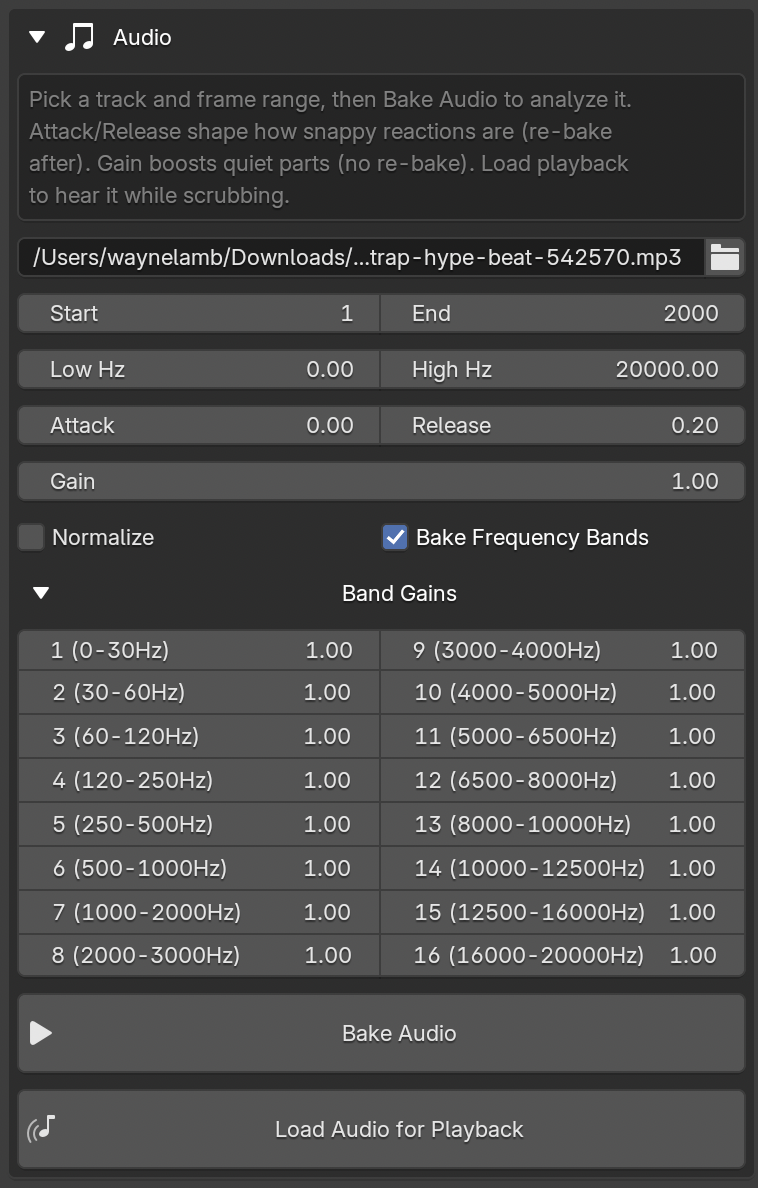
AUDIO
Upload Any Track, Animate Any Object!
- 16-band frequency analysis, log-spaced from sub-bass to air, like a hardware EQ
- Per-band gain sliders to lift a weak band or tame a harsh one without re-baking
- Attack & Release shaping for snappy percussive hits or smooth flowing swells
- Gain, Normalize, and custom frequency range for full control over the envelope
- Load audio for playback, with waveform display so you can hear the track while you scrub
ANIMATE TO AUDIO
Per-object control, group-speed workflow
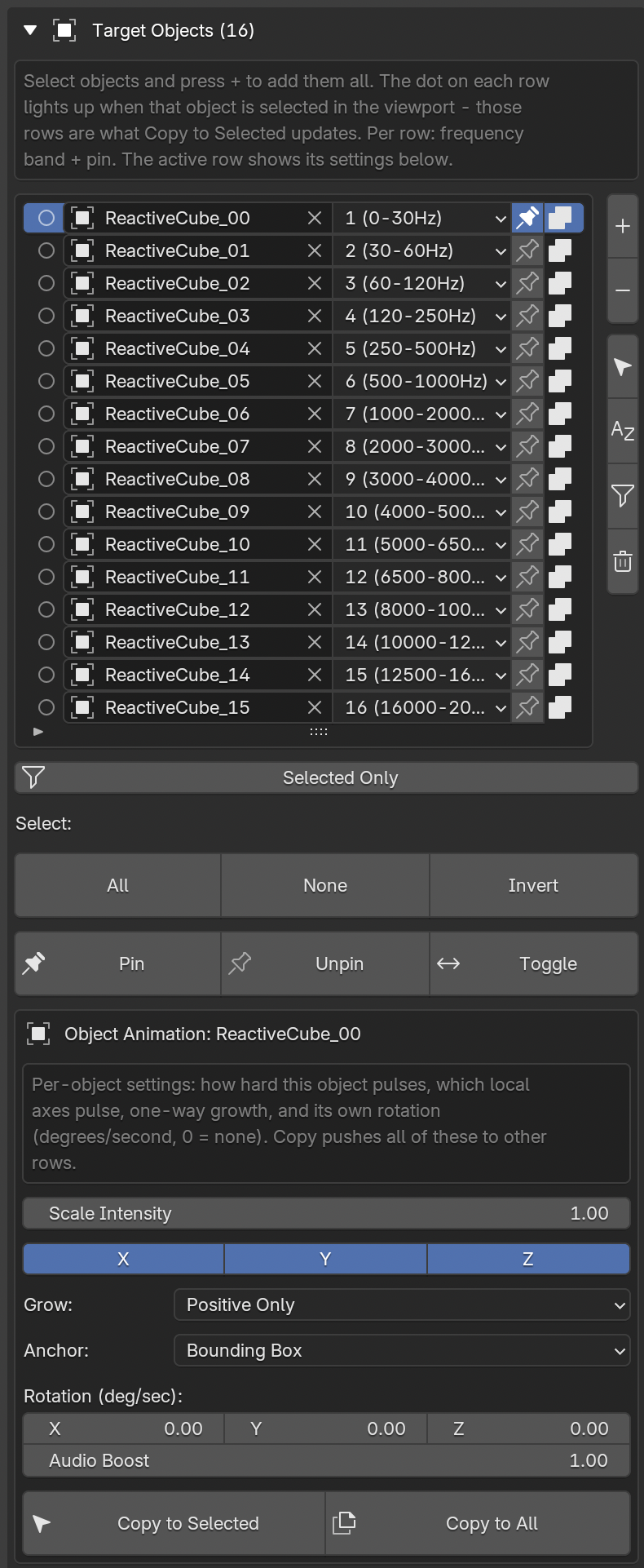
Assign any object to any band. Bass hits the big shapes, hi-hats shimmer the small ones, all from one bake. Every target gets its own settings, and the panel follows your viewport selection automatically.
- Select one object -> edit its settings directly
- Select a group -> the Group editor appears and edits all of them live
- Copy to Selected / Copy to All to propagate a look in one click
- Selected objects float to the top of the list so you never scroll to find them
Per object you control:
- Scale intensity, how hard this object reacts
- Per-axis scaling, pulse on X, Y, Z, or any combination
- Directional growth, grow one way only, like a real EQ bar, anchored to the geometry or the origin
- Rotation, degrees per second on each axis, with an audio-driven speed boost
- Pin, hold an object in place while it still pulses and spins
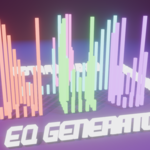
EQ GENERATOR
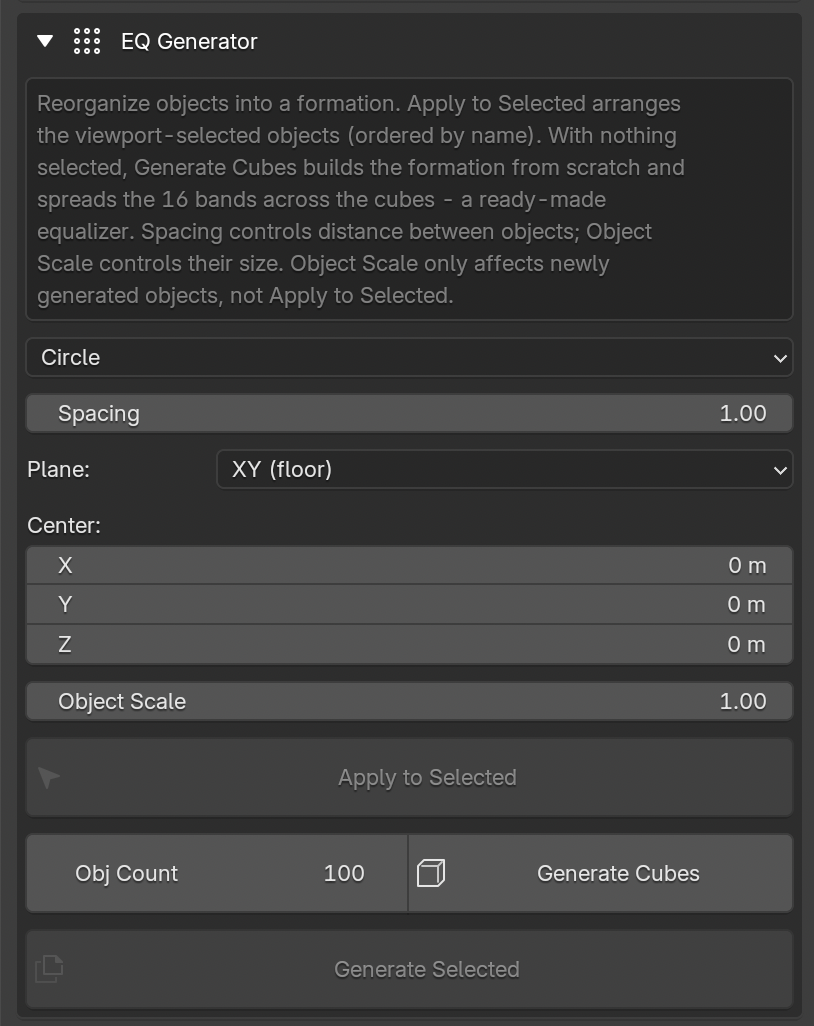
Pick a layout and apply it to your selection, or generate it from scratch.
- Straight Line - Circle - Grid - Sphere/Globe - Mirror EQ
- Spacing controls the real distance between neighbors; radius is calculated for you
- Choose the working plane (floor, front wall, side wall) and center point
- Apply to Selected arranges existing objects, including imported models with parent hierarchies
- Generate Cubes builds a ready-made equalizer: cubes created, placed, added as targets, and frequency bands spread across them automatically
- Every generation is a new batch, so you can layer multiple formations in one scene without disturbing your earlier work
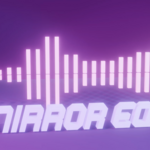
Mirror EQ deserves its own mention: it builds a symmetric double-row waveform, matches each column's bands across both rows, sets vertical-only scaling with opposing growth directions, and even duplicates your own objects to create the mirrored row.
METABALL ANIMATOR
Motion, blobs and bounds
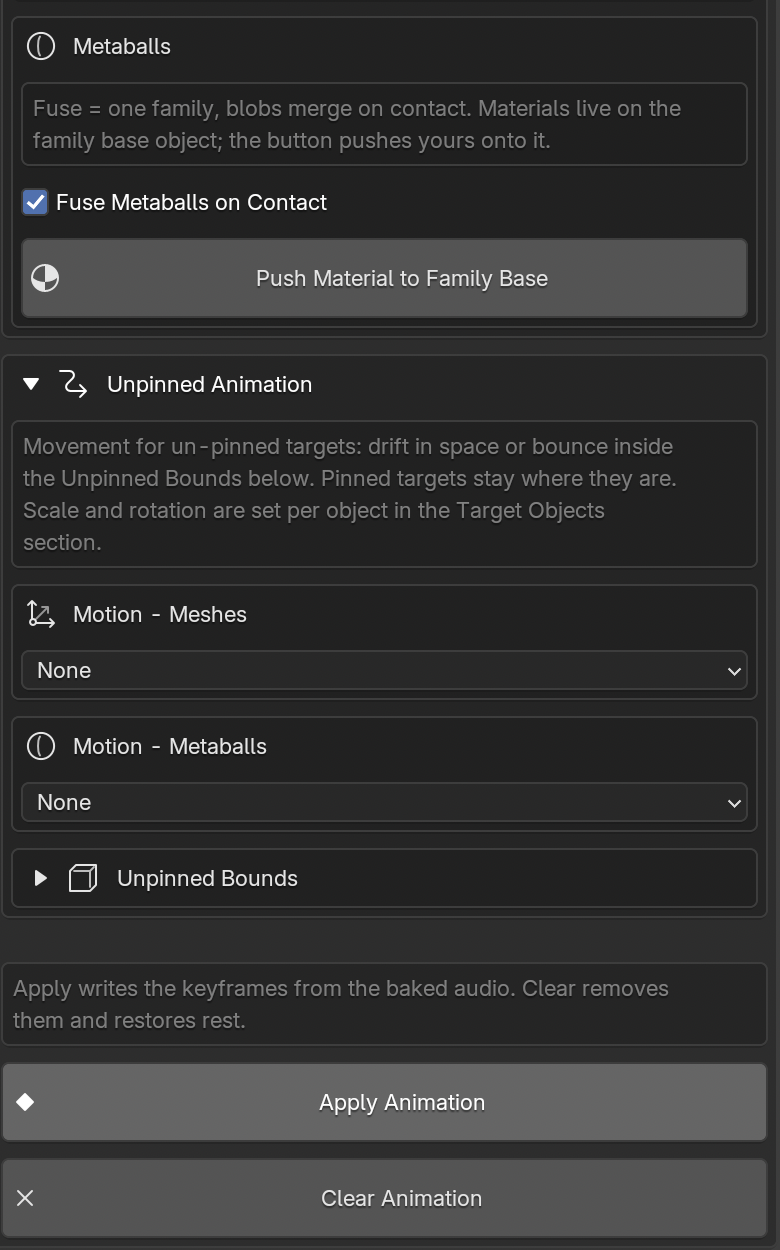
- Float in Space for organic drift, Bounce in Box for contained kinetic energy
- Separate motion controls for meshes and metaballs, each with speed, audio boost and range
- Metaball support with family fusing, so blobs merge and separate on the beat
- Bounds Boxes with wireframe visualizers to see exactly where things travel
MATERIALS
Color that moves with the music
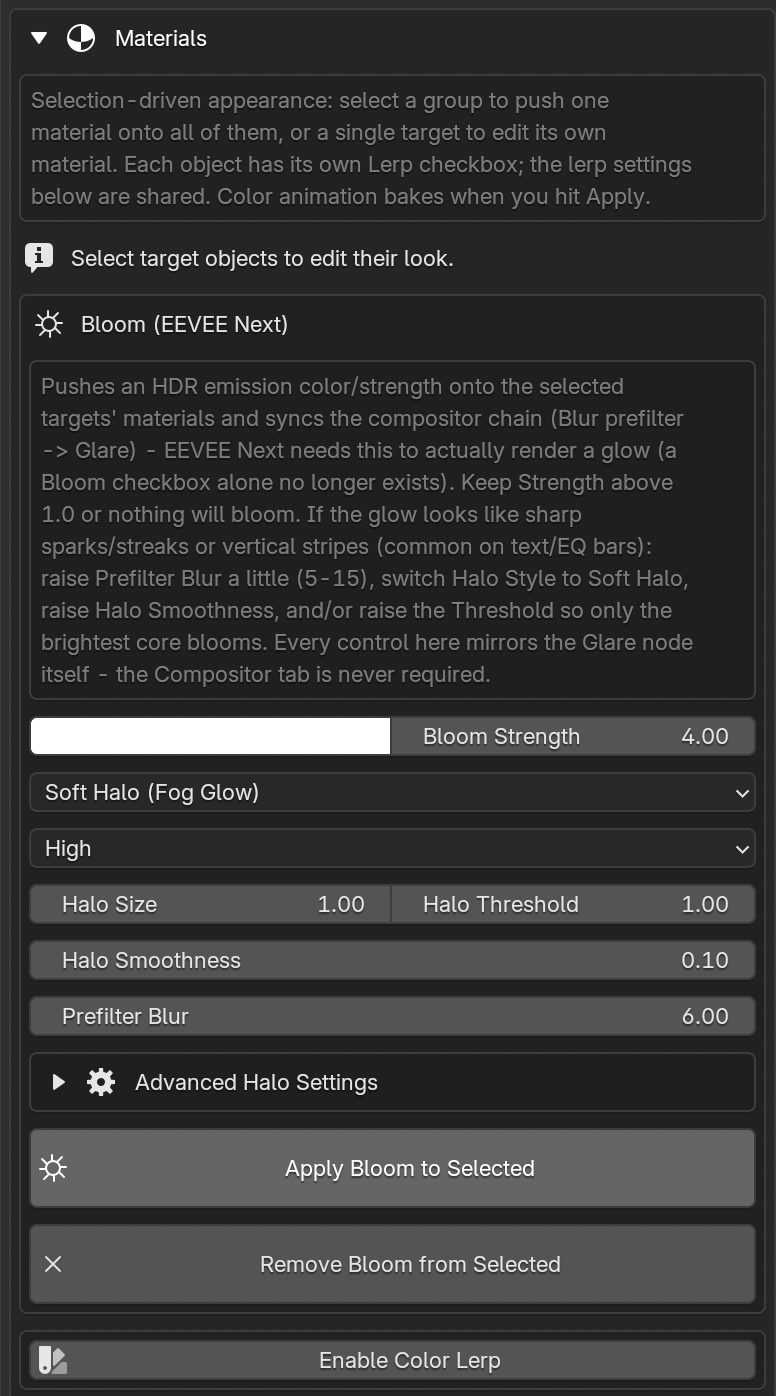
- Two-color cycling, random neon, or a new color on every beat via built-in beat detection
- Per-object opt-in, so you choose exactly which objects animate their color
- Assign materials to a whole selection at once, or edit any single object's material inline
- Metaball materials handled correctly on the family base
CAMERA AND LIGHTING SETUP
Camera and lighting, generated for you
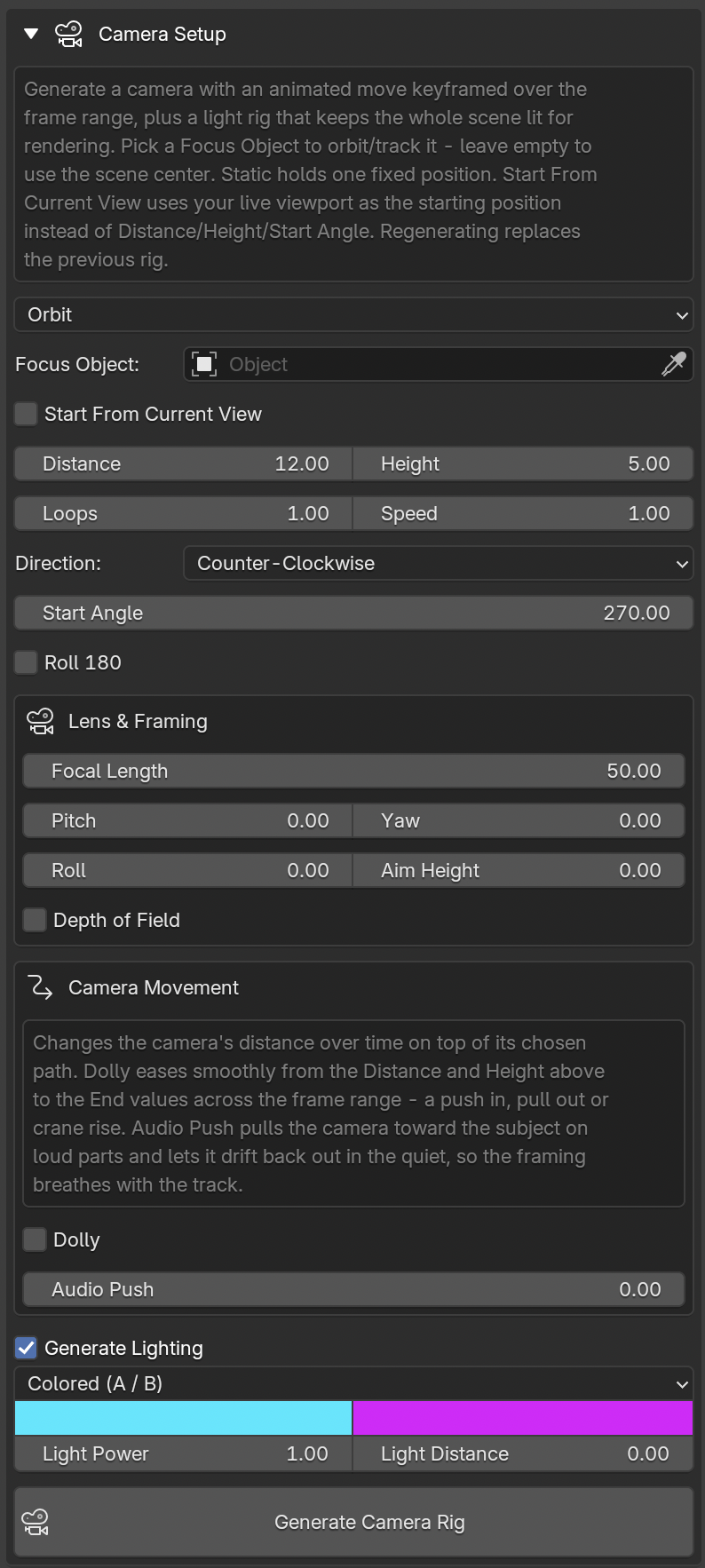
One button builds a fully keyframed camera rig and a light setup that keeps the scene render-ready.
- Five camera moves: Orbit - Figure 8 - Handheld - Ping Pong between two points - Ping Pong along a half circle
- Focus any object, or the scene center if you'd rather
- Start angle in degrees, travel direction, speed, loops, distance and height
- Object pickers for the ping-pong points, so you can position your camera path in the viewport
- Handheld shake with organic multi-frequency wobble and natural framing sway
- Loop-perfect paths for seamless VJ playback
- No constraints, just pure baked keyframes, so the move exports cleanly to other software
The lighting rig lights your subject from all sides (essential for a moving camera), with neutral white or a two-color neon scheme, distance-compensated exposure so brightness stays consistent, and one simple Power dial.
BACKDROP GENERATOR
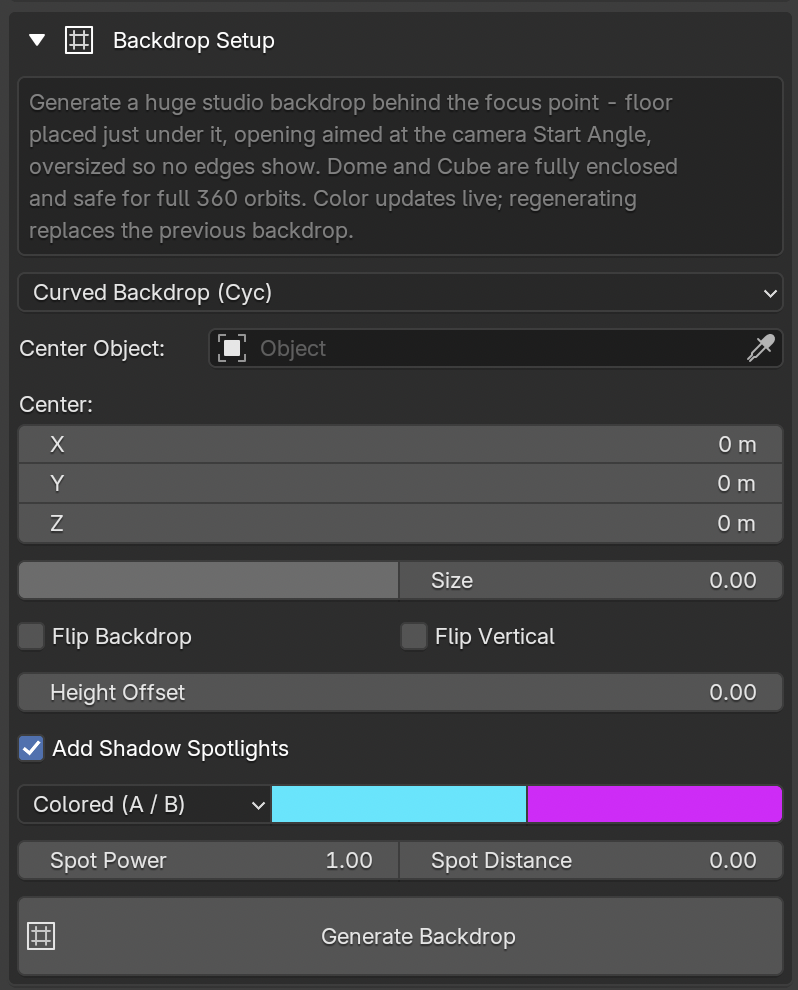
Backdrop, generated to match
Finish the set without leaving the panel. One click generates a backdrop that matches your scene, complete with shadow-catching spotlights so nothing looks like it's floating in a void.
- Four backdrop styles: Cyc (studio-style curved sweep) - Box - Dome - Floor
- Shadow spotlights generated automatically to ground your objects
- Works with the camera and lighting rig for a complete, render-ready set in a single pass
RENDER, EXPORT WITH SYNCED AUDIO
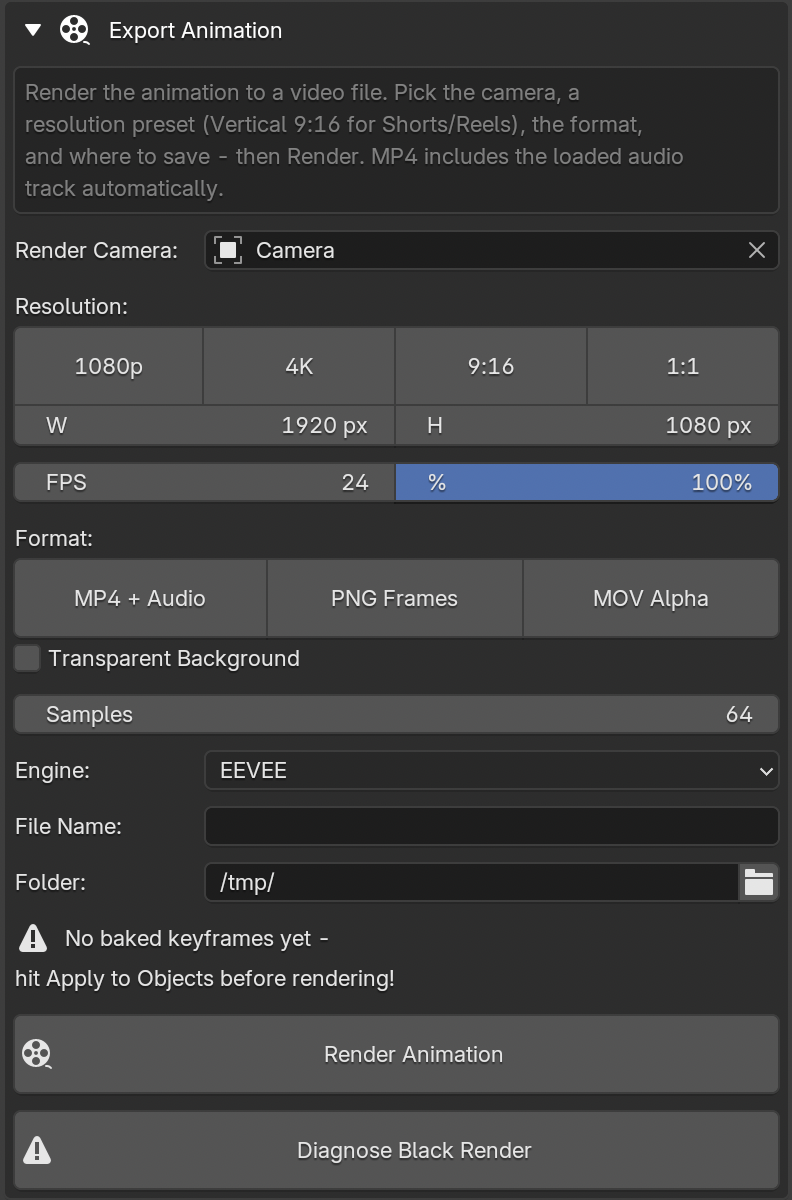
Export without leaving the panel
- Resolution presets: 1080p - 4K - 9:16 vertical for Shorts, Reels and TikTok - 1:1 square
- MP4 + Audio, H.264 with your track mixed in, ready to upload
- MOV Alpha (ProRes 4444), transparent overlays for editors and compositing
- PNG frames with RGBA for full post control
- Custom output file name, frame rate, engine and sample count
- Render diagnostics, a one-click check that finds and fixes the usual causes of a black render
WORKFLOW
1. Load & bake your audio. Drop in a track and preview it with the built-in waveform display and playback scrubbing. Set your frequency range, gain, and normalization, then shape the response with Attack and Release so hits feel snappy or swells feel smooth. One bake reads the whole track across all 16 bands.
2. Assign your objects. Select existing objects and assign each one to a frequency band, or skip hand-placement entirely and use a Formation, Line, Circle, Grid, Sphere, or Mirror EQ, to generate and assign a whole array at once with Generate Cubes.
3. Dial in each object's motion. With the panel following your viewport selection, set scale intensity, per-axis scaling, directional growth, rotation speed, and Pin behavior per object, or select a group to edit them all together with Copy to Selected / Copy to All.
4. Generate your environment. One click builds a fully keyframed camera move (Orbit, Figure 8, Handheld, or either Ping Pong path), a matching lighting rig, and a backdrop (Cyc, Box, Dome, or Floor) with shadow spotlights, so the scene is render-ready without manually placing a single light.
5. Style the motion. Turn on color cycling, random neon, or beat-triggered color changes per object, and assign materials to a whole selection or fine-tune one object at a time.
6. Export. Pick a resolution preset (1080p, 4K, 9:16, 1:1), choose MP4 with audio, alpha MOV, or PNG frames, run the one-click render diagnostics to catch black-render issues before they cost you a render, and export straight from the panel.
Compatibility
- Blender 4.2 and newer, including 5.x / 5.2 LTS
- Windows, macOS and Linux
- Cycles and EEVEE
- Single-file add-on, install and go
