Audio Reactive Plug
 Inner Space Design Studio


DOCUMENTATION
Audio Reactive Plug turns any audio track into a fully animated Blender scene from one panel in the sidebar. Load a track, assign objects to frequency bands by hand or with the EQ Generator, and the add-on handles beat detection, motion, materials, camera, lighting and backdrop generation for you.
INSTALLING
Blender 4.2 and newer: Edit -> Preferences -> Get Extensions -> the dropdown arrow -> Install from Disk. The panel appears in the 3D viewport sidebar (press N) under the Audio Reactive tab.
- Single-file add-on, install and go, no separate dependencies to download
- Works on Windows, macOS and Linux, with Cycles and EEVEE
- Supported on Blender 4.2 through 5.x, including the 5.2 LTS line
USING IT
Quick start:
1. Load and bake your audio. Drop in a track, set your frequency range and gain, then shape Attack and Release so hits feel snappy or swells feel smooth. One bake reads the whole track across all 16 bands.
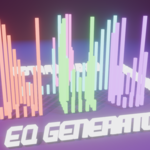
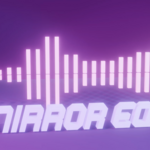
2. Assign your objects. Select existing objects and assign each to a band, or use the EQ Generator (Line, Circle, Grid, Sphere, Mirror EQ) to build and assign a whole array at once.
3. Dial in the motion. The panel follows your viewport selection. Set scale intensity, per-axis scaling, rotation and Pin per object, or select a group to edit them together with Copy to Selected / Copy to All.
4. Generate the environment. One click builds a keyframed camera move, a matching lighting rig, and a backdrop with shadow spotlights.
5. Style it and export. Turn on color cycling or beat-triggered materials, then pick a resolution preset and export MP4, alpha MOV or PNG frames straight from the panel.
TIPS
- Use Attack & Release to make hits feel snappy or swells feel smooth, instead of raising gain alone
- Run the render diagnostics before a long render - it catches the usual causes of a black render
- Mirror EQ builds the matching second row automatically, no need to duplicate objects by hand
- Select a group instead of a single object to edit shared settings for all of them at once
SUPPORT
Questions or issues? Email [email protected]
 Included
Includes 12 months of
- Support from Inner Space Design Studio
- Product updates
Extend this product’s Support Period +12 months: 50% of product price
Have questions before purchasing?
Login to message
| Blender Extension Compatible | Yes |
| Published | about 2 months ago |
| Blender Version | 4.2 - 5.2 |
| Extension Type | Add-on |
| Render Engine Used | Cycles, Eevee |
| License | GPL |