Audio Reactive Plug
 Inner Space Design Studio




How do I install the plugin?
In Blender 4.2 and newer, go to Edit -> Preferences -> Get Extensions -> the dropdown arrow -> Install from Disk, then select the downloaded file. The panel appears in the 3D viewport sidebar (press N) under the Audio Reactive tab.
What audio formats can I use?
Any common audio file works. Load your track, bake it once, and the add-on reads the whole file across all 16 frequency bands.
Can I export a finished video with the audio already synced?
Yes. The export panel renders MP4 with your track mixed in, or alpha MOV / PNG frames if you're compositing elsewhere, at 1080p, 4K, 9:16 or 1:1.
How many objects can I animate at once?
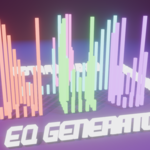
There's no hard limit, performance depends on your scene and hardware. Group editing (Copy to Selected / Copy to All) makes it easy to manage large arrays generated with the EQ Generator.
Can I use it on objects I already have in my scene?
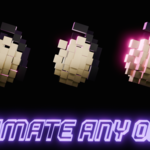
Yes. Select any existing object and assign it directly to a frequency band, no need to rebuild your scene. Your original geometry is never modified, motion, color and camera are all driven by the add-on's own keyframes and settings. The EQ Generator is there if you'd rather generate a fresh array from scratch.
Which Blender versions and render engines are supported?
Blender 4.2 and newer, including the 5.x line and 5.2 LTS. It works with both Cycles and EEVEE, on Windows, macOS and Linux.
 Included
Includes 12 months of
- Support from Inner Space Design Studio
- Product updates
Extend this product’s Support Period +12 months: 50% of product price
Have questions before purchasing?
Login to message
| Blender Extension Compatible | Yes |
| Published | about 2 months ago |
| Blender Version | 4.2 - 5.2 |
| Extension Type | Add-on |
| Render Engine Used | Cycles, Eevee |
| License | GPL |