 Achat
Achat


RIGHT-CLICK ANY VALUE. IT MOVES TO THE MUSIC.
Audio Trigger is a Blender add-on that makes anything move to the music. Right-click a value - scale, a modifier, a shader, a light - and it pulses on the beat, live, before a single keyframe exists.
Syncing animation to music by hand means scrubbing, finding each beat and keying it, on every object, for every change of mind. Blender's own Sound to Samples helps, but it works on one channel at a time, you tune it blind, and it leaves sampled curves you have to convert before you can edit them.
Want to try it first? Pick Audio Trigger Lite on this page, for $1. It has the BPM beat grid, right-click mappings, groups, Spread Offsets and baking; everything that uses an audio file is in the full version.
WHAT IT IS
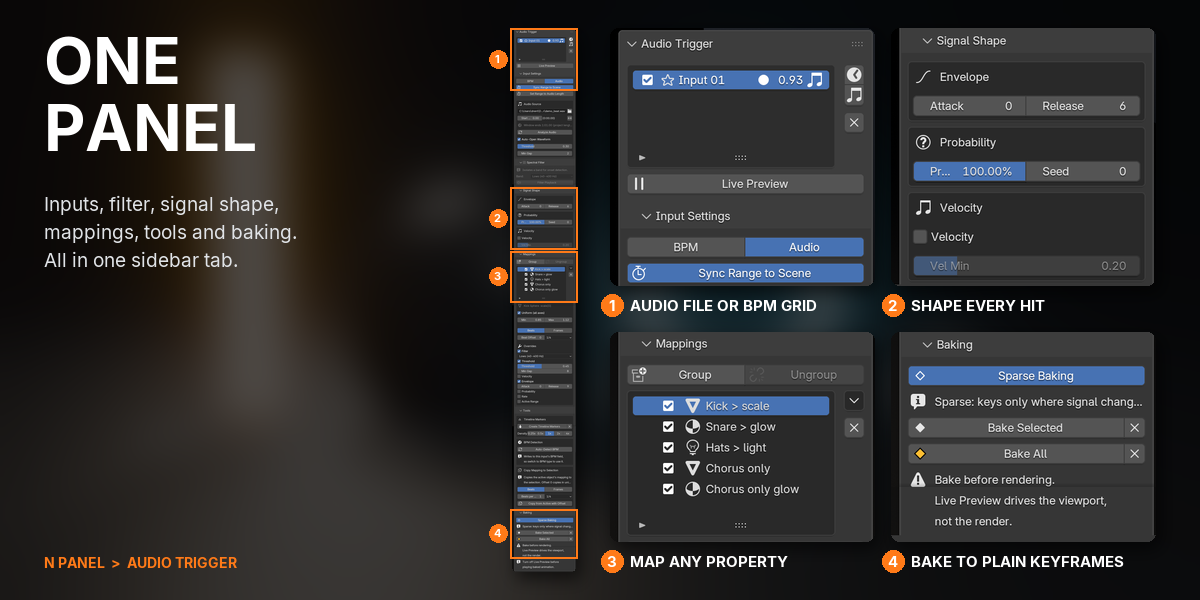

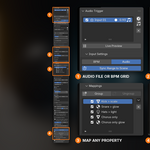
Pick a beat source: a BPM grid, which needs no audio at all, or any track you load. Audio Trigger finds the hits, and if you only want the kick or the hats, it filters the track to that band and lets you hear what it hears. Then right-click any property and choose Use in Audio Trigger. It is live straight away: scrub or play and the scene reacts. Give every object its own reaction, stagger a row of them into a wave in musical time, and when it looks right, bake it to ordinary keyframes.
WHAT THIS DOES THAT BLENDER DOES NOT
Blender can already turn sound into a curve. Audio Trigger is for everything after that: many objects, different reactions, and changes you can make without starting over.
| TASK | STOCK BLENDER | WITH AUDIO TRIGGER |
|---|---|---|
| Make a value follow the music | Keyframe the channel, run Sound to Samples, then Samples to Keys | Right-click, Use in Audio Trigger |
| Decide what counts as a hit | Bake, look, undo, try again | Hear the filtered band and see the threshold on the waveform while you tune |
| Twenty objects, each reacting differently | A separate bake for every channel | One track, with band, threshold, envelope and frame range per object |
| A wave across a row of objects | Offset keys by hand in the Dope Sheet | Spread Offsets, timed in beats |
| Animate before the music exists | Beat maths and hand-placed keys | A BPM grid with a metronome click |
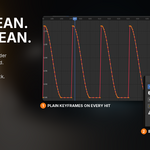
| What you end up with | Sampled curves | Plain, sparse keyframes, and one click removes them again |
| A smooth loudness curve or spectrum bars | Sound to Samples does this | Not what it's for: Audio Trigger animates hits |
COMPATIBILITY
| Blender | 4.2 and newer |
| Operating System | Windows, macOS, Linux |
| Render Engines | Any: the result is ordinary keyframes |
FEATURES
1RIGHT-CLICK ANY VALUE. IT MOVES TO THE MUSIC.
Right-click a property, choose Use in Audio Trigger, press Space. It pulses on the beat straight away, live in the viewport, before a single keyframe exists.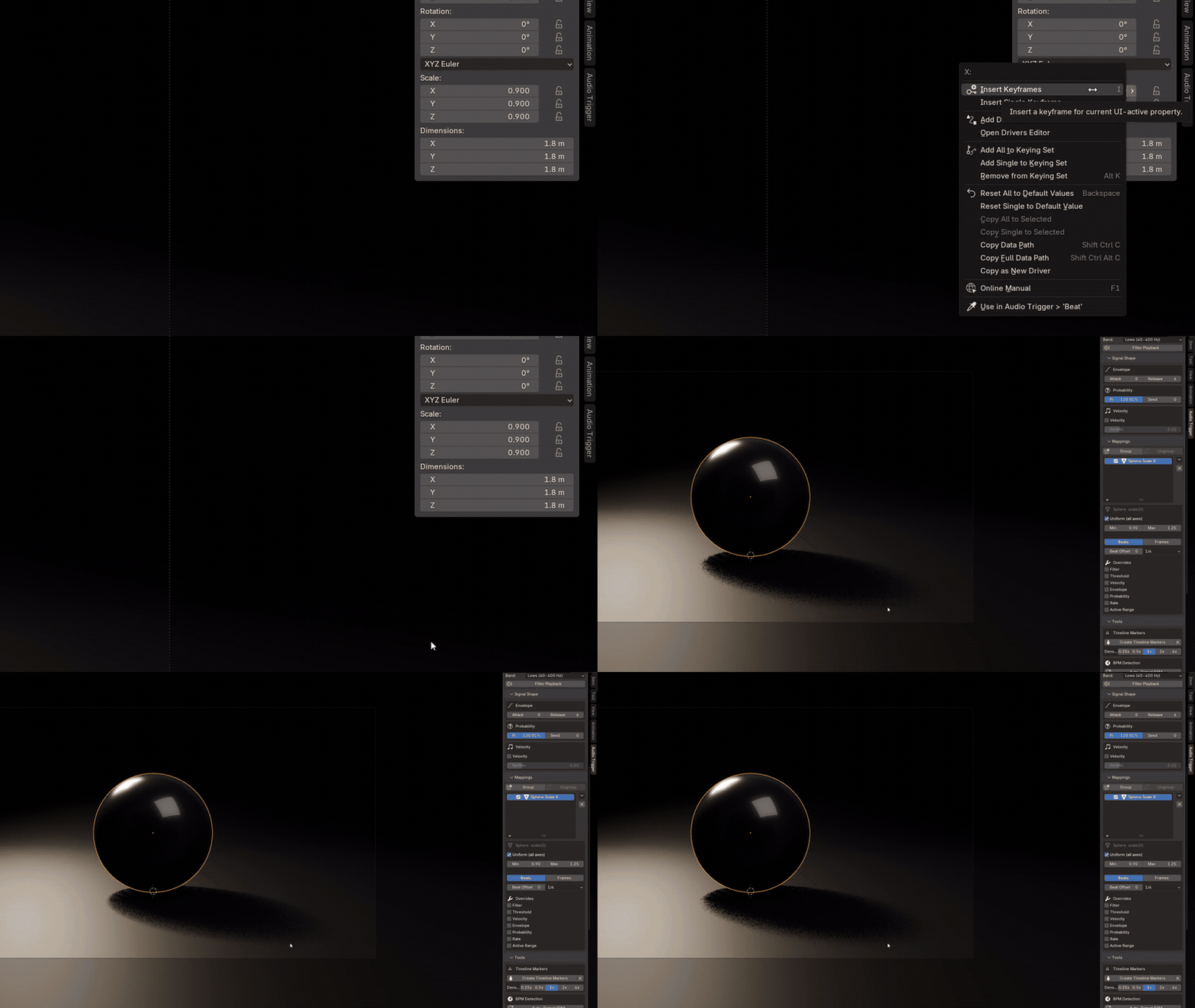
2ONE TRACK. EVERY OBJECT REACTS DIFFERENTLY.

The kick scales one object, the snare flashes a light, the hats flicker a shader, and a fourth element only moves in the chorus. All from one audio file and one input.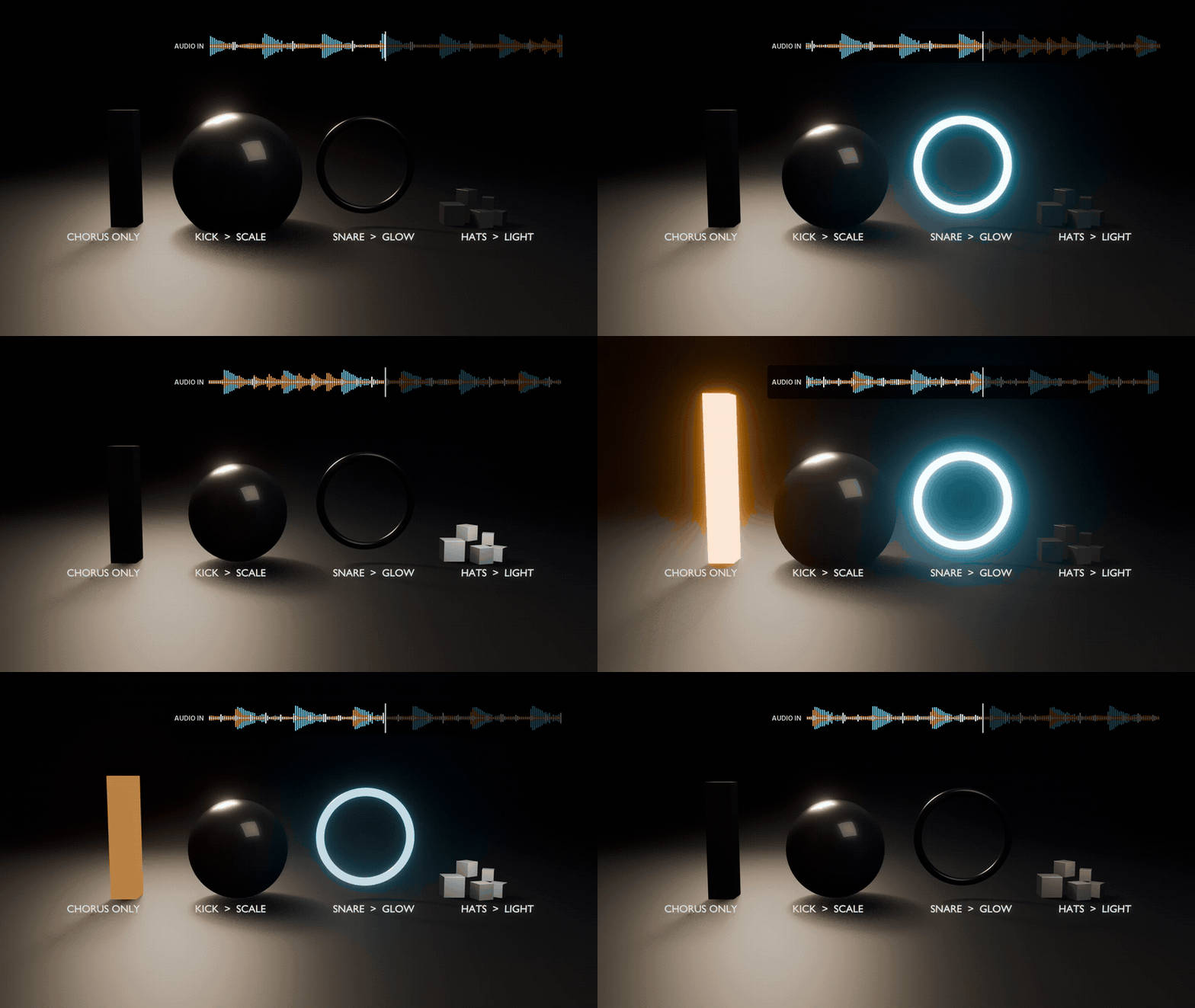
3WAVES, TIMED IN BEATS

Stagger a row of objects into a wave with one click, timed in beats rather than frames. Change the step and run it again; nothing to re-key.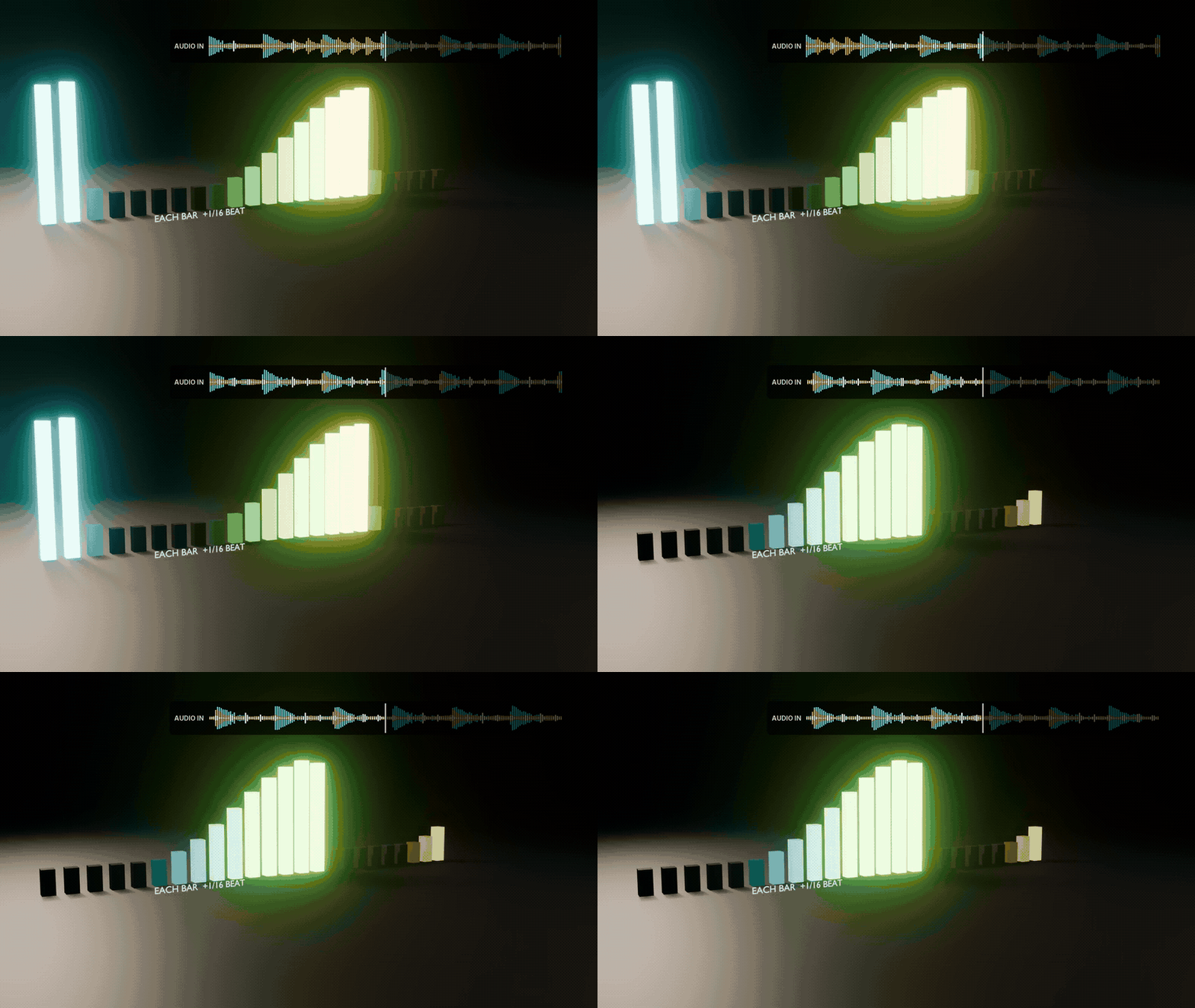
4HEAR THE BAND. SEE THE HIT.
Filter the track down to the lows, mids or highs and listen to exactly what the detector hears. The waveform shows the threshold and every hit, so you tune by eye and ear, not by trial and error.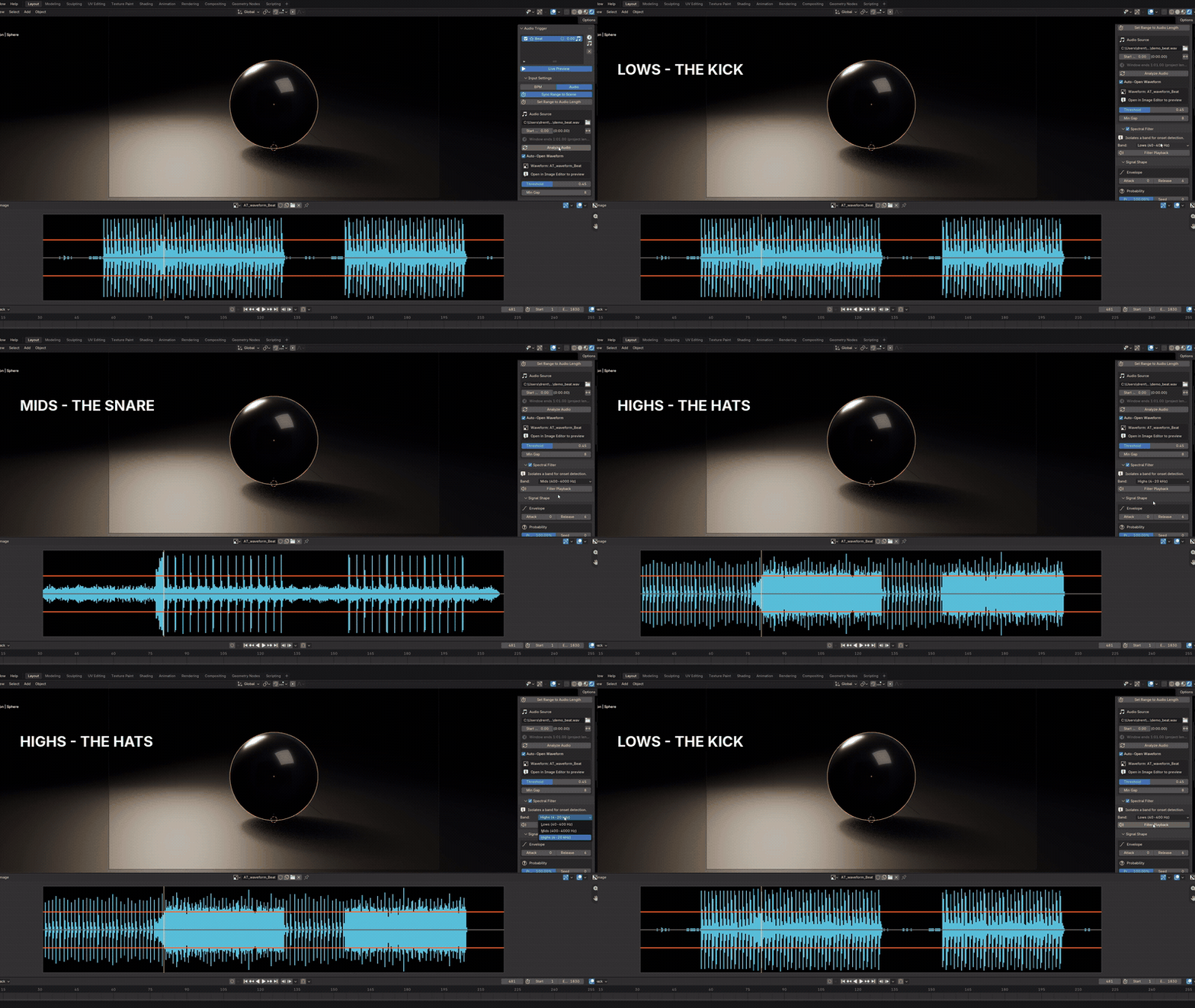
5A BEAT GRID, OR ANY AUDIO FILE
Work to a BPM grid with a metronome click before the music even exists, or load WAV, MP3, FLAC, OGG and more and let it find the hits.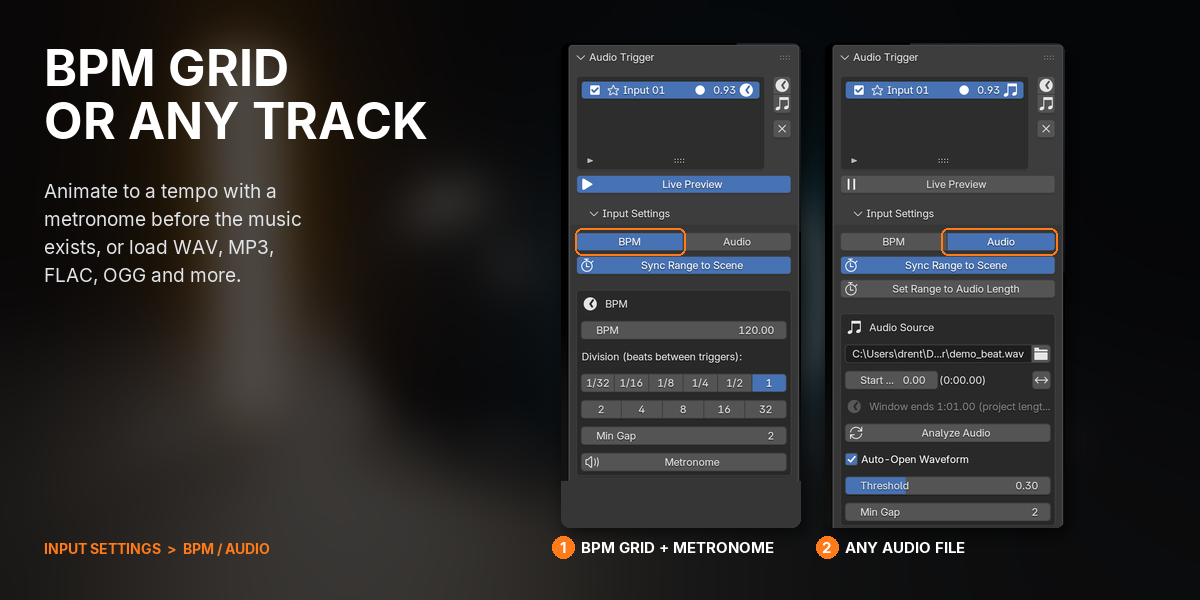
6SHAPE HOW EACH HIT FEELS

Snappy or smooth pulses, hits that randomly skip for a looser feel, and quiet hits that move less than loud ones.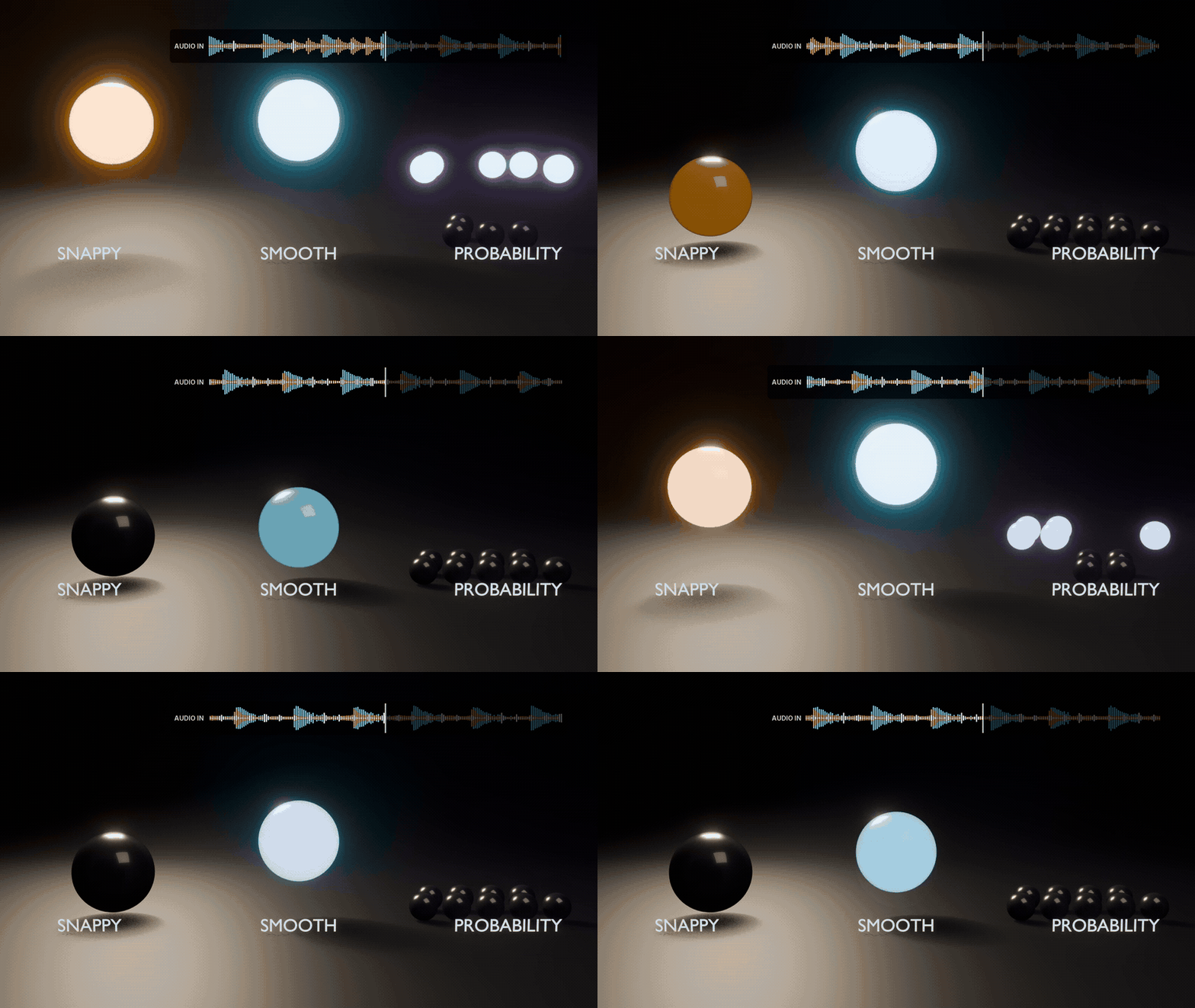
7BUILT FOR SCENES WITH DOZENS OF MAPPINGS

Group mappings so they share settings, select a range and change them all in one drag, search and rename like the Outliner, and jump between the list and the viewport.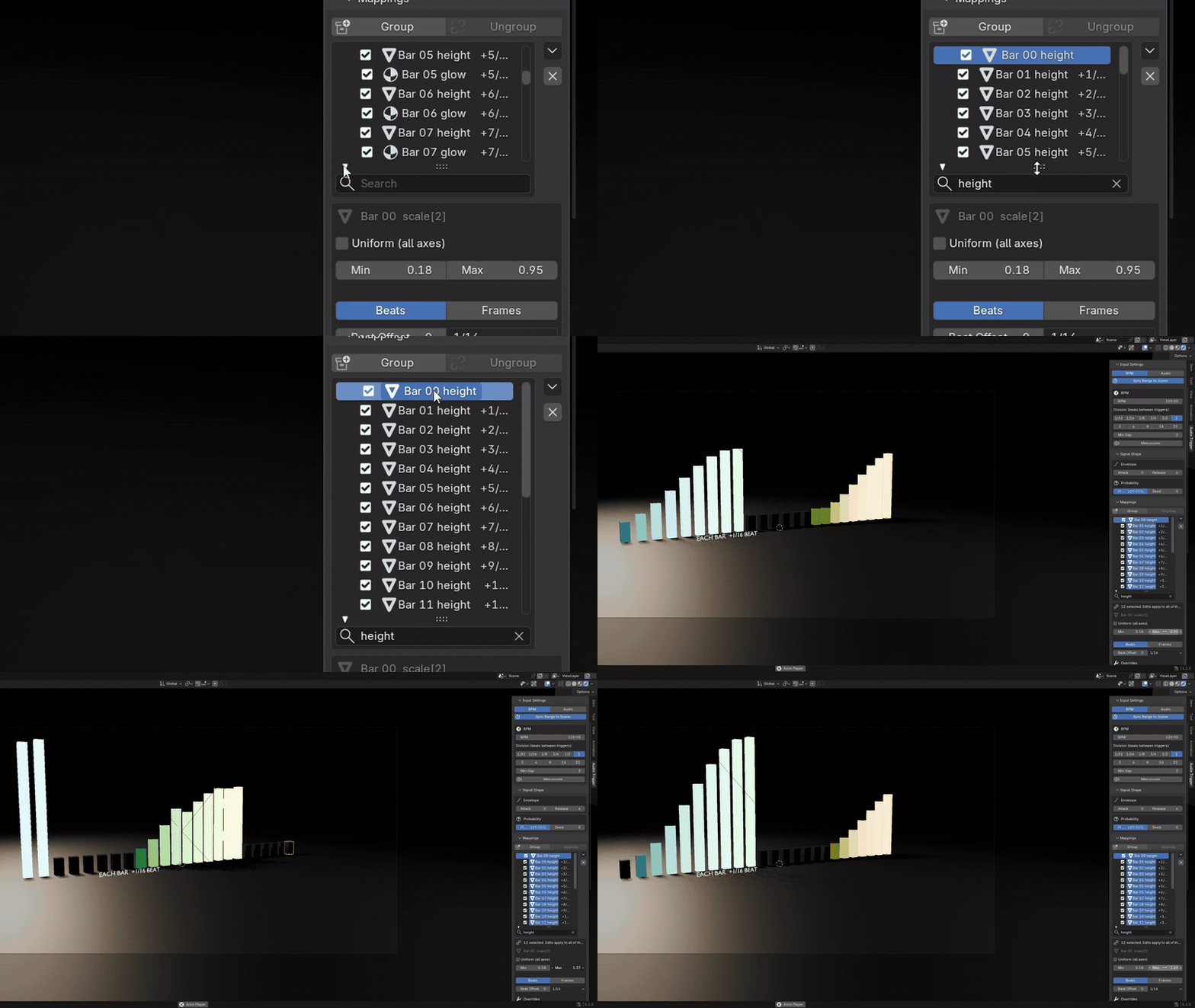
8BAKES TO PLAIN KEYFRAMES
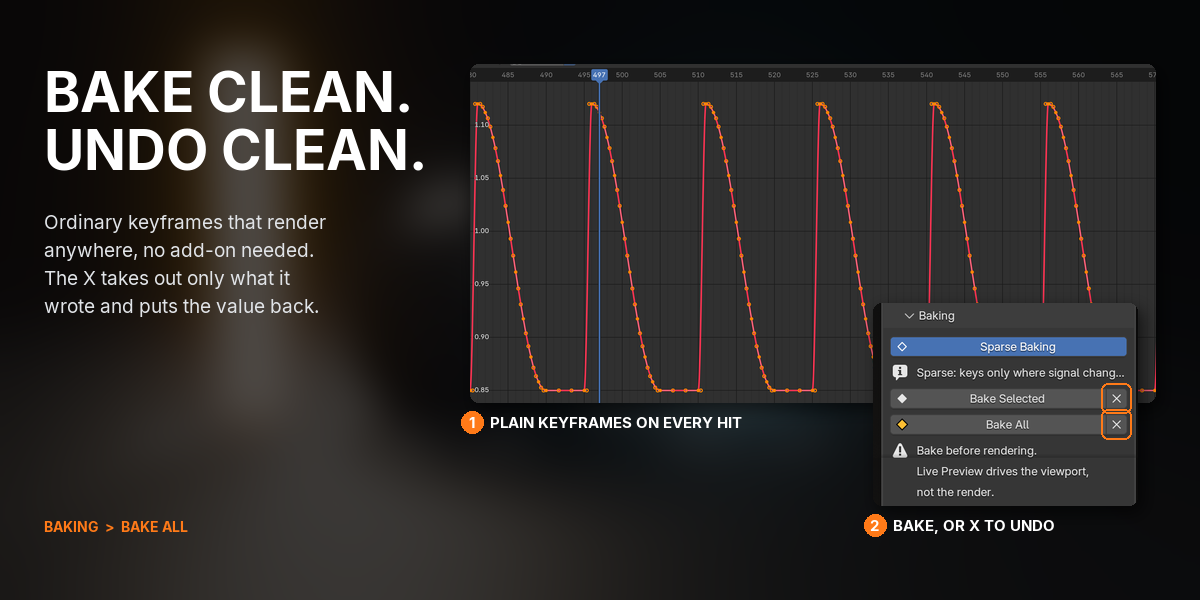
Bake to ordinary, sparse keyframes and the add-on is out of the picture: the file renders anywhere. The X beside Bake removes only what Audio Trigger wrote and puts the original value back.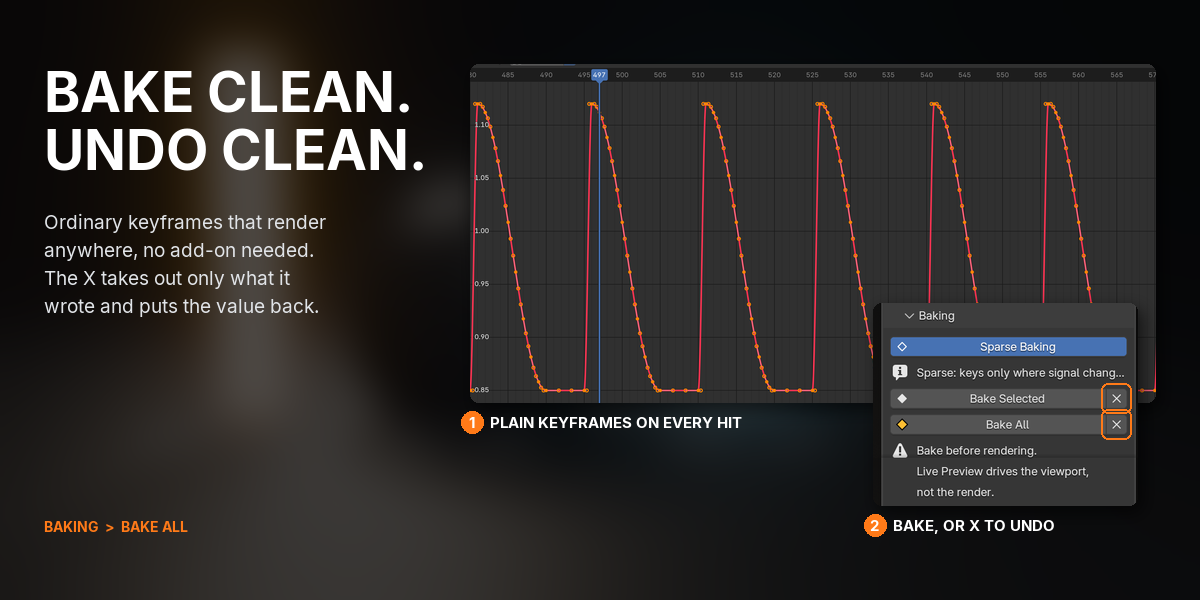
9RHYTHM TOOLS
Drop timeline markers on every beat, or every half or quarter beat, and let Auto-Detect BPM read the tempo from the track.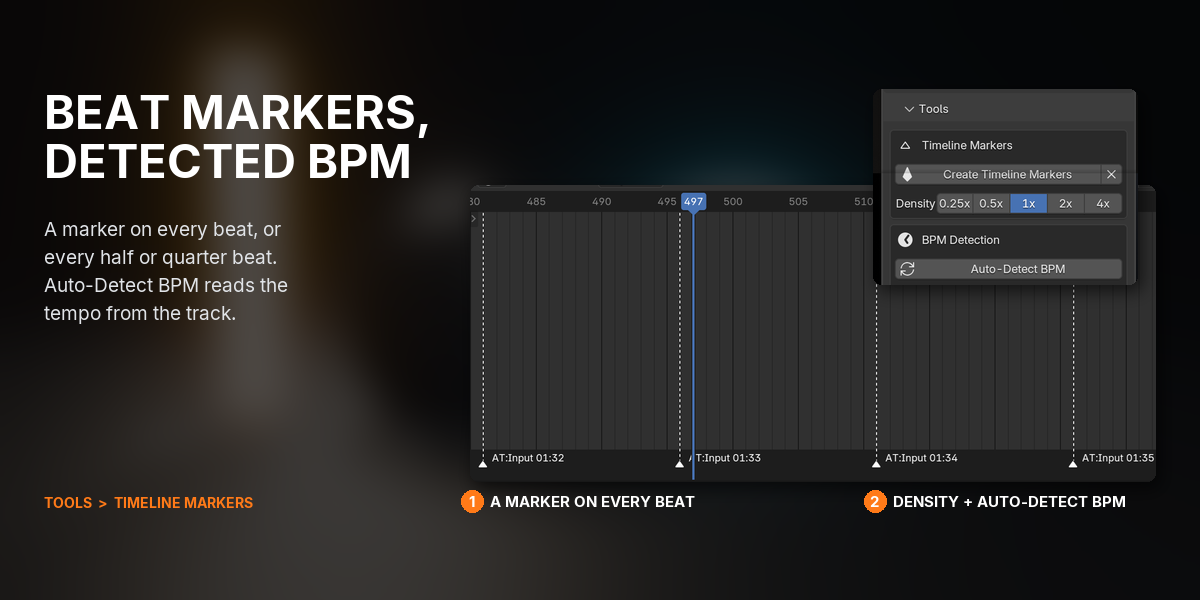
WHAT YOU GET
- Audio Trigger 1.0.14 as a Blender extension: drag the .zip into Blender to install
- 2 beat sources: a BPM grid with 11 divisions from 1/32 to 32 beats, and audio files (WAV, MP3, FLAC, OGG, OPUS, AAC, M4A, AIFF, WMA)
- 3 frequency bands, with filtered playback so you hear what the detector hears
- 9 kinds of target: objects (transforms, modifiers, constraints, bones), lights, materials, worlds, node groups, cameras, scenes, meshes and armatures
- 7 per-mapping overrides: band, threshold, envelope, probability, velocity, rate and active frame range
- Groups, multi-edit and Spread Offsets for scenes with dozens of mappings
- Full documentation and a quick-start guide
- Direct email support from the developer
UPDATES AND SUPPORT
Updates install with one click inside Blender through Superhive's extension repository, and every update is free.
- Questions or problems: [email protected]
- Licence: GPL, source included. Use it on anything, commercial or not.
CHANGELOG
| 1.0.14 (2026-09-25) | Outliner-style mapping list with groups and multi-edit. Clear Baked (X) removes only baked keys and restores the original value. Audio and beat grid anchored to frame 1. Fixed a crash when rendering on macOS; bake before rendering. |
| 1.0.11 | Undo works on active frame ranges. |
| 1.0.9 | Baking follows active frame ranges. |
| 1.0.8 | Active frame ranges: limit a mapping to the chorus, or mute it in the verse. |
BUY ONCE, DRAG THE .ZIP INTO BLENDER, AND HAVE YOUR FIRST OBJECT MOVING TO THE BEAT IN UNDER A MINUTE: ADD A BPM INPUT, RIGHT-CLICK A VALUE, PRESS SPACE.
