AudioRotator - Morphing Audioreactive Setup in Geometry Nodes
 codesignprojects
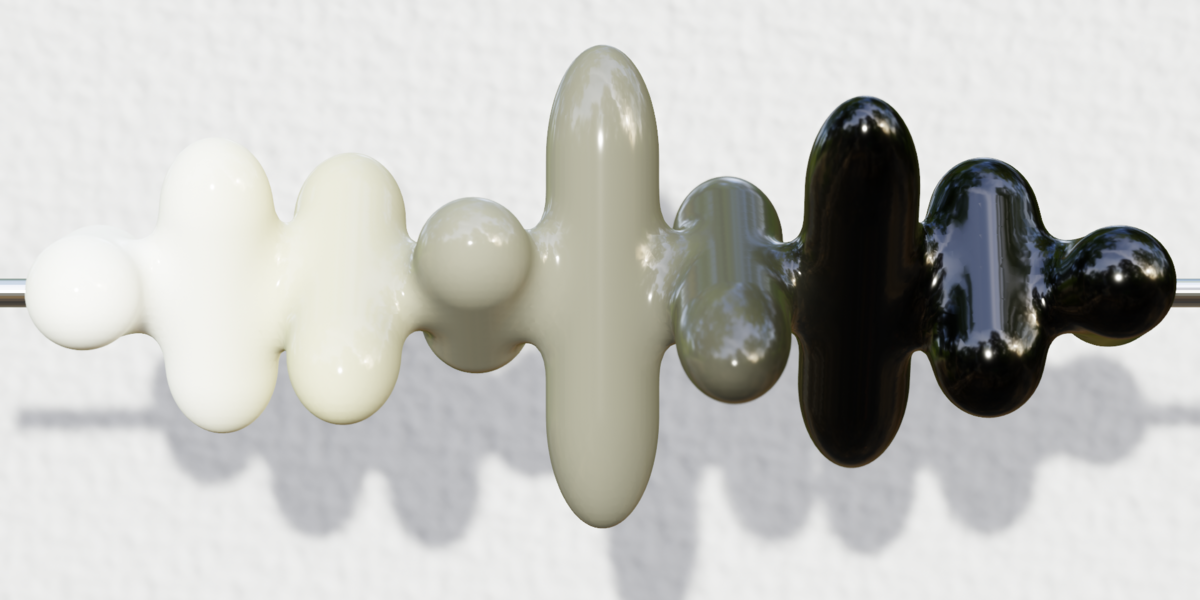

How does the "Max Frequency per Capsule" (Frequency Step) math work?
Instead of setting a hard ceiling that squishes all your frequency bands together when you add more capsules, this setup uses a procedural multiplier. If you set this value to 50, Capsule 1 listens up to 50Hz, Capsule 2 up to 100Hz, and so on. If you use 6 capsules, the setup automatically calculates a perfect 300Hz ceiling. This guarantees your visualizer always stays locked onto the punchy, rhythmic bass foundation without ever becoming jittery!
Should I change the Minimum Frequency from 20Hz?
It is highly recommended to leave the Minimum Frequency exactly at 20Hz. 20Hz is the lowest limit of human hearing. By locking the first capsule to this exact number, you guarantee it catches the absolute deepest sub-bass and heavy kick drums of your track. Raising this number will cause the visualizer to ignore the underlying rhythm of the song.
Can I use this setup with my own custom meshes instead of Metaballs?
Absolutely. While the setup is optimized for the fluid merging effect of Metaballs, the core audio math, Automatic Gain Control, and frequency distribution systems are completely modular. You can plug the scaling data into any instance on points setup you desire. Dissect the node tree and make it your own!
Why do my capsules look jagged or blocky where they merge?
Because this setup instances Blender's native Metaballs, their smoothness is controlled by the original source object, not the Geometry Nodes modifier! To fix this, select your base proxy Metaball in the Outliner. Go to the Object Data Properties (the green metaball icon) and lower the Resolution values (a lower number means higher detail).
I duplicated the setup into a new project and my Metaballs disappeared / I got a cyclic dependency error!
This is a known quirk with how Blender's core software groups Metaballs. To prevent cyclic dependency errors while keeping your Metaballs grouped, your proxy object must use a numerical suffix (e.g., Metaball.001), not an alphabetic one. The included template is already perfectly named and structured to avoid this!
I rendered my animation, but the audio drifts out of sync when I put it in DaVinci Resolve or Premiere.
The node tree is mathematically perfectly synced! Audio drift in post-production is almost always caused by a framerate mismatch. By default, DaVinci Resolve often imports image sequences at 24 fps, or uses a 29.97 fps timeline. Make sure your video editor's Clip Attributes and Timeline Settings are set to exactly 30 fps to match your Blender render output. (Or set blender to an other frame rate)
Who is this AudioRotator geometry Nodes based Audiovisualizer good for ?
Foor everyone really. It is also perfect for beginners, asking about how to create audiovisualizer setups in Geometry Nodes. It showcases the main principles, and tricks with clear structure and detailed explanations.
Have questions about this product?
Login to message
| Published | 3 days ago |
| Blender Version | 5.2 |
| Render Engine Used | Cycles, Eevee |
| License | Creative Commons |
Discover more products like this
procedural geometry nodes audio equalizer metaballs audioreactive audiovisualizer Morph Merge real-time audiovisualizer minimalistic