BLENDER ADD-ON
BATCH RENDER PRO
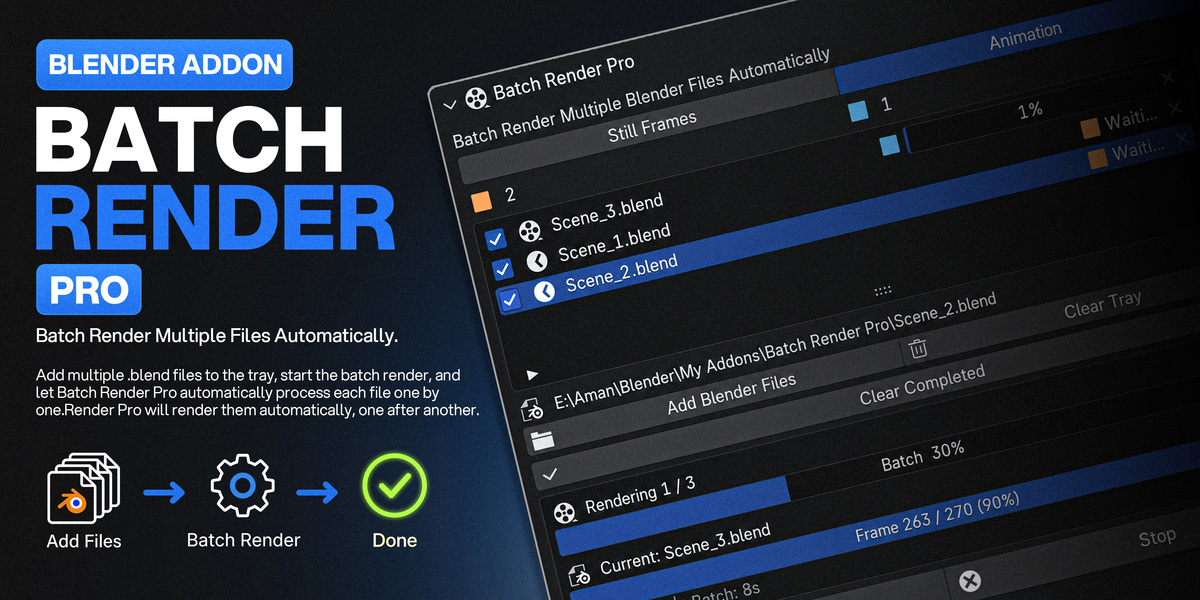
Batch Render Multiple Blender Files Automatically.
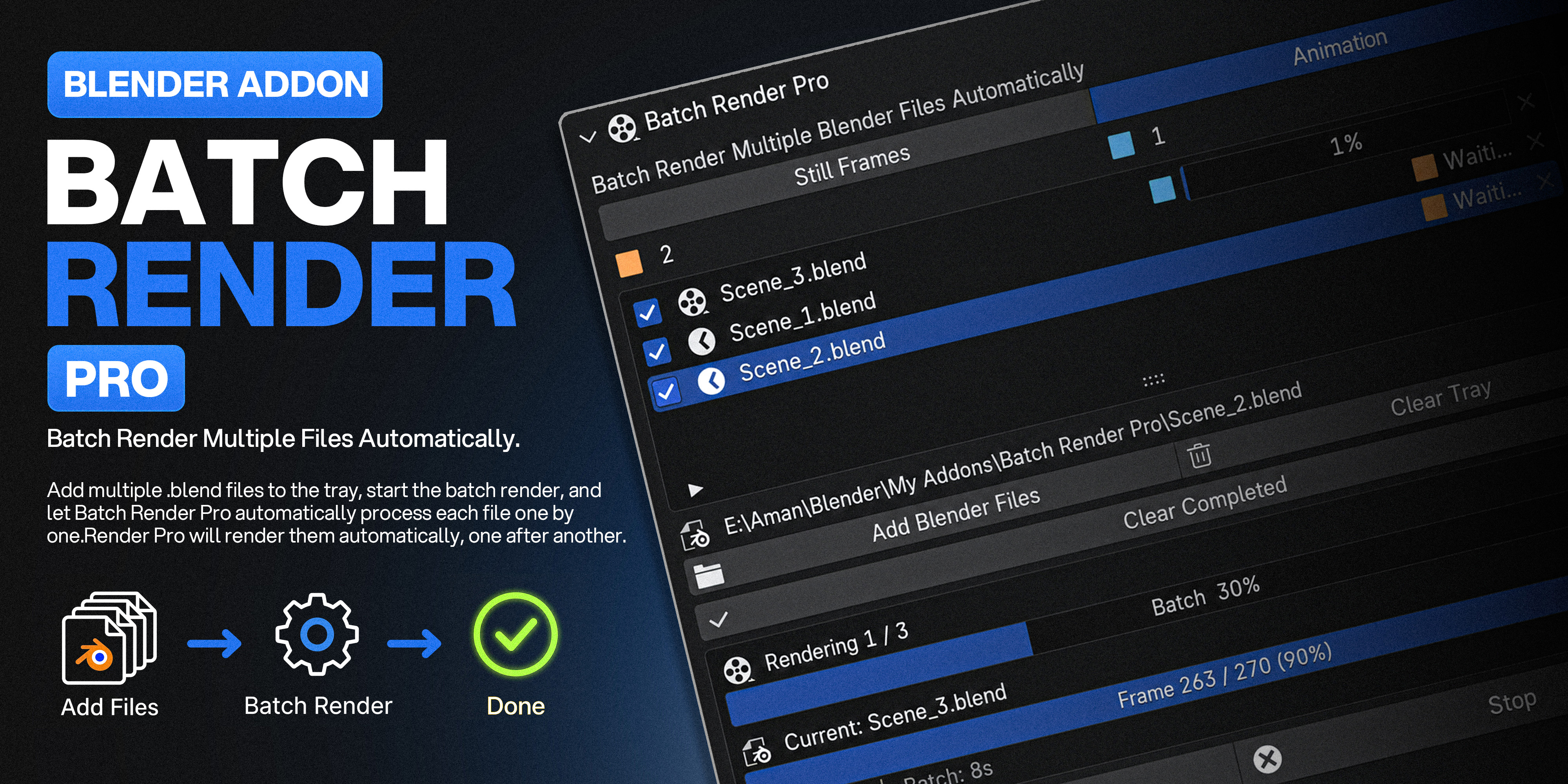
Add your .blend files to the tray, hit start, and walk away. Batch Render Pro renders every file one after another — each in its own crash-isolated process, with a queue that survives a restart and progress you can actually see.
Load It Up. Walk Away.
✓ One background process per file — a crash or out-of-memory scene never takes your batch (or your open Blender) down with it
✓ Real OS-level Pause & Resume — freeze a render mid-frame and get your CPU back on demand
✓ The render tray survives closing Blender — reopen and every file is right where you left it
✓ Clean, automatic output filenames — by frame number, by blend name, or left exactly as each file already has it
✓ Live batch & per-file progress, accurate down to the render sample — not just the frame
✓ Your source .blend files are only ever read — never modified or written back to
FEATURE 01
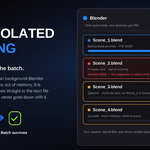
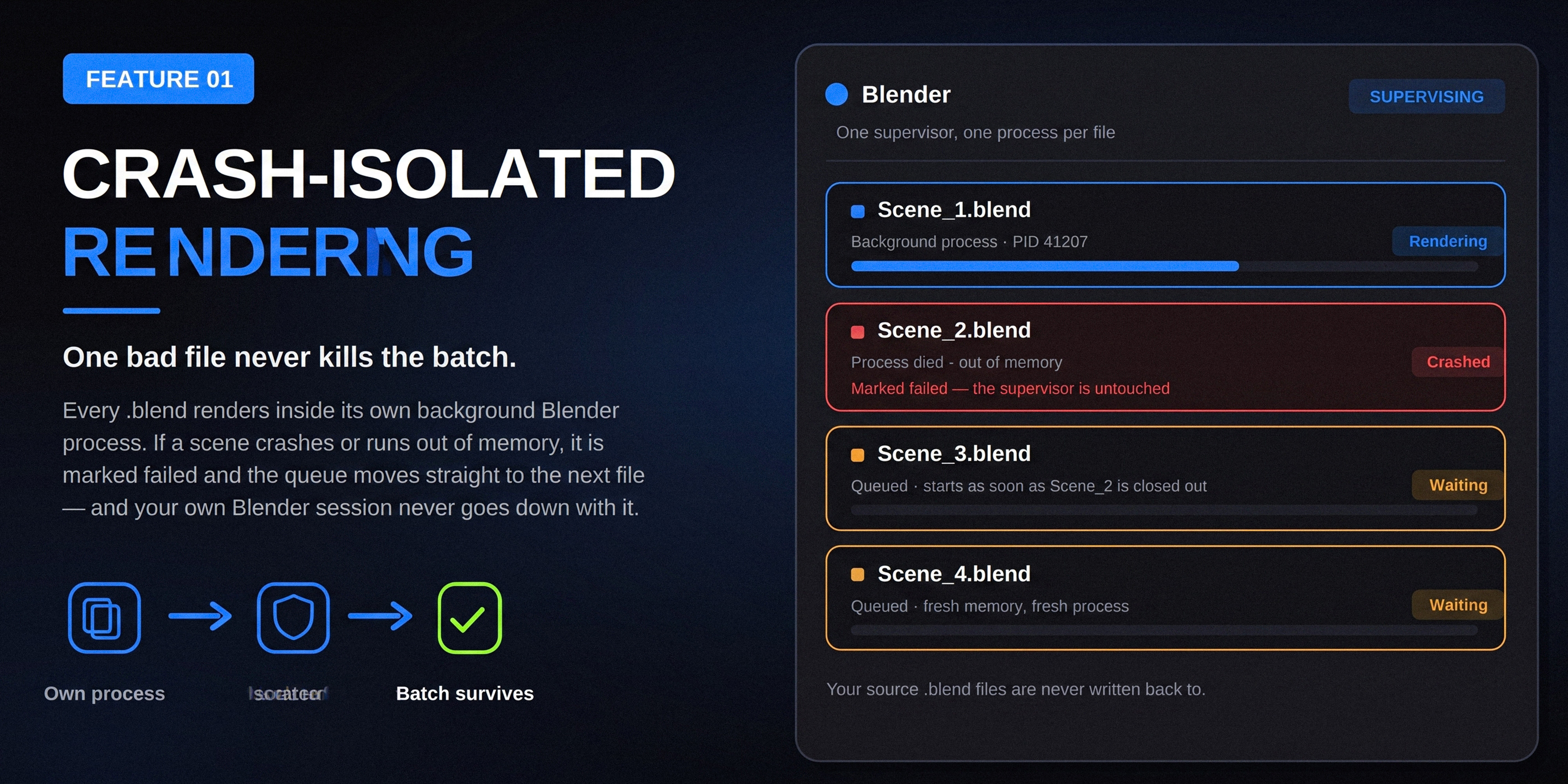
One Bad File Never Kills The Batch
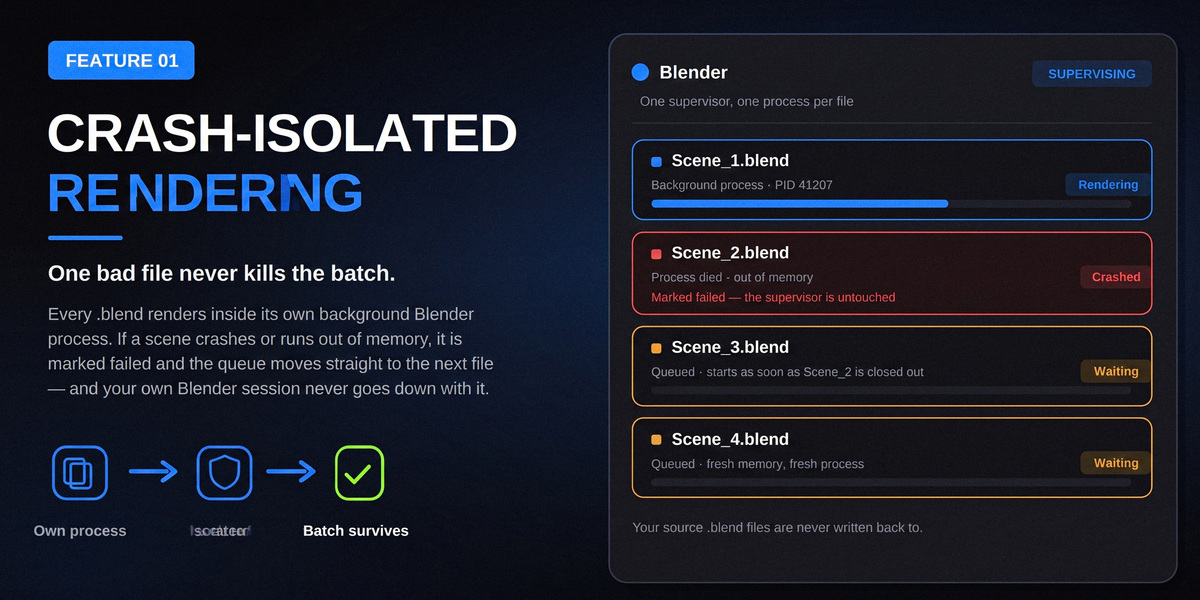
Every .blend file renders inside its own background Blender process, supervised — not hosted — by the session you have open. If a scene crashes or runs out of memory, that file is simply marked Failed and the queue moves straight on to the next one.
✓A fresh, isolated process per file — memory is fully released between renders
✓Your own Blender window keeps running — it never crashes with the render
✓Source .blend files are opened read-only and never written back to
FEATURE 02
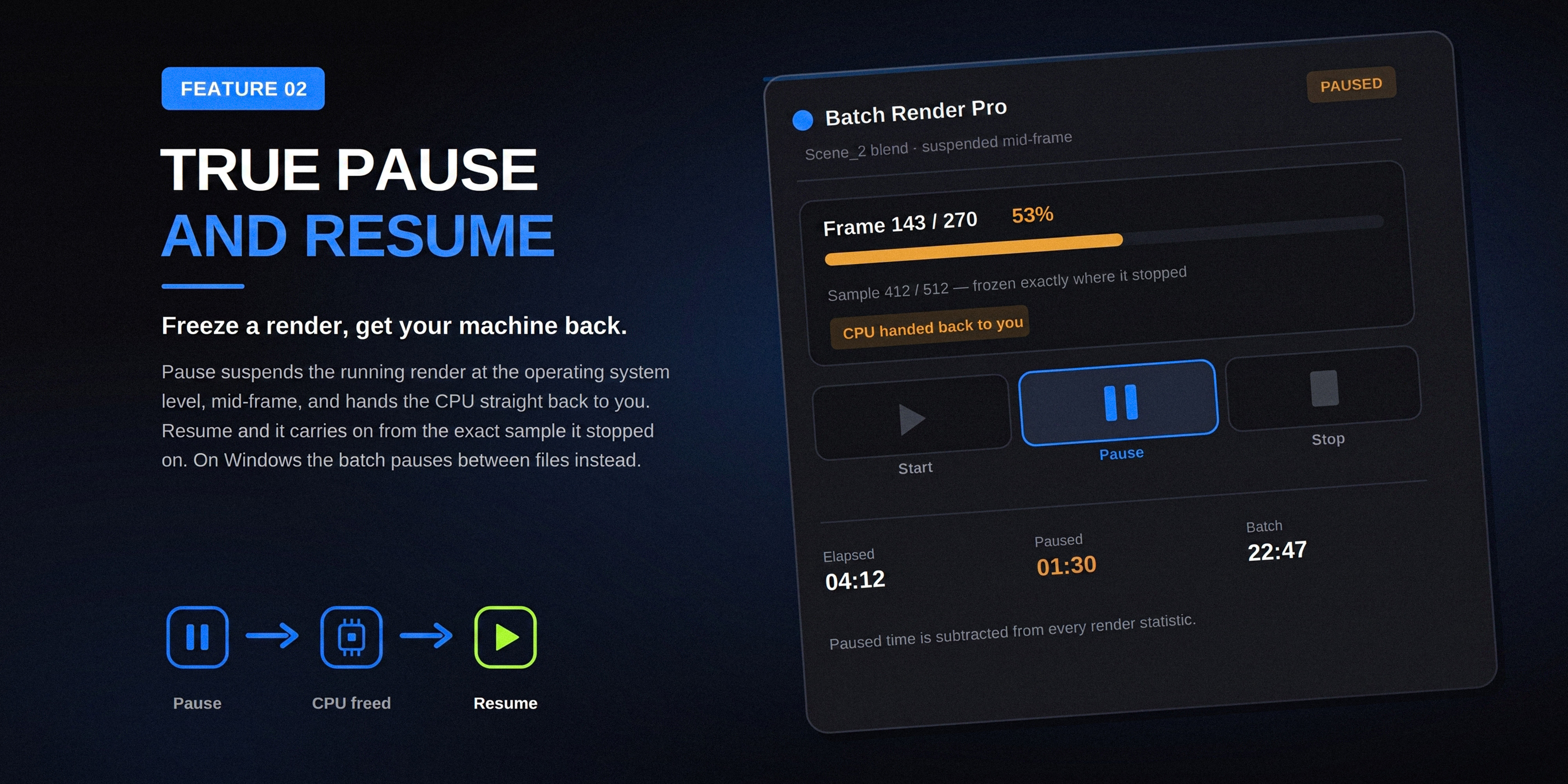
Freeze A Render, Get Your Machine Back
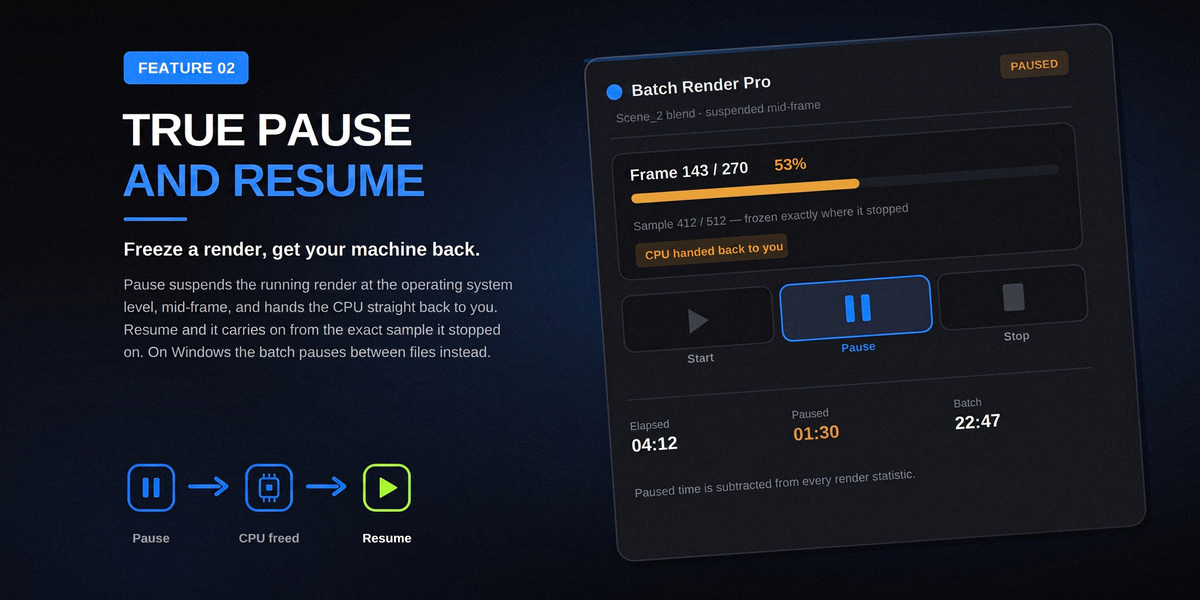
Need your CPU for something else? Pause suspends the running render at the operating-system level, mid-frame, and hands the CPU straight back to you. Hit Resume and it carries on from the exact sample it stopped on — no re-render, no lost progress.
✓Linux & macOS: the process itself is frozen mid-frame, mid-sample
✓Windows: the batch pauses cleanly between files (an OS-level limit, not a bug)
✓Paused time is subtracted from every render-time statistic
FEATURE 03
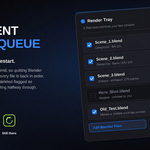
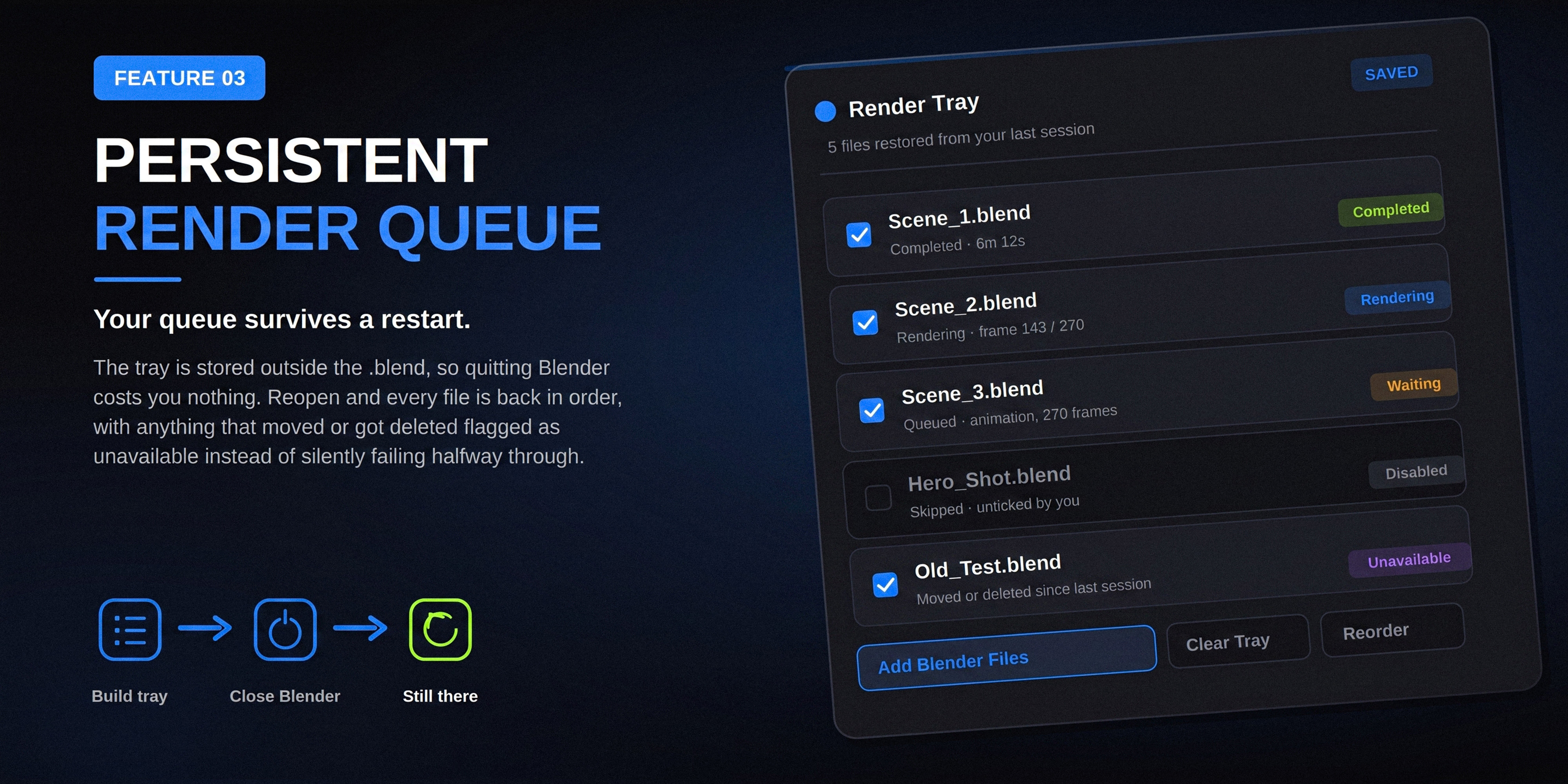
Your Queue Survives A Restart
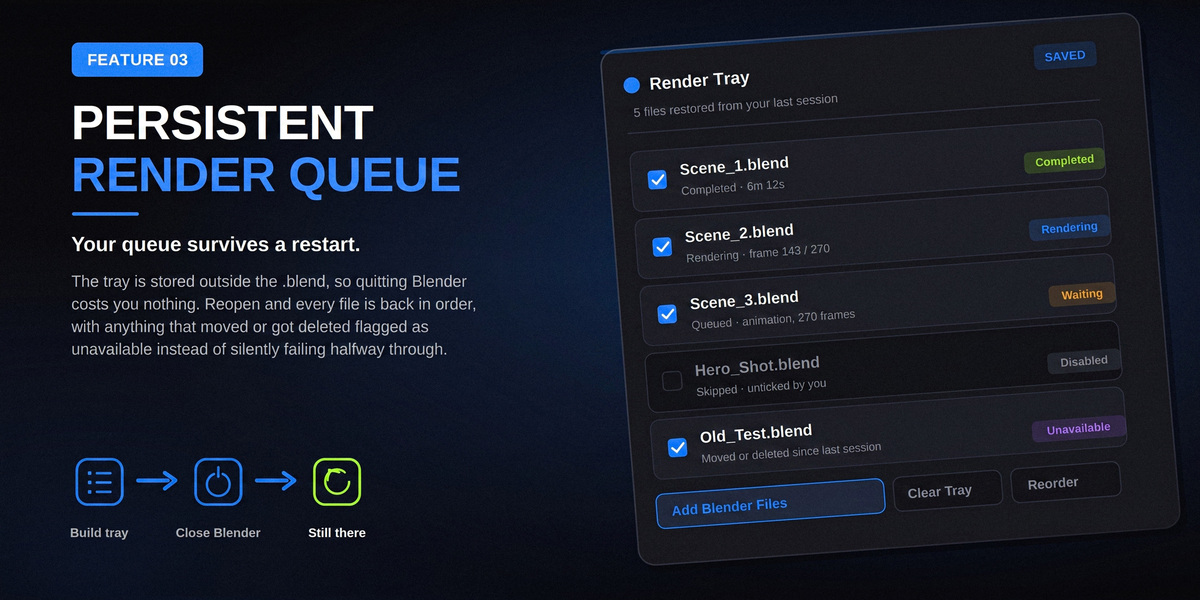
The render tray is stored outside the .blend file, so quitting Blender costs you nothing. Reopen it and every file is back in order, with anything that was moved or deleted since last time flagged Unavailable instead of silently failing halfway through an overnight batch.
✓Remember Tray restores your whole queue on the next launch, automatically
✓Skip Completed Files means restarting a batch never re-renders finished work
✓Reorder, disable or remove any file in the tray whenever you like
FEATURE 04
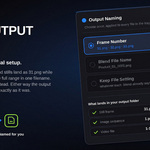
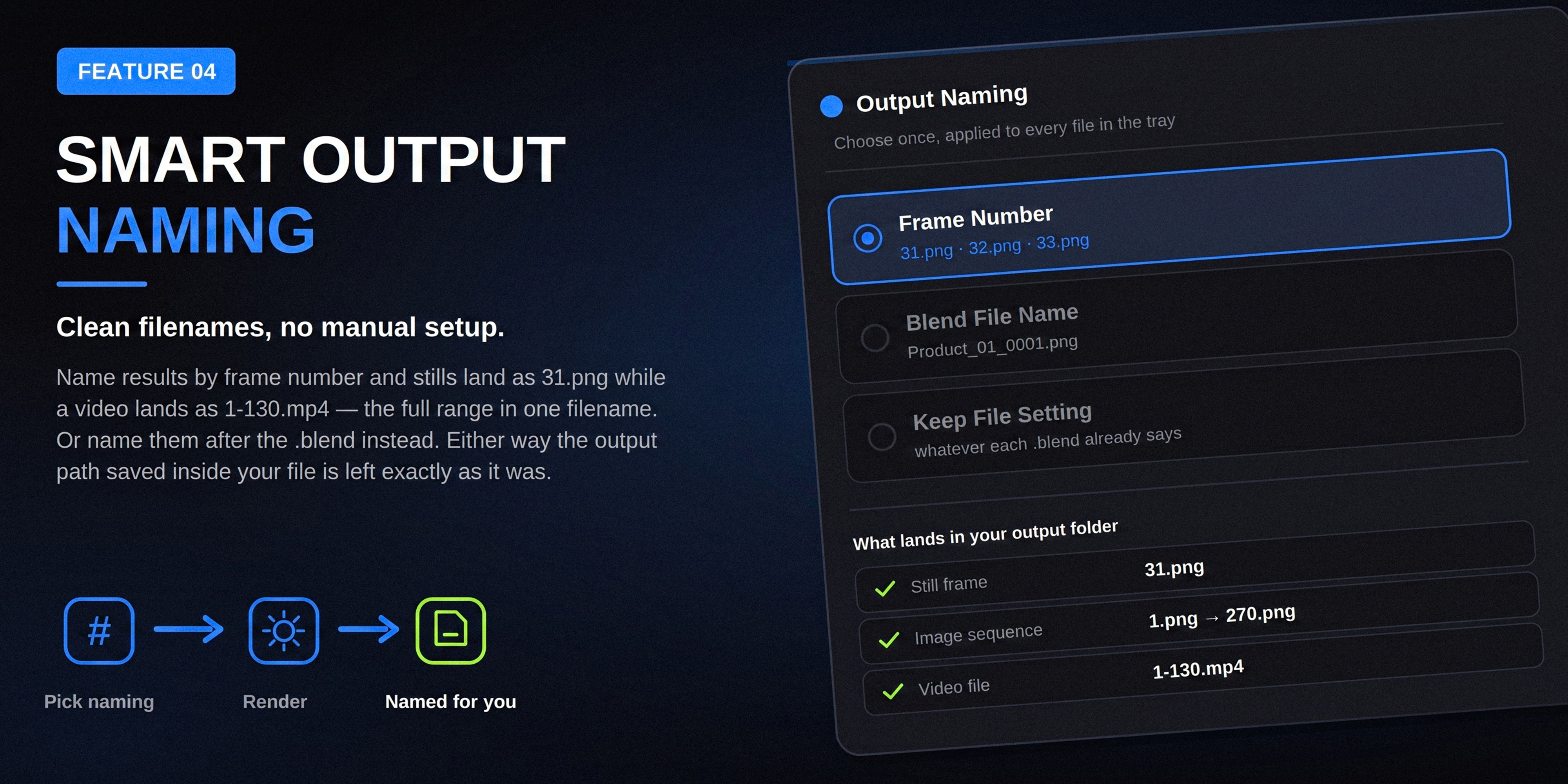
Clean Filenames, Zero Manual Setup
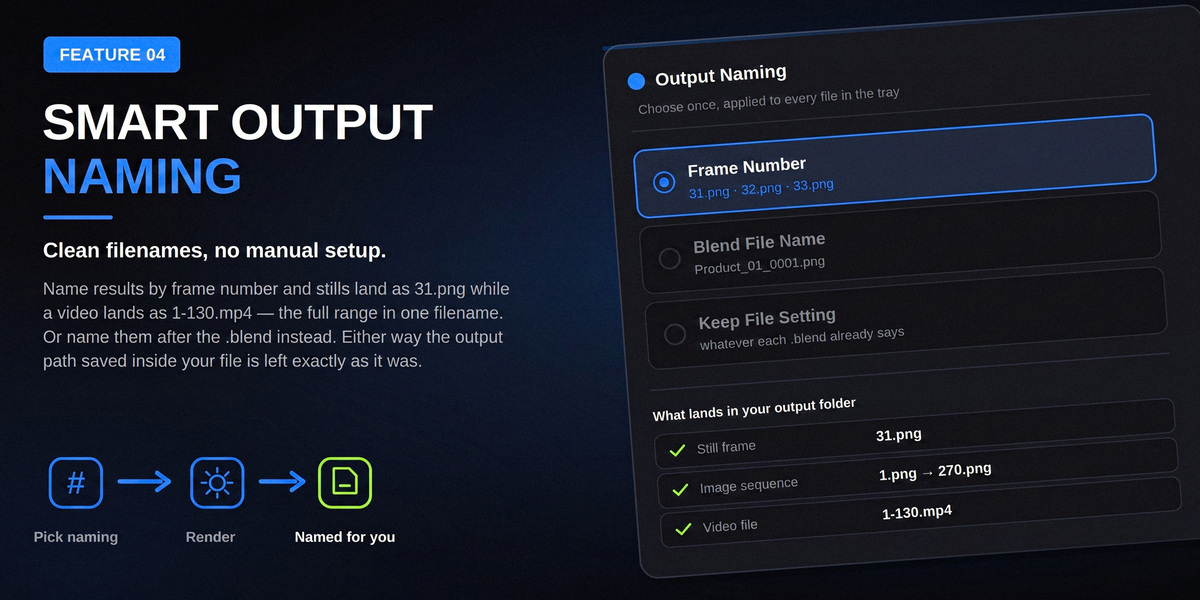
Pick a naming scheme once and it applies to every file in the tray. Name by frame number and a still lands as 31.png while a full animation lands as 1-270.mp4 — the whole range in one filename. Or name results after the .blend file instead. Either way, the output folder and format saved inside each file is left exactly as it was.
✓Frame Number — 31.png for a still, 1-270.mp4 for a full animation
✓Blend File Name — Product_01.png, or Product_01_0001.png for a sequence
✓File Setting — leave naming alone and use exactly what each file already says
FEATURE 05
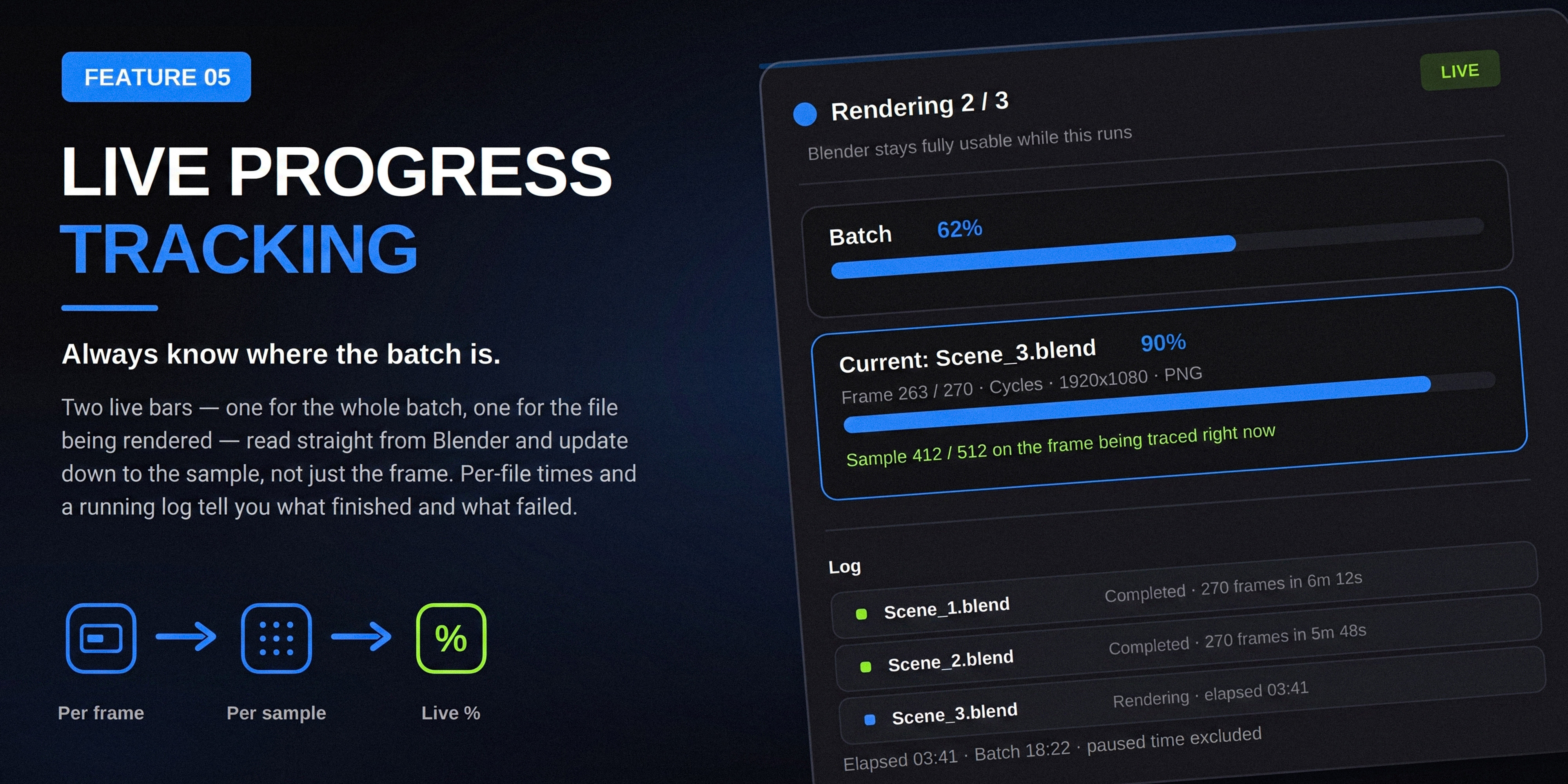
Always Know Exactly Where The Batch Is
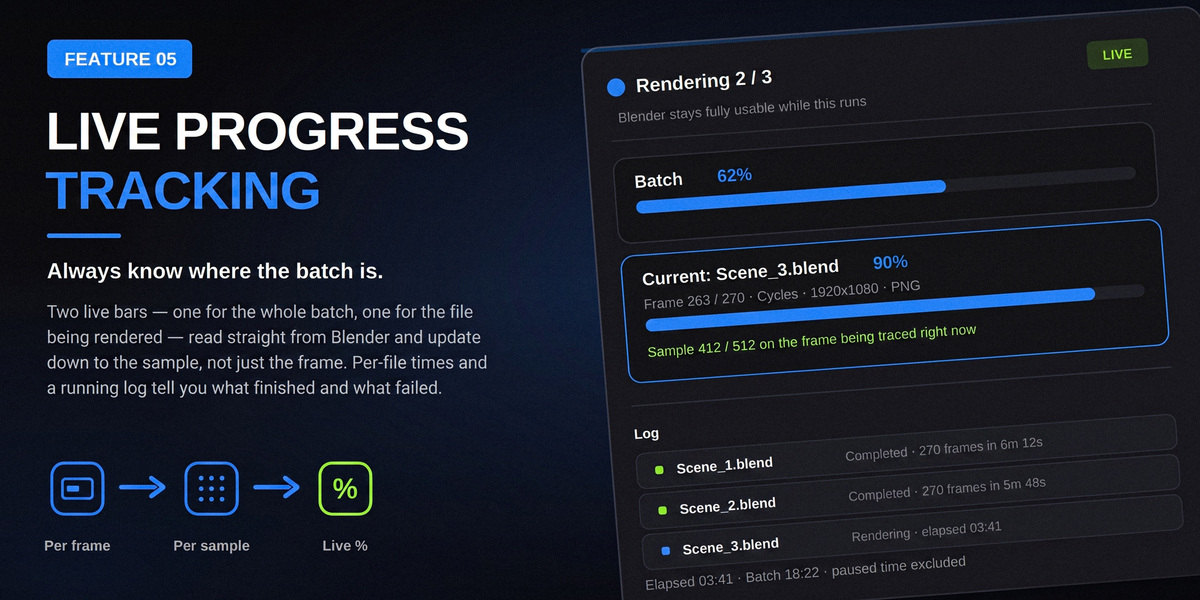
Two live bars — one for the whole batch, one for the file currently rendering — read straight from Blender and update down to the sample, not just the frame. A running log timestamps every file that finished, failed or is still going.
✓Batch progress and per-file progress, both live, both sample-accurate
✓A scrolling log records completion time, failures and skips for every file
✓Blender's UI stays fully usable while a render runs in the background
Also Under The Hood
Smaller controls that add up.
🎞️
Still Frame or Animation
Render just the current frame, or the full animation range, for every file in the tray in one pass.
🛑
Stop on Error
Optionally halt the whole batch the instant one file fails, instead of logging it and moving on.
⚙️
Factory Startup & Auto-Run
Launch background renders with a clean Factory Startup, or allow Python auto-exec for driver-heavy scenes.
↕️
Reorderable Queue
Move files up or down, or untick one to skip it, any time before or between renders.
📂
One-Click Output Folder
Jump straight to your rendered files without hunting through folders by hand.
🟦
Color-Coded Status
Waiting, Rendering, Completed, Failed, Skipped and Unavailable are readable at a glance.
Compatibility & Requirements
Blender version
4.2 or newer
Platforms
Windows, macOS, Linux — pause freezes mid-frame on Linux/macOS, and between files on Windows
Render engines
Any engine installed in Blender — each file renders with its own engine and settings
Panel location
Properties ▸ Render Properties ▸ Batch Render Pro
Questions People Ask
Will this modify or overwrite my original .blend files?
No. Every file is opened inside its own background process purely to render. Nothing is ever written back to the source file on disk.
What happens if one file in my batch crashes?
It's marked Failed and logged, and the batch automatically moves on to the next file — unless you've enabled Stop on Error, in which case the whole batch halts right there.
Can I mix still frames and full animations in one batch?
Render Mode (Still Frames or Animation) applies to the whole batch, but every file still uses its own frame range, resolution, camera and output path — the mode just decides whether that's rendered as a single frame or the full range.
What happens if I quit Blender while a batch is running?
The batch stops, since background renders are supervised by your open Blender session. Nothing is lost, though: your tray and per-file status are restored next time you open Blender, and Skip Completed Files means you can hit Start again and pick up right where you left off.
Is this a cloud render farm?
No. Batch Render Pro manages background Blender processes on your own machine — it's built to stop you clicking "render" over and over, not to add remote compute.
Set The Tray Once. Let It Render Itself.
Add your files, choose a mode, and get back to work — Batch Render Pro handles the rest, one file at a time.
Version 1.0.0 · Category: Render · Blender 4.2+ · Author: Aman Ullah Burki · Released under GPL-2.0-or-later
 Aman3D