 Blaze
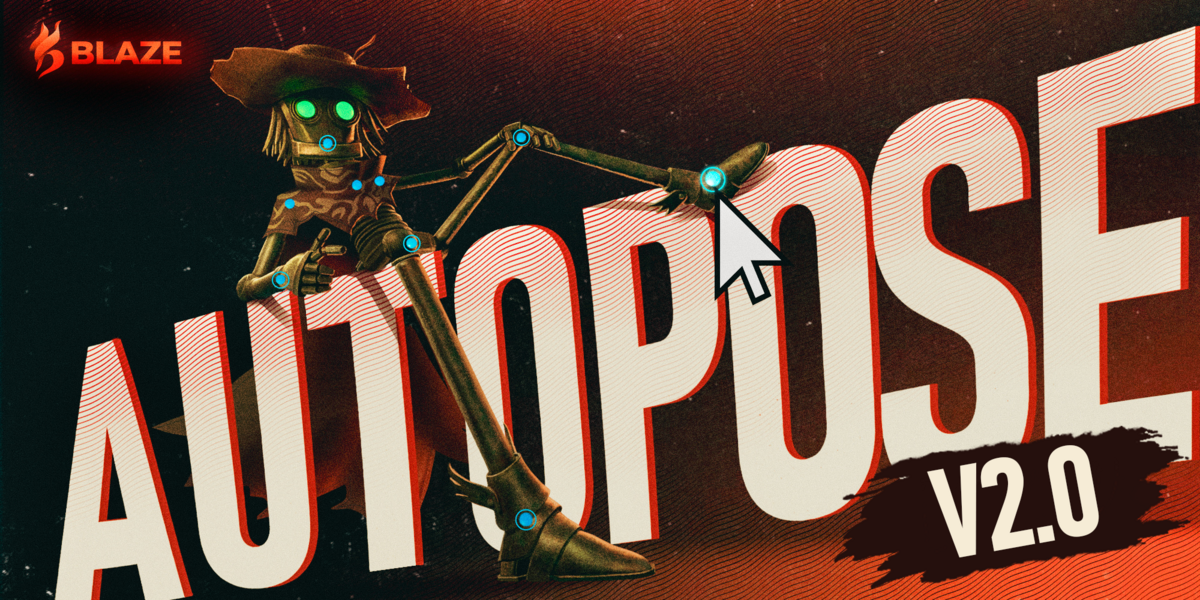


2.1.0 - 2026-11-04
Added
-
Pose Library in a session: Blender's pose assets pose the character while AutoPose runs.
-
Hold Frozen Joints: a joint frozen at two keys stays frozen between them.
-
Freeze Active Handles: each newly activated handle is frozen in place.
-
Facing: sets which way the character faces, so a character facing another way than -Y gets its look-at controls in the right direction.
-
Rig presets: Roblox R15, Roblox R6 and MakeHuman MHX.
-
Rigid-part characters: meshes parented to bones work with Puppet Mode and self collision.
-
Clean Up AutoPose: removes the rigs AutoPose built and gives back the settings it changed.
-
Paste Mirrored (Ctrl + Shift + V): the copied pose mirrored in place, foot contact and freezes too.
-
Foot roll: a pinned foot rolls onto its toe or heel as the other end moves, and from heel to ball between two keys.
-
Character Keys: the animation editors show only the character's keys during a session.
Changed
-
Handle configuration per key: each keyed frame keeps its own handles, freezes and foot contact; frames between keys show the key before, and a moved key takes its setup along.
-
IK on FK controls: turned off at Start and back on at Finish if the pose stays the same.
-
Freeze or contact: a foot is held by one or the other; the later one wins.
-
Paste carries freezes: frozen joints come with the copied pose, as foot contact does.
-
Rotation limits at Finish: the question has a Don't ask again option.
-
Look-at handles can no longer be frozen.
- Choosing another Character Rig moves the session to it.
- A foot set down near where it stood counts as planted; the sidebar and Plant Now say what held it.
-
Plant Feet Between Keys adds fewer keys.
- Paste and Restore key the pose under Auto Key.
- Status notes are short and name joints as the sidebar does.
- Start and Reconstruct turn on Overlays and Bones.
- Session keys follow Blender's Default Interpolation and Default Handles.
- AutoPose's rigs and controls live in one Blaze_AutoPose collection.
- Puppet Mode selects a body part from a few pixels away to ease the selection.
Fixes
-
Esc over playback no longer ends the session; it stops playback, as in Blender.
- Paste no longer lands the feet a few centimetres off on some rigs.
- The session no longer ends on save, on Esc during a move, on a click in a channel list or on Set Keyframe right after a frame change.
- Editing the armature object's own keys no longer shifts the character.
-
Undo: drags, keys, Timeline edits and frame changes now undo in order, one step each, from the keys or the Edit menu.
-
Adjust Last Operation now works on edits made in other editors.
- Key edits in the Graph Editor and Dope Sheet, interpolation and easing too, now reach the character at once.
-
Plant Feet Between Keys now holds a foot between two keys one frame apart.
- Planted feet no longer slide when a key is added further along, and stay planted after undo and redo.
-
G and R now work in Local View, a typed value applies at once, and G on all handles moves the whole character.
-
S no longer scales a handle.
- Snapping and Affect Only Locations no longer apply to handles.
- A rotation handle no longer spins wildly when dragged from near its centre.
- Rigify rigs with the older bone names now pose their arms and legs; the IK/FK switch is read off the rig's drivers, and the Rigify preset detects those names.
- Frozen joints other than hands and feet no longer drift a little when another joint is dragged.
- A frozen hand or a knee under the floor no longer blocks every drag.
- Start no longer discards an unkeyed change on a keyed controller.
- Keying no longer leaves every key selected, only the newest.
- Keying over NLA strips no longer hides them.
- The control rig no longer stays in Pose Mode after the session ends, and recovery files no longer open stuck in it.
- A double click in a popup no longer picks a handle.
- An In-Between slider opened from the sidebar no longer jumps to its end before the pointer reaches the 3D View.
- The hover card no longer shows in every view, only in the one under the pointer.
- Nearly straight limbs no longer bend the wrong way.
- Reconstruct no longer misplaces joints on rigs whose bones point away from the next joint, such as game rigs.
- Chest and neck drags no longer fall short on rigs with extra spine bones.
- Controllers with a Child Of constraint no longer move at keying or Finish.
- An error during a session no longer leaves the handles unresponsive: AutoPose restarts the session with its handles, freezes and undo history, and an error that comes back finishes the session and says why.
- Handles and Puppet Mode no longer stop responding after select all, hide or undo.
- Puppet Mode no longer picks the wrong body part on meshes with modifiers such as Subdivision.
- A 3D View with its overlays off no longer picks handles.
- Drags no longer fail while a second Blender window shows a different scene.
- Cancelling the T-pose steps no longer removes an existing AutoPose rig.
- Planted feet no longer jump in height on rigs whose legs end at the ankles.
See Updating Blaze AutoPose for how to update.
Blaze AutoPose 2.0.0
AutoPose 2.0 runs a newly trained model: more natural poses, lower latency, and half the download size.
Added
- Body shape: The model reads the character's body shape, so arms and legs move around the body.
- Freeze: Holds a joint in place, by position, rotation, or both.
- Handles give way: A handle you are not dragging no longer blocks the drag. It gives way and fades.
- Puppet Mode: Pose the character by grabbing its mesh.
- Exact foot contact: A planted foot stays put, flat or pivoting on its toe or ankle.
- Feet land flat: A foot dragged to the ground lands flat on its sole.
- Floor Collision: Keeps the body above the ground. On by default.
- In-Betweens: Blender's Breakdown, Push, Relax, and Blend to Neighbor work in a session, with Natural Blend and Follow Hips options.
- Start Fresh: Sets the base and releases every constraint, foot, freeze, and lock.
- Drag Sensitivity: A slider that scales how far a joint moves with the mouse.
- Keying: A Set Keyframe button, and Plant Feet Between Keys, which stops a resting foot from sliding between keys.
- Pose Library: Save and apply whole poses as pose assets, also during a session.
- Rig presets: Save, import, and export your own presets. A Mixamo Control Rig preset is included.
- Status bar keys: Blender's status bar lists the AutoPose keys while a session runs.
Changed
- Freeze is now Lock: The old Freeze, which kept a handle from being selected, is now Lock (Shift + F). Saved locks are kept.
- New default colours: Frozen joints lavender, locked handles red, planted feet green.
- Redesigned panel: Rig Setup and Posing tabs, collapsible sections, Handles or Puppet.
- Manual Pose: Uses Blender's own undo. FK swaps between the AutoPose result and the rig's own pose.
- Fit Ground: Places the ground under the soles, not the ankle and toe joints.
- The dock: Gains Set Keyframe, Freeze Joint, Lock Selection, Foot Contact, and Puppet Mode.
Improvements and fixes
- Reach: A dragged hand or foot reaches its handle.
- Fixed an error, such as pasting with nothing copied, leaving the session unresponsive.
- AutoPose now stops when another object is selected, also with Lock Object Modes off.
- Pressing I over the sidebar no longer keys AutoPose's own settings.
- Without AVX2 and FMA, AutoPose shows a message instead of closing Blender.
Characters set up with 1.x keep working without reconstructing. The first Start AutoPose on such a character measures it, which takes a moment.Full details: https://docs.blazeanimation.com/autopose/reference/changelog/
Blaze AutoPose 1.1.1
This update improves rig compatibility and stability when switching between AutoPose and Manual Pose.
Added
- Version display: The add-on version now appears beside its name at the top of the panel.
Improvements and fixes
- Fixed normal rig controls not working correctly when switching to Manual Pose. Temporary changes to rig locks, drivers, and constraints are now restored when leaving AutoPose.
- Improved restoration of rig settings when saving, reopening, or recovering a scene.
- Fixed crashes and unexpected pose changes during Undo/Redo while AutoPose is active.
If an older version has already changed your rig’s settings and you saved those changes, please start from an untouched copy of the rig. This update cannot recover those original settings.
Blaze AutoPose 1.1.0
This update brings more stable posing, support for linked characters, and fixes based on your feedback.
Added
- Linked character support: Pose, keyframe, and record linked characters using Blender's library overrides, with separate AutoPose setups for each character instance.
- Manual Pose FK option: Choose whether switching to Manual Pose transfers your AutoPose result to the rig's FK controls or keeps its existing pose.
- Linux compatibility: Added support for Linux Blender builds that use Python 3.14, including Arch Linux.
Improvements and fixes
- Improved retargeting for more accurate arm and leg placement, better stability near full reach, and more consistent wrist and foot orientation.
- Reduced jumps between consecutive drags and fixed sudden jumps caused by competing constraints near full reach.
- Improved preservation of your pose and unkeyed edits during character selection, reconstruction, and AutoPose startup or reopening.
- Fixed issues with resetting constraint locations and rotations, including resets with multiple constraints selected.
- Drags that exceed the active constraint limit are now blocked with a message explaining how to continue.
- AutoPose now stops automatically when you leave Pose Mode.
- Fixed input handling across multiple viewports and Blender windows.
- Improved stability when retiming, duplicating, and deleting keyframes while AutoPose is active. Deleted keys no longer return when switching modes.
- Fixed undo/redo after baking recorded AutoPose movements.
- Added a warning when changes to a linked character's rig require reconstruction.
- Fixed extension installation incorrectly reporting an unsupported operating system.
 Included
Includes 12 months of
- Support from Blaze
- Product updates
Extend this product’s Support Period +12 months: 25% of product price
Have questions before purchasing?
Login to message
Discover more products like this
autopose posing mixamo auto-rig pro cloudrig foot-contact rigify pose animation ai character animation auto pose