Blaze
3 months ago
Thank you Asela, really glad it’s helping.
This item has an average rating of 4 from 11 ratings by the community.
Purchase this item to leave a review!
My comments pertain more to the creator rather than this specific product. I got introduced to the Blaze line via the Humble Bundle offer some months back. I admire Blaze and all the other HB product contributors for offering a taste of their offerings at a bargain price. I eventually went ahead and bought "full" versions + support of several addons in that bundle. Great marketing idea!
Not only did I go all-in on Puppeteer, but the entire line. One of the reasons was the FANTASTIC customer support. Very timely and personable interactions. Finding a great addon is wonderful, but finding one with a creator who makes any/all support transactions a pleasure is FANTASTIC!! - Ray
This was the savior of our project!
We used this add-on on our Blender project with Rigify rigs while we were running short on both time and budget, and it completely changed the way we approached the remaining animation work.
It got us to a solid animation much faster, and the unbaking feature was a huge help.
If you’re working on a project with a large cast, tight deadlines, or limited resources, this can be an absolute lifesaver.
Huge thanks to the person behind it!
I have been using the Addon for few weeks now. As an animator, this addon saves lot of my time. Foot sliding is the main problem when using mockup animation but puppeteer fixes almost 90% of that headache. usually we use curve to guide the character but it gives unnatural feeling when character move on curve path. But Puppeteer handle this pretty well. I am pretty sure this addon gonna be a real game changer of Animation workflow in Blender.
Blaze
3 months ago
Thank you Asela, really glad it’s helping.
Very useful addon…..i was searching for a software like casadeur for blender and i found this…..now i don’t have to import animation from other application to blender….i can simply accomplish it inside blender….. and also the creator is so helpful and solved my lot of queries
Blaze
4 months ago
Thank you so much, Deepak! Glad I could be of help!
Definitely would recommend to save time, the unbaking quality is so unbelievably powerful, makes movement easier, it runs well on alright gpus and is overall amazing product, its a good tool, don't depend on it
Blaze
4 months ago
Thank you! I’m glad Unbaking is doing its job and saving you time.
It really is a pretty good add-on for the price. Here are a few things to consider:
- 1 credit per generation seems like a really low price to me, and it’s affordable for everyone.
- Support has helped me get answers to my questions quickly, which is a huge help.
- You need a GPU, but of course we’re talking about AI, and at least with my RTX 3060, it works perfectly—no long wait times.
-It’s not automatic—don’t expect to just click to generate or enter a prompt and have it create exactly what you imagine. It takes a bit of work, but if you have animation skills, this add-on really speeds up your workflow. I went from spending hours generating key poses and checking that they looked right to being able to generate a solid foundation in 30 minutes, then just refining key parts like fingers, accessories, or simple animations
Compared to other websites or programs that offer perpetual licenses or expensive memberships, this seems like the best option to me
Blaze
5 months ago
Thank you Abraham for the detailed review. I’m glad the results are working well for you.
One small clarification for anyone reading: preset prompt generation runs locally and does not use credits. Credits are only used for optional Custom Prompts and Motion Refinement.
I think you described the workflow very fairly: Blaze Puppeteer is not a one-click replacement, but it can give you a strong motion foundation much faster, then you can refine the parts that need your own control.
i recommended, it's help me alot and really like it
Blaze
5 months ago
Thank you Abdullah. I’m glad Blaze Puppeteer has been helpful for you.
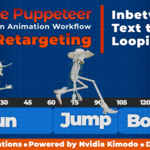
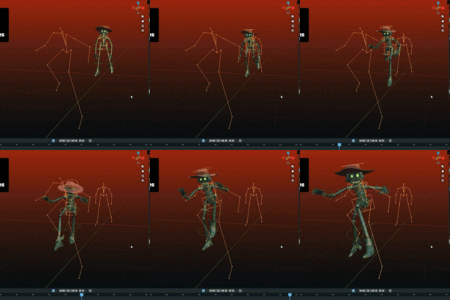
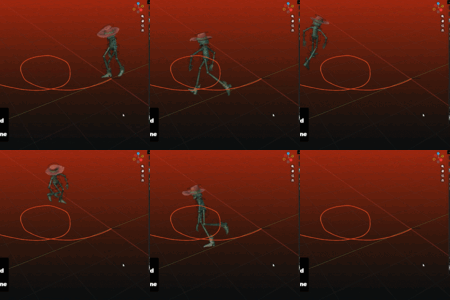
Not perfect but very useful. inbetweening is my favorite part so far, and drawing dense paths with the annotation tool is pretty fun. Takes a bit to get used to but you get comfortable quickly, gives good based motion fast directly on my rigify rig which is pretty cool. I can see myself using this a lot.
Blaze
5 months ago
Thank you Sergey, I really appreciate the review. I’m glad inbetweening and dense paths are useful for your workflow.
Given the potential of this addon, it easily deserves 5 stars, but I'm only giving it 4 because the documentation isn't sufficient for someone like me who's only been working with character animation for a few months.
Let me explain:
While there is a detailed description for each function, it would be very helpful to have several videos explaining usage strategies in detail with concrete examples, covering various scenarios.
Currently, I'm achieving some results, but this requires dozens of iterative trials, which takes up a huge amount of my time.
I'm well aware that animations need refinement after they've been generated, but it would also be very useful to know the limitations and potential imperfections so I don't spend hours trying to achieve something that might not be possible.
So I hope that video tutorials will be released soon so I can integrate this potentially fantastic addon into my workflow.
Blaze
3 months ago
Thank you for the thoughtful feedback. I completely understand. I’ve since prepared a tutorial video, and you can find it in the Documentation tab on the product page.
Good job, very well described, and an usefull addon.
But... in the time where i download, install, read, learn, watch the videos, try the to hadle this, search to resolve problems... i have done the animation by my own hand allready.
Blaze
3 months ago
Thank you for the honest feedback. Blaze Puppeteer includes controls meant to support a real animation workflow, so there is a learning curve at first. I’ve added a tutorial video to help with a quicker start.
Single-user license. Local generation is included; 500 credits are included for optional cloud features.
Five-seat studio license. Local generation is included; 2500 credits are included for optional cloud features.
Ten-seat studio license. Local generation is included; 5000 credits are included for optional cloud features.
Have questions about this product?
Login to message
| Blender Extension Compatible | Yes |
| Sales | 100+ |
| Rating |
11 ratings
|
| Dev Fund Contributor | |
| Published | 5 months ago |
| Blender Version | 4.2 - 5.2 |
| Extension Type | Add-on |
| License | GPL |
text to motion inbetweening ai motion generation rigify AI Animation rigging auto-rig pro animation retargeting character animation kimodo motion inbetweening