Blend Append
 Ferasyahya



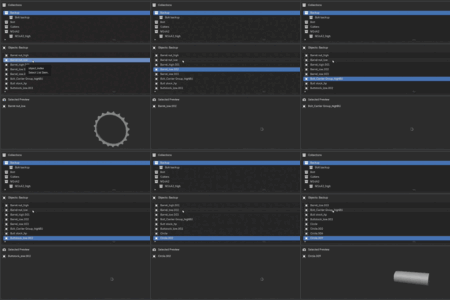

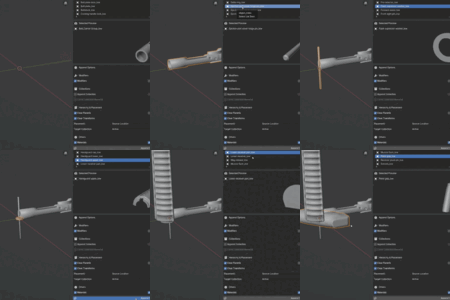
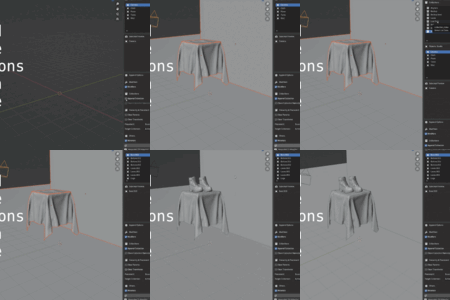
Added
- Added Reuse Existing Materials option.
- When enabled, the addon checks the current Blender file for same-name materials before appending new ones.
- Reused materials prevent unnecessary duplicates such as Material.001, Material.002, etc.
- Added support for shift-selecting multiple objects for append.
- Added Clear Selection button for multi-object selection.
- Added Current Selections indicator.
- Added new Scale dropdown with three modes:
- Unchanged: keep original source scale.
- Apply Scale: bake object scale into the object data so scale becomes 1,1,1.
- Clear Scale: reset object scale to 1,1,1 without baking.
Changed
- Replaced Clear Transforms behavior so location is no longer cleared by transform options.
- Replaced the Clear Scale toggle with the new Scale dropdown.
- Clear Rotation is now its own separate option.
- Scale now defaults to Unchanged.
- Clear Rotation now defaults to off.
- Clear Parents now defaults to off and is only enabled when Child Meshes is enabled.
- Append Collection and Child Meshes are disabled when multiple objects are selected.
- Multi-object append treats each selected object as an individual append action.
- Improved layout of the Others section into a two-column grid.
- Improved tooltips/descriptions for Modifiers, Append Collection, and Clear Parents.
Fixed
- Fixed material appending so objects no longer pull in materials from their parent object when the parent is not being appended.
- Fixed material handling so only materials used by appended objects are kept.
- Fixed repeated material duplication when shared materials are used.
- Fixed appending child meshes with parents outside the append set by automatically clearing invalid parent links.
- Fixed Clear Parents so child object location is preserved unless Placement is set to 3D Cursor.
- Fixed Clear Parents + 3D Cursor behavior so cleared child meshes are placed at the cursor.
- Fixed Append Collection scale issues where child meshes under non-uniformly scaled parents could import with incorrect scale.
- Fixed Append Collection placement with 3D Cursor so collection objects are placed more predictably while preserving valid parent-child relationships.
- Fixed collection appends so parent-child relationships are preserved when both objects are included, and cleared when the parent is outside the appended collection.
- Improved modifier dependency handling so referenced modifier objects are appended when needed and placed consistently.
- Fixed material cleanup when browsing external .blend files.
- Materials are no longer imported or left behind when users browse collections/objects in the N-panel.
- Improved cleanup when changing selected preview objects or clearing/reloading the source file.
- Prevented source-file materials from cluttering bpy.data.materials before any append action.
- Fixed: appending an object with modifiers that reference other objects (Boolean, Shrinkwrap, etc.) now also brings those target objects into the scene. Previously they came in as hidden data only and couldn't be seen or edited in the view layer.
- Fixed: the add-on is now packaged as a Blender extension, so updates take effect without restarting Blender (install the new version over the old one; no restart needed).
- Fixed submodule reloading so updated versions of the add-on can be picked up more reliably without restarting Blender.
- Standardized visibility for loaded/appended objects:
- Objects are now set to visible.
- Objects are shown in solid display mode instead of wireframe.
- Hidden viewport/render/select visibility flags are cleared on the appended copy.
- Improved preview behavior for hidden or wireframe source objects.
- Added a simple preview proxy for Empty objects so they can appear in the preview panel instead of showing a blank thumbnail.
- These visibility and preview changes only affect the local loaded/appended copy and do not modify the original source .blend file.
- Fixed a name conflict bug when browsing source .blend files.
- Collections and objects shown in Blend Append now keep their original source-file names, even if the active Blender file already contains matching names.
- Fixed append failures caused by Blender temporarily renaming browsed objects with .001 suffixes during preview/list loading.
- Added a new Enable Renaming option.
- When Enable Renaming is off, Blend Append preserves appended object and cloned collection names by renaming existing local conflicts first.
- When Enable Renaming is on, Blender uses its default behaviour and renames appended items with suffixes such as .001 when conflicts exist.

Discover more products like this
addon browser add objects append assets BlenderExtension quick add objects Blender append blender-extension Advanced Blender Add-ons Asset Libraries