 張景翔
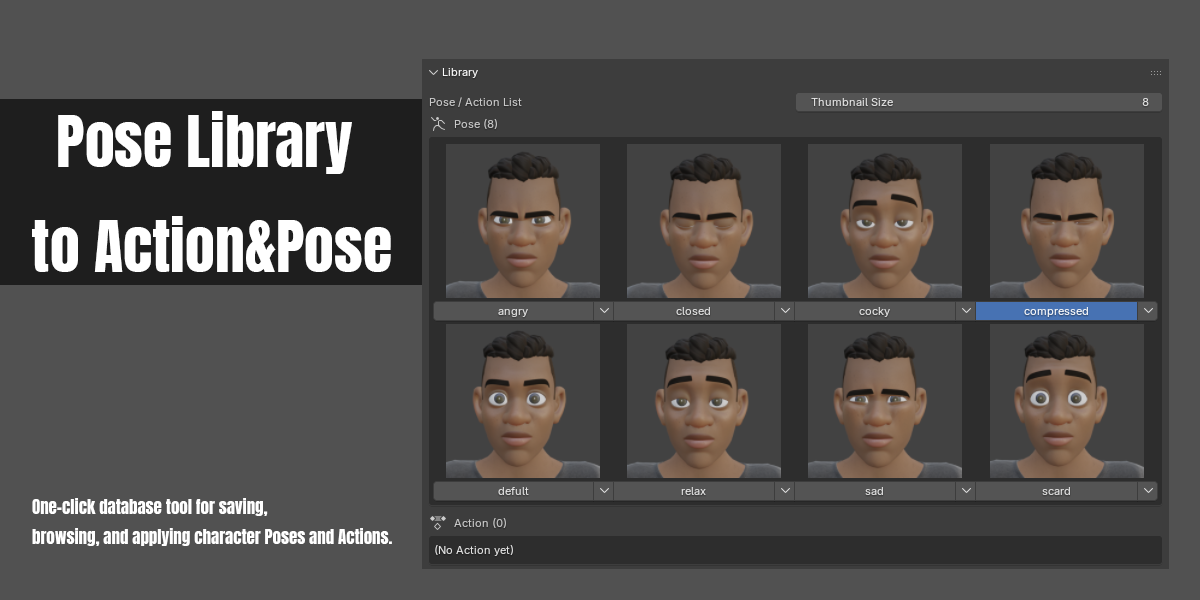
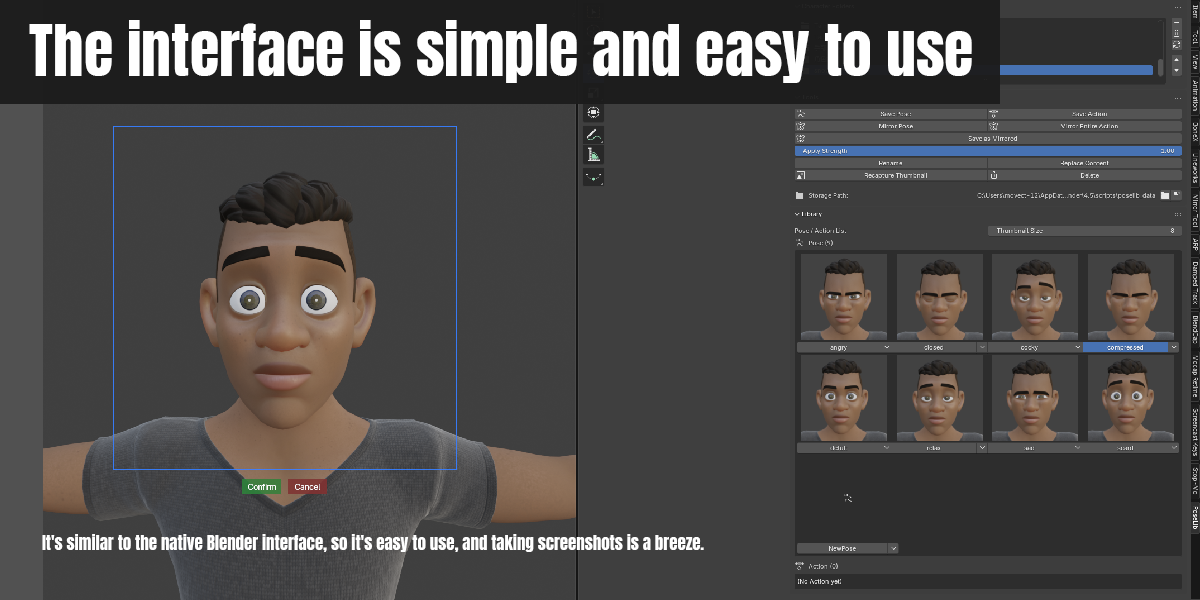
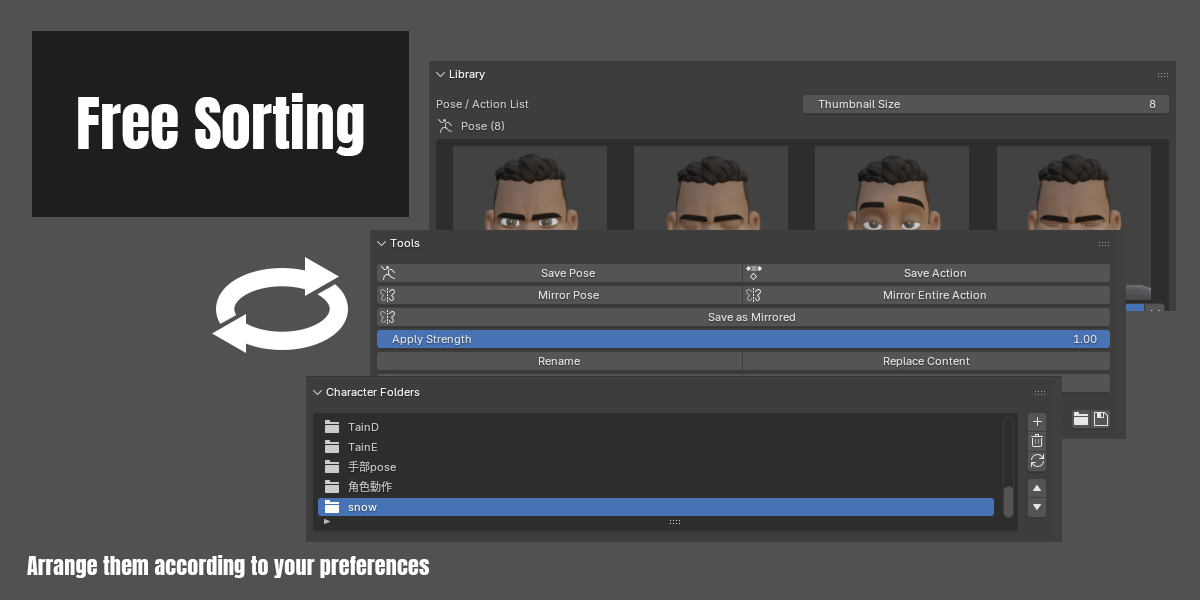
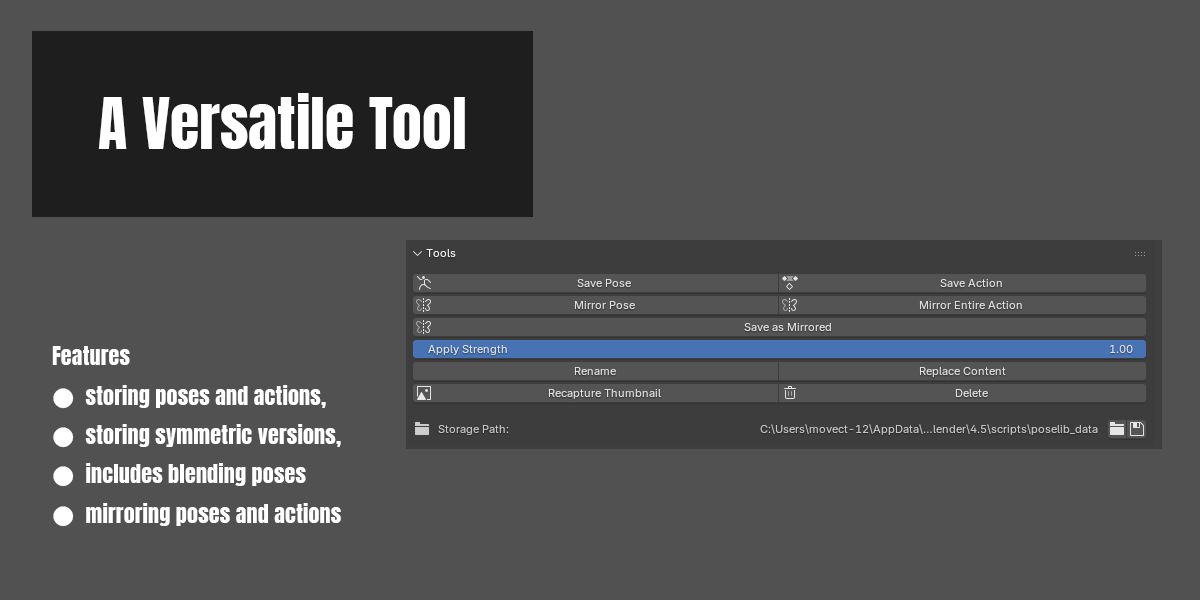
New features
- Added "Apply as Mirrored": mirror the currently selected Pose/Action and apply it directly to the armature, without needing "Save as Mirrored" first — it doesn't save a new item or modify the saved data. The button sits below "Apply Selected Bones Only" in the Library Tools panel, and is also available from the item's quick menu (supports both Pose and Action).
- Added "Character Horizon Mirror": mirrors left-right around a "virtual base" defined by the character itself. Use it when the base bone (e.g. Auto-Rig Pro's c_traj) is rotated or offset — the character is mirrored in place instead of being flipped to the other side of the base, and the base is never touched.
- The mirror plane passes through the current position of the Reference Bone (the character's center, e.g. root). Its direction is detected automatically from the left/right bone pairs in the rest pose, so it works whichever axis the character faces, and it ignores the Reference Bone's current rotation.
- Every parent above the Reference Bone (ground / trajectory / position controllers, however many layers) is automatically protected as base.
- FK, spine and finger bones use the regular mirror; top-level controllers such as IK hands/feet and poles are mirrored around the virtual base, with Child Of and similar constraints compensated automatically so IK stays in place.
- The button sits in the Animation Tools panel.
- Added "Character Horizon Mirror Action": pick a frame range like Save Action, and every keyed frame inside it gets Character Horizon Mirror, with the virtual base recomputed per frame from the Reference Bone's position so the character's original travel path is kept. Base bones and keys outside the range are left untouched, producing a new, split Action (the original Action is not modified).
- "Mirror Entire Action" is renamed to "Mirror Action" and now also asks for a frame range first; only keys inside the range are mirrored.
- Added a "Reference Bone" field using Blender's native bone search field, plus a "Use Active Bone" button that fills in the last clicked bone. The setting is stored on the armature object, so each character remembers its own, and it can be set on linked (Library Override) characters.
- Added a "Manual Base Bone" toggle in Preferences (off by default): when on, the panel shows an extra "Base Bone" field so you can choose the base yourself; the manual base is protected together with the parents above the Reference Bone.
- Operations that change the armature's pose or Action (Mirror Pose, Mirror Action, Character Horizon Mirror, Character Horizon Mirror Action, Apply Selected Bones Only, Apply as Mirrored, double-click apply) can now be undone with Ctrl+Z, and can be redone with a different frame range from the Adjust Last Operation panel. Library operations that read/write files on disk (save, delete, rename, etc.) are not part of Ctrl+Z — use "Backup Library" to protect them.
UI changes
- The former "Tools" panel is split into two: "Library Tools" (save, apply, save as mirrored, rename / replace content, recapture thumbnail / delete, storage path) and "Animation Tools" (Mirror Pose, Mirror Action, Character Horizon Mirror).
- Default panel order: Character Folders → Library Tools → Library (thumbnail grid) → Animation Tools, still freely reorderable with the native drag handle.
Fixes
- Fixed Auto Keying: when the base/parent-bone chain was temporarily borrowed for the mirror calculation (with Auto Key on), its keyframe would still jump to the mirrored angle even though its transform values were restored afterward. Mirroring now temporarily disables Auto Key and manually inserts keyframes only for the bones actually being mirrored, so the base bone is never keyed by mistake and your Auto Key toggle is left exactly as it was.
- Fixed "Mirror Pose" with a partial selection also overwriting the other side's whole parent chain (e.g. selecting only hand.L replaced the entire right arm); now only the counterparts of the selected bones keep the mirrored result.
- Fixed the confirmation dialog for "Delete Character Folder" and "Delete Item" raising an error (and doing nothing) in Blender 4.0.
- Added Blender 5.0 support: 5.0 removed the legacy Action F-Curve API (action.fcurves) and moved bone selection state to PoseBone, so Save Pose / Save Action, applying an Action and all mirror features raised errors there. They now use the new Action slot system, while 4.x keeps using the original API.
- Fixed "applying an Action" to an armature that had no Action in Blender 4.4 / 4.5: the keys were written but never played, because the new Action's slot wasn't assigned to the armature.
- Fixed keys inserted by the add-on ignoring the "Only Insert Needed" setting in Preferences.
New features
- Added "Save as Mirrored": save the currently selected Pose/Action as a new, left-right mirrored item (the original item is left untouched). A mirrored version is now pre-baked automatically when saving or replacing content, so saving a mirrored copy is near-instant afterward; older items without a pre-baked version fall back to computing the mirror on the spot. The button sits below "Mirror Pose"/"Mirror Entire Action" on the main panel, and is also available from the item's quick menu.
- "Mirror Pose" and "Mirror Entire Action" now only mirror the currently selected bones: an error is shown if no bones are selected, and all other (unselected) bones are left completely unaffected ("Mirror Entire Action" produces a new, split Action where unselected bones' curves are preserved exactly as-is).
- The add-on's default language is now English (can be switched back to Chinese in Preferences).
UI changes
- The main panel is now split into three independent panels — Character Folders, Tools, and Library — each individually draggable (via Blender's native panel grip handle) and collapsible, so their order is no longer hard-coded.
- Default panel order: Character Folders → Tools (including the storage path) → Library (thumbnail grid)
Fixes
- Filled in several previously untranslated fields and tooltips (thumbnail size, apply strength, select item, adjust capture region, etc.).
- The capture-region tool no longer locks onto whichever 3D Viewport was under the button when invoked; it now dynamically follows the mouse, so it can be moved freely to whichever viewport split you actually want to capture. The final thumbnail capture also now uses that same locked viewport, fixing a bug where the saved thumbnail didn't match the framed viewport.
- Fixed mirroring throwing a raw Python error when the armature's Action was in NLA Tweak Mode; a clear message is shown instead.
- Fixed Auto Keying being left disabled (or not properly restored) after mirroring, and fixed stray keyframes sometimes being inserted into the original Action during mirroring.
- Fixed Pose/Action items containing only one side's bones (e.g. a single hand's fingers) either failing with "no keyframes" or silently producing an incorrect mirror result.
- Fixed mirroring producing a visibly wrong (not simply "unmirrored") result when the base/root bone itself has rotation (e.g. mocap data) and only child bones are selected — mirroring now temporarily borrows the full parent-bone chain's current orientation for the calculation, then restores the parent bones' own values immediately afterward, so selected bones mirror correctly without needing to select the base, and without altering the base's own pose.
Have questions about this product?
Login to message
| Blender Extension Compatible | Yes |
| Published | about 2 months ago |
| Blender Version | 4.0 - 5.2 |
| Extension Type | Add-on |
| Render Engine Used | Blender-Internal, Cycles, Eevee |
| License | GPL |

Discover more products like this
save mirro_action mirro_pose pose action pose_library animation