Blender Essentials: Snapping and Alignment Basics
 3D Tudor


|
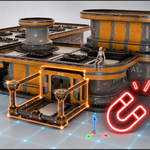
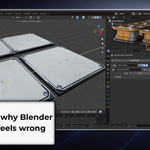
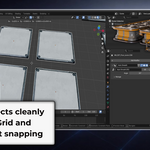
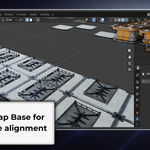
Getting Started Install Blender 5 or later from blender.org. This course assumes you're comfortable with basic Blender navigation and the Move, Rotate, and Scale transform tools. If you haven't covered those yet, complete the first two courses in this series first. Free Practice Pack Download the modular placement practice pack from the Content tab. Unzip it and open the included .blend file to access the practice scene - a modular kit with platforms, walls, rooftops, pillars, and stairs designed for snapping practice. How the Course Is Structured 19 lessons, grouped into sections: - Lessons 1 - 3: Snapping foundations - Grid, Increment, and the three-part snap system - Lessons 4 - 7: Snap Base, Pivot Points, and Vertex/Edge/Face/Volume snapping - Lessons 8 - 10: Controlling what snaps - exclusions, Edit Mode options, and Transform Effects - Lessons 11 - 13: Precision placement with the 3D Cursor and Shift+S menu - Lessons 14 - 16: Pose Mode snapping and fixing armature issues - Lesson 17: UV snapping and UDIM workflows - Lessons 18 - 19: Real modular build workflows and aligning stairs with the 3D Cursor Tips Snapping becomes intuitive once you stop thinking of it as "turn it on and hope for the best" and start thinking of it as three separate decisions: what part of my object moves (Snap Base), what does it snap to (Snap Target), and which operations are affected (Effect). The first three lessons explain this clearly - everything else builds on it. Support Post questions in the Q&A on the course platform, or join the free 3D Tudor Discord at discord.gg/vdbUGJbAfY |
About 3D Tudor
3D Tudor is a Blender and game art education studio founded by Neil I. Bettison in 2019. We teach over 250,000 students worldwide through project-based courses, books, asset packs, and tutorials for Blender, Unreal Engine 5, Geometry Nodes, environment art, and game-ready workflows. Our goal is to make high-quality 3D education approachable, affordable, and immediately useful for artists, students, hobbyists, and indie creators.
Neil I. Bettison is co-author of a #1 Amazon Best Seller in Blender, published by Packt.
Have questions about this product?
Login to message
| Sales | 20+ |
| Dev Fund Contributor | |
| Published | 5 months ago |
| Blender Version | 5.0 - 5.1 |
| Render Engine Used | Cycles |
| License | Royalty Free |