Blender Essentials: Snapping and Alignment Basics
 3D Tudor


Where does the practice pack come from, and can I get the full asset pack?
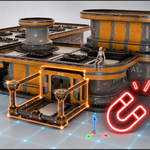
The modular kit you practise on in this course is from our 3DT Modular Sci-Fi Research Facility Prop and Asset Pack for Blender. A practice set is included free with the course so you can follow along with every lesson. The complete pack — the full library of modular sci-fi props and assets, built for game design and environment work — is available separately on SuperHive here: https://superhivemarket.com/products/3dt-modular-sci-fi-research-facility-prop-and-asset-pack-for-blender--game-design
Can I ask questions if I get stuck?
Yes. Post in the Q&A on the course platform and Neil from 3D Tudor will help you out. You can also join the free 3D Tudor Discord: discord.gg/vdbUGJbAfY.
Is Pose Mode snapping really included?
Yes. Lessons 14–16 cover snapping characters onto surfaces in Pose Mode and fixing the armature collection interference that often breaks it.
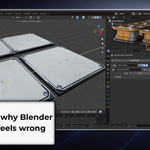
Why does snapping keep placing my object in the wrong position?
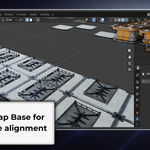
Almost always a Snap Base or Pivot Point mismatch — the course explains this in the first few lessons and you'll understand it clearly by Lesson 4.
What hardware do I need?
A modular placement kit (platforms, walls, rooftops, pillars, stairs, and more) set up as a small scene. You download it once and use it throughout the lessons.
Do I need any prior Blender experience?
Basic Blender navigation and the Move/Rotate/Scale transform tools are recommended before starting this course. If you haven't covered those yet, start with the first two courses in this series.
What will I learn in this course?
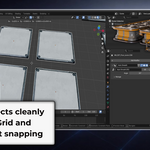
You'll master the entire Blender snapping system — Grid and Increment snapping, the three-part Snap Base/Target/Effect system, snapping to vertices, edges, faces, volumes, and centers, Align Rotation to Normal, the 3D Cursor and Shift+S menu, Pose Mode snapping, UV/UDIM snapping, and how to fix every common snapping problem.
Have questions about this product?
Login to message
| Sales | 20+ |
| Dev Fund Contributor | |
| Published | 5 months ago |
| Blender Version | 5.0 - 5.1 |
| Render Engine Used | Cycles |
| License | Royalty Free |