Blender Essentials: Stop Getting Lost in the Viewport
 3D Tudor


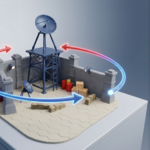
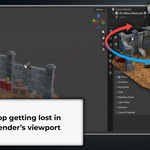
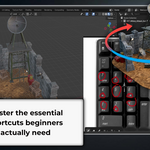
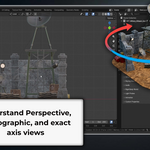
|
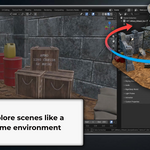
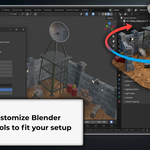
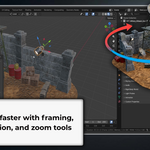
Getting Started To follow along with this course, you need Blender installed on your computer. Blender is free and available from blender.org. Download and install Blender 5 or later before starting Lesson 1. Recommended Hardware A three-button mouse with a scroll wheel gives you access to every navigation method covered in this course. If you're on a laptop or using a drawing tablet, Lesson 10 covers how to configure Blender's input Preferences for your specific setup - including Emulate Numpad, Emulate 3-Button Mouse, and 3D (NDOF) mouse settings. How the Course Is Structured This course contains 11 lessons, each covering a specific part of Blender's viewport navigation system and building progressively from the basics to more advanced controls: - Lessons 1 - 2: On-screen gizmo and mouse shortcuts - Lessons 3 - 4: First-person Fly Mode and Walk Mode with gravity - Lessons 5 - 6: Numpad views, isometric angles, and orbit/zoom Preferences - Lessons 7 - 8: Zoom methods and gravity-based navigation controls - Lessons 9 - 10: Precision Fly navigation and full input customisation - Lesson 11: Framing, isolation, and zoom shortcut tools Every lesson is short and practical. Keep Blender open beside the video and follow along - trying each control as it's introduced is the best way to make it stick. Tips for Getting the Most from This Course Watch each lesson through once, then open Blender and repeat the controls from memory. Repetition is what converts knowing a shortcut into using it automatically. If you get disoriented at any point, pressing Numpad 1 (Front view) or Home (Frame All) will always give you a reliable starting point to work from. Support If you have a question or get stuck, post it in the Q&A section on the course platform. You can also join the free 3D Tudor Discord community at discord.gg/vdbUGJbAfY. |
About 3D Tudor
3D Tudor is a Blender and game art education studio founded by Neil I. Bettison in 2019. We teach over 250,000 students worldwide through project-based courses, books, asset packs, and tutorials for Blender, Unreal Engine 5, Geometry Nodes, environment art, and game-ready workflows. Our goal is to make high-quality 3D education approachable, affordable, and immediately useful for artists, students, hobbyists, and indie creators.
Neil I. Bettison is co-author of a #1 Amazon Best Seller in Blender, published by Packt.
Have questions about this product?
Login to message
| Sales | 10+ |
| Dev Fund Contributor | |
| Published | 5 months ago |
| Blender Version | 5.0 - 5.1 |
| Render Engine Used | Arnold, Cycles |
| License | Royalty Free |
Discover more products like this
tutorial navigation beginner numpad 3D navigation. viewport walk mode fly mode blender blender 5