Blender Essentials: Stop Getting Lost in the Viewport
 3D Tudor


Can I ask questions if I get stuck?
Yes. Post in the Q&A section on the course platform and Neil from 3D Tudor will help you out. You can also join the free 3D Tudor Discord community at discord.gg/vdbUGJbAfY.
Is this a one-time purchase?
Yes — single purchase, no subscription. You keep access to the lessons once purchased.
What comes after this course?
This is the first course in the Blender Essentials for Beginners series. The next course covers Transform and Gizmo Basics — Move, Rotate, Scale, object origins, and pivot points — which builds directly on the navigation foundation you build here.
How long are the lessons?
There are 11 lessons in this course. They are short, focused, and practical — designed to be watched with Blender open so you can follow along in real time.
Are all the keyboard shortcuts explained?
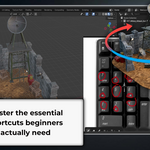
Yes. Every shortcut is shown on-screen so you can see the keys as they're pressed, and each is explained in context — not just what to press, but when and why you'd use it.
What if I only have a laptop without a numpad?
Lesson 10 covers Emulate Numpad in Blender's Preferences, which maps the standard number keys to Numpad functions. You don't need a full keyboard or external numpad.
What hardware do I need?
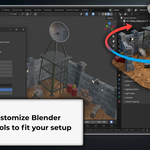
A computer running Blender 5 and a three-button mouse with a scroll wheel is the recommended setup. The course also covers laptops, drawing tablets, and 3D (NDOF) mice — so whatever you're using, you're covered.
Do I need any prior Blender experience?
None. This course starts from the very beginning. Just install Blender (free from blender.org) and press play.
Which version of Blender is this for?
This course is recorded in and fully compatible with Blender 5. The navigation controls covered are standard and consistent across recent Blender versions.
What will I learn in this course?
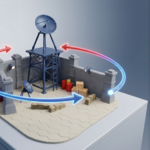
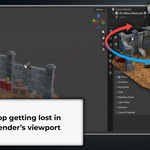
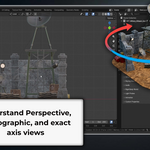
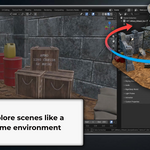
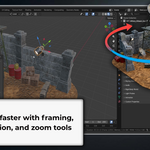
You'll master every way Blender lets you navigate 3D space — from the on-screen viewport gizmo and mouse shortcuts, to first-person Fly Mode and Walk Mode with gravity, to the Numpad views professionals use every day. By the end, you'll move through any Blender scene with total confidence.
Have questions about this product?
Login to message
| Sales | 10+ |
| Dev Fund Contributor | |
| Published | 5 months ago |
| Blender Version | 5.0 - 5.1 |
| Render Engine Used | Arnold, Cycles |
| License | Royalty Free |
Discover more products like this
blender viewport navigation tutorial numpad 3D navigation. beginner fly mode blender 5 walk mode