Blender Essentials: Transform and Gizmo Basics
 3D Tudor



Can I ask questions if I get stuck?
Yes. Post in the Q&A on the course platform and Neil from 3D Tudor will help you out. You can also join the free 3D Tudor Discord: discord.gg/vdbUGJbAfY.
Is this a one-time purchase?
Yes — single purchase, no subscription.
What comes after this course?
The next course in the series is Snapping and Alignment Basics — it builds directly on the transforms foundation you build here.
What is the free practice asset pack?
This is almost always an object origin issue — and it's one of the main things this course fixes. You'll understand exactly why it happens and how to set origins correctly every time.
What hardware do I need?
A computer running Blender 5 and a standard three-button mouse. No special hardware required.
Do I need any prior Blender experience?
Basic viewport navigation is helpful so you can follow along comfortably. If you haven't done that yet, start with "Stop Getting Lost in the Viewport" first — it's the first course in this series.
Which version of Blender is this for?
Recorded in and fully compatible with Blender 5.
What will I learn in this course?
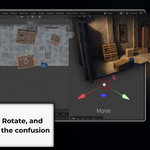
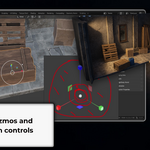
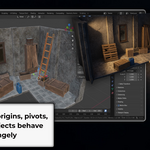
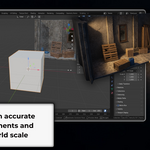
You'll master the entire Blender transform system — Move, Rotate, and Scale tools, the combined Transform gizmo, G/R/S shortcuts with numeric input, object origins, pivot points, transform orientations, Ctrl+A Apply Transforms, and troubleshooting broken transforms. You'll also understand WHY each tool works the way it does, not just what to press.
Have questions about this product?
Login to message
| Sales | 10+ |
| Dev Fund Contributor | |
| Published | 5 months ago |
| Blender Version | 5.0 - 5.1 |
| Render Engine Used | Cycles |
| License | Royalty Free |
Discover more products like this
3d modeling apply transforms pivot points move rotate scale Mirror Modifier blender 5 Blender course blender tutorial transform orientations real-world-scale blender transform gizmo gizmo object origins item panel blender basics blender for beginners 3d-cursor beginner transform tools