Blender Git
 John Deligiannis



Can I use this with a project that has many .blend files in subfolders?
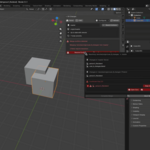
Yes. The repository tracks the entire folder tree. Each .blend file gets its own snapshot in a mirrored subfolder structure under `.blender_git/snapshots/`. The change view works for all of them.
What happens to my snapshots when I rename a .blend file?
The addon automatically moves the companion snapshot to match the new filename and path whenever a rename is detected. You do not need to do anything manually. Currently, filename change detection works only when you rename a file with **Save As** in Blender. If files, folders, or snapshots are edited outside Blender, orphaned snapshots may appear because the addon cannot match them back to their original files. If this happens, discard the orphaned snapshots in the next staging pass.
Can I push directly from within the Blender Git panel?
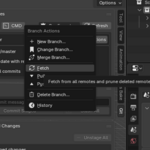
Yes. The **Push** button appears in the branch info box and in the Branch Actions menu whenever the current branch has a remote tracking branch. For advanced push options (force push, specific remote, etc.) use the **CMD** button to open a terminal.
What are "protected branches" and which ones are protected?
Protected branches are branches that cannot be deleted from within the panel as a safeguard against accidental loss. The protected names are: **main**, **master**, **develop**, and **dev**. You can still delete other branches freely; and protected branches can always be deleted via a terminal if genuinely needed.
Is my file safe when I switch branches?
Yes, as long as you save before switching. If the current .blend has unsaved edits, Blender Git disables branch switching and shows a Save File button first. After saving, switching branches reopens the .blend from the selected branch when that file exists there. If it does not exist on the selected branch, Blender opens a new unsaved General file so you can choose another .blend manually.
The change list shows "no snapshot" for a file I have changed many times.
The file was first committed before the addon was installed (or when the addon was first set up), so no baseline snapshot exists in the history. Stage the file and commit once, the panel will capture a snapshot and from that point on the change details will appear normally.
Can multiple people work on the same .blend file at the same time?
Not simultaneously on the same file, that is currently a fundamental limitation with binary files. Teams should divide work so each person is primarily responsible for different .blend files or branches, and merge at natural milestones.
What happens if a snapshot is missing or orphaned?
If a snapshot is missing, the matching `.blend` may show `no snapshot` until a new staged commit re-establishes the baseline. If a snapshot exists without its `.blend`, Blender Git shows it as an orphan snapshot row so you can stage or discard it instead of being left with a hidden dirty file.
The panel says "No Git repository found." but I have a repository.
The addon detects the repository based on the location of the currently open .blend file. If no .blend is open, or if the .blend is not inside the repository folder (or any of its subfolders), the panel cannot find it. Open a .blend file from within the repository and the panel will connect automatically.
I don't see a Git tab in my sidebar.
Make sure the addon is enabled in Edit > Preferences > Add-ons. The Git tab lives in the 3D Viewport's N-panel. Press N to toggle it. If you are in a workspace that does not have a 3D Viewport (such as the Video Editing workspace), switch to a layout that includes one.
Will this work with GitHub, GitLab, Bitbucket, or Gitea?
Yes. Any standard Git remote is compatible. You can clone, fetch, pull, and push from within the panel.
What is Git LFS and do I really need it?
Git LFS (Large File Storage) stores large binary files like .blend and textures in a separate system so your repository history stays small and fast. Without it, every commit that touches a large .blend would duplicate its full size in history. Git LFS is **required** by this addon, so it must be installed from git-lfs.com before you can initialize a repository. It is a free, one-time install.
Do I need to know Git to use this?
No. Everything you need for daily version control, like staging, committing, branching, fetching, pulling, pushing, and viewing history, is available as buttons in the panel.
Have questions about this product?
Login to message
| Blender Extension Compatible | Yes |
| Dev Fund Contributor | |
| Published | 5 months ago |
| Blender Version | 5.0 - 5.1 |
| Extension Type | Add-on |
| Render Engine Used | Cycles, Eevee |
| License | GPL |
Discover more products like this
git Workflow Production backup addon Versioning GitHub version-control file management