Keyframe Pro Sync | Synchronize Blender With Keyframe Pro
 karlo pavicic ravlic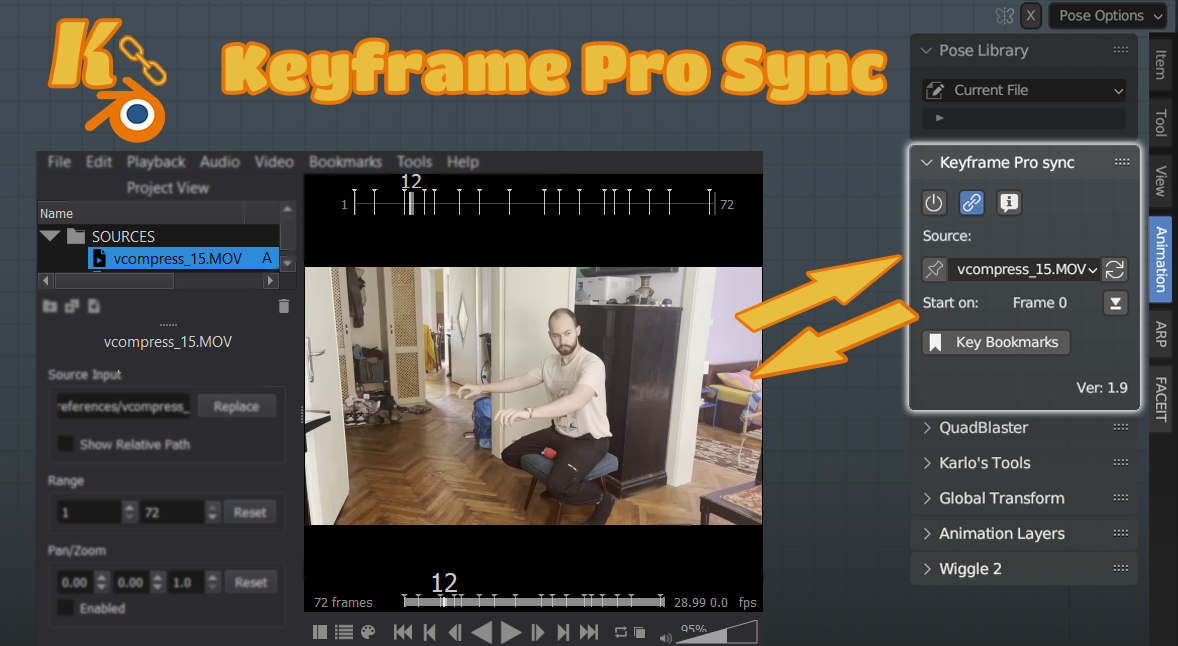
Changelog for v4.0.0
API fixes for 5.x compatibility
Changes
-
removed old playback logic which provided 3.x backwards compatibility.
The new plan is to support the live branch and LTS releases, for older
blender versions please use previous releases and check the compatiblity
table
- Updated blender_manifest.toml
- Updated compatibility table
- removed some redundant code from __init__
- Clarified some debug messages
- Added aditional debug messages to Operators.py
- removed undocumented window operator bpy.ops.wm.initsyncop()
Fixes
- replaced deprecated sequence_editor property "sequences" with "strips"
- fix code mistake which when pausing playback would leave keyframe one frame ahead of Blender
- ConnectionStatus now has a default str value and will show "Disconnected." instead of nothing before first connection
#Changelog for v3.0.0
### Additions
- Added logging for debugging and error tracking, log folder can now be found under Extenstions->Keyframe_Pro_Sync->log
- Added blender_manifest.toml
- Added Changelog.md
- New checkbox in addon preferences for toggling .kpro file autosaving
- Added a load_post listener so that when a different blend file is loaded
### Changes
- Separated code into modules
- SEQUENCE_COLOR_0x has changed to STRIP_COLOR_0x, but a fallback was written for versions under 4.3
-
Edited keyframe_pro_client.py to also shutdown connections before
closing them in an attempt to not leave closed connections hanging in
"TIME_WAIT"
- Plugin name is no longer hardcoded when retreiving user
preferences so building the extension will now work regardless of
whether running from vscode or user side
- Changed kfpsetoffset OP
label from "Start Video Playback On Current Frame" to "Set Reference
Footage Start Point" for better clarity
- Changed kfpsetoffset OP
description from "Make the KFP video start on the current Blender
frame." to "Make Keyframe footage begin at the current frame." for
better clarity
- Changed kfpimportbookmarks OP label from "Turn KFPRO
bookmarks into Blender Markers" to "Import Bookmarks From Keyframe As
Blender Markers (Or Keyframes If Armature)." for better clarity
- Slight rewording in other descriptions across the extension
### Fixes
- Fixed a trailing comma in json used for version checking
-
Extension no longer removes its custom properties, so if a user
removes/disables it and decides to reenable it later on all the paths
will still work
- Fixed a jason lookup typo were KFVer was written as a string instead of a variable, thus not returning anything
- Fixed typo which prevented version check from displaying in the UI
- Corrected some tooltip typos
- Fixed a bug where blender wouldn't actually save the .kpro path so a project couldn't be reopened
-
When the extension is unregistered it will now uncheck the KFLsync_cbox
flag, previously the flag was left checked, and when the addon was
re-enabled it immediately tried to connect even if keyframe wasn't
running, causing lag
### TODO
- Playing in reverse results in
keyframe stuttering, probably because of the code I use to correct frame
lag when playing forward. Priority for this is low at the moment so I'm
leaving it for a future update
2.2 Update
New easy way to install: From Preferences>Addons>Install and select the zip file
Then search for Keyframe and check the box to enable the addon
Can be found under the N panel under "Animation" on the right side of the 3D view window
additions:
- simplified install procedure
- version check info text
- users can set custom Keyframe path and connection port under the addon's settings in the preferences menu
- added connection status indicator
bug fixes:
- rewrote connection initialization and timeout function
- "Match Frame Range" now correctly states "Match Preview Range"
- added more checks to prevent warning messages
- removed some playback debug messages
- fixed typo where ButtonListener was attempting to be removed from depsgraph_update_post instead of depsgraph_update_pre causing an error when the addon was deactivated
Outdated versions, kept for sake of completion of if for some reason someone needs them. Installation is more manual
Download and unzip the file (it's important to unzip it)
Move "keyframe_pro_client.py" into the "modules" folder (The default location is C:\Users\[your username]\AppData\Roaming\Blender Foundation\Blender\3.3\scripts\modules)
note: If the modules folder doesn't exist just create it.Go to Blender's Addon section in preferences, go into the folder you've just unzipped, select "KeyframeProSync.py" and press install
Click the checkbox to enable the plugin
-
$18.99
Single Seat License for personal or professional work.
-
$150
License for up to 50 seats.
Have questions about this product?
Login to message
