Substance Painter Live Link: Multi-Material Round Trip
 Tyler Dobson


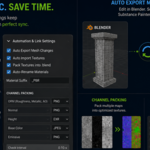
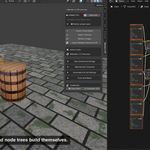
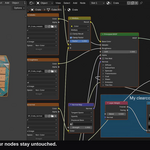
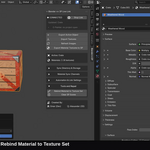
Installation- Blender Addon:
Download the Blender addon
Install the Zip file into Blender through Edit> Preferences> Addons and enable it.
Installation- Substance Painter
Open Substance Painter and navigate to your plugins folder
You can find your plugins folder by going to the top context bar and click 'Python' and 'plugins folder' in that drop down
Once clicked, your file directory will bring you to the 'Python' folder and inside you will see plugins.
Open the plugins folder and drag and drop the Substance_Painter.Py file into it.
Once the Substance Plugin is copied into the folder, you can close it and return to Substance Painter
You will want to go back to the Python drop down you clicked before and click 'Reload Plugins Folder'
Once reloaded, go back to the 'Python' dropdown and you should see a new button labelled with the addon's name.
Click that and the new UI will load into your Substance Painter instance.
Have questions about this product?
Login to message
| Blender Extension Compatible | Yes |
| Published | about 2 months ago |
| Blender Version | 4.2 - 5.2 |
| Extension Type | Add-on |
| Render Engine Used | Cycles, Eevee |
| License | GPL |
Discover more products like this
Substance painter round-trip Texturing principled bsdf PBR live link pipeline texture sets bridge Multi-Object materials Workflow