BlingForge — Gem + Prong Generator
 Heaven Studios


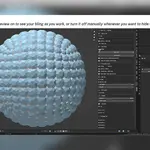
Does Live Preview permanently add geometry to my scene?
No.
Live Preview is temporary and lets you see your generated bling while adjusting your settings.
Use Keep This Bling when you are ready to finalize the preview into permanent, organized Blender geometry.
Where can I get help or report a bug?
Join the Heaven Studios Discord for BlingForge support, visual guides, bug reporting, feature requests, release notes, and community help:
https://discord.gg/q5YPcM39Hq
Buyer-only areas may require purchase verification.
What happens if my bling exceeds my export limits?
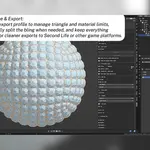
When using an export workflow with limits enabled, BlingForge can automatically separate the generated geometry into additional material groups and joined objects based on the limits you selected.
This helps keep larger bling setups organized for export.
Can I use BlingForge for commercial projects?
Yes.
You may commercially use and sell the original creations you make with BlingForge, including jewelry, accessories, Second Life items, Roblox assets, game assets, renders, and other original 3D work. It cannot be distributed or sold as your own.
Please review the included license documentation for the terms that apply to the BlingForge addon code itself.
Can I generate gems and prongs separately?
Yes.
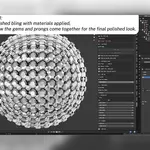
BlingForge allows you to generate gems only, gems and prongs together, or prongs only.
You can finalize your gems first and return to the source mesh later to generate your prongs separately.
Do I need Substance Painter?
No.
BlingForge can be used entirely inside Blender without Substance Painter.
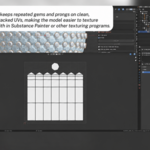
The addon generates clean stacked UVs to make repeated texturing easier in Substance Painter or other texturing programs if you choose to use them.
Is BlingForge only for Second Life?
No. BlingForge is a general Blender creator tool.
The included Second Life Profile provides preset triangle and material limits for that workflow, but Custom Limits can be used for Roblox, Sims 4, other games, custom engines, and other real-time 3D projects.
No Limit is also available for renders, portfolio work, high-detail assets, and projects without strict optimization requirements.
What versions of Blender does BlingForge support?
BlingForge is designed for Blender 3.0+.
For the best experience, always use a Blender version listed as officially tested on the current BlingForge product page.
Have questions about this product?
Login to message
| Published | 2 months ago |
| Blender Version | 3.0 - 5.2 |
| Extension Type | N/A |
| Render Engine Used | Cycles, Eevee |
| License | GPL |
Discover more products like this
Second Life prong generator diamonds Substance painter gem generator 3d modeling game assets rhinestones jewelry blender addon roblox uv mapping