VoxelVision 4 (Formerly BlockBlender)
 Erasers45-Studios


How to install the addon:
VoxelVision III 3.0 is an addon in extension format available for Blender version 4.5!
With new updates of the addon, newer versions of Blender will be supported, but with no backwards compatibility!
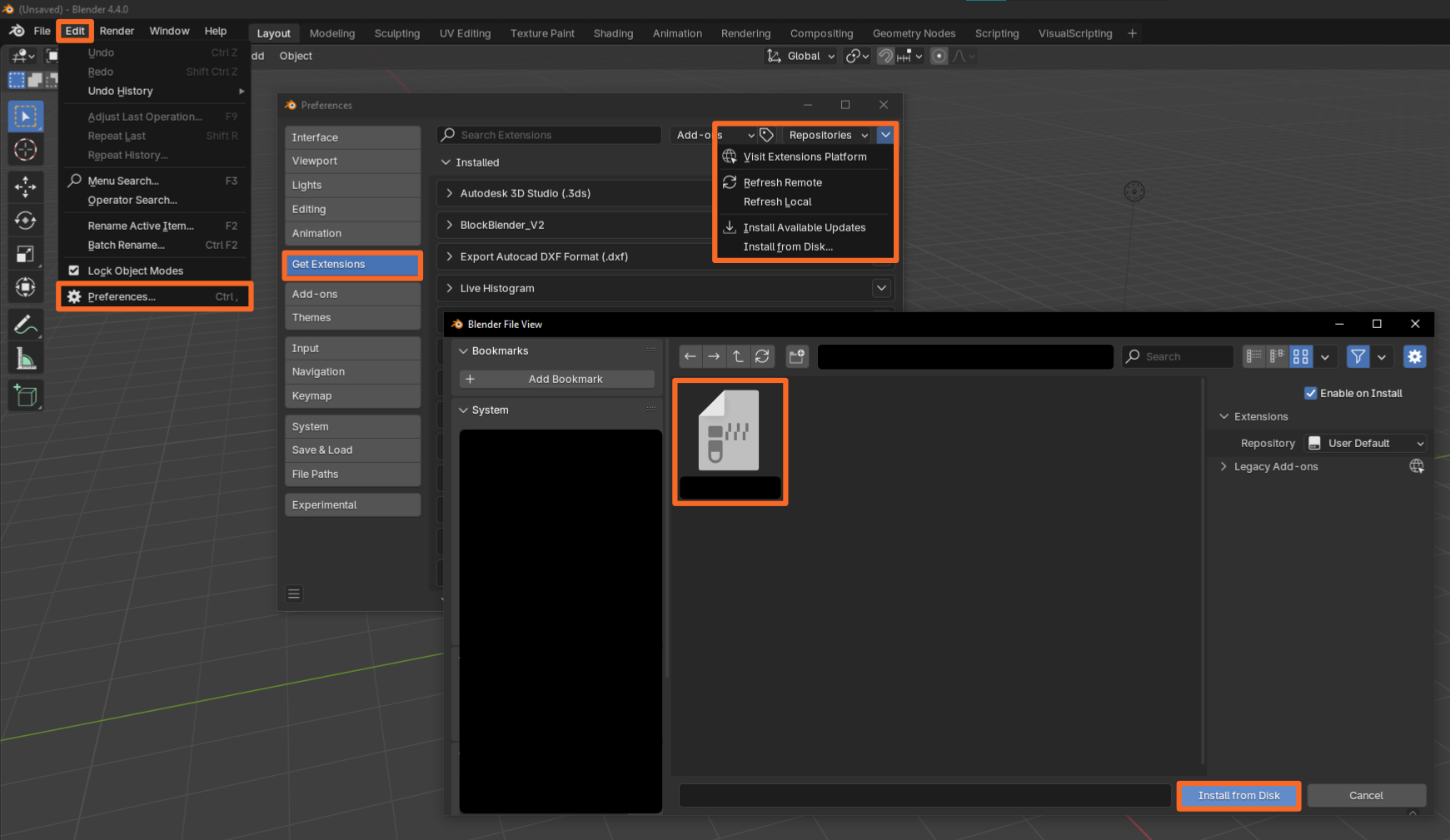
To install the addon, open Blender and navigate through the individual steps listed below:
Edit > Preferences > Get extensions > Drop down arrow > Install from disk > Choose the addon.zip > Install from Disk
Set up VoxelVision III
When installing VoxelVision III for the first time, you will see two warning messages inside the VoxelVision N-Panel. The following instructions will guide you through the introduction process. Those steps are required to help VoxelVision's functionality.
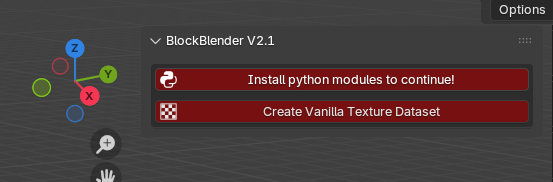
1.) Button says: "Install python modules to continue!"
If you see a button that requires you to install Python modules, you can simply click on it, and it will automatically install two Python libraries in your Blender directory. Blender comes with a limited palette of Python modules by default. VoxelVision III, however, needs two more Python libraries: “pillow” and “mcschematic”. “pillow” is used to calculate and analyze images in a more efficient way, and “mcschematic” is required for the schematic export functionality.
2.) Button says: "Create Vanilla Texture Dataset"
If you see a button that requires you to create a texture dataset, you can simply click on it in order to create the block texture set. This step was introduced in the new version of VoxelVision III to avoid issues when shipping Minecraft textures to users who do not own Minecraft themself. Make sure that your Python modules are installed as explained above!
After clicking the button, a new window will pop up for you to select a Minecraft game version file. Select the 1.21.5 or newer .jar file and click on create image strip. You can find your game files in your Minecraft installation folder. Usually something like this: “C:\Users\\AppData\Roaming\.minecraft\versions\1.21.5\1.21.5.jar”
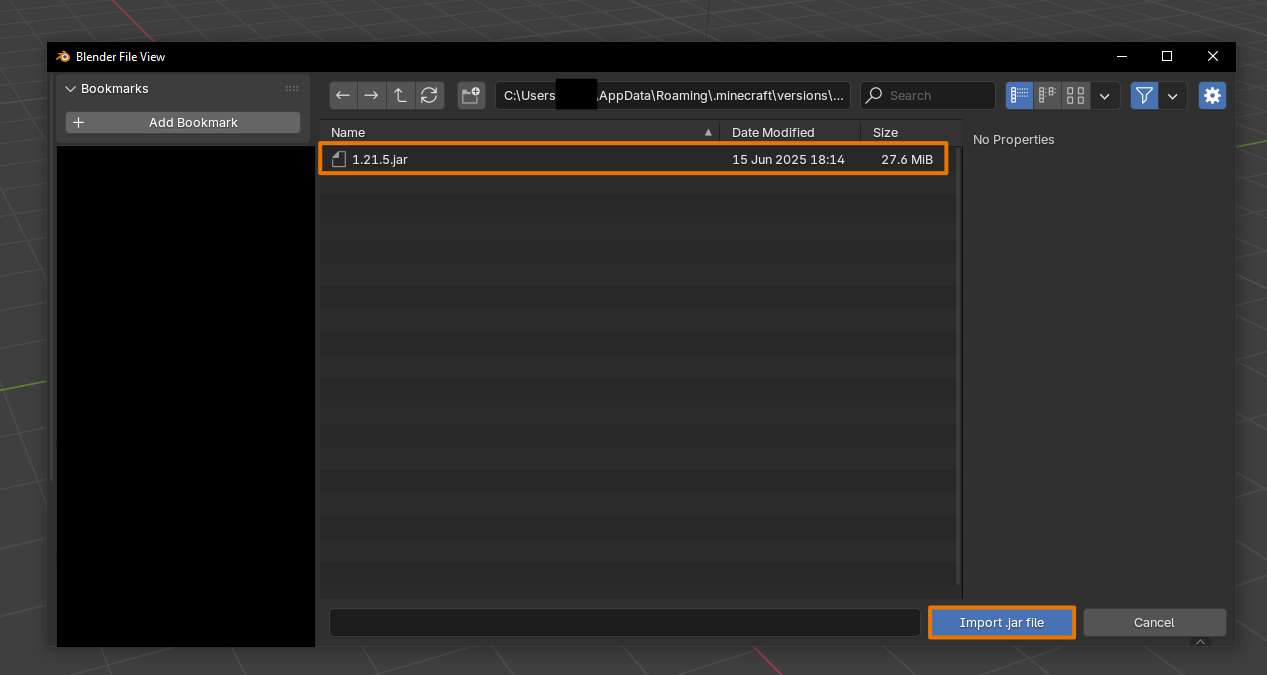
If you don’t have the Minecraft version folder for 1.21.5 it will be created automatically when you create a new installation inside your Minecraft launcher and have started the game once with this game version!
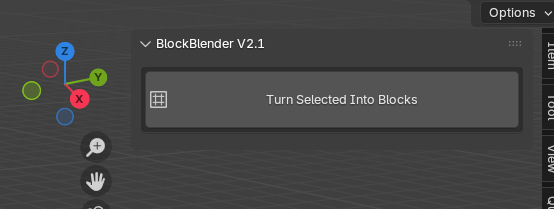
When everything worked out you should now see the VoxelVision III interface!
Updated Tutorial for VoxelVision III:
Resource for the Texture baking process:
VoxelVision III utilizes baked textures to transfer the color information from a 3D model to Minecraft blocks. Therefore, a free addon called BakeLab developed by Specoolar is recommended. Texture baking is not part of VoxelVision III, and there is no guarantee that this addon will work! BlockBlender simply added a button to help you out along the way. Think of it as a small bonus that is not an official part of VoxelVision III :)