 Erasers45-Studios


Official Trailer
VoxelVision 4.0 is here!
Convert any 3D model or image into Minecraft blocks and bring it to life in-game!
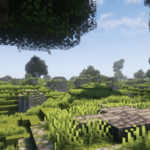
VoxelVision IV is an addon made specifically for Blender that turns anything into Minecraft blocks in real-time using geometry nodes.
It is great for Minecraft building inspiration and generating gradients. It's easy enough for beginners, although a basic understanding of Blender's interface and functions is recommended. Customizing options are listed in the section below.
Main Feature Overview
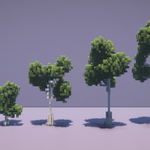
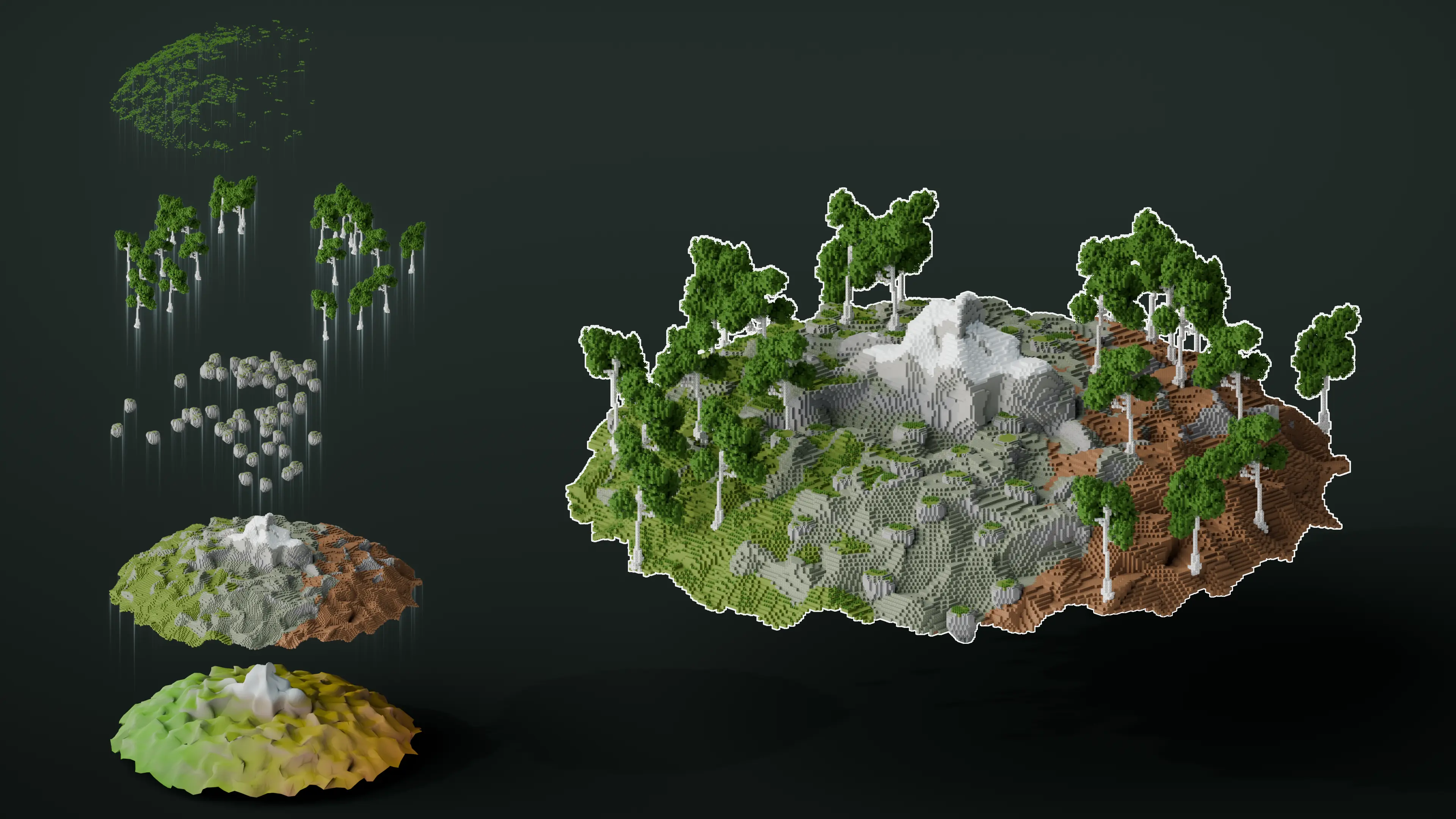
Most advanced Tree Generator
Create unlimited variations of trees in a matter of seconds!
New Modifier Stacked Approach!
VoxelVision IV utilizes Blender's modifier-based options to their fullest. Combine and add as many layers as you like onto your mesh!
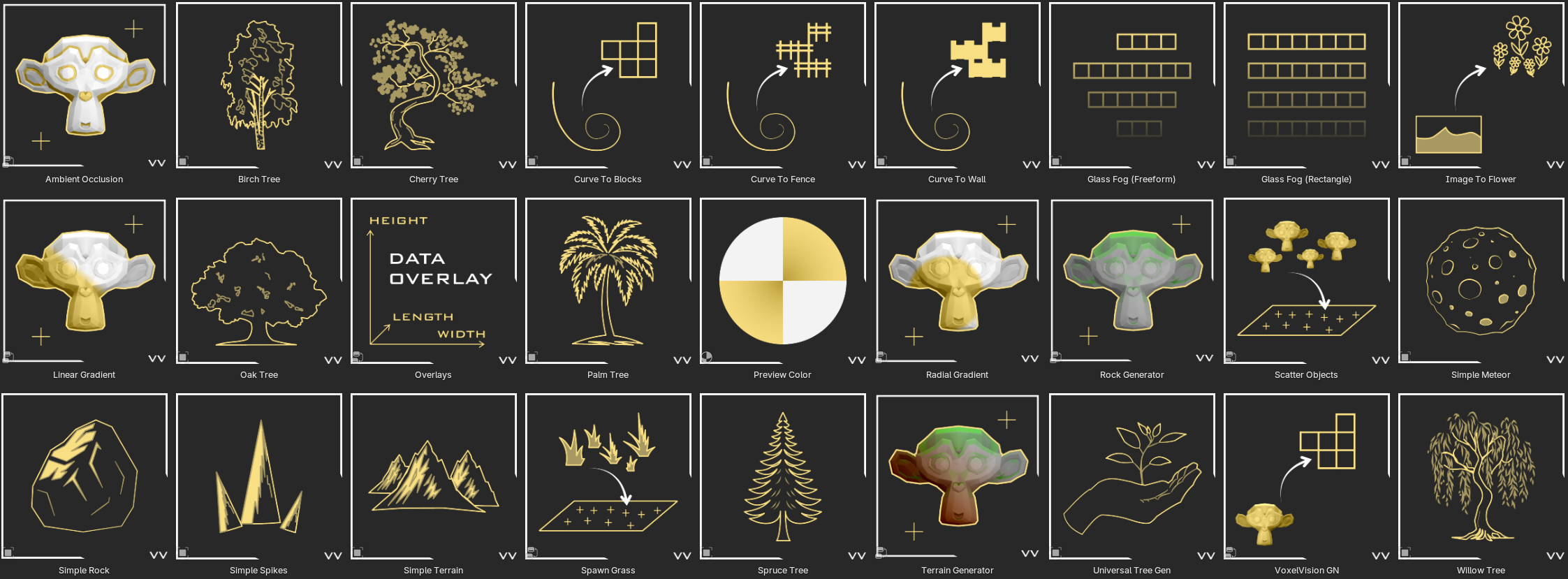
Using the Power of Blender's Asset Generators!
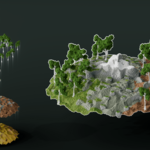
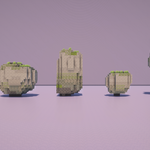
Those tools are designed to paint blocks along curves, generate procedural rocks or fog floors. Scatter your rocks, trees or objects on your terrain and use the new gradients to color your object the way you want directly from the viewport!
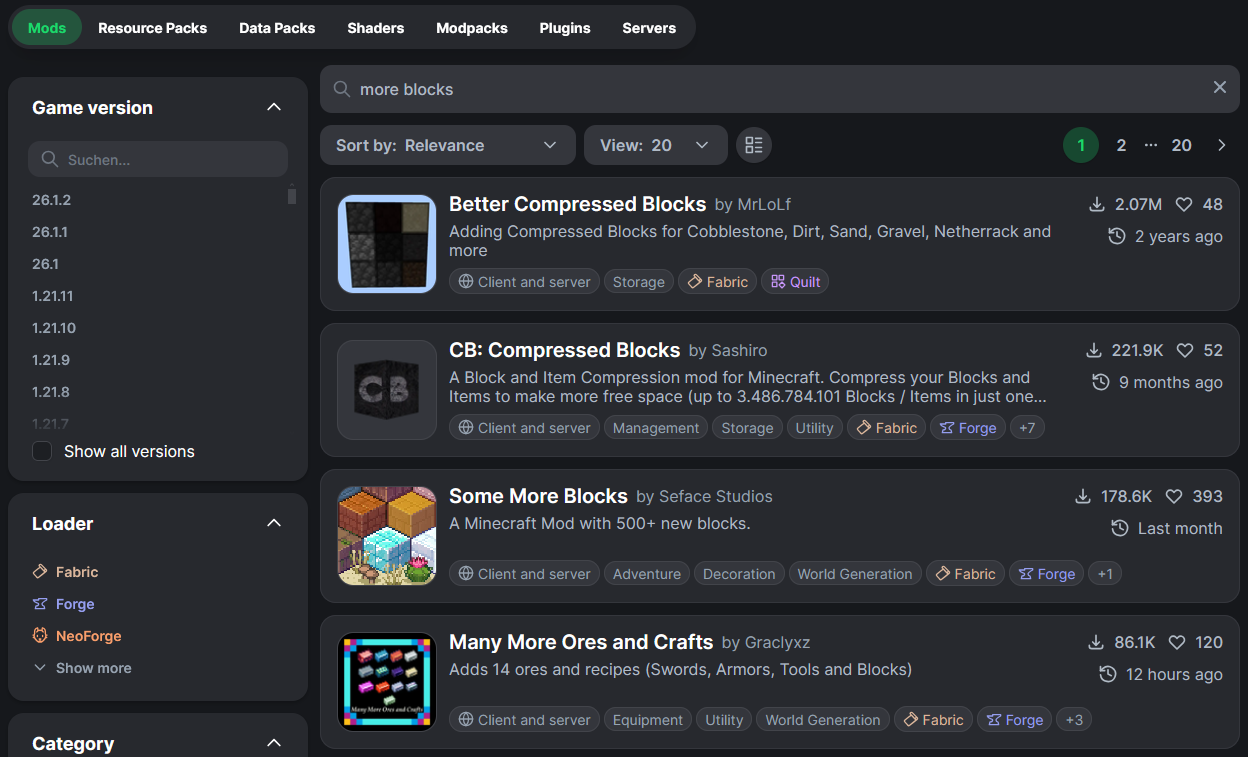
Built your own block database using Minecraft vanilla versions and mods!
Download building mods to extend your block palette and export them effortlessly to Minecraft in one programme!
Create smoother objects by using the new stair and slab feature!
Stairs and slabs will automatically spawn if a full block cannot be placed inside the given 3D model!
Integrated .schem (Schematic) and .bp (Axiom Blueprint), and .mcstructure file exporter to seamlessly bring your creation to life in Minecraft!
The exporter will exactly transfer your selected build from Blender into Minecraft. Tested with Litematica and Axiom!
Addon extension and overhauled UI
VoxelVision IV is very customizable. Here are the options for the full version. The free "VV Trial" version only allows you to convert your model into blocks with a limited number of settings.
Four voxelization methods: "Best Performance", "Volume Based", "Precision" and "Better Hole Resistance"
Sometimes models cannot be converted to blocks with the standard volume-based method if your model has holes in it. The additional method tries to solve this problem in most scenarios. The new "Best performance" mode even works in 99.9% of every scenario!
Custom block palette, now you can decide which blocks are used in your builds!
Blocks are sorted into categories to make selection easy. You can create a mask with your own block palette or even exclude specific blocks that should not appear in your build.
Paint your model in real-time without any texture!
Easily control colors using the included palette. You can also paint with vertex colors or use your own images.
Gradient Toolset
There are 3 dedicated tools for making gradients included in BlockBlender. Radial, linear, and a 4 corner gradient preset.
Bring life into your builds by introducing noise!
Add more block variety by using the noise option. Especially useful to break up monotone patterns.
Guidelines that help you plan your builds and even make it easier to recreate in survival!
Plan your builds using the layer option, so you can build from the bottom up.
View your model's dimensions by displaying length, width, and height information, including for half-sized blocks like slabs. Added a world direction display to help you check the direction your build will be facing when importing a schematic inside of Minecraft.
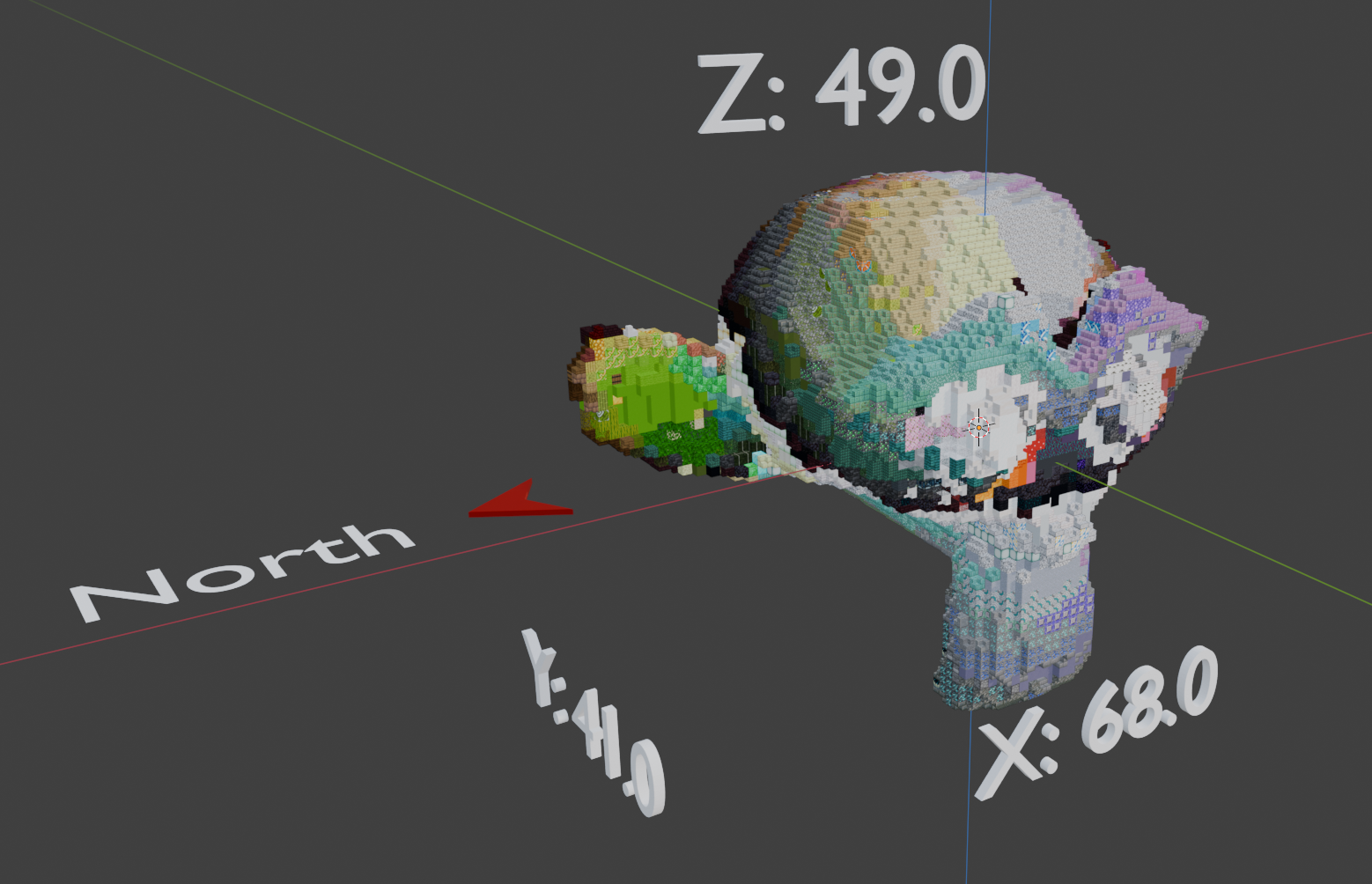
VoxelVision IV Use Cases:
- Convert any 3D model to Minecraft blocks
- Model, sculpt or use height maps inside of Blender to export them to Minecraft!
- Convert any image to blocks
- Model in real-time as your creation is turned into blocks
- Turn text into blocks
- Make complex block gradients easily
- Create terrain with scattered rocks, trees or other models
- Generate thousands of tree variants or rock formations using the built-in generators
- Plan Minecraft builds using the layer option
- Export your models into Minecraft using the built-in export function
Limitations of VoxelVision IV:
Nothing is perfect, but we want to be transparent about things we know are not working or covered by the addon. For more information, take a look at the following list:
- [Export]The built-in exporter will always export to a .schem file format regardless of the selected Minecraft version! (at no time a .schematic will be exported!) The file format is written in Sponge v2 formatting!
- [Export]The currently tested results speak for the usage of Axiom (1.20 -1.21+), Litematica (1.17-1.21+), and Worldedit (1.18-1.21+). Previous versions might not work when trying to import the schematic file, depending on the mod you are using. The newest versions of Minecraft are working precisely and without any problems!
- [Coloring] It is not guaranteed that BlockBlender will output a pixel-perfect representation of the texture the model had. Due to the calculation of the closest points, colors can be off by a small amount!
- [Models]Very detailed, thin, or small objects might not be converted entirely. Sometimes blocks are missing as the model might be too thin, and blocks won’t be spawning inside it. You can fix it by increasing the model scale or thickening out the problematic part
- [Models]The structure of your object is important. Your model must be clean without holes or duplicate vertices. Join your meshes together and use a clean topology and texture for the best results.
- An intermediate knowledge of Blender is recommended for the best usage of VoxelVision IV. By understanding the software first, you will have no problems with the most advanced objects!
Changelog:
4.0.0 (May 2026)
- [Feature] Added Option to add masks to specificasset generators
- [Feature] Added mod support, use any modand vanilla version combination to use blocks, stairs and slabs!
- [Feature] Packed necessary python modulesdirectly into the addon
- [Feature] Added alpha threshold value tospecify removed alpha blocks by threshold
- [Feature] Added option of setting a defaultfile path to store mask presets inside the preferences
- [Feature] Added option to procedurally buildyour block database of Minecraft blocks of any version or mod inside of thepreferences
- [Feature] Updated all asset generators to workas a modifier stack system, drag and drop, reorder and combine as manymodifiers in any combination of your liking
- [Generator] Removed “Finalize ModelModifier”
- [Generator] Added new “Overlay” modifier forworld dimensions and object data preview
- [Generator] Added new “Ambient Occlusion”generator, procedural coloring of you model based on ambient occlusion
- [Generator] Added new “Curve to Wall”generator, draw walls along curves in the viewport
- [Generator] Updated “Linear Gradient” modifierto work in the 3D viewport and based on 3D space
- [Generator] Updated “Radial Gradient” modifierto work in the 3D viewport and based on 3D space
- [Generator] Removed “4 Corner Gradient”modifier
- [Generator] Added new “Scatter Object”generator, scatter rocks, trees or models directly on to your selected mesh
- [Generator] Added new “Spawn Grass” generator,spawn grass on the top blocks of your model with the option to mask outspecific blocks
- [Generator] Added walls to the “Universal Tree”generator asset
- [Generator] Added color attribute blending withprevious modifiers, textures or color attributes through multiple blendingmodes
- [Material] Added “Preview Color” material topreview color attributes in shading and render view
- [Export] Added compatibility to exportdifferent rotation states of stairs, fences, walls and slabs
- [Export] Added export support for modded blocks
- [UI] Added modifier stack UI panel inside theN-Panel, view, hide and manage masks of VoxelVision modifiers
- [UI] Added option to toggle modded blocks inthe block palette preset category
- [UI] Added modded block support for the customblock palette
- [UI] Removed asset generator settings from theN-Panel – now accessible through the modifier stack inside the objectproperties for consistency
- [UI] Redesign the preference menu ofVoxelVision
3.2.0 (January 2025)
- [BREAKING] Addon upgrade to Blender version 5.0
- [Feature] Added new voxelization method "Best Performance" which will create better results for 99.9% of all models and even convert if your model has holes in it!
- [Feature] Added color blending modes: "Blending" and "Sharpening"
- [Feature] Added smoothing modes: "Organic" and "Precise"
- [Generator] Added Terrain Generator V1.0
- [Generator] Added Image to Flower generator
- Many more resolved bugs and QOL features
3.1.0 (December 2025)
- [Feature] Added option to export to Minecraft Bedrock Edition as .mcstructure files (BETA)
- [Generator] Added Universal Tree Generator V1.0
- [Generator] Added Oak Tree Variant
- [Generator] Added Birch Tree Variant
- [Generator] Added Spruce Tree Variant
- [Generator] Added Willow Tree Variant
- [Generator] Added Cherry Tree Variant
- [Generator] Added Palm Tree Variant
- Many more resolved bugs and QOL features
3.0.0 (November 2025)
UPDATE: Renamed BlockBlender to VoxelVision III
- [Feature] Added option to export Axiom Blueprint .bp files
- [Feature] Added Asset Generator Library
- [Generator] Added Curve to block generator
- [Generator] Added Curve to fence generator
- [Generator] Added Simple Rock, Simple Meteor and Simple Spikes generator
- [Generator] Added Fog Floor generator (Freeform, Rectangle)
- [Generator] Moved 3 Gradient tools to the asset generator library
- [Feature] Added "Precision" voxelization method
- [Block] Added mushroom_stem, barrier
- [Feature] Increased model conversion times by a factor of 10
- [Feature] Significantly reduced project file size by using linked database
- [Feature] Added default export filepath option for schematic and blueprint export, as well as custom block palettes
- [Feature] Added performance monitoring and modifier bake settings
- [Feature] Added batch export option, as well as relative export to the Blender world origin
- [UI] Added Icons for better visibility
- [Feature] Added default block palettes to VoxelVision
- [Bugfix] Fixed an export issue when using the "creaking_heart" block
- [Bugfix] Fixed a texture coloring issue on grass_block[snowy=false]
- [Bugfix] Fixed a texture issue for polished_deepslate being displayed as white
- [Bugfix] Fixed a texture issue for polished_tuff
- [Bugfix] Reworked apply object transform operator
- [Bugfix] Fixed an error with the custom block selection
- [Bugfix] Fixed an export issue when using the "chiseled_ploished_blackstone" block
- [Feature] Reworked the alpha channel and glass block detection algorithm [Threshold Option]
- [Feature] Reworked customer block selection utilizing new databases for saving and storing attributes
- [Feature] Added Biom color tint effect on leaves and grass blocks
- [Bugfix] Fixed a texture issue for red_glazed_terracotta
- [Bugfix] Fixed a "NoneType" error when converting a model to blocks
- [Bugfix] Fixed a texture issue for rail_texture
- [UI] Reworked general UI
- [UI] Added procedural asset generator UI
- [Bugfix] Fixed an export issue for birch_sapling
- Many more resolved bugs and QOL features
2.1.1 (August 2025)
- [Bugfix] Fixed an issue where schematic export failed due to unchecked "stairs" and "slabs" option
- [UI] Disabled Texture Dataset creation button until required python modules are installed to avoid confusion
2.1 (August 2025)
- [BREAKING] Updated minimum Blender version to 4.5
- [BREAKING] Requirement to have a legally obtained Minecraft version in order to use the addon
- [Feature] Added Minecraft version export for versions 1.9-1.21.5 (.schem Sponge V2)
- [Feature] Added option to exclude a selection of blocks from your build
- [UI] Added model dimension display option
- [UI] Added Minecraft world alignment display option
- [Back-End] Reworking the addon code base to make future features possible, like adding the option to add/place individual blocks and more
- [Feature] All Minecraft blocks are now within the Blender file, ready to be shipped with the next update
- More resolved bugs and QOL features
2.0 (February 2025)
- [Feature]Added a stair and slab option to BlockBlender
- [Feature] Integrated schematic exporter for Minecraft 1.21.5
- [Feature]Added a new voxelization method, “Better Hole Resistance”
- Converted the legacy addon to the new extension format of Blender
- [UI]Overhauled user interface and experience
- [Feature] Added option to create a custom block palette
- Ensured compatibility of all features of BlockBlender 1.5