 NineLine


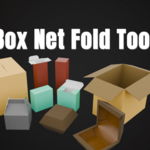
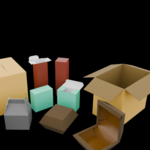
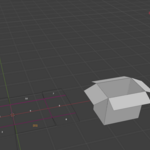
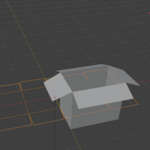
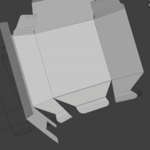
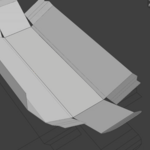
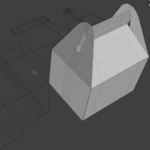
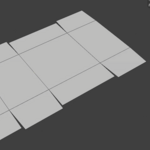
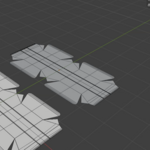
Box Net Fold Tool is a Blender Extension for folding user-made, simple box net layouts into editable 3D box forms using Edge Crease values.
Installation
1. Open Edit > Preferences.
2. Go to the Get Extensions tab.
3. Click the menu button in the upper-right corner and select Install from Disk.
4. Select the Box Net Fold Tool ZIP file.
5. Select a mesh object in the 3D Viewport.
6. Press N to open the sidebar, then open the Box Net Fold tab.
Basic Workflow
1. Create and complete your box net as a flat mesh.
2. Select the mesh and click Apply Fold Setup.
3. Enter Edit Mode and select the edges you want to use as fold lines.
4. Adjust Crease, Max Fold Angle, and Reverse as needed.
5. Return to Object Mode and select a Base Face Index.
6. Adjust the Fold Factor or enable Live Preview to inspect the folded result.
7. Optionally enable Fold Bevel, Thickness, and Separate Surface Materials.
8. Click Apply to create the final editable mesh.
Notes
• The tool is designed for simple box nets with a clear, tree-structured folding hierarchy.
• Milk cartons, gusset folds, interlocking structures, closed folding loops, and origami-style layouts are not currently supported.
• The source box net should be flat and planar.
• Object Mode GPU Live Preview does not display the full assigned material appearance.
• A managed Box Net Fold Previews collection may be created for material previews. Do not manually delete its preview objects while the setup is active.
• Apply replaces the editable source object with the final mesh.
Have questions about this product?
Login to message
| Blender Extension Compatible | Yes |
| Published | 3 months ago |
| Blender Version | 5.1 - 5.2 |
| Extension Type | Add-on |
| Render Engine Used | Blender-Internal, Cycles |
| License | GPL |
Discover more products like this
Box Folding Paper Fold blender-extension Blender tool Box Modeling Box Net Fold Tool blender addon 3d modeling Fold Tool Box Net crease