Brushflares Addon - Stylised Lens Flare Tool For Blender 5.1 + Handcrafted Texture Library
 Merlin Perry



Brushflares 1.1.4
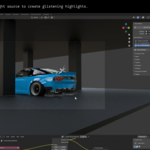
Occlusion fix. Objects standing behind the light could block the flare. If your light sat in front of a wall or a car body but inside its outline on screen, the flare vanished when it had no business doing so. The occlusion rays now start at the camera and stop exactly at the light, so a blocker only counts when it is actually between the two. Light in front, flare on. Light behind, flare off. As it always should have been.
Updating from 1.1.3. Flares built in the old version need a rebuild to pick up the fix. Brushflares spots them on open and offers Update All Systems, which carries your settings across.
Blender 5.1 or newer. Tested on 5.2 LTS.
Brushflares 1.1.3
Roll. Both systems rotate now. The streak burst turns as one arrangement, ring and all. Flare cards spin on their own centres. Animatable.
Systems are layers. Up and down arrows in the Flare Systems list set draw order. Lower in the list draws in front.
Duplicate. Stack a second look on the same light without building it again.
Scale. One dial sizes the flares and the streaks together.
Lock Size to Focal Length. Flares stop growing when you zoom in. On by default.
Per-system shading. Opacity and Emission Strength now only touch the selected system, and each system owns its material. Copy Settings carries the shader across too.
Cleaner naming. Everything is named after its source: Flare_Sun, Flare_Sun_MAT. No more working out which .001 belongs to what.
UI pass. Nudge arrows back on every field, Intensity Taper moved up with the Cards controls, and occlusion no longer creates a collection you did not ask for.
Updating from 1.1.2. Flares built in the old version need a rebuild to gain the new controls. Brushflares spots them on open and offers Update All Systems, which carries your settings across.
Blender 5.1 or newer. Tested on 5.2 LTS.
Minor bug fixes to the multiple flares management system and slow build speed on initialisation.
UI & preset functionality improvements
Brushflares 1.1.4
Occlusion fix. Objects standing behind the light could block the flare. If your light sat in front of a wall or a car body but inside its outline on screen, the flare vanished when it had no business doing so. The occlusion rays now start at the camera and stop exactly at the light, so a blocker only counts when it is actually between the two. Light in front, flare on. Light behind, flare off. As it always should have been.
Updating from 1.1.3. Flares built in the old version need a rebuild to pick up the fix. Brushflares spots them on open and offers Update All Systems, which carries your settings across.
Blender 5.1 or newer. Tested on 5.2 LTS.
-
$40
Full Add-on & textures library for individual artists, freelancers, and professionals. To use on personal or commercial revenue-generating productions.
-
$300
For studios, companies, or teams with multiple artists. Unlimited seats within a single organisation to use the tool on professional, revenue-generating productions.
Have questions about this product?
Login to message
| Published | 2 months ago |
| Blender Version | 5.1 - 5.2 |
| Extension Type | N/A |
| Render Engine Used | Cycles, Eevee |
| License | GPL |
Discover more products like this
stylised flares brushtrokes blender lens flare lensflare handpainted brushflares