Cavity FX
 Flidoh Animations


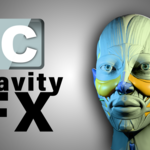


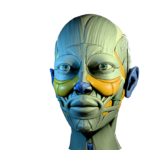



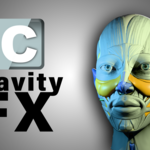
Cavity FX for Blender
Overview
Cavity FX is a powerful Blender addon that enhances your renders by integrating viewport cavity shading effects directly into your final outputs. It supports both video mode and can be used in baked or real-time workflows. The addon connects seamlessly to the compositor through a custom node group, allowing for flexible light weight post-processing control.
Installation
-
Download the
Cavity FXaddon ZIP package. -
In Blender, go to Edit > Preferences > Add-ons.
-
Click Install, select the ZIP file, and enable the addon after installation.
-
Ensure that
Cavitylib.blendis placed in the same directory as the addon.
Accessing the Addon
You can find Cavity FX in the 3D Viewport Sidebar under the "CavityFX" tab.
Features
Toggle Cavity Shading
-
Cavity FX Button: Enables or disables viewport cavity shading.
-
Default cavity type is BOTH (screen and world space).
-
Adjust ridge and valley intensities in the Solid viewport shading settings.
Render Options
-
Render As:
-
Video: Renders the viewport animation with the cavity effect.
-
Bake Cavity
-
The "Bake Animation" button performs an OpenGL render in terminal of the entire animation timeline.
-
The result is loaded into the compositor using the custom "Cavity control" node group and automatically applies the timing.
Real-time FX
-
Continuously renders and updates the cavity image in the compositor every few seconds.
-
Refresh Rate is adjustable (default: 3 seconds).
-
Use Start Realtime FX and Stop Realtime FX to toggle the feature.
Camera Tracking
-
Automatically detects camera movement and alerts if a re-bake may be needed.
-
A warning icon appears next to the Refresh Cavity button when the camera moves.
Utility Tools
-
Delete Cavity: Deletes temporary image or video files and removes related compositor nodes.
-
Toggle Transparent Objects: Hides or unhides objects using alpha transparency in Principled BSDF materials. (Note: Transparent PNGs do not respond to cavity shading—it's best to hide them during baking.)
-
Render Device: Allows selection of the rendering device and precision for the compositor.
Compositor Integration
-
Automatically generates a compositor node setup with a node group called "Cavity control".
-
Blends the cavity-affected viewport render with your Render Layers.
-
Works with both baked video and real-time still frames.
Requirements
-
Blender 4.4 or later
-
Cavitylib.blendin the same directory as the addon -
An active camera in the scene
Troubleshooting
-
Cavity Misalignment:
-
Cavity FX misalighs when you move the locked camera, Unlock the camera to avoid misalighnment. incase it misaligns just press HOME button on the keyboard to align the camera and click refresh button on the addon panel.
-
-
Missing 'Cavitylib.blend':
-
A popup will alert you if the file is missing.
-
Make sure it’s placed in the addon’s directory.
-
-
No Camera in Scene:
-
A warning will appear, and rendering will be blocked until a camera is added.
-
-
Realtime FX Not Updating:
-
Verify viewport and shading settings.
-
Ensure your system supports OpenGL rendering.
-
Tips
-
Adjust cavity intensities in both WORLD and SCREEN space for a well-balanced effect.
-
After adjusting cavity settings, return to the addon and switch to Material Preview to preview the results.
-
Use Blender’s compositor to blend or mask the cavity effect with your original render for creative flexibility.
Credits
Addon Name: Cavity FX
Author: Flidoh
Licensed under the GNU General Public License v3.
Support
For questions, feature requests, or bug reports, contact: [email protected]
Discover more products like this
2025addon Latest week 2d-cartoon 3dviewport Cavity map bnpr #3DCamera cavity : 3D Photorealism 3D-art-lighting cellshading