Channel Packer - Combine Grayscale Textures and Generate a Mask Map
 Paulo Camargos

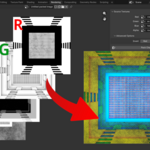
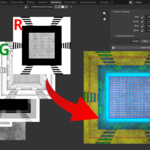
Pack grayscale textures into a single image. Generate a mask map.
With the Channel Packer addon you can combine up to 4 grayscale textures into a single image, placing each texture in the red, green, blue or alpha channels of the packed image.
How to use:
- Install the downloaded ZIP files using Blender Preferences settings
- Go to the Rendering area
- Find the new Channel Packer tab in the N-Panel
- For each channel, select a source texture
- Hit the button Pack Channels and watch the magic happen!
Updates
- v1.2.0: Allow invert source textures before packing
- v1.0.0: Complete refactor of the addon: improved performance and visual
- v0.0.3: Added auto refresh directory after mask map creation and refresh directory button; Fix minor bugs.
- v0.0.2: Fix path selection not showing all textures when project file is the same as the base textures folder.
- v0.0.1: Release!

Discover more products like this
ambient occlusion smoothness roughness metallic mask mask map generator packing Channel Packing channel mask-map Combine unity