 Outlier Labs


Motion paths that keep up with your rig
On a production rig, turning on motion paths means waiting. Every transform triggers a full recalculation across constraints, IK and drivers, and Blender locks up while it runs. Forget to narrow the key selection first and a quick check of one arc turns into baking the whole action.
Cloto removes that wait without giving up accuracy.

An exact path that stops recalculating
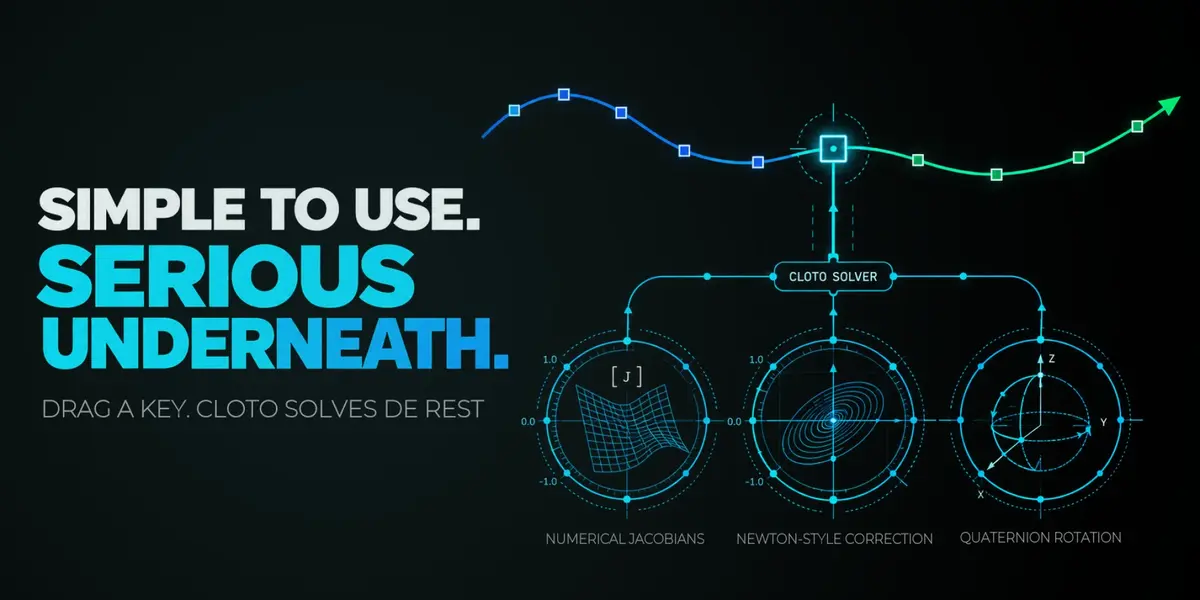
Cloto guards the useful frame range, lets Blender bake one exact result, copies that result into a lightweight GPU proxy, and removes the native path that would otherwise recalculate after every edit. The curve you see is Blender's own evaluation, not a reconstruction from F-Curves. While you move a control, the proxy follows interactively. Refreshing asks Blender for a new exact result; restoring hands the selected controls back to native motion paths.
Edit keys directly on the path
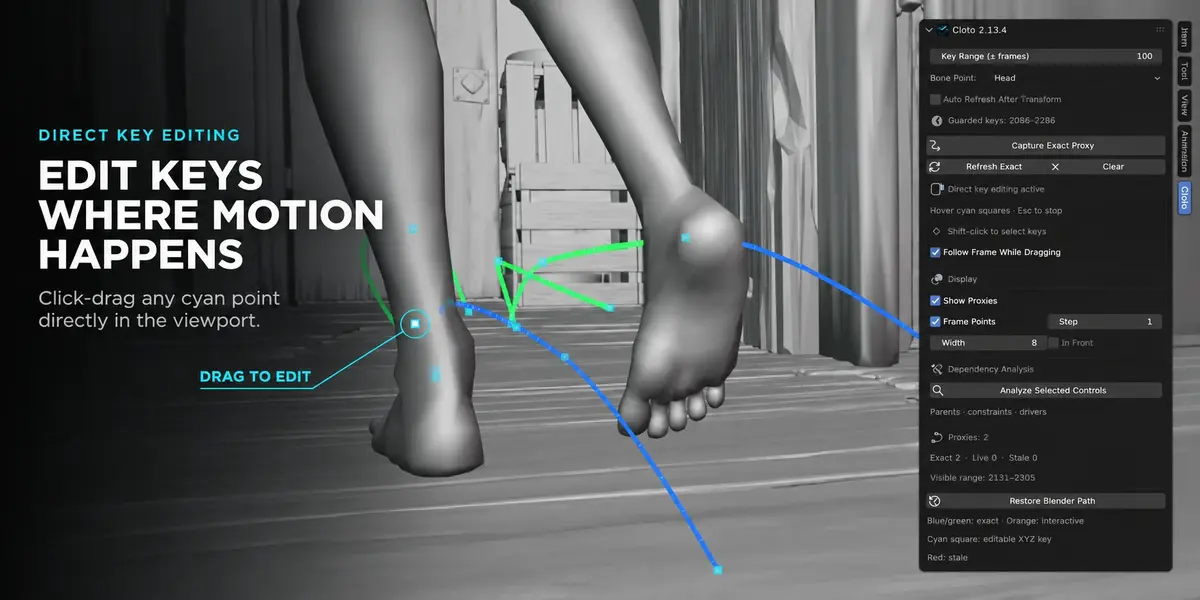
Complete XYZ location keys appear as cyan markers on the curve. Hover until one turns white, then drag it. Cloto verifies the evaluated result and updates the path when you release.
- ›Follow Frame While Dragging jumps to the key's frame and moves the control live under your cursor, so you judge the pose before committing it. Turn it off to reshape the path without leaving the frame you are working on.
- ›Shift-click to select several keys and move them together. Multi-key moves are all-or-nothing. X or Del removes the selection.
- ›Keys stay grabbable after you pose and key a control, and after an undo that leaves the rig and Action in place. A new key appears the moment it is inserted.

Built for constrained controls
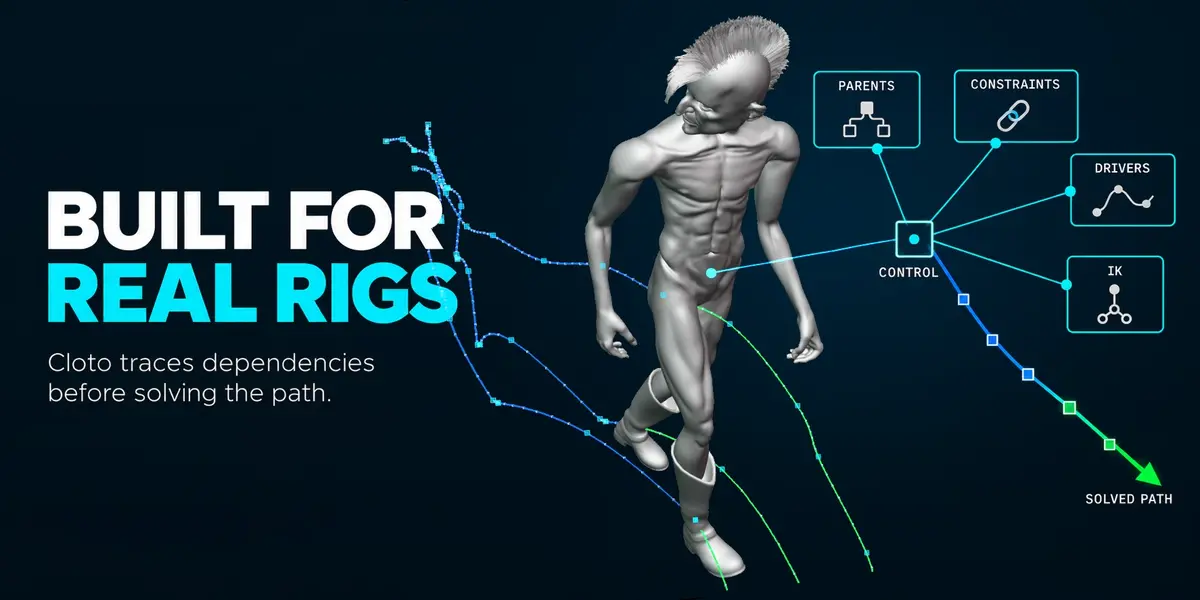
Cloto measures how each control actually responds to its location channel, so constraints, IK and animated parents are accounted for rather than assumed away. A control the rig cannot steer is refused on the click, before anything is touched. An edit whose target the rig cannot reach is rolled back with the animation unchanged.
Exact refreshes that don't stop you
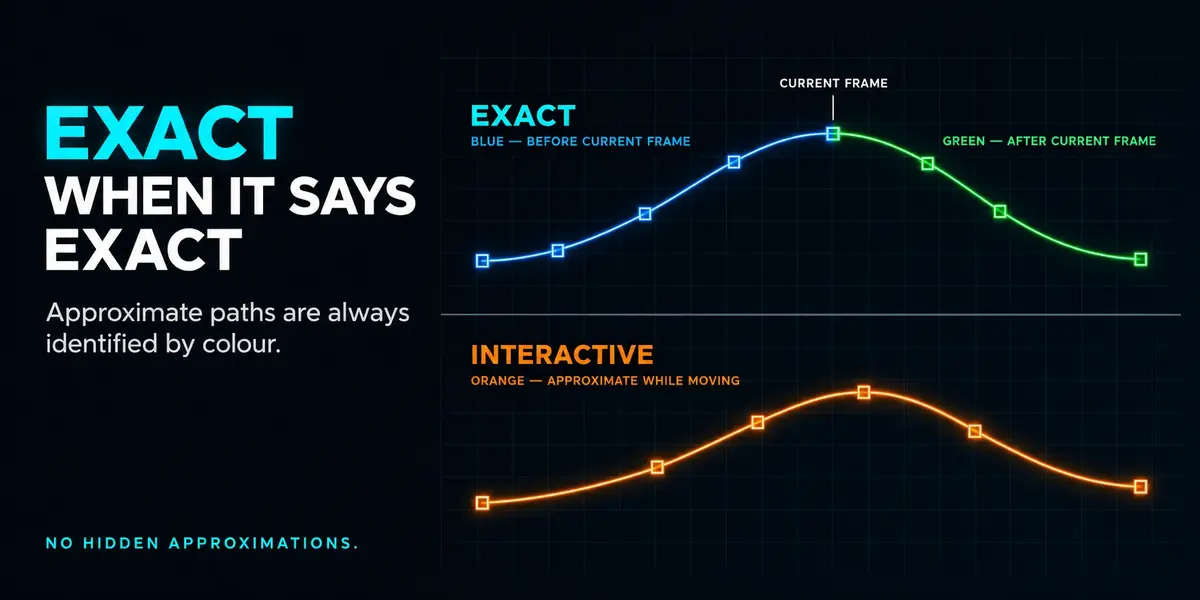
When you move a key, Cloto recalculates only the section its interpolation can affect, and uses the full captured range when the animation setup makes that unsafe. On rigs it can isolate, that bake is sent to a background Blender and you keep editing while it runs — the curve's colour tells you when you are looking at an approximation and when the exact result has landed.
Creating or deleting keys triggers the same targeted update, in the Dope Sheet or on the path itself. Auto Refresh After Transform extends it to ordinary Blender transforms of tracked keys; it is off by default, so an existing workflow never gains an unexpected pause.
Measured
Native bake 856–921 msTargeted refresh 197 msBackground 38–48 msOverlay under 0.2 ms/frame
On the production rig used during development, refreshing a 163-point path cost 856–921 ms through Blender's native bake. Cloto's targeted refresh does it in 197 ms, and where the rig can be isolated the bake moves to a background Blender, leaving 38–48 ms in the interface. The overlay itself costs under 0.2 ms per frame while nothing is moving. Your rig and scene will differ — these are one real production file, not a benchmark suite.
Good to know
- ›The general exact refresh stays manual by design. Moving, creating and deleting keys are the explicit exceptions that refresh on their own.
- ›Background refresh applies to rigs Cloto can isolate safely. Everything else uses the ordinary exact refresh, with the same editing workflow.
- ›While a curve is approximate, it says so through its colour. Cloto never presents an approximation as an exact result.
- ›Direct editing is offered only on complete XYZ location keys that are editable and free of drivers and locks.
- ›The capture lives in memory: reopening the .blend captures again.
RequirementsBlender 5.2 LTS or newer, with Actions using slots and layers.