Cloto — Interactive Motion Paths
 Outlier Labs


Installation
Cloto is a Blender extension. In Blender, open Edit > Preferences > Get Extensions > Install from Disk and choose the downloaded ZIP. Blender 5.2 LTS or newer is required; Cloto refuses to install on earlier versions because it relies on Actions with slots and layers.
The panel lives in the 3D Viewport sidebar (press N) under the Cloto tab. Everything happens in Pose Mode on an armature.
Quick start
- Enter Pose Mode and select one or more controls.
- Set Key Range to the number of frames around the current frame you care about.
- Press Capture Exact Proxy. Blender bakes once; Cloto copies the result and removes the native path.
- Animate. The proxy follows your controls interactively instead of recalculating.
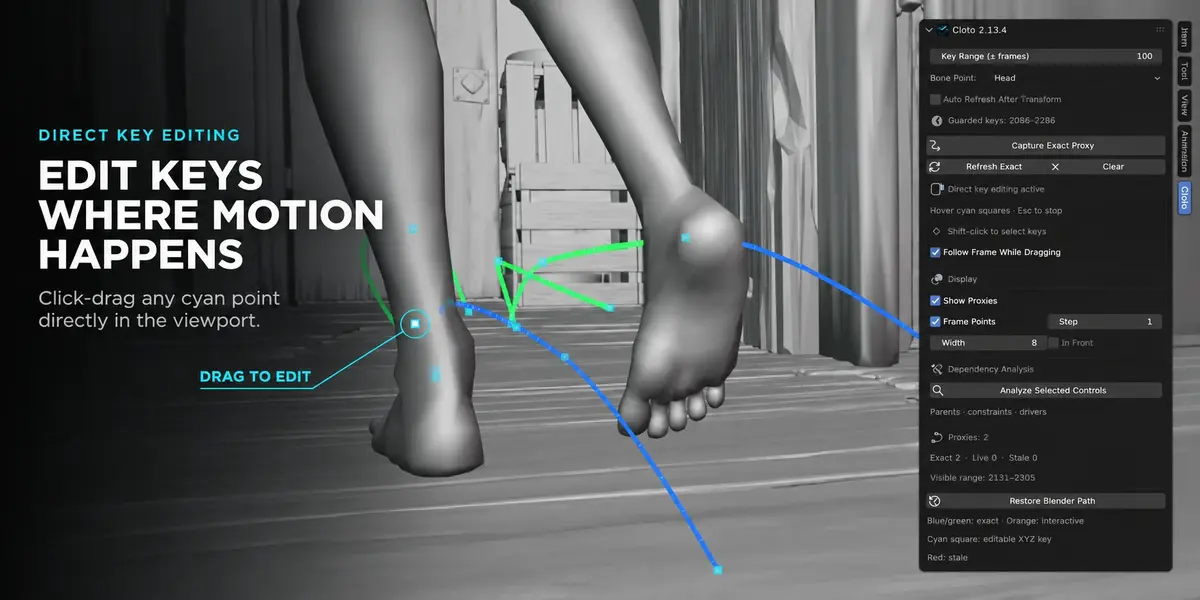
- Drag the cyan squares on the curve to edit keys directly, or press Refresh Exact whenever you want Blender's exact result again.
Settings
- Key Range (± frames) — how far around the current frame Cloto looks for keys before asking Blender to calculate. This is the guard: it is what stops a forgotten selection from baking the whole action. The panel shows the resulting frame span underneath.
- Bone Point — track the bone Head or Tail.
- Auto Refresh After Transform — off by default. When on, an ordinary Blender transform of an existing key on a tracked control triggers an exact recalculation of the smallest range its interpolation allows. Unsafe animation setups use the full captured range instead. Leave it off if you do not want your existing workflow to gain a pause.
Main actions
- Capture Exact Proxy — lets Blender calculate the guarded key range, copies the paths, then removes the native paths so they cannot trigger automatic recalculation.
- Refresh Exact — replaces the selected proxies with a fresh exact Blender calculation.
- Clear — removes proxy paths from the selected pose bones.
- Restore Blender Path — calculates and keeps native motion paths for the selected bones, handing the controls back to Blender. Automatic recalculation may make the rig slow again.
Direct key editing
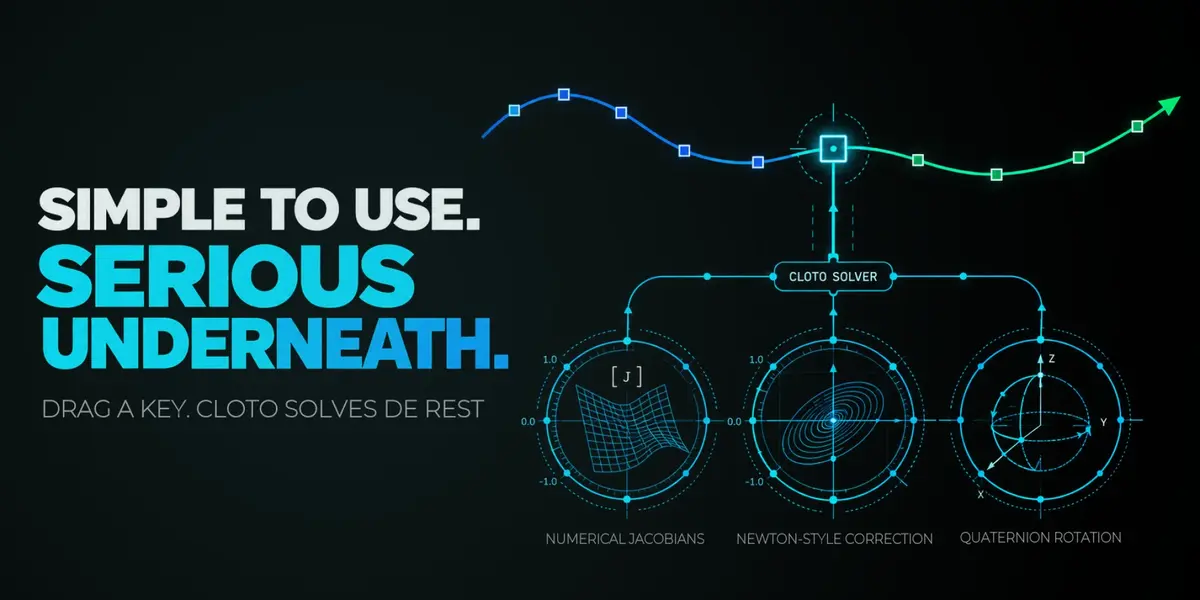
Press Enable Direct Key Editing. Complete XYZ location keys appear as cyan squares on the curve. Hover one until it turns white and the hand cursor appears, then drag and release. Cloto verifies the evaluated result and refreshes the exact proxy.
| Drag a square | Move that key |
| Shift-click | Add a key to the selection, drawn in magenta |
| Drag a selected key | Move the whole selection together, all-or-nothing |
| X or Del | Delete the selected keys, every channel of that bone at that frame |
| Click elsewhere | Clear the selection only — the pose-bone selection is never lost by accident |
| Esc | Clear the selection; press again with nothing selected to stop the listener |
Follow Frame While Dragging is on by default: Cloto jumps to the key's frame and moves the control live under your cursor, so you see the pose before it is committed. Turn it off to reshape the path without leaving the frame you are working on — the key is still written on release. Once written, the pose at your current frame does change if it falls inside the moved key's influence. That is what moving a key means.
Direct editing is offered only on keys that have complete, editable XYZ location channels with no drivers or locks. Keys stay grabbable after you pose and key a control, and after an undo that leaves the rig and Action in place.
What the colours mean
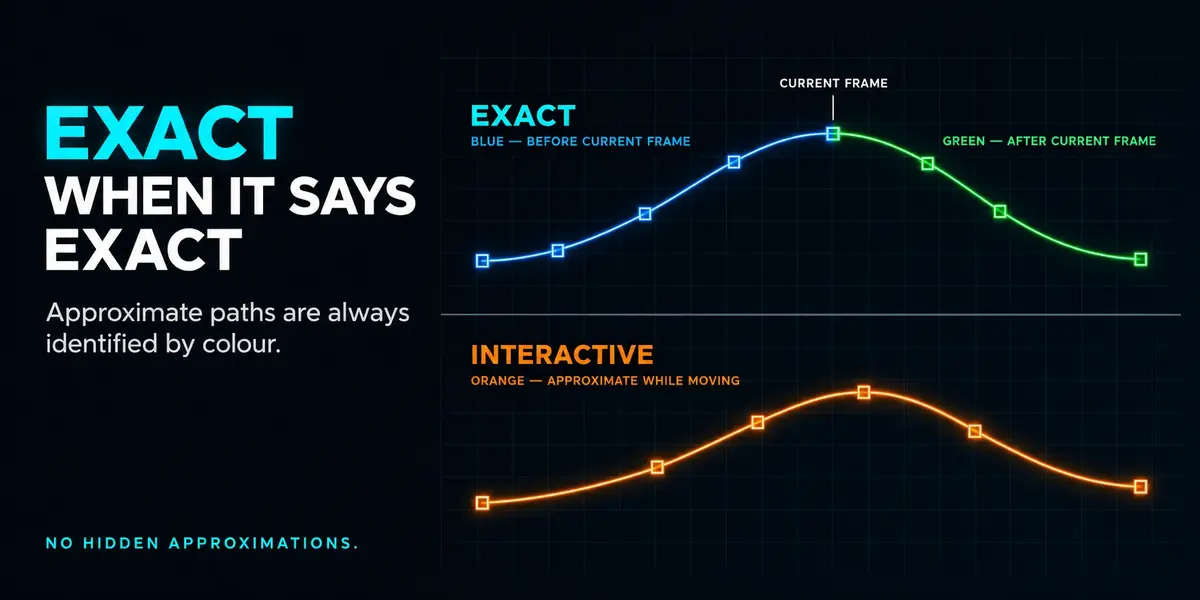
- Blue / green line — exact. This is Blender's own evaluation.
- Orange line — interactive. A fast approximation while you work.
- Red line — stale. The capture no longer matches; refresh it.
- Cyan square — an editable XYZ location key. White while hovered, magenta while selected.
The status box reports Exact · Live · Stale counts and the visible frame range, so the state of every proxy is readable without guessing.
When Cloto refreshes on its own
The general exact refresh is manual by design. These are the exceptions:
- Moving a key on the path refreshes on release.
- Inserting a key — pose a control on an unkeyed frame and let Blender create the key; Cloto then recalculates the affected section.
- Deleting keys, in the Dope Sheet or from the path, recalculates using the key layout from both before and after the deletion.
- Transforming an existing key, only when Auto Refresh After Transform is on.
In each case Cloto recalculates only the section the interpolation can actually affect. Bezier automatic handles expand that range to every segment their smoothing changed, which with continuous-acceleration smoothing can become the whole path. Remapped, NLA-driven or otherwise unsafe setups use the full captured range instead — you lose speed there, never correctness.
On rigs Cloto can isolate, the exact bake runs in a background Blender and you keep editing while it works. Releasing a key keeps the curve in its new position; its colour tells you it is an approximation until the exact result arrives. If you leave Pose Mode before the recalculation can start, the path simply stays approximate and editable.
Constrained controls
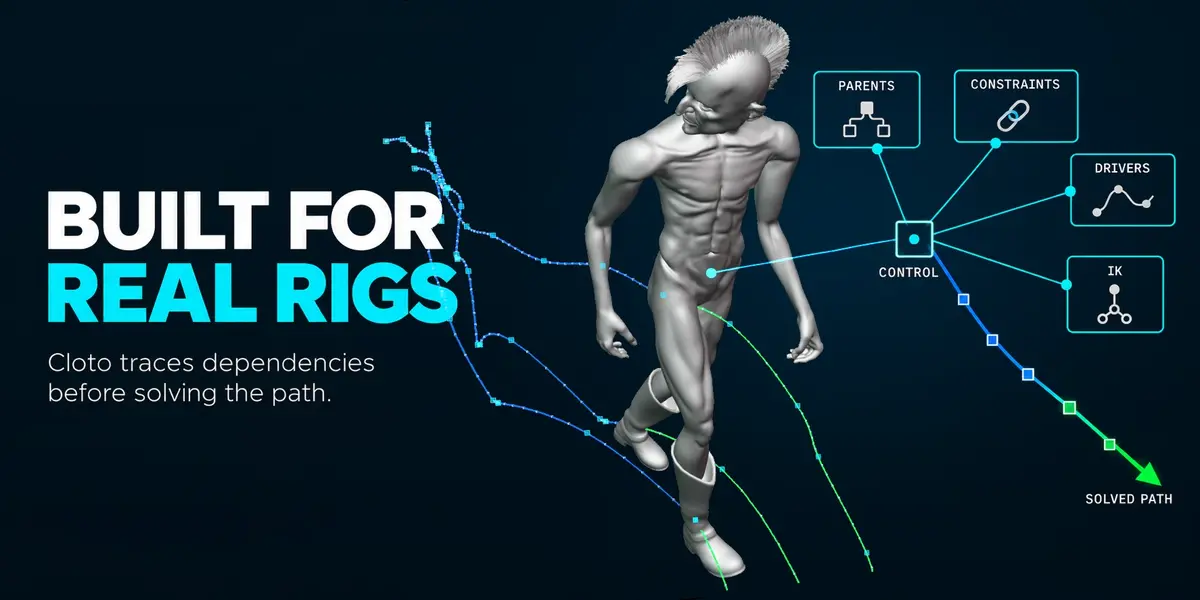
Cloto measures how each control actually responds to its own location channel, so constraints, IK and animated parents are accounted for rather than assumed away. A control the rig cannot steer at all is refused on the click, before anything is touched. An edit whose target the rig cannot reach is rolled back, leaving the pose and the F-Curves as they were.
Dependency analysis
Select one or more controls and press Analyze Selected Controls to see the known dependency closure behind them. White points mark the selected controls. Links are colour-coded:
- Blue — bone and object parents
- Amber — constraint targets
- Magenta — driver sources
- Cyan — the link from a bone to its armature object
Show Dependency Graph toggles the drawing. Copy Full Report puts every node, relation and analysis boundary on the clipboard, including non-spatial properties that cannot be drawn in the viewport.
The analysis is a read-only snapshot and does not change how Blender evaluates the rig. Blender does not expose its whole internal graph to Python: when a scripted driver can consult undeclared context, or a target has disappeared, Cloto lists that as a boundary of the report rather than presenting the graph as complete. The panel marks a complete closure with a checkmark and an incomplete one with a warning.
Display options
- Show Proxies — draw the captured paths.
- Frame Points and Step — show one point every N frames.
- Width — line thickness, 1 to 8.
- In Front — draw proxy paths through geometry.
The overlay is viewport-only and never appears in renders.
Troubleshooting
- "Enter Pose Mode to capture" — Cloto works on pose bones of an armature in Pose Mode. Object-level motion paths are not supported.
- "Select one or more controls" — nothing is selected in the armature.
- Enable Direct Key Editing is greyed out — no captured proxy on the selection has editable keys. Capture first, and check the control has complete XYZ location keys without drivers or locks.
- A key refuses to move — the rig cannot steer that control through its location channel, or cannot reach the point you asked for. Cloto tells you instead of writing an edit that would not hold.
- "Native paths may slow this rig" — native motion paths still exist on the object and will keep recalculating. Capture, or clear them in Blender's own Motion Paths panel.
- The line is red — the capture is stale. Press Refresh Exact.
- The proxies are gone after reopening the file — expected. The capture lives in memory, so capture again. Cloto deliberately does not store a baked copy of your animation inside your .blend.
Have questions about this product?
Login to message
| Blender Extension Compatible | Yes |
| Dev Fund Contributor | |
| Published | about 2 months ago |
| Blender Version | 5.2 |
| Extension Type | Add-on |
| Render Engine Used | Cycles, Eevee |
| License | GPL |
Discover more products like this
Animation Workflow Motion paths viewport performance motion trail character animation animation tools arcs rigify Keyframe editing IK Pose Mode auto-rig pro